Choosing the right software can be the difference between a streamlined workflow and a frustrating afternoon. I’ve personally seen projects grind to a halt simply because the wrong tool was chosen.
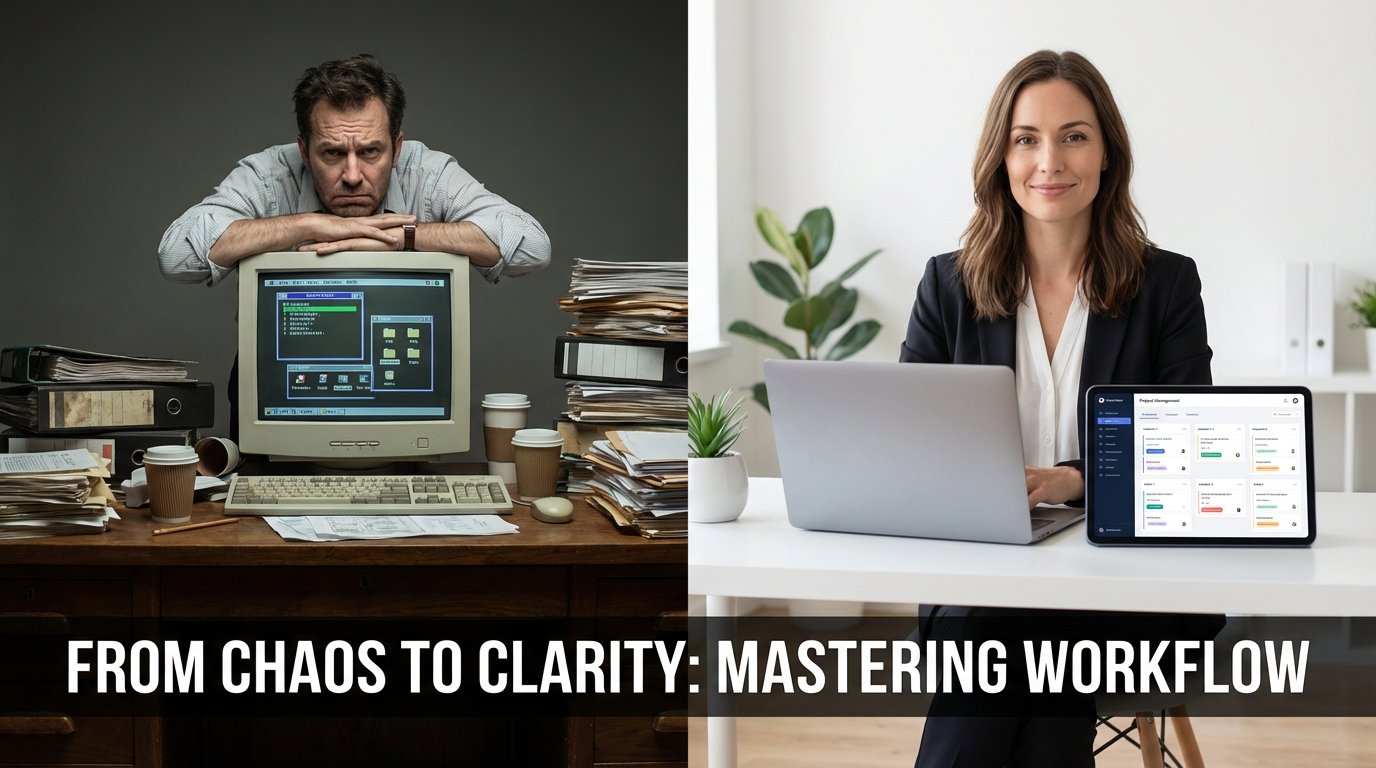
In today’s digital world, the question of free vs paid online tools is a big one for professionals, students, and hobbyists. We’re lucky to have lots of great software that doesn’t cost anything, but premium subscriptions are still popular. So, when should you spend money, and when is a free option good enough? Figuring out the details of these choices is super important for being productive and staying on budget. Let me be honest here – getting this right can save you serious time and money.
I’ve spent years testing and using different online tools, and I’ve learned that there’s no one-size-fits-all answer. It really depends on your specific needs and how you plan to use the tool.
Understanding the Ecosystem of Free vs Paid Online Tools
The software world has changed a lot, with the “freemium” model becoming really common. In this setup, free vs paid online tools are like two sides of the same coin. Developers give you a basic version for free to get people using it. But, they keep the best features, higher limits, and special support for those who pay. This is great because you can try things out before you have to pay anything.
But, not all free tools are the same. Some work perfectly well and are supported by ads or the community. Others are just “trial” versions to get you to subscribe. To make a smart choice, you need to see if the free version can do what you need. For many, it comes down to how often they’ll use it, how hard the task is, and how secure it needs to be.
The Free Tier
Great for individuals, students, and occasional tasks. These tools usually have the basic stuff you need without costing you anything regularly. They might have ads or limit how much you can use them each day.
The Paid Tier
Made for power users and businesses. The premium versions usually let you do a lot at once, automate things, get priority support, and keep your data private.
PDF Management: Why You Might Not Need a Subscription
One area where people often wonder about spending money is managing documents. Big names like Adobe Acrobat have been the go-to for a long time, but they can be pricey every month. But, when you compare free vs paid online tools for PDFs, the free options have gotten much better. For most of us, paying $20 a month just to combine or organize a few documents isn’t really worth it.
Free options like the PDF Organizer Tool on Tools River let you move, delete, or sort pages in a PDF without spending any money. Back in the day, Adobe created the PDF to be a standard for everyone, as mentioned in Adobe’s history of the PDF format. Now, that idea extends to the tools we use to handle them. If you’re not doing super complicated legal stuff or high-end desktop publishing, free online organizers are often faster and easier than those big, paid software.
When to Pay for PDF Tools
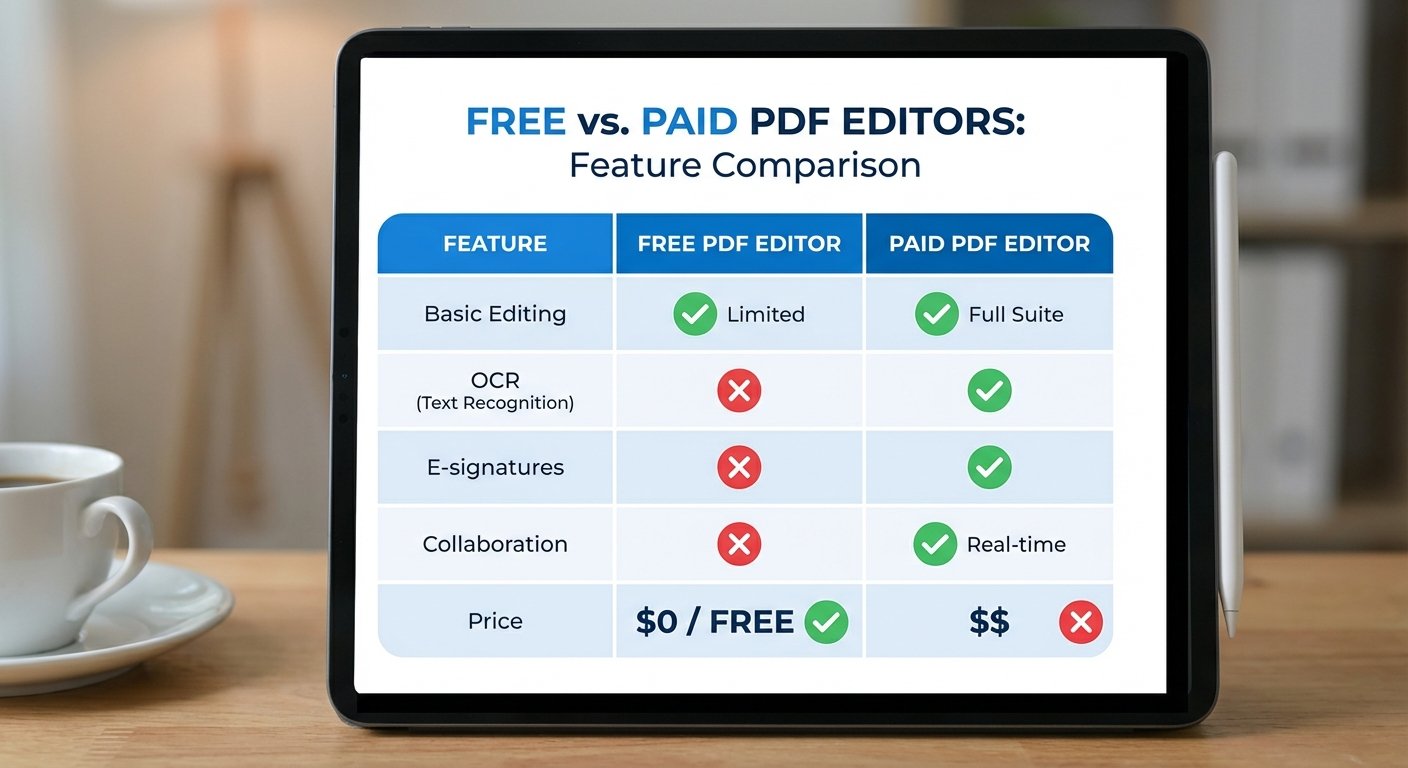
Free tools are great for organizing, but if you need to scan documents and make them editable with Optical Character Recognition (OCR), create advanced forms, or use legally binding e-signatures, then the paid versions become worthwhile. If your company handles hundreds of contracts each month, the time you save with the premium automation features will pay for the subscription.
According to a 2023 report by Forrester, companies that implemented advanced PDF editing and e-signature workflows saw a 25% reduction in document processing time.
Text Analysis and Conversion: Free vs Paid Online Tools for Writers
Writing and editing is where the debate between free vs paid online tools gets really intense. There are so many choices, from grammar checkers to plagiarism detectors. Many writers find that free tools are a good starting point for catching typos and basic mistakes. For example, the Text Difference Checker is a great free tool for comparing two versions of a document to see what’s different.
This kind of tool is perfect for developers who want to compare code or editors who need to track changes. It’s more accurate than checking by hand. Often, these specialized free tools are better than the paid “all-in-one” suites because they focus on doing one thing really well without making you deal with a complicated interface.
Graphic Design and Image Generation: The Price of Creativity
The design world has been transformed by AI image generators and online design platforms. When you’re thinking about free vs paid online tools here, what really matters is the resolution and whether you can use the images commercially. Free versions of tools like Canva or different Stable Diffusion interfaces let you be really creative, but they might limit the size of the images or how many you can make each day.
If you’re managing social media, the free version of a design tool might be enough. But, if you’re a professional brand, you’ll need the paid version for things like brand kits, custom fonts, and high-resolution images. The return on investment (ROI) is in how professional the premium assets make your business look.
Feature Comparison
Free tools often don’t let you process things in bulk. If you need to resize 50 images at once, a paid tool will save you hours of work.
Security & Privacy
Paid tools usually have better data encryption and promise that your files won’t be used to train AI models.
Collaboration
You almost always need a paid subscription to work with a team in real-time and share workspaces.
The Hidden Costs of “Free” Software
Remember the saying: “If you’re not paying for the product, you are the product.” While many free vs paid online tools are legit, some free platforms make money by collecting data or showing you lots of ads. When you use free tools, always read the privacy policy to make sure your data isn’t being sold. This is really important for sensitive business documents or personal information.
Also, free tools often don’t have a service level agreement (SLA). If the site crashes or a tool has a problem when you’re on a deadline, there’s no one to call. For really important tasks, the “cost” of a free tool failing could be much more than a $10 monthly subscription.
ROI Analysis: Calculating the Value
To figure out whether you should use free vs paid online tools, do a simple ROI (Return on Investment) calculation. Ask yourself: How much time does this tool save me each month? If a $15 subscription saves you three hours of work, and you think your time is worth $50 an hour, then the tool has paid for itself ten times over.
On the other hand, lots of people get stuck in the “subscription trap,” where they pay for five different tools but barely use them. According to data from Statista regarding SaaS spending, businesses and individuals often buy too much software, which wastes a lot of money. It’s a good idea to check your subscriptions every few months to make sure you’re only paying for things that really help you.
When to Stay Free
- Single-use tasks: If you just need to convert a file once, use a free online converter.
- Learning phase: Use the free version while you’re still learning how to do something new.
- Simple workflows: If you just need to do basic things (like combining two PDFs), free tools like the ones on Tools River are perfect.
When to Go Premium
- Client-facing work: To look professional, you need to remove watermarks and use high-quality images.
- Workflow automation: If the tool can automatically do repetitive tasks, it’s worth the money.
- Data security: When you’re dealing with sensitive information, you need premium security features.
The Verdict on Free vs Paid Online Tools
In the end, choosing between free vs paid online tools isn’t about which one is better. It’s about which one is right for you right now. We’re lucky that there are developers who offer great free tools that can do 90% of what most people need. By using free resources like text checkers and PDF organizers, you can keep your costs down without losing quality.
Save your money for the tools that give you a competitive edge, automate the tasks you hate, or protect your important data. For everything else, there are plenty of free online tools that can help you get the job done.
Common Mistakes to Avoid
- Ignoring the Terms of Service: Always read the fine print, especially for free tools, to understand how your data is used.
- Overlooking Security Implications: Don’t use free tools for highly sensitive data without verifying their security measures.
- Falling for the “Sunk Cost” Fallacy: Just because you’ve paid for a tool for a long time doesn’t mean it’s still the best option. Regularly re-evaluate your subscriptions.
Frequently Asked Questions
It depends on the provider. Good sites usually process files in memory and delete them soon after. But, for really sensitive or legal documents, it’s usually safer to use a paid tool that promises encryption and privacy.
It costs money to run servers and process data. Developers use daily limits to stop abuse and encourage heavy users to upgrade to a paid plan to cover the costs.
For basic to intermediate tasks, yes. Tools like Canva or Photopea can handle lots of design needs. But, for advanced professional work that needs specific file formats or complicated features, you’ll still need the industry-standard paid software.
Think about how much time you save. If a tool costs $10 a month but saves you more than an hour of work that you could use for billable tasks or personal time, it’s usually worth it.
Read Also:
- Flames Calculator
- Pneumococcal Vaccine Dosage Calculator
- BMI vs BMR Difference Health Fitness: A Comprehensive Guide to Your Body Metrics
- Power Convertor
- How to Use a Quiz Maker for Explosive Growth in 2024
- Master Your Wealth: How an Investment Calculator Accelerates Financial Freedom
- 10 Proven Strategies to Master SEO Texte for Higher Google Rankings