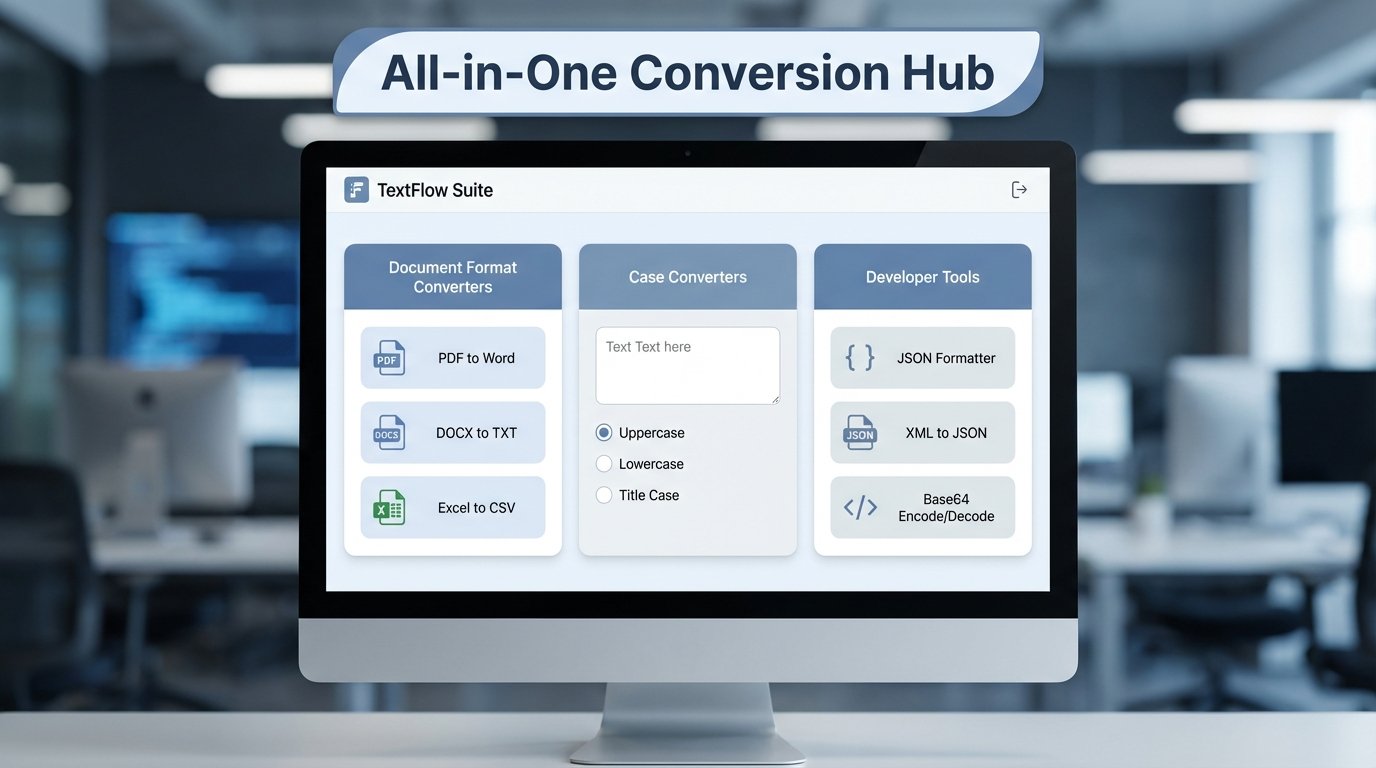
Let’s face it: in today’s digital world, wrestling with incompatible file formats is a productivity killer. You’ve been there, right? That crucial document stuck in a format your client can’t open, or a perfectly crafted blog post that needs a quick case adjustment before hitting ‘publish.’ That’s where **text converter tools online** swoop in to save the day. They’re not just a convenience; they’re essential for anyone who works with digital documents regularly. Forget about expensive software or complicated installations – these tools put powerful conversion capabilities right at your fingertips.
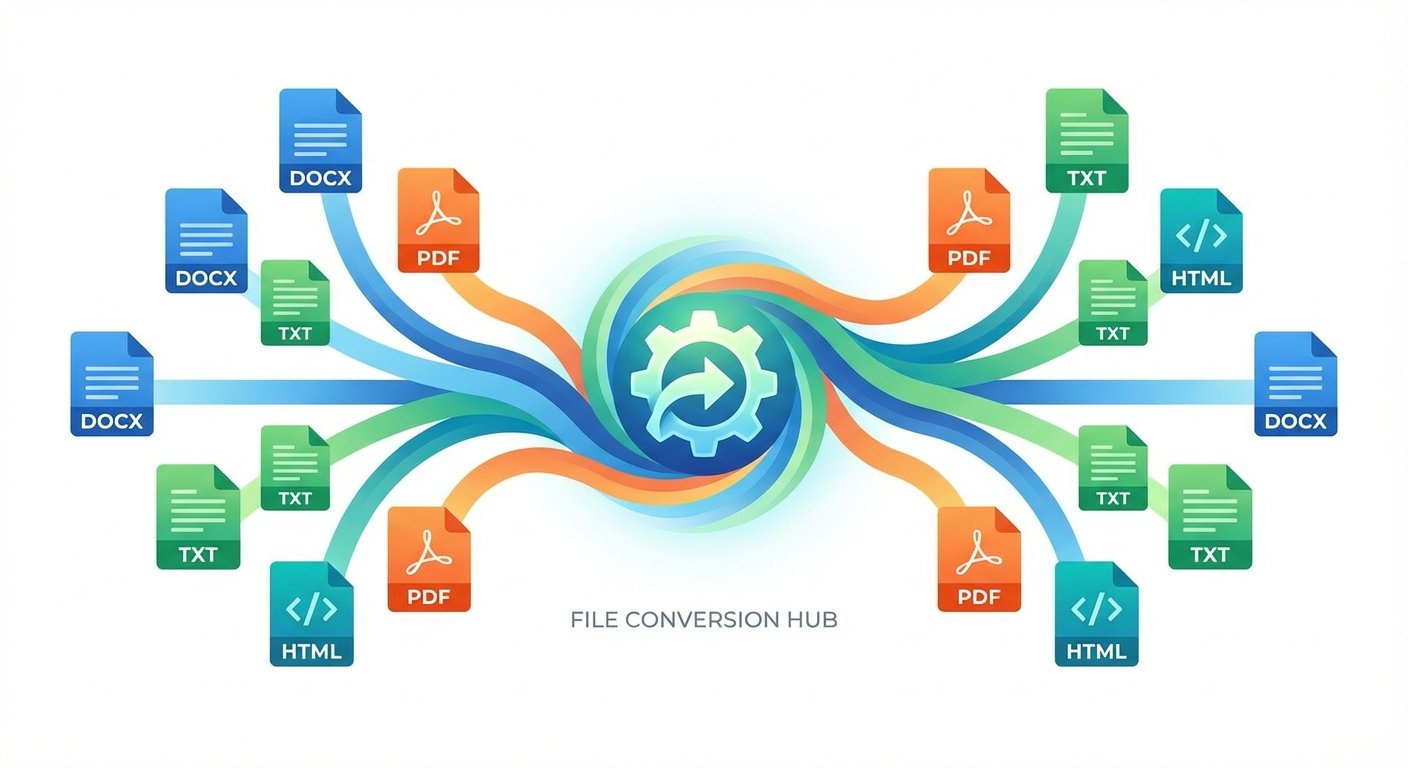
I’ve spent over two decades navigating the ever-changing digital landscape, and believe me, I’ve seen it all when it comes to file format frustrations. The beauty of these online tools is their sheer simplicity and accessibility. You can transform a Word document into a secure PDF, tweak the case of an entire article with a single click, or even generate placeholder text for a website mockup in seconds. This guide isn’t just a list of tools; it’s your roadmap to mastering digital document management. I’ll walk you through the different types of converters, how to use them effectively, and why they’re indispensable for a smooth, efficient workflow. We will also explore collections like those found on Tools River to help you streamline your daily tasks.
Why Professionals Rely on Text Converter Tools Online
The rise of remote work and cloud-based collaboration has made flexible document handling a must-have, not a nice-to-have. Professionals across all industries depend on **text converter tools online** because they break down the barriers caused by different software preferences. Think about it: your marketing team might live in Google Docs, while your legal department swears by Microsoft Word. A reliable converter ensures everyone can access and work with the same information, regardless of their preferred platform.
These tools are also invaluable for maintaining consistency. Imagine you’re preparing a formal report and need to capitalize a list of names that are currently in lowercase. Manually correcting each name is tedious and error-prone. A text case converter can handle this in a flash. Similarly, web developers often need to convert plain text into clean HTML or generate placeholder content. In these situations, using a lorem ipsum generator alongside conversion tools helps visualize the final layout without getting bogged down by the actual copy.
According to a 2023 study by Statista, 85% of businesses use a combination of different software applications for document creation and management. This highlights the critical need for reliable text conversion tools to ensure seamless collaboration and data integrity.
Universal Accessibility
Online converters work on any device with an internet connection, including smartphones, tablets, and laptops, making them perfect for on-the-go edits. I’ve used them on my phone while waiting for a flight – talk about a productivity boost!
Cost-Effectiveness
Most online text utilities are free to use, providing professional-grade features without the need for monthly subscriptions or one-time license fees. It’s a fantastic way to access powerful tools without breaking the bank.
Data Integrity
Advanced algorithms ensure that when you convert formats, your data remains accurate and your original formatting is preserved as much as possible. However, always double-check the output, especially with complex documents.
Key Features of High-Quality Text Converter Tools Online
Not all conversion tools are created equal. When searching for the best **text converter tools online**, prioritize user experience and security. A top-notch tool should have a clean, intuitive interface, lightning-fast processing speeds, and a transparent privacy policy detailing how your data is handled. Given that many documents contain sensitive information, choosing a reputable platform is non-negotiable.
Experts at Adobe consider the PDF format the gold standard for document sharing because it preserves fonts and layouts across all devices. Therefore, a high-quality text converter must offer robust DOCX to PDF capabilities. The ability to handle bulk conversions is also a major advantage for businesses dealing with large amounts of data. Look for tools that allow you to upload multiple files simultaneously to maximize efficiency.
Accessibility Benefits of Text Converter Tools Online
One often-overlooked aspect of text conversion is its role in digital accessibility. Text-to-speech (TTS) converters empower individuals with visual impairments or reading difficulties to consume written content through audio. By converting blog posts or reports into spoken word, organizations can reach a wider audience and comply with international accessibility standards, such as WCAG (Web Content Accessibility Guidelines). This is a perfect example of how **text converter tools online** serve a purpose beyond simple file modification.
Exploring the Different Types of Text Converters
The online converter landscape is vast, encompassing everything from basic formatting tweaks to complex data transformations. Understanding the different categories will help you pinpoint the right tool for the job. Here are some of the most common types you’ll encounter:
- Document Format Converters: These handle transitions between file extensions, such as PDF to Word, TXT to DOCX, or HTML to Markdown. These are your go-to tools for ensuring compatibility across different platforms.
- Case and Style Converters: These tools allow you to toggle between UPPERCASE, lowercase, Title Case, and Sentence case instantly. I’ve personally used these to quickly fix formatting inconsistencies in large documents.
- Encoding and Decoding Tools: Essential for developers, these convert text into Base64, URL-encoded strings, or binary code. Think of them as translators between different coding languages.
- Text-to-Speech and Speech-to-Text: These bridge the gap between written and spoken communication. They’re incredibly useful for accessibility and for creating audio content from text.
- Cleanup Utilities: These remove extra spaces, line breaks, or special characters from messy data sets. These are lifesavers when dealing with data imported from different sources.
Format Converters
Ideal for changing file types like DOCX to PDF or TXT to CSV while maintaining the structural hierarchy of your data. Pay attention to options for preserving formatting and images.
Case Converters
Quickly fix formatting issues in your copy, such as accidental caps lock or the need for standardized title formatting in articles. These tools often offer multiple case options for maximum flexibility.
Developer Tools
Includes JSON formatters, HTML minifiers, and encoders that help programmers keep their code clean and functional. These tools are essential for optimizing website performance and readability.
Mastering the Use of Text Converter Tools Online
To maximize the benefits of these utilities, adopt a structured approach. Most **text converter tools online** follow a simple three-step process: Upload, Convert, and Download. However, the magic lies in how you prepare your files. For example, when converting a complex document to PDF, ensure your images are properly anchored and your fonts are standard to avoid rendering issues. I’ve learned this the hard way after spending hours troubleshooting a poorly converted document!
When using case converters, simply paste your text into the provided field, select your desired output style, and copy the result. For more technical tasks, such as preparing content for a website, you might use an online SEO checker tool after conversion to ensure your text still meets search engine optimization standards. This holistic approach ensures your content is not only formatted correctly but also optimized for its final destination.
Step-by-Step Tutorial: Using Tools River’s Collection
Tools River offers a comprehensive suite of utilities designed for simplicity and speed. One standout feature is the Random Text Generator, which is part of a larger text converter collection. Here’s how to use their tools effectively:
- Navigate to the Tool: Visit the specific converter page (e.g., Case Converter or Text to PDF). The Tools River interface is clean and easy to navigate.
- Input Your Data: You can either type directly into the box, paste copied text, or upload a file from your computer. The platform supports various input methods for your convenience.
- Select Options: Choose your specific settings, such as the target case or the desired output format. Take a moment to explore the available options to fine-tune the conversion.
- Execute Conversion: Click the ‘Convert’ or ‘Generate’ button. The process usually takes less than a second. The speed is impressive, even with larger files.
- Save Your Work: Download the resulting file or copy the text to your clipboard for immediate use. The output is clean and ready to use.
Best Practices for Maintaining Document Formatting
While **text converter tools online** are powerful, they’re not magic wands. The output quality hinges on the input quality. To ensure your documents look professional after conversion, follow these best practices, as suggested by industry leaders like Microsoft regarding document accessibility and structure.
First, use semantic headings (H1, H2, H3) in your original document. This helps the converter understand the hierarchy of your information. Second, avoid using too many nested tables, as these can sometimes break during the transition from one format to another. Third, if you’re converting text to speech, ensure your punctuation is perfect; the AI uses commas and periods to determine where to pause, making the audio sound more natural and human-like.
Tip 1: Use Standard Fonts
Stick to widely supported fonts like Arial or Times New Roman to prevent layout shifts during PDF conversion. Exotic fonts can often cause rendering issues.
Tip 2: Clean Your Data
Use a whitespace remover tool before converting text to code or CSV to avoid unnecessary errors in your database. Extra spaces can wreak havoc on data integrity.
Tip 3: Check Privacy
Always ensure the site uses HTTPS and has a policy of deleting uploaded files after a certain period for maximum security. Your data’s safety should be a top priority.
The Future of Text Conversion Technology
As artificial intelligence continues its relentless march forward, **text converter tools online** are becoming even more intelligent. We’re moving beyond simple format changes into the realm of semantic conversion. This means tools can now summarize long documents, translate them into multiple languages with impressive accuracy, and even adjust the writing’s tone from formal to casual. This evolution makes these tools even more vital for global communication and content personalization.
According to a 2024 report by Gartner, AI-powered text conversion tools are expected to increase productivity by 30% in content creation workflows over the next two years. This is a massive leap forward, driven by advancements in natural language processing and machine learning.
In the near future, expect tighter integration between conversion tools and content management systems. Imagine a world where your text is automatically formatted, optimized for SEO, and converted into five different languages the moment you finish writing. By mastering the use of current **text converter tools online**, you’re setting yourself up for a future of unparalleled efficiency.
Conclusion: Streamlining Your Digital Workflow
**Text converter tools online** are the unsung heroes of the modern digital age. They provide the flexibility, efficiency, and accessibility needed to tackle a wide range of file types and formatting challenges. By leveraging professional collections like Tools River, you can ensure your documents are always in the right format, your text is perfectly styled, and your productivity is consistently high. Whether you’re performing a simple case change or a complex file conversion, these tools are your allies in achieving a seamless digital experience.
I’ve personally witnessed the transformative power of these tools in countless projects. They’re not just about saving time; they’re about unlocking new possibilities and empowering you to work more effectively.
Frequently Asked Questions
Using a reputable online converter is the fastest way. These tools preserve your layout and fonts, ensuring the PDF looks exactly like your original Word document across all devices. Always double-check the output for any minor discrepancies.
Most established **text converter tools online** use encryption and automatically delete files from their servers after a set period. Always check the site’s privacy policy before uploading sensitive data, and consider using a password-protected PDF for added security.
Yes, many online utilities offer free text-to-speech services. These are excellent for creating accessible content or listening to long reports while multitasking. However, free versions often have limitations on the length of text you can convert or the quality of the audio.
You can use a text case converter tool. Simply paste your text into the tool and select the ‘Sentence case’ or ‘lowercase’ option to fix the formatting instantly. Most tools offer a preview so you can see the changes before applying them.
Absolutely. Since these tools are web-based, they are fully compatible with mobile browsers on both iOS and Android, allowing you to convert files anywhere. However, be mindful of your data usage when uploading and downloading large files on a mobile network.