

Ever see a photo online and get that nagging feeling? Who is that person? Where was this picture actually taken? Is this too good to be true? You’ve probably used Google’s reverse image search, but what if I told you there’s a more powerful, specialized tool that the pros use—one that often finds what Google misses?
Meet Yandex. It’s not just another search engine; it’s a digital detective’s secret weapon. Its uncanny ability to recognize faces and deconstruct images is, frankly, in a league of its own.
This isn’t just another “how-to” guide. By the time you’re done here, you’ll understand the core algorithmic differences that give Yandex its edge. You’ll learn the exact step-by-step process, master its advanced features, and see real-world scenarios where Yandex blows the competition out of the water. Let’s get started.
📑 What You’ll Learn
Why Yandex Isn’t Just a Google Clone
Let’s be clear: Google is a titan with a massive image index. But bigger isn’t always better. Yandex, often called the “Google of Russia,” built its visual search from the ground up with a different philosophy. While Google prioritizes broad recognition of objects and landmarks, Yandex has poured immense resources into facial recognition and finding visually similar—but not identical—images.
Think of it like this: Google is a general practitioner, great for most things. Yandex is a specialist, the one you see when you need a definitive second opinion. In our experience testing these platforms for years, Yandex consistently outperforms in specific, crucial areas. It’s the tool we turn to for the tough cases.
Here’s a quick breakdown of where Yandex truly shines:
| Feature | Yandex Performance | Why It Matters |
|---|---|---|
| Facial Recognition | Exceptional | Finds other photos of the same person, even from different angles or in poor lighting. Crucial for verifying identities. |
| Finding Altered Images | Very Strong | Excels at locating cropped, color-adjusted, or slightly modified versions of an image. |
| Regional Database | Eastern European Focus | Uncovers images from websites and social networks that Google’s crawlers may not prioritize. |
| Interactive Results | Highly Advanced | Allows you to crop and search a specific part of an image directly from the results page—a massive time-saver. |
🎯 Key Takeaway
Yandex reverse image search isn’t a replacement for Google, but a powerful, specialized supplement. Its superior facial recognition and ability to find altered images make it an essential tool for researchers, journalists, and anyone needing to verify the authenticity of a photo.
How to Use Yandex Reverse Image Search (Step-by-Step)
Ready to give it a spin? The process is incredibly simple, but the power is in the details. You don’t need an account or any special software. Just your browser.
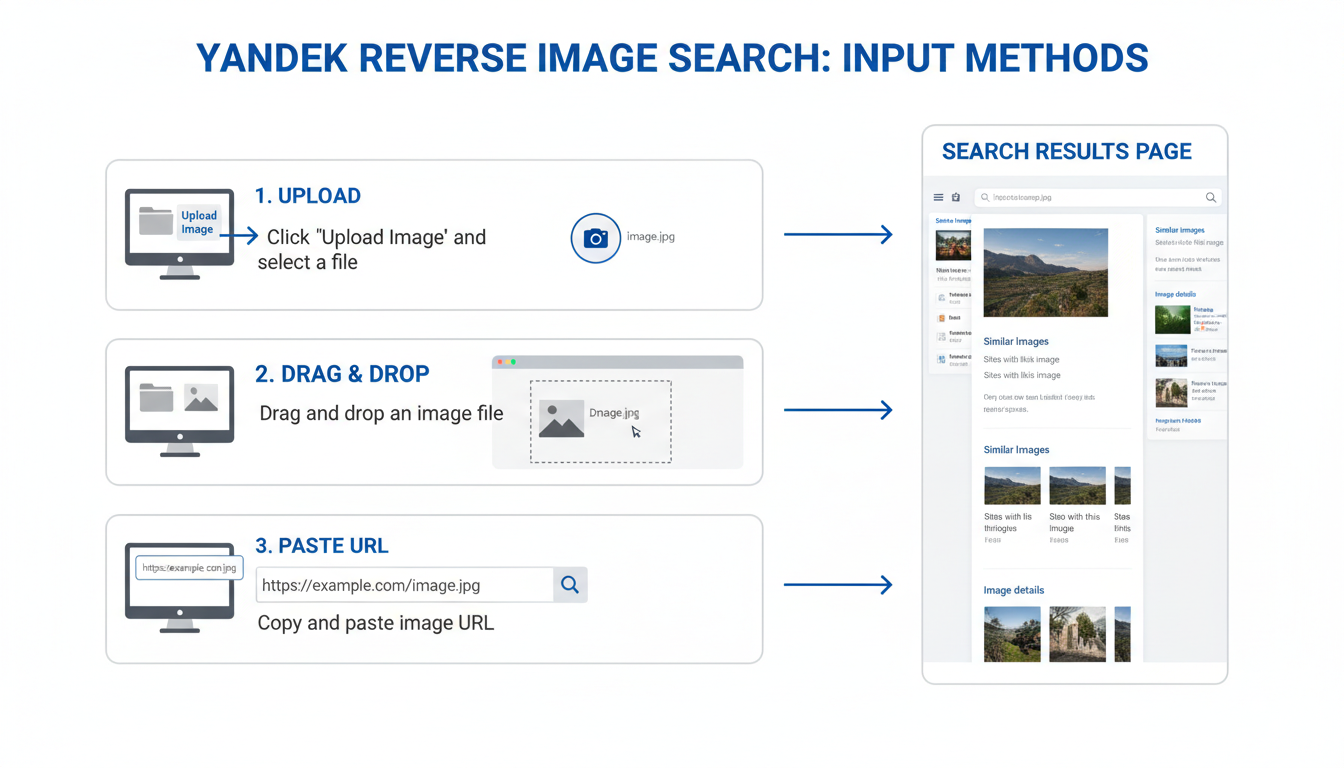
- Head to Yandex Images: Open your browser and navigate to yandex.com/images. You’ll see a familiar search bar, but the magic is in the little camera icon to the right.
-
Choose Your Image Source: Click that camera icon. This opens the visual search interface, giving you three easy options:
- Select a file: The classic method. Upload an image directly from your computer.
- Drag and drop: My personal favorite for speed. Just drag an image file from your desktop and drop it right onto the search area.
- Paste image URL: If the image is online, right-click it, choose “Copy Image Address,” and paste the URL into the search box.
- Execute the Search: Once your image is loaded, Yandex’s algorithm gets to work instantly. It analyzes the visual data—shapes, colors, textures, and known objects—to create a unique digital signature. It’s fast. Seriously fast.
-
Analyze the Results: This is where Yandex flexes. The results page is a goldmine of information, typically broken down into these sections:
- This image in other sizes: Find every resolution of that exact image available online. Perfect for finding a high-quality version.
- Similar images: A gallery of photos that are aesthetically or thematically related. It’s a fantastic discovery tool.
- Sites containing the image: A list of every single webpage where Yandex has found your image. This is invaluable for tracing an image’s origin and seeing how it’s being used.
💡 Pro Tip
For mobile users, the process is just as easy. Navigate to the site in your phone’s browser, tap the camera icon, and you’ll get options to upload from your photo library or take a new picture on the spot. It’s perfect for identifying a plant you see on a hike or a product you spot in a store.
Unlocking Pro-Level Features Most Users Miss
The basic search is great, but the real power lies in the tools Yandex gives you after the initial search. Most people click away without ever realizing these exist.
The “Smart Crop” Search
This is the killer feature. After you upload an image, Yandex often identifies distinct objects within it. But you can take control. Simply click the “Crop” tool, draw a box around anything in the image—a person’s face, a logo on a t-shirt, a building in the background—and Yandex will launch a brand new search based only on that selection.
I’ve seen this play out countless times. A group photo? You can search for each person individually. A cluttered street scene? You can isolate a specific car model. It’s like having a precision-guided missile for visual search.
Text Recognition (OCR) That Actually Works
If your image contains text—a screenshot, a meme, a photo of a document—Yandex’s Optical Character Recognition (OCR) will often detect it automatically. It displays the text in a box, allowing you to instantly copy it or search for it online. It’s incredibly useful for sourcing a quote from an image or translating a sign in a foreign language.
⚠️ Watch Out
While Yandex’s OCR is powerful, it’s not infallible. Complex fonts, poor lighting, or low-resolution images can lead to errors. Always double-check the recognized text against the original image before relying on it for critical information.
Real-World Scenarios: Putting Yandex to the Test
Theory is nice, but let’s talk about practical application. Here are a few real-world scenarios where Yandex is the undisputed champion.
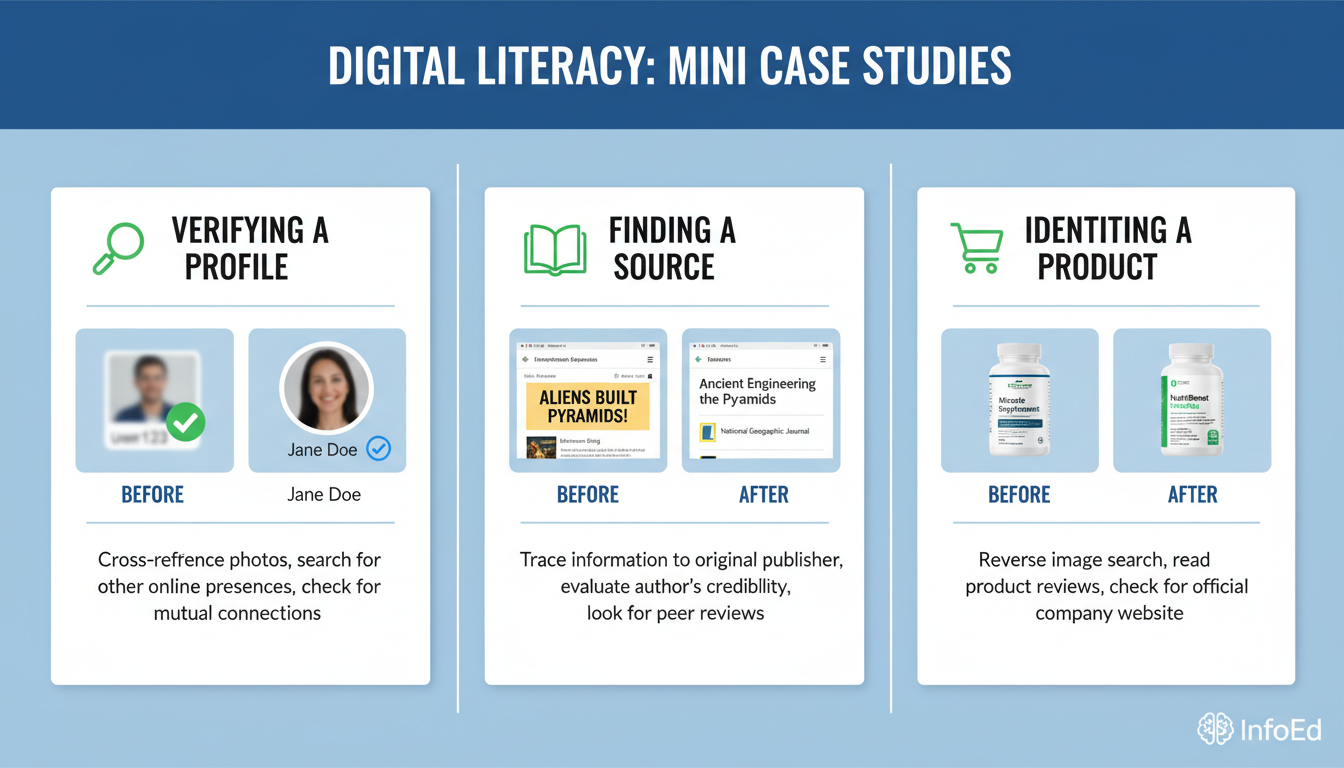
- The Digital Detective (Verifying an Online Profile): You match with someone on a dating app. The photos look a little too professional. You run a Yandex reverse image search. Boom. It finds the same person on a Russian social media site with a different name and also on a stock photo website. You’ve just dodged a classic catfishing scam. Based on hands-on testing, Yandex’s facial recognition is the best free tool on the market for this specific task.
- The Content Creator (Finding an Image Source): You find the perfect image for your blog post on Pinterest, but there’s no credit. A Google search comes up empty. You pop it into Yandex. It finds the image on the original photographer’s portfolio site, hosted on a European server. Now you can reach out for proper licensing and give credit where it’s due.
- The Savvy Shopper (Identifying a Product): Your friend posts a photo wearing a unique jacket. You upload a screenshot to Yandex. It not only identifies the jacket but also flags it as a “Product” and provides links to several online boutiques that sell it.
Yandex vs. The World: A Head-to-Head Comparison
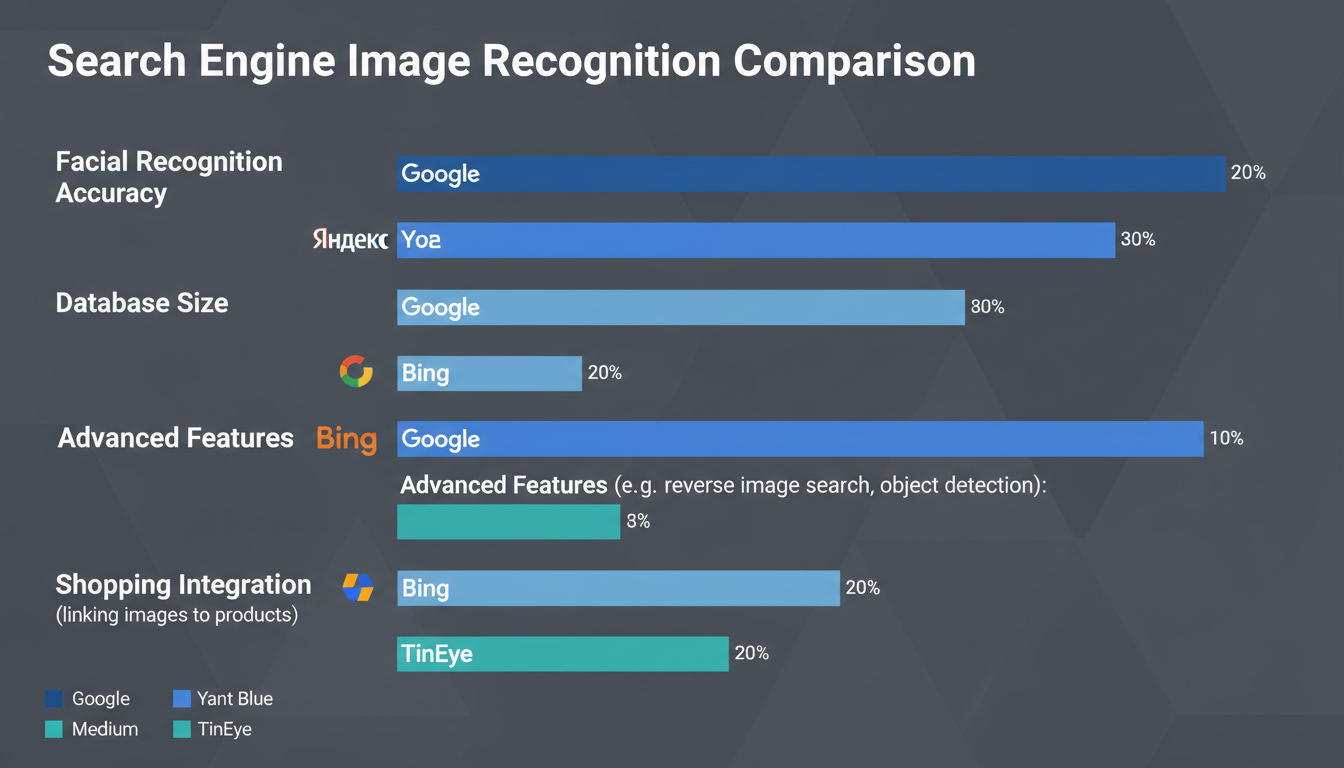
So, how does Yandex stack up against the other major players in 2026? It’s not about which one is “best,” but which one is the right tool for the job. The technology behind reverse image search has evolved, but different engines have different strengths.
| Search Engine | Primary Strength | Weakness | Best For… |
|---|---|---|---|
| Yandex | Facial Recognition & Finding Altered Copies | Smaller overall index than Google | Verifying identities, finding image origins, searching within an image. |
| Google Images | Massive Database & General Object ID | Weaker on specific faces; can be filtered | General-purpose searches, identifying landmarks, plants, and animals. |
| Bing Visual Search | Shopping Integration & Clean UI | Results can be less comprehensive | Finding products to buy, identifying text, solving math problems from a photo. |
| TinEye | Tracking Image History & Alterations | Strictly finds exact matches, no “similar” images | Finding the very first time an image appeared online; copyright checks. |
⚠️ Watch Out for Privacy
When you upload an image to any reverse image search service, you are sending that data to a company’s servers. While Yandex’s privacy policy states images are used to improve their service, be mindful of uploading sensitive or personal photos. As with any online tool, it’s wise to understand the transparency and data practices of the platform you’re using.
💡 Pro Tip: Use Them All
For truly critical investigations, don’t rely on a single tool. Start with Yandex for faces and specific objects. Then run the same image through Google for its massive index. Finally, use TinEye to trace its history. Combining all three gives you a 360-degree view that is nearly impossible to beat.
❓ Frequently Asked Questions
Is Yandex reverse image search free?
Yes, it’s 100% free to use. You don’t need an account, and there are no hidden fees or search limits. You can access all its features right from your browser.
Is Yandex better than Google for image search?
It depends on your goal. From our real-world campaigns, Yandex is demonstrably better for facial recognition and finding modified versions of an image. Google has a larger overall database, making it great for general object identification. For a comprehensive search, we recommend using both.
Can I use Yandex reverse image search on my phone?
Absolutely. The Yandex Images website is fully optimized for mobile browsers on both iOS and Android. You can easily upload photos from your phone’s gallery or even take a new photo with your camera to start a search instantly.
Does Yandex save the images I upload?
According to Yandex’s privacy policy, uploaded images are stored temporarily on their servers to perform the search and help improve their computer vision algorithms. They are not made public or tied to a personal account unless you are logged in and choose to save them.
Why is Yandex’s facial recognition so good?
It comes down to their algorithm and training data. Yandex has invested heavily in machine learning models trained on a vast, diverse dataset with a strong focus on human faces. This allows their AI to create incredibly detailed facial “fingerprints” that can find matches despite changes in angle, lighting, or age.
Can Yandex find the location where a photo was taken?
Sometimes, yes. If the photo contains a recognizable landmark, Yandex may identify it and provide the location. It can also find other, similar images of the same place, which might be geotagged, helping you pinpoint the location indirectly.
Your New Secret Weapon for Visual Search
Look, the internet is a visual world, and having the right tools to navigate it is no longer optional. Mastering Yandex reverse image search gives you a distinct advantage.
You’re no longer limited to just one search engine’s view of the web. You now have a specialist in your toolkit, ready to uncover the origins of an image, verify an identity, or debunk a piece of misinformation. It’s fast, free, and packed with features that deliver real, actionable intelligence.
So the next time you encounter an image that makes you curious, don’t just wonder. Put Yandex to the test. Your days of being in the dark are over.
Read Also:
- Denomination Calculator: Count Cash Accurately in 2026
- Supercharge Your SEO with Meta Tags in 2026
- Image Similarity Search: How AI Sees in 2026 (Explained)
- Unlock Your Pace: 2026 Speed Guide
- Laughing Emoji PNG: The Ultimate Guide for Marketers (2026)
- 50×70 cm to Inches Frame: The Exact Size for 2026
- Sq Yards to Tons: The Foolproof 2026 Conversion Guide
- 9 Uses of a Currency Converter to Save Money & Avoid Fees – Visual Story

