
You’ve just unboxed a sleek new gadget from overseas, and you’re ready to plug it in. But wait. The power adapter says “50Hz,” and your wall outlets are 60Hz. You also see a “90W” rating. Suddenly, a question pops into your head: how do I convert watts to Hz to see if this is safe?
Let’s cut right to the chase: you can’t.
Searching for a “watts to Hz” conversion is like trying to find a formula to convert the color blue into kilograms. It’s a fundamental misunderstanding of what these two units measure. But the fact you’re asking means you’re on the right track to understanding how your electronics really work.
Forget the non-existent calculators. This guide will give you something far more valuable. We’ll demystify Watts and Hertz, expose the hidden relationship between them, and show you how to read any device label with the confidence of an electrical engineer. By the end, you won’t need a converter—you’ll have clarity.
📑 What You’ll Learn
The Core Reason You Can’t Convert Watts to Hz
Imagine you’re driving a car. The power of your engine could be measured in horsepower or kilowatts (kW). That’s the raw force it can produce. Now, think about the engine’s speed, measured in revolutions per minute (RPM). That’s a frequency—how often the crankshaft completes a full circle.
Could you “convert” your engine’s 200 horsepower into 3,000 RPM? Of course not. They measure entirely different things: force vs. repetition.
This is the exact same principle with Watts and Hertz.
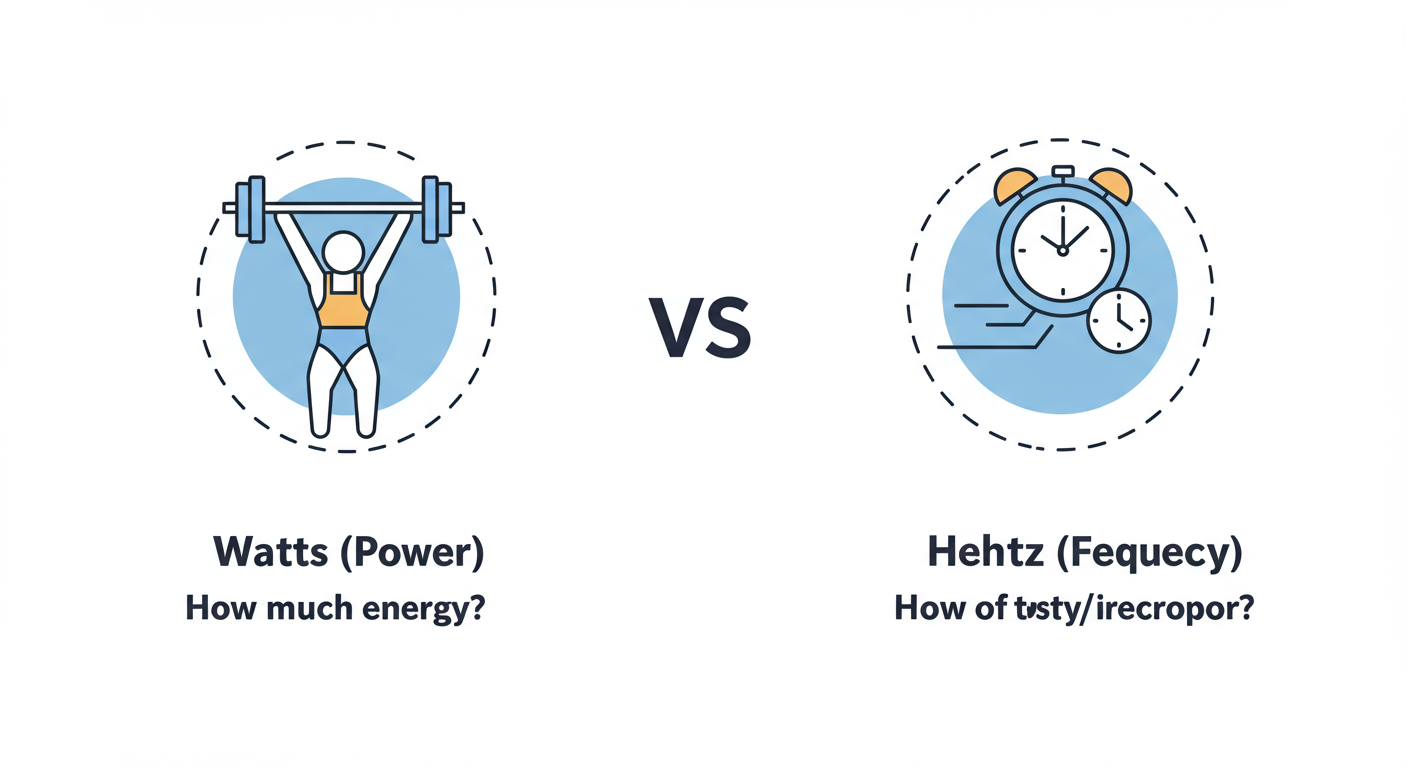
- Watts (W) measure Power: The rate at which energy is used. It’s the amount of electrical energy consumed every second. Think of it as the sheer muscle.
- Hertz (Hz) measure Frequency: The number of times something happens per second. In electronics, it’s usually how often the direction of an electric current cycles. Think of it as the speed of repetition.
There’s no mathematical bridge to turn an amount of energy into a rate of cycles. They are independent properties. But—and this is the crucial part—they often influence each other. Asking the car’s engine to spin faster (increasing RPM) requires it to produce more power (increasing kW). This is the correlation we need to understand, not a conversion.
🎯 Key Takeaway
Stop thinking about conversion and start thinking about correlation. Watts (power) and Hertz (frequency) are separate measurements, but changing one can directly affect the other in many electronic systems. Understanding this relationship is the key to mastering your tech.
Watts vs. Hertz: A Head-to-Head Breakdown
To really nail this down, let’s put them side-by-side. Most confusion dissolves when you see their definitions and analogies clearly laid out. Based on the International System of Units (SI), these terms have very precise meanings, as outlined by authorities like the National Institute of Standards and Technology (NIST).
| Attribute | Watts (W) | Hertz (Hz) |
|---|---|---|
| What it Measures | Power (the rate of energy transfer) | Frequency (the rate of repetition/cycles) |
| The Core Question | How much energy is being used per second? | How often does the current cycle per second? |
| SI Base Unit | 1 Joule per second (J/s) | 1 cycle per second (s⁻¹) |
| Water Analogy | The volume of water flowing out of a hose. | The number of waves passing a point in the water. |
| Common Example | A 100W light bulb consumes energy faster than a 10W bulb. | US power grids operate at 60Hz; European grids at 50Hz. |
💡 Pro Tip
When you see “kW” (kilowatt) or “mW” (milliwatt), it’s still just Watts. Kilo means 1,000, so 1.5 kW is 1,500W (like an electric kettle). Milli means 1/1000th. Likewise, “GHz” (gigahertz) on a CPU is billions of Hertz, and “MHz” (megahertz) is millions of Hertz.
The Hidden Relationship: 4 Ways They Actually Connect
So, if they don’t convert, why do they show up together on device labels? Because in the real world, they are deeply connected. How fast something runs (Hz) directly impacts how much power it needs (W).
Here are four scenarios where this partnership is critical.
1. AC Power Grids & Your Appliances
The power from your wall outlet is Alternating Current (AC), meaning the voltage flips back and forth in a sine wave. In North and Central America, this happens 60 times per second (60Hz). In Europe, Asia, and most of the world, it’s 50Hz.
Most modern electronics (laptops, phone chargers) have “switching power supplies” that don’t care. A label reading “INPUT: 100-240V, 50/60Hz” means it’s a world traveler. But for devices with simple AC motors—think older turntables, blenders, or some electric clocks—it’s a different story.
Plugging a 60Hz-rated motor into a 50Hz outlet will cause it to run about 17% slower. This not only affects performance but can cause the motor to draw the wrong amount of power (watts), leading to overheating and a shorter lifespan.
⚠️ Watch Out
Never assume a device is compatible with both 50Hz and 60Hz. Always check the label on the device or its power brick. Using a motor-driven device on the wrong frequency is a common way travelers accidentally damage their electronics.
2. Computer Processors (CPUs) & Overclocking
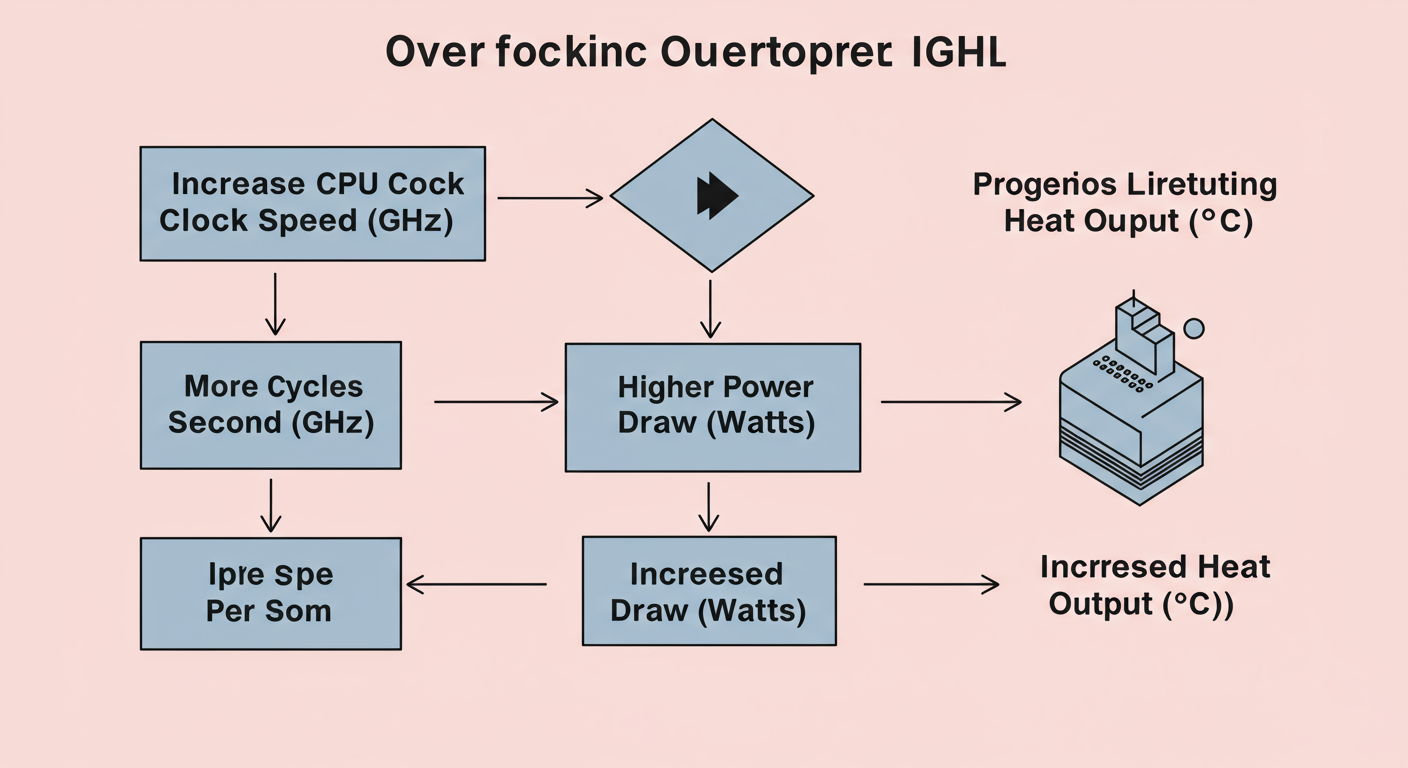
This is the ultimate example of the Hz-to-Watts correlation. A CPU’s speed is measured in gigahertz (GHz)—billions of cycles per second. A 4.5 GHz CPU performs 4.5 billion calculations every second. Each cycle makes millions of tiny transistors switch on and off, which consumes power.
Want to make your computer faster? You can “overclock” it, pushing the frequency up to, say, 5.0 GHz. The result? It performs more calculations per second. But the side effect is a massive increase in power consumption (wattage) and, therefore, heat. This is why elite gaming PCs and workstations need elaborate liquid cooling systems. They aren’t cooling the GHz; they’re cooling the immense heat generated by the extra Watts required to run at that frequency.
3. Industrial Motors & Variable Frequency Drives (VFDs)
In factories, controlling the speed of massive motors for pumps, fans, and conveyor belts is a huge deal. You can’t just plug them in and let them run at full blast all day—it’s a colossal waste of energy.
Enter the Variable Frequency Drive (VFD). This brilliant device sits between the power supply and the motor. It allows an operator to precisely change the frequency (Hz) of the electricity going to the motor.
- Need the conveyor belt to move slower? The VFD reduces the frequency to 40Hz. The motor spins slower and its power consumption (wattage) drops dramatically.
- Need to ramp up production? The VFD increases the frequency to 60Hz. The motor spins faster, and its power consumption increases accordingly.
VFDs are a cornerstone of industrial energy efficiency because they perfectly manage the Hz-to-Watts relationship.
4. Audio Amplifiers & Speakers
In the world of high-fidelity audio, watts and hertz are everything. Sound is just vibrations in the air at different frequencies (Hz). A deep, rumbling bass note is a low frequency (e.g., 30Hz), while a sharp cymbal crash is a high frequency (e.g., 15,000Hz).
A speaker’s job is to reproduce these frequencies. An amplifier’s job is to provide the power (watts) to do it. It takes a lot more power to accurately move a large speaker cone back and forth to create a 30Hz bass note than it does to create a tiny 15,000Hz vibration. This is why subwoofers often have their own high-wattage amplifiers. You need the wattage (power) to faithfully reproduce the frequency (sound).
Step-by-Step Guide: How to Decode Any Power Label
Feeling more confident? Let’s put it into practice. Grab any power adapter near you—for your laptop, your phone, your monitor—and let’s decode it together. It probably looks something like this.
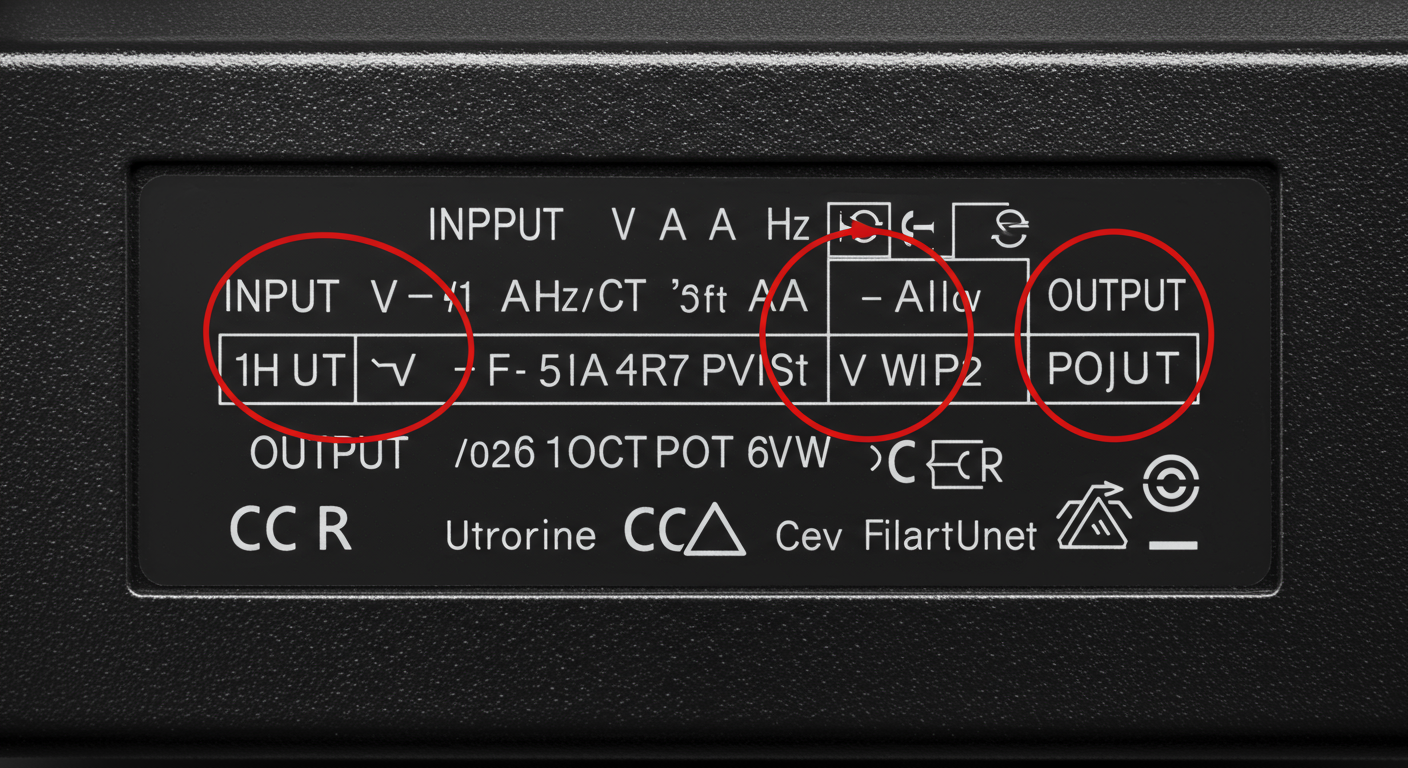
Here’s how to read it, step-by-step:
- Find the “INPUT” Section: This is what the adapter takes from the wall.
- V (Volts): You’ll see a range like “100-240V”. This means it’s universal and can handle voltages in North America (120V), Europe (230V), and elsewhere.
- Hz (Hertz): You’ll see “50/60Hz”. This confirms it’s compatible with both major global power grid frequencies. This is the key to avoiding the motor issues we discussed.
- A (Amps): This indicates the maximum current it will draw from the wall.
- Find the “OUTPUT” Section: This is what the adapter sends to your device. This is the most critical part for device safety.
- V (Volts): This will be a specific number, like “19.5V”. This must match your device’s requirement. Using the wrong voltage can instantly destroy your electronics.
- A (Amps): This is the maximum current the adapter can supply, like “4.62A”.
- W (Watts): This is the total power the adapter can supply, like “90W”. It’s simply the result of Volts × Amps (19.5V × 4.62A ≈ 90W).
💡 Pro Tip
When replacing a power adapter, the Output Voltage must be an exact match. For Output Amps or Watts, your new adapter must provide at least the same amount as the original. It’s okay if the new one is rated for higher wattage; your device will only draw what it needs.
When Mismatches Happen: Real-World Consequences
While modern chargers are incredibly flexible, ignoring the Hz rating on certain devices can lead to real problems. It’s not just about running slow; it can be a fire hazard. The standards bodies that govern this, like the Institute of Electrical and Electronics Engineers (IEEE), exist for a reason.
Here’s a quick breakdown of what happens when you mismatch frequencies with different types of devices.
| Device Type | Effect of Using a 60Hz Device on a 50Hz Supply | Risk Level |
|---|---|---|
| Resistive Loads (Heaters, Toasters, Incandescent Bulbs) | No significant effect. They just generate heat and don’t care about frequency. | Low |
| Modern Electronics (Laptops, Phones, TVs) | No effect. Their switching power supplies convert AC to DC internally and handle 50/60Hz fine. | Low |
| AC Motor-Driven Devices (Clocks, Fans, Turntables, Blenders) | Runs ~17% slower. The motor can overheat, draw incorrect power, and suffer long-term damage. | High |
| Transformers & Inductive Loads | Can become inefficient and overheat. In a worst-case scenario, this is a fire risk. | High |
⚠️ Watch Out
The biggest danger often comes from cheap, uncertified replacement chargers. They might claim to have the right specs, but in our experience testing them, they often fail to deliver stable voltage or handle power fluctuations. This can damage your expensive devices. Always buy certified replacements from reputable brands.
From Confusion to Total Clarity
The search for a watts to Hz converter is a dead end, but the path it leads you down is incredibly valuable. You came looking for a simple formula and left with a genuine understanding of how electricity powers your world.
You now know that Watts measure “how much” power, while Hertz measures “how often” the current cycles. You know they don’t convert, they correlate. And you know how to read the specs on any device to make smart, safe decisions, whether you’re at home or traveling abroad.
So, the next time you see Watts and Hertz on a device, you won’t feel confused. You’ll see two distinct but codependent partners in the intricate dance of electricity, and you’ll know exactly what each one is telling you.
❓ Frequently Asked Questions
So, just to be 100% clear, I can’t convert watts to hertz?
That’s right. You absolutely cannot. They measure two different physical properties: power (Watts) and frequency (Hertz). Think of it as trying to convert your height into your age—it just doesn’t make sense.
What is the relationship between watts and hertz then?
The relationship is one of correlation, not conversion. In many systems, changing the frequency (Hz) directly impacts the power consumption (Watts). For example, making a CPU run at a higher frequency (overclocking) forces it to consume more power (watts) and get hotter.
Does higher Hz always mean higher watts?
In many common cases, yes. For systems like CPUs and industrial motors, a higher operating frequency requires more power to perform more cycles per second, leading to higher wattage. However, it’s not a universal law and is entirely dependent on the specific system’s design.
Why do my electronics list both watts and hertz?
Because your device needs to know two separate things about its power source. The Hertz (Hz) rating (e.g., 50/60Hz) tells you if it’s compatible with your region’s power grid frequency. The Watts (W) rating tells you how much power the device needs to operate correctly.
What happens if I plug a 60Hz fan into a 50Hz outlet?
The fan will spin noticeably slower (about 17% slower). Because the motor isn’t operating at its designed speed, it can become inefficient, draw more current than it should, and overheat. Over time, this can significantly shorten the fan’s lifespan or even cause it to fail completely.

