
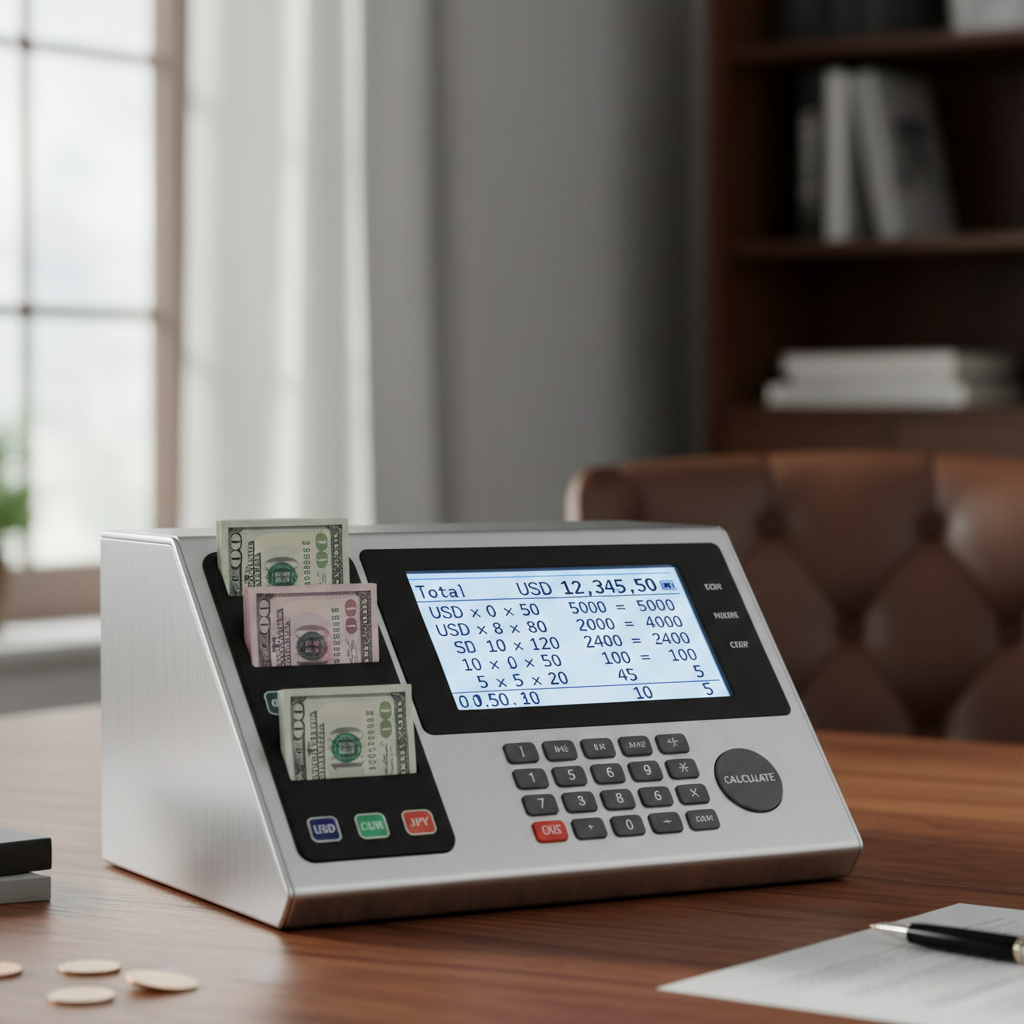
Ever had that sinking feeling? You’re at the end of a long shift, staring at a cash drawer that just won’t balance. You’ve counted it three times. The numbers blur, the coins jumble, and a five-dollar discrepancy feels like a personal failure. It’s a universal pain point for anyone who handles cash.
But what if I told you that most of these errors—and the stress that comes with them—are completely avoidable? The solution isn’t counting harder; it’s counting smarter.
This article is your definitive guide to the denomination calculator, a deceptively simple tool that is the secret weapon of efficient businesses and savvy individuals. You’re about to learn not just what it is, but how to leverage it to eliminate errors, reclaim your time, and handle cash with absolute confidence. Forget the tedious manual math. Let’s get it right, the first time, every time.
📑 What You’ll Learn
What a Denomination Calculator Actually Is (And Why It’s Essential)
Let’s cut through the jargon. A denomination calculator is a tool that does one thing, and it does it perfectly: it calculates the total value of a mixed batch of cash. You tell it how many of each coin and bill you have, and it instantly gives you the grand total. Simple.
But its real value isn’t the math—it’s the elimination of cognitive load. Think of your brain like a computer’s RAM. When you’re manually counting, you’re running multiple programs at once: identifying coins, counting quantities, remembering subtotals, and doing addition. It’s exhausting and exactly where mistakes creep in. A denomination calculator outsources the most error-prone parts of that process, freeing up your mental energy.
These tools come in a few main flavors:
- Online Calculators: Web-based tools you can access from any browser. Perfect for quick, one-off counts.
- Spreadsheet Templates: Customizable files for Excel or Google Sheets. Ideal for businesses that need to log and track counts over time.
- Physical Machines: The heavy-duty hardware you see in banks. They count, sort, and often check for counterfeits at lightning speed.
No matter the format, the purpose is the same: to transform a chaotic pile of money into a clean, accurate, and actionable number. It’s the bridge between physical cash and a digital financial record.
💡 Pro Tip
Bookmark a reliable online denomination calculator on your work computer and phone. In our experience, having instant access to a trusted tool prevents the temptation to “just do it in your head,” which is where 90% of small counting errors originate.
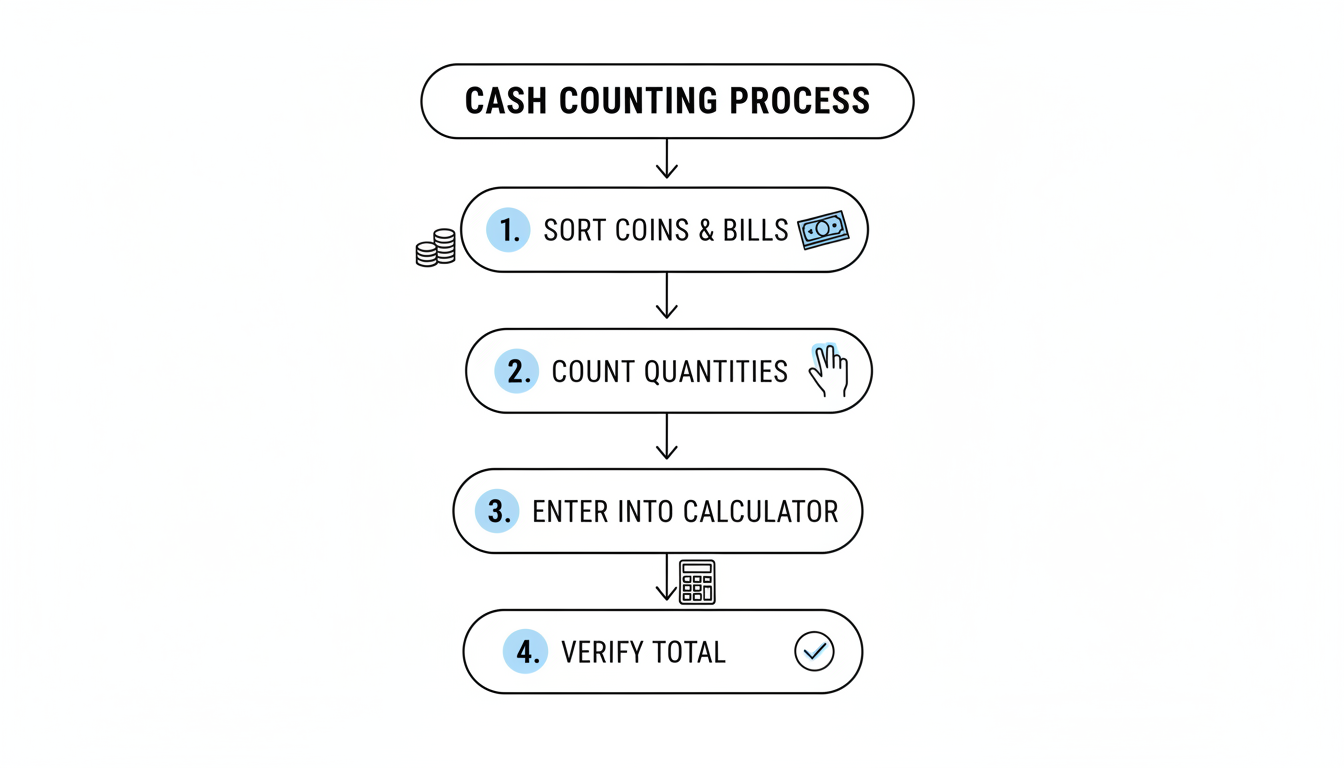
The 4-Step Process to a Perfect Count, Every Time
Using a denomination calculator is incredibly intuitive. The real magic happens in the prep work. A disciplined process ensures the numbers you input are correct, leading to a flawless final tally. Trust me on this one, don’t skip step one.
Here’s the battle-tested method we use for all cash-out procedures:
- Sort and Stage: This is non-negotiable. Find a clean, flat surface. Separate all your cash into distinct piles for each denomination—pennies, nickels, dimes, quarters, $1s, $5s, and so on. Grouping them makes the next step infinitely faster and more accurate.
- Count Each Stack: Count the number of units in each pile. For bills, it’s helpful to make smaller, uniform stacks (e.g., stacks of 20) to make recounting easier if needed. Write down the quantity for each denomination.
- Enter the Data: Open your calculator tool. You’ll see input fields for each coin and bill. Carefully enter the quantities you just counted into the corresponding fields. For example, if you have 42 quarters, type ’42’ into the ‘Quarters’ box.
- Verify the Total: The calculator will instantly display the subtotal for each denomination and the grand total. Glance over the subtotals—do they look reasonable? This quick sanity check can help you spot a typo (e.g., entering 100 $20 bills instead of 10).
The Real-World Impact: Beyond Just Speed and Accuracy
Sure, “saving time” and “improving accuracy” are the obvious benefits. But what does that actually mean for a small business owner, a non-profit volunteer, or someone managing their personal budget? The true impact is far more profound.
I’ve seen this play out in countless real-world campaigns and businesses. The switch from manual to tool-assisted counting creates a ripple effect of positive changes.
| Metric | Manual Counting (The “Before”) | Using a Denomination Calculator (The “After”) |
|---|---|---|
| Time Spent | 10-15 minutes per cash drawer, with frequent recounts. | 2-3 minutes flat. Time is immediately reinvested in other tasks. |
| Accuracy Rate | Prone to small errors (transposition, simple math mistakes) that cause frustrating reconciliation issues. | Virtually 100% accurate. The only source of error is incorrect input. |
| Employee Stress | High. The pressure to be perfect leads to anxiety, especially at the end of a long day. | Low. The process becomes a simple, confident data-entry task. |
| Record Keeping | Messy, handwritten notes on a deposit slip or logbook. | Clean, digital summary that can be easily copied, printed, or saved for professional records. |
⚠️ Watch Out
Don’t underestimate the cost of “small” errors. A $10 miscount might seem trivial, but if it happens daily, that’s over $3,600 a year in unaccounted-for funds. This can create serious bookkeeping and inventory reconciliation headaches down the line.
Which Type of Calculator is Right for You?
Not all denomination calculators are created equal. The right choice depends entirely on your context—how much cash you handle, how often you count it, and what your budget is. Let’s break down the options.
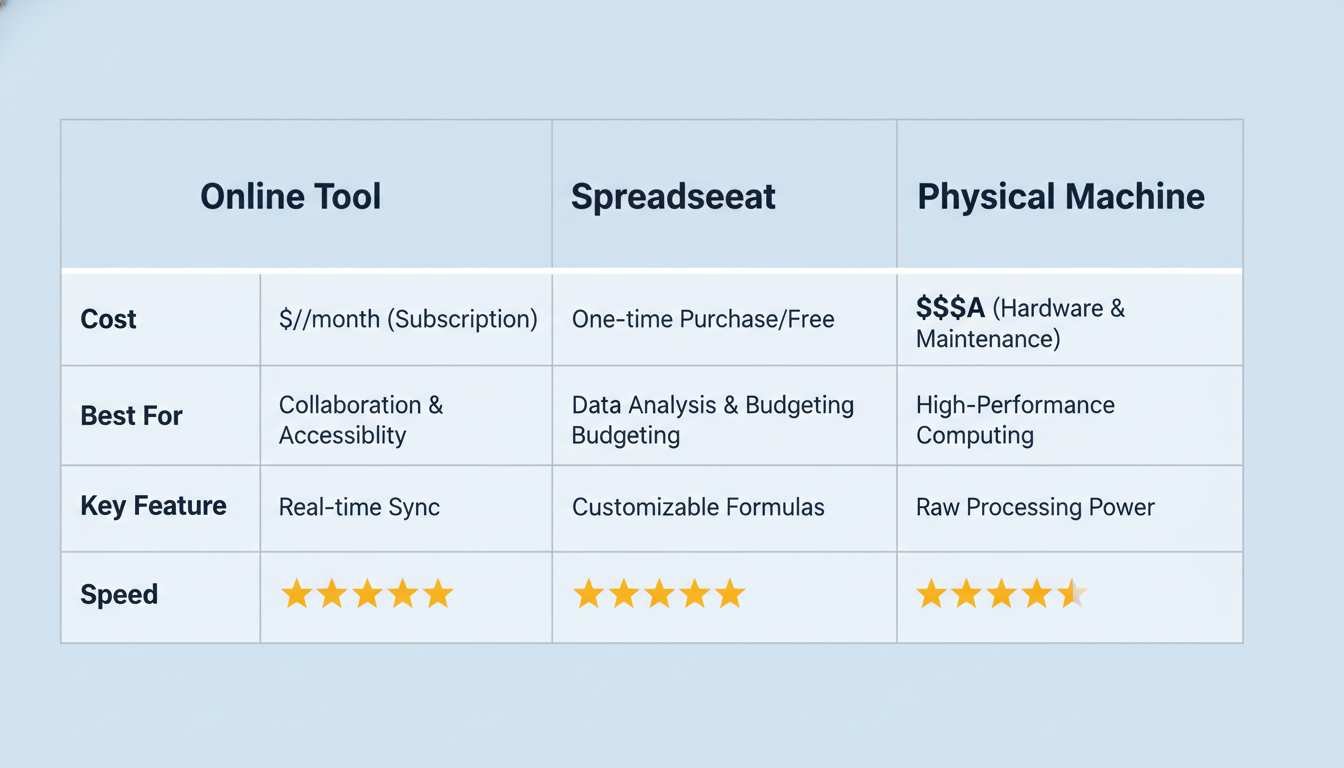
| Tool Type | Best For | Cost | Key Advantage |
|---|---|---|---|
| Online Web Tools | Individuals, freelancers, and businesses with infrequent cash needs (e.g., counting yard sale profits). | Free | Maximum convenience. No installation, accessible anywhere. |
| Spreadsheet Templates | Small businesses (retail, cafes) that need to track and log daily cash-outs. | Free (with Excel/Sheets) | Customizable and integrates directly into your financial record-keeping. |
| Physical Money Counters | High-volume businesses (banks, large retail, casinos) where speed is paramount. | $200 – $2,000+ | Unmatched speed and advanced features like counterfeit detection. |
For most people and small businesses, a combination of a bookmarked online tool for quick counts and a well-designed spreadsheet template for daily reporting is the perfect setup. Physical machines are a serious investment, only justified by a very high volume of daily cash transactions.
🎯 Key Takeaway
The goal isn’t just to get a total; it’s to create a reliable, stress-free system for managing cash. Choosing the right tool for your specific volume and needs is the first step toward building that system and eliminating errors for good.
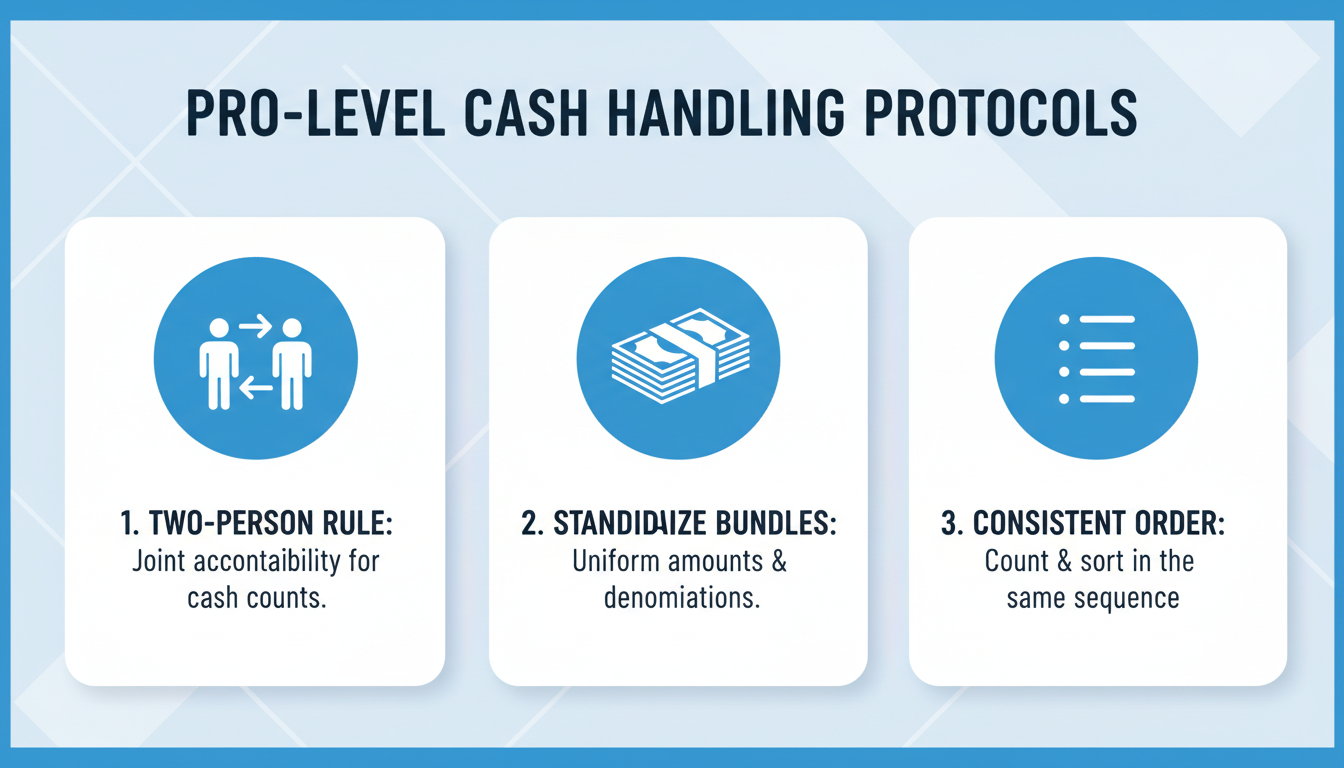
Beyond the Calculator: Pro-Level Cash Handling Protocols
A great tool is only half the battle. Based on hands-on testing and industry best practices, a disciplined process is what separates the amateurs from the pros. Here are a few protocols that will dramatically improve your accuracy and security.
1. The Two-Person Rule
For business cash-outs, always have two people present. One person counts the cash, and the other observes and then verifies the count by entering it into the calculator. This simple step, known as dual control, is a powerful deterrent to both theft and honest mistakes. It’s a standard procedure in banking for a reason.
2. Standardize Your Bundles
Don’t just use rubber bands randomly. Use proper currency straps (or paper clips) to bundle bills into standard amounts. For example, $1 bills in stacks of $25, and $20 bills in stacks of $500 (25 bills). This makes spot-checking and vault counts incredibly fast. The Federal Reserve has specific standards for how banks bundle currency, which is a great model to follow.
3. Count in a Consistent Order
Always count in the same sequence. Whether you go from largest bill to smallest coin or vice-versa, make it a habit. This creates muscle memory and reduces the chance of skipping a denomination entirely. Most professionals start with the largest bills, as they have the biggest impact on the total.
💡 Pro Tip
Use a “count-up” sheet alongside your calculator. This is a simple piece of paper where you write the quantity of each denomination as you count it. This physical record provides a valuable paper trail for verification and is a lifesaver if you get interrupted mid-count.
⚠️ Watch Out
Avoid counting cash in a busy, public-facing area. Always use a back office or a secluded, well-lit space. This not only reduces distractions, which lead to errors, but it’s also a critical security measure to prevent opportunistic theft.
Implementing these protocols might feel like overkill at first, but they build a rock-solid foundation for cash management. As experts at Investopedia often highlight, disciplined cash management is a cornerstone of financial health for any business.
❓ Frequently Asked Questions
What is the fastest way to count a large amount of mixed coins?
For a one-time count, the fastest manual method is to sort them by denomination first, then weigh them on a food scale (after zeroing it out with an empty container). You can find standard coin weights online from sources like the U.S. Mint. For recurring large volumes, a coin-sorting machine is the best investment.
Are online denomination calculators safe to use?
Yes, absolutely. Reputable online calculators are client-side tools, which means all the calculations happen directly in your web browser. No financial data is ever sent to or stored on a server. You’re not entering bank details, just quantities for a math problem.
Can I use a denomination calculator for foreign currency?
Most free online tools are hard-coded for a specific currency (like USD). However, a spreadsheet template is perfect for this. You can easily customize the denomination values to match any currency you’re working with, from Euros (EUR) to Japanese Yen (JPY).
How do banks count cash so quickly and accurately?
Banks use industrial-grade currency counting machines that can process hundreds of bills per minute. These machines not only count but also sort mixed bills, face them in the same direction, and use sophisticated UV, magnetic, and infrared sensors to detect counterfeits with incredible accuracy.
Does a digital calculator help spot fake bills?
No. A software-based tool (website or spreadsheet) only calculates the value based on your input. It has no way of knowing if a bill is real. Only physical money counting machines offer counterfeit detection as a feature.
What’s the most common mistake when counting cash?
From our experience, the most common error is transposition—flipping digits (e.g., counting 24 but writing down 42) or losing your place and recounting the same stack twice. This is almost always caused by distractions, which is why a dedicated, quiet workspace is so important.
Your Next Step to Flawless Cash Counting
Look, handling cash doesn’t have to be a source of stress. It’s a simple process that demands a good system. By moving away from error-prone mental math and embracing a simple tool like a denomination calculator, you’re not just getting a faster count—you’re buying peace of mind.
You now have the process, the pro-level protocols, and the knowledge to choose the right tool for the job. You can finally put an end to those frustrating recounts and balance your books with confidence.
Your next step is simple: The next time you need to count a pile of cash, whether it’s a cash register, a vacation fund jar, or fundraiser donations, use a calculator. Experience the difference for yourself. It’s a small change in habit that delivers a massive return in accuracy and efficiency.

