
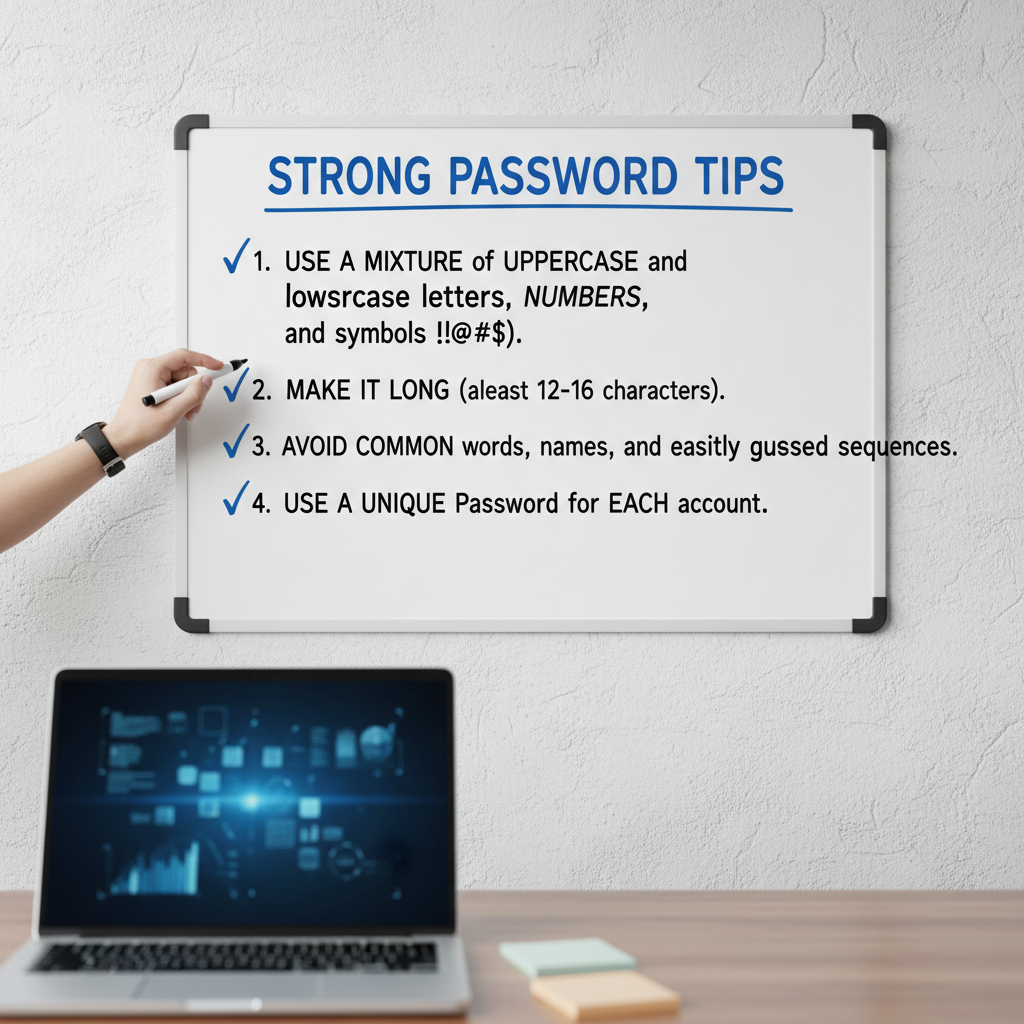
The Crucial Importance of Strong Digital Defenses
In the digital age, your password is the first, and often the last, line of defense against cybercriminals, identity theft, and data breaches. Yet, despite constant warnings, millions of people still rely on easily guessable passwords like “123456” or “password.” If you are serious about protecting your sensitive data, financial accounts, and personal identity, understanding and implementing robust security practices is non-negotiable.
This comprehensive guide will walk you through the most effective strong password tips, moving beyond outdated advice and focusing on modern, high-entropy techniques. We will show you exactly how to create a strong password examples that are resilient to today’s sophisticated brute-force attacks and dictionary searches. The goal isn’t just complexity; it’s true randomness and length.
Why Traditional Passwords Fail and Mastering How to Create a Strong Password Examples
The landscape of cyber threats evolves daily. Attackers no longer rely on manual guessing; they use powerful software that can test billions of combinations per second. A password that took minutes to crack ten years ago might now be cracked instantly.
Understanding Password Strength Metrics: Entropy is Key
When security experts talk about password strength, they often refer to entropy. Entropy is the measure of the unpredictability of a password. A longer password with a greater variety of character types has higher entropy, meaning it takes exponentially longer for a computer to guess it. Simply adding an exclamation point to the end of a common word is no longer enough.
The Old Rules (What Not to Do)
- Substitution: Replacing ‘o’ with ‘0’ or ‘a’ with ‘@’. Brute-force tools recognize these common substitutions instantly.
- Short Length: Passwords under 12 characters are highly vulnerable.
- Personal Information: Using birth dates, pet names, or street addresses provides easy answers for social engineers.
The New Rules (Focus on Entropy)
- Minimum 16 Characters: Aim for 16 characters or more, prioritizing length above all else.
- True Randomness: Avoid sequential patterns or dictionary words.
- Unique Combinations: Mix uppercase, lowercase, numbers, and symbols (UCLNS).
Cracking Time Estimates (Approximate)
A typical 8-character password (UCLNS) can be cracked in under 8 hours. A 14-character password (UCLNS) can take 200,000 years. Length is your greatest ally in mastering how to create a strong password examples.
Source: Modern security research on GPU cracking speeds.
The Essential Strong Password Tips and Techniques
Creating a strong password isn’t about memorizing complex gibberish; it’s about adopting systems that generate high entropy yet remain relatively easy for you to recall. The modern consensus shifts heavily toward the use of passphrases.
Length Over Complexity: The Passphrase Revolution
A passphrase is a sequence of random, unrelated words. Why is this superior? A human brain can easily remember four random words, but the resulting string (which might be 20+ characters long) is incredibly difficult for a machine to guess because the word combination is unique.
Weak Password Example (High Complexity, Low Length)
@P!$$wOrd7
Length: 9 characters.
Vulnerability: High. Contains common dictionary words and predictable substitutions. Cracked in seconds to minutes.
Strong Passphrase Example (High Length, Medium Complexity)
OceanTubaPurple*Jupiter19
Length: 25 characters.
Vulnerability: Extremely Low. The combination of random words is highly unique, making brute force impractical. Cracked in millennia.
“The best defense is not just a complex password, but a long, randomized one. Think less about complexity and more about entropy generated by length.” – CISA Cyber Guidelines.
Step-by-Step Guide: How to Create a Strong Password Examples Using Passphrases
Follow these steps to construct highly secure, memorable passphrases that serve as excellent how to create a strong password examples:
- Choose Four or More Unrelated Words: Select words that have no semantic connection to each other or to you personally (e.g., Elephant, Sunset, Wrench, Bicycle).
- Introduce Randomness: Randomly capitalize some letters (e.g., eLephant, sunSet, Wrench, Bicycle).
- Add Numbers and Symbols Intermittently: Integrate numbers and symbols, not just at the end, but randomly throughout the phrase (e.g., eLephant7!sunSet, Wrench, Bicycle).
- Check the Length: Ensure the resulting password is 16 characters or longer.
For accounts requiring very high security, consider using a reliable Password Generator, which can create truly randomized strings of maximum length and complexity.
Creating Unique Passwords for Every Account
One of the most critical strong password tips is to never reuse passwords. If a hacker breaches one low-security site (like a forum), they will immediately attempt to use those credentials on high-value sites (like banking or email). This practice, known as credential stuffing, is alarmingly common.
Every single online service you use must have a unique password. How do you remember dozens of 16-character randomized strings? The answer is a dedicated password manager, which we discuss in the advanced tips section.
Advanced Strong Password Tips for Maximum Security
Implementing strong passwords is only one part of comprehensive cyber hygiene. To truly secure your digital life, you need management tools and secondary authentication methods.
1. Embrace Password Managers
A high-quality password manager (such as LastPass, 1Password, or Bitwarden) securely encrypts and stores all your unique, complex passwords behind a single, ultra-strong master password. They also include built-in generators to create the best how to create a strong password examples automatically.
Benefit 1: Centralized Storage
Stores hundreds of unique credentials encrypted locally or in the cloud, removing the need for memorization or risky spreadsheets.
Benefit 2: Automatic Generation
Instantly creates 20+ character, random passwords that meet all criteria (UCLNS), ensuring maximum entropy for every new sign-up.
Benefit 3: Secure Autofill
Safely inserts credentials only on the correct, verified website, preventing phishing attempts where you might accidentally type your password into a fake site.
2. Implement Multi-Factor Authentication (MFA)
Even the strongest password can theoretically be stolen via malware or phishing. Multi-Factor Authentication (MFA), particularly Two-Factor Authentication (2FA), adds a crucial layer of security. MFA requires two distinct forms of verification (something you know, something you have, or something you are).
Always choose authenticator apps (like Google Authenticator or Authy) or physical security keys (like YubiKey) over SMS text messages, as SMS messages are vulnerable to SIM-swapping attacks. The US National Institute of Standards and Technology (NIST) strongly endorses the use of modern MFA techniques for all accounts. You can review their official digital identity guidelines for more detail on secure authentication practices here.
3. Password Rotation: When and How Often?
The traditional advice was to change passwords every 90 days. Modern security experts, including Microsoft and NIST, now advise against mandatory, frequent rotation if the password is truly strong and unique. Why? Forced rotation often leads users to choose predictable, sequential passwords (e.g., Summer2023! followed by Fall2023!).
Instead, focus on rotation only when:
- You suspect a breach or unauthorized access.
- A major service you use reports a data leak.
- You are prompted by a security alert.
Common Password Mistakes to Avoid
Knowing how to create a strong password examples is just half the battle; knowing what habits to abandon is equally important for maintaining security.
Mistake 1: Sequential Patterns
Passwords that follow keyboard patterns (e.g., qwerty123 or asdfgh) are instantly recognizable by cracking software.
Mistake 2: Dictionary Words
Any single, common word (English or foreign) is dangerous. Dictionary attacks are fast and highly effective.
Mistake 3: Writing It Down (Insecurely)
A sticky note under your monitor defeats the purpose of a strong password. If you must write it down, use a secured, locked location or, better yet, a password manager.
Mistake 4: Sharing Credentials
Never share your passwords via unencrypted email, text message, or verbally unless absolutely necessary and secure protocols are followed. Every shared password represents a potential weak link.
Good cyber hygiene also involves monitoring security news. Reputable security journalists, like Brian Krebs, often report on major breaches and vulnerabilities that might necessitate a password change. Staying informed is a key strong password tip. You can find more comprehensive advice on cybersecurity best practices from trusted experts here.
Conclusion: Prioritizing Entropy and Management
The days of 8-character passwords are long over. True digital security rests on two pillars: length and uniqueness. By prioritizing long, random passphrases (16+ characters) and using a dedicated password manager to ensure every account has a unique credential, you dramatically increase the effort required for attackers to compromise your data.
Remember that the strongest password is useless without Multi-Factor Authentication enabled. Implement these strong password tips today, transition to passphrases, and secure your digital future against the constantly evolving threats of the internet.
FAQs
The industry standard minimum for true security is now 12 characters, but most experts strongly recommend aiming for 16 characters or more. Length is the single most effective way to increase password entropy and cracking time.
For human use, passphrases are usually better. A long passphrase (four unrelated words combined with symbols and numbers) provides high entropy while being easier to remember than a completely random string of the same length. However, if you are using a password manager, letting the manager generate a truly random 20+ character string is the safest option.
Yes. While length is paramount, adding a mix of uppercase, lowercase, numbers, and symbols (UCLNS) increases the character set available, which exponentially increases the time required for a brute-force attack. A strong password should utilize all four character types.
Password managers are generally considered extremely safe and are recommended by security professionals. While they consolidate your passwords, they are protected by military-grade encryption (AES-256) and rely on an ultra-strong master password. The risk of using one master password is far lower than the risk of reusing dozens of weak passwords across multiple sites.
Absolutely. 2FA (Two-Factor Authentication) is mandatory for high-value accounts (email, banking, social media). Even the best password can be compromised through sophisticated phishing or malware. 2FA ensures that an attacker cannot access your account even if they know your password, as they lack the physical second factor (like your phone or security key).
Read Also:
- Unlock Optimal Health: Benefits and a Guide to how much water should i drink a day calculator
- Maximizing Savings: Using the Income Tax Calculator New Regime vs Old Regime for FY 2024-25
- How to Easily Make Bar Graph Online Free: The Ultimate Guide to Data Visualization Success
- Mastering Your Health: Understanding the Blood Sugar Level Chart by Age 50 for Effective Diabetes Management
- 10 Reasons Why Using a Schema Generator Is Essential for SEO Success

