

You’ve seen it. That perfect armchair in an influencer’s photo. The stunning, unnamed travel destination on a random blog. A profile picture on a dating app that seems just a little too perfect. You try to find it with words—”blue velvet armchair with gold legs,” “beach with white sand and pointy rocks”—but you hit a wall. Frustrating, right?
What if you could just use the picture itself as your search query?
You can. It’s called a reverse image search, and it’s one of the most powerful, underused tools on the internet. It’s your secret weapon for verifying information, sourcing products, and satisfying your curiosity. Forget clumsy keyword guessing. In the next five minutes, you’ll learn exactly how to use this technology to find the story behind any image, and we’ll show you the simple tools that make it dead easy—especially on your phone.
📑 What You’ll Learn
What Exactly is Reverse Image Search? (And How Does It Work?)
Let’s get straight to it. A traditional search uses text (keywords) to find images. A reverse image search flips that script: you provide an image, and the search engine finds information related to it.
It’s not magic, but it’s close. Here’s the simplified version of what happens behind the scenes:
- You upload an image.
- The search engine’s algorithm analyzes your picture, creating a unique mathematical signature or “visual fingerprint.” It identifies colors, shapes, textures, and other distinct elements.
- It then scours its massive database, comparing that fingerprint to billions of other images to find ones that are identical or visually similar.
- Finally, it shows you a results page with matching images and, more importantly, the websites where those images appear.
This process, known technically as Content-based image retrieval (CBIR), is what allows you to trace an image back to its origin. It’s the core technology behind Google Images, Bing Visual Search, and other specialized tools.
Why Not Just Use Google? The Rise of Gateway Tools Like Labnol’s
So, if Google already has this built-in, why does anyone use a third-party tool? The answer is simple: user experience, especially on mobile.
Have you ever tried to do a reverse image search on your phone’s browser? It can be a clunky, multi-step nightmare. You have to request the desktop site, find the tiny camera icon, and navigate a less-than-intuitive interface.
This is where “gateway” tools, like the one created by Amit Agarwal’s popular tech blog, Labnol, come in. They aren’t separate search engines. Instead, they provide a clean, simple front-end for Google’s powerful back-end.
Here’s why they’re so effective:
- Dead-Simple Interface: You see one button: “Upload Image.” No clutter, no confusion. It’s designed for speed.
- Mobile-First Design: They are built for your phone. Uploading a photo from your camera roll is a seamless, one-tap process.
- A Touch More Privacy: The Labnol tool, for instance, uploads your image to a private, anonymous Imgur link and then uses that to search Google. The image is automatically deleted after a few hours. This prevents the image from being directly tied to your Google account history.
Think of it like an express lane at the grocery store. You’re still shopping at the same store, but you’re using a faster, more efficient way to get through the checkout. That’s what these tools offer.
💡 Pro Tip
Bookmark a reliable reverse image search tool on your phone’s home screen. I use the Labnol tool for this. It acts like an app, giving you instant access without needing to download anything. It’s a tiny change that makes you 10x more likely to actually use it.
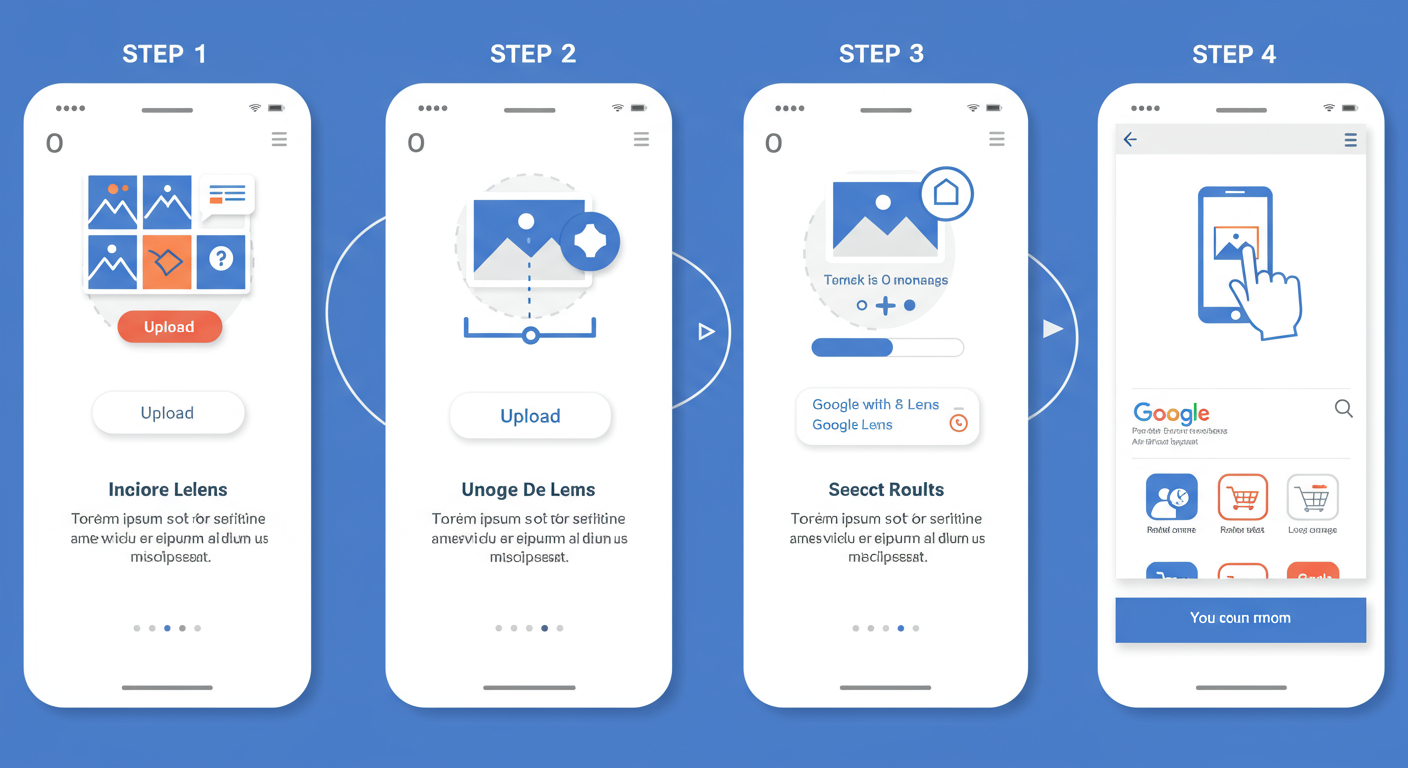
How to Do a Reverse Image Search: A 4-Step Guide
Ready to try it? The process is incredibly straightforward, regardless of the tool you choose. We’ll use the mobile-friendly gateway approach as our example.
- Open the Tool & Upload: Navigate to your chosen tool (like Labnol’s) and tap the big “Upload Image” button.
- Select Your Image: Your phone’s photo library will open. Choose the image you want to investigate. It could be a screenshot, a downloaded picture, or a photo you just took.
- Initiate the Search: After the image uploads, the tool will give you a button like “Show Matching Images.” Tap it.
- Analyze Your Results: You’ll be taken to a Google search results page. This is where the real detective work begins. You’ll typically see:
- Google’s Best Guess: A text description of what the image might be.
- Visually Similar Images: A gallery of other pictures that look like yours.
- Pages That Include Matching Images: This is the goldmine. It’s a list of all the websites where your exact image appears.
The Best Reverse Image Search Tools in 2026
While a Google-powered gateway is a fantastic all-rounder, different tools have different strengths. Based on our hands-on testing, here’s how the top players stack up for various needs.
| Tool | Best For | Ease of Use | Key Feature |
|---|---|---|---|
| Labnol (Google Gateway) | Quick, mobile-friendly searches | ★★★★★ | Ultra-simple interface that just works. |
| Google Images (Direct) | Power users, desktop searches | ★★★☆☆ | Integrates with Google Lens for object identification within images. |
| TinEye | Finding image origins & tracking usage | ★★★★☆ | Sorts results by date, helping you find the oldest version of an image first. Excellent for copyright checks. |
| Bing Visual Search | Shopping and identifying products | ★★★★☆ | Excels at identifying products within a photo and linking directly to shopping pages. |
⚠️ Watch Out
Not all “reverse image search” websites are created equal. Some are loaded with intrusive ads or are designed to collect your data. Stick to well-known, reputable tools like the ones listed above. If a site feels spammy, it probably is.
5 Practical Uses You’ll Actually Use Daily
This isn’t just a novelty. From our real-world campaigns and daily internet use, here are the most impactful ways to leverage reverse image search.
1. Become a Digital Detective: Verify Identities & Spot Catfishing
This is a big one. If an online profile seems suspicious, a reverse search of the profile picture is your first line of defense. In seconds, you can see if that photo belongs to a stock image model, a celebrity, or someone else entirely. It’s the fastest way to expose a “catfish.”
2. Find the Original Creator (and Give Proper Credit)
As content creators, we know the pain of finding a great image but not knowing who to credit. A reverse search helps you trace an image back to the original photographer, artist, or publication. This is essential for respecting copyright and adhering to ethical standards. If you’re unsure about usage rights, always check for a Creative Commons license.
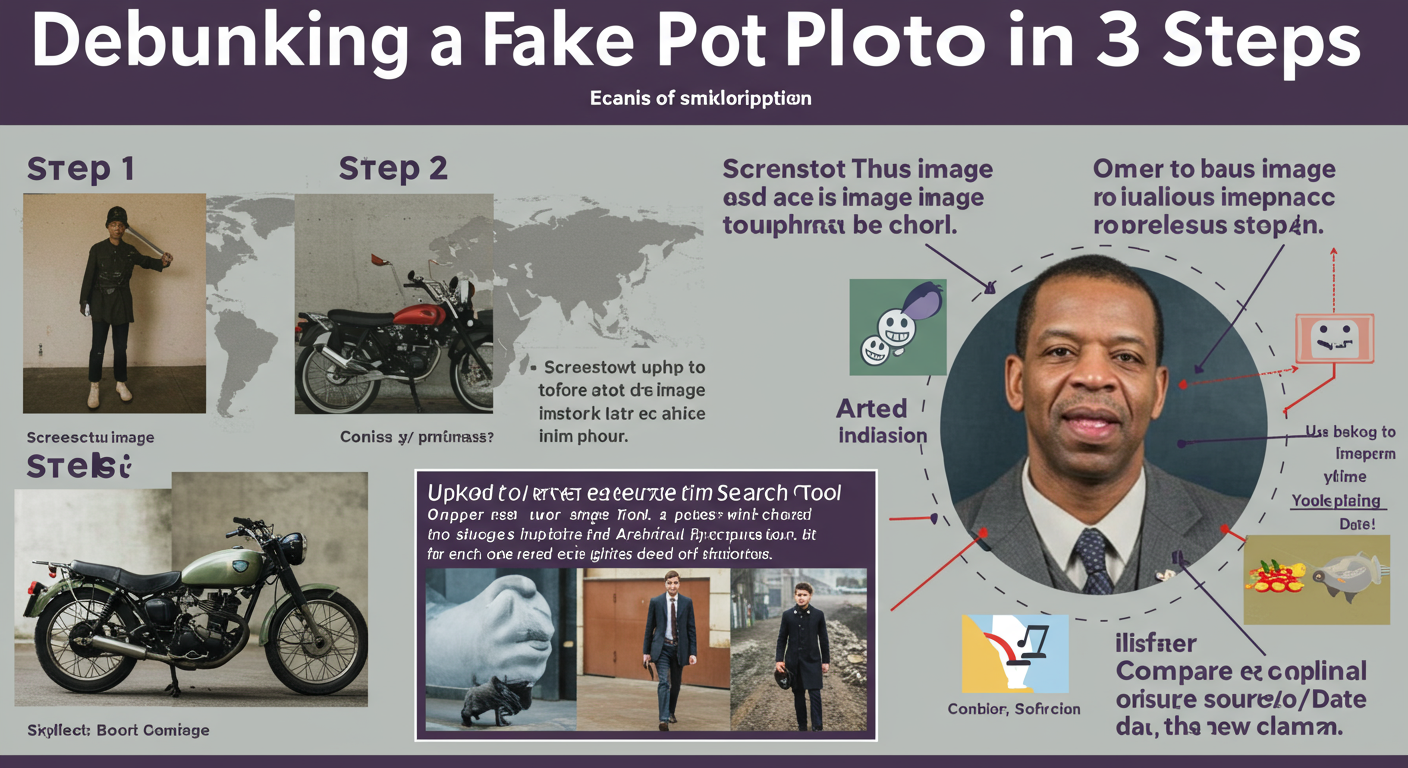
3. Debunk Misinformation & Fake News
Images are powerful tools for propaganda because they evoke emotion. A photo from a protest years ago might be shared as “happening now” to stir outrage. By performing a reverse search, you can find the original context, date, and location of the photo. This is a critical skill for digital literacy, and it’s a core technique used by fact-checkers at organizations like the International Fact-Checking Network (IFCN).
4. Become a Smarter Shopper
Saw a lamp, a pair of sneakers, or a jacket you love? Stop trying to describe it. Screenshot it, upload it, and let the search engine do the work. It will often identify the exact product and show you multiple retailers, allowing you to instantly compare prices and find the best deal. Bing Visual Search is particularly good at this.
5. Settle Arguments and Satisfy Curiosity
“What is that building?” “What kind of flower is that?” “I swear I’ve seen that actor before.” A quick reverse image search can identify landmarks, flora and fauna, and even faces (if they’re public figures). It’s the ultimate tool for the endlessly curious.
💡 Pro Tip
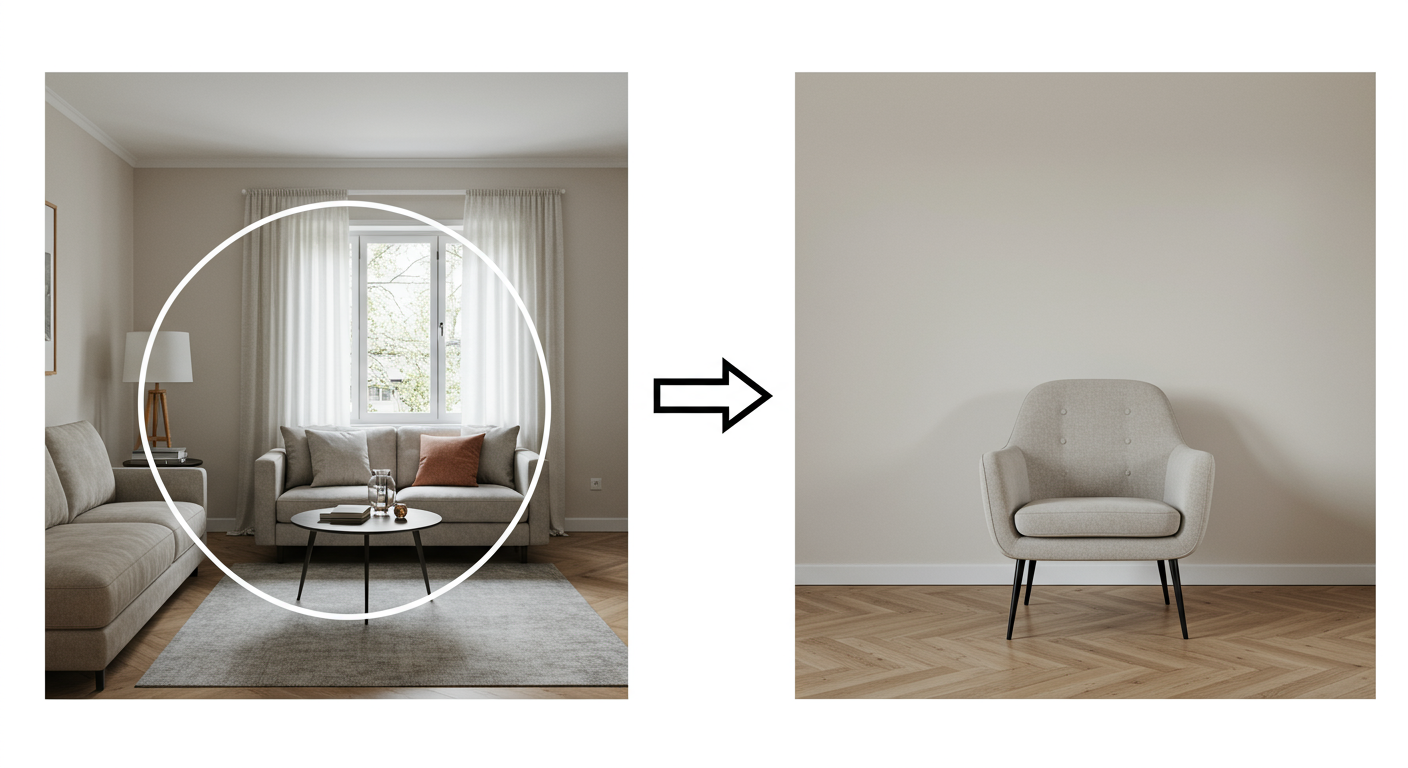
For the best results, use a high-quality, well-cropped image. If you only care about one object in a busy photo, crop the image to focus solely on that object before you upload it. This gives the algorithm a clear subject to analyze.
Here’s a simple before-and-after scenario to illustrate the difference this makes.
| Image Input | Likely Results | Reason |
|---|---|---|
| Before: A full photo of a living room with a unique chair in the corner. | “living room,” “interior design,” “modern furniture” | The algorithm analyzes the entire scene, not just the chair. |
| After: The same photo, but cropped to show only the chair. | “Eames Lounge Chair,” “Herman Miller,” shopping links for the specific chair. | The focused query provides a clear visual fingerprint, leading to highly specific results. |
🎯 Key Takeaway
Reverse image search isn’t a different search engine; it’s a different method of searching. Using simple, mobile-friendly gateway tools like Labnol’s removes the friction, turning a clumsy process into a powerful, everyday utility for verification, shopping, and discovery.
Privacy & Pitfalls: What to Watch Out For
While incredibly useful, this technology isn’t without its caveats. Being a savvy user means understanding the limitations and potential risks.
“With great power comes great responsibility.” It’s a cliché, but it’s true. Using this tool to harass or invade the privacy of private individuals is unethical and, in many places, illegal. Use it for verification and discovery, not for stalking.
From our experience, here are the two biggest things to keep in mind:
⚠️ Watch Out: Your Photos Are Being Uploaded
Even with tools that offer a degree of privacy, you are still uploading a photo to a server. As a rule of thumb, never upload highly sensitive or compromising personal images to any online service. While the risk may be low with reputable tools, it’s never zero.
Another key point is that results are not always perfect. The technology is powerful, but it’s not infallible. Heavily edited images, obscure photos, or images that only exist behind a login wall (like a private Instagram account) likely won’t return any useful results. It can only find what’s on the public, indexed web.
❓ Frequently Asked Questions
Is the Labnol reverse image search tool free?
Yes, it’s 100% free. It’s a web utility provided by the Digital Inspiration blog and is supported by on-page advertising, not fees or subscriptions.
Does reverse image search work on iPhone and Android?
Absolutely. That’s the main advantage of web-based tools. They work in any browser on any device—iPhone, Android, tablet, or desktop—with no app installation required.
Can this tool find a person from a photo?
It can, but only if that person’s photo appears on the public web (e.g., a company website, public social media profile, news article). It cannot search private accounts or offline databases. It’s most effective for identifying public figures or verifying if a profile picture is stolen.
Why did my search return “no results found”?
This usually happens for one of three reasons: 1) The image is truly unique and doesn’t appear anywhere else online. 2) The image is from a private source (like a locked social media account) that search engines can’t crawl. 3) Your source image was too blurry, small, or heavily edited for the algorithm to analyze properly.
Is TinEye better than Google for reverse image search?
It depends on your goal. Google is better for general discovery and finding visually similar items. TinEye is superior for tracking the origin and spread of a specific image because its primary function is to find exact matches and sort them by age.
Your Next Step: Become an Image Investigator
The internet is no longer just a library of text; it’s a vast, interconnected gallery of images. And now, you have the key to that gallery. You’re no longer limited to guessing with words. You can pick up any image and ask, “Where did you come from? What’s your story?”
The next time you’re curious about a photo, don’t just wonder. Take a screenshot. Use a reverse image search tool. It takes less than 30 seconds, and the power it gives you—to verify, to discover, to understand—is immense.
Your next step is simple: Find an image you’re curious about right now and run it through a search. Put this knowledge into practice. You’ll be amazed at what you find.

