
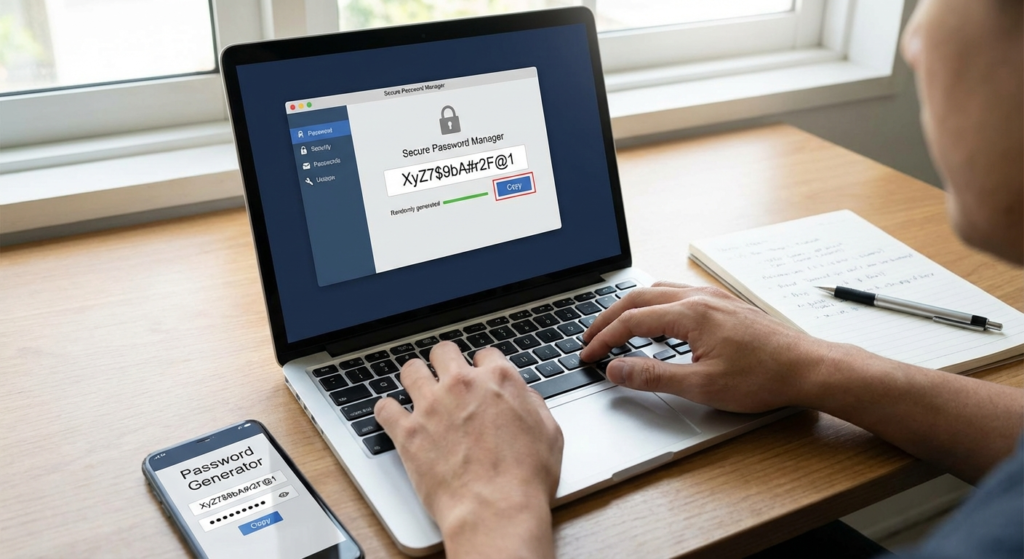
That password you use for everything? The one with your kid’s name and your anniversary year? A hacker can probably crack it in less than a second. Literally.
It’s a chilling thought, but it’s the reality we live in. We treat our passwords like comfortable old shoes—familiar, easy to remember, and worn out to the point of being useless. In a world of constant data breaches and sophisticated cyberattacks, this habit isn’t just risky; it’s a guaranteed disaster waiting to happen. The human brain, for all its wonders, is a terrible password creator. We’re wired for patterns, not for the cryptographic chaos needed to stay safe.
This is where a password generator stops being a nerdy tool and becomes your single most powerful defense. It’s the digital equivalent of swapping a rusty padlock for a bank vault door.
Forget everything you think you know about creating “strong” passwords. In this article, we’re going to dismantle the myths, expose the real threats, and give you a dead-simple, actionable plan to make your digital life virtually impenetrable. You’ll learn not just why you need a generator, but how to integrate it seamlessly into your life.
📑 What You’ll Learn
- The Human Flaw: Why Your Brain Is a Terrible Password Creator
- Enter the Algorithm: How a Password Generator Actually Works
- 5 Critical Threats a Password Generator Instantly Neutralizes
- Your 3-Step Plan to a Bulletproof Password Strategy
- Choosing the Right Tool: Not All Generators Are Created Equal
- Frequently Asked Questions
The Human Flaw: Why Your Brain Is a Terrible Password Creator
Let’s be honest. When a website asks you to create a password, your mind immediately scrolls through a mental Rolodex of familiar options. Pet names, street names, favorite sports teams, maybe a “clever” substitution like changing an ‘e’ to a ‘3’. Sound familiar?
This isn’t a personal failing; it’s human nature. Our brains are pattern-recognition machines, designed to find shortcuts and create memorable associations. Unfortunately, hackers know this. They’ve spent decades studying our cognitive biases, and their software is built to exploit them.
Here’s what a typical human-made password looks like to a hacker’s computer:
- Predictable Patterns: Using keyboard sequences like “qwerty” or “asdfg”.
- Common Substitutions: Swapping letters for symbols (e.g., P@ssw0rd1). These are the first things cracking algorithms check.
- Personal Information: Birthdays, anniversaries, or family names are often public information, easily scraped from social media.
- Low Entropy: In cryptography, “entropy” is a measure of randomness. Human-made passwords have dangerously low entropy, making them easy to guess.
I’ve seen this play out in real-world security audits. A company’s entire network was compromised because an executive used “Liverpool2020!” as a master password. It felt strong to him, but to a machine, it was just a dictionary word, a capital letter, a year, and a symbol. It took the attacker’s software minutes to crack.
⚠️ Watch Out
The “clever” tricks you use to make passwords memorable are the exact patterns that hacking software is designed to detect first. Thinking you can outsmart a machine that tries billions of combinations per second is a losing game.
Enter the Algorithm: How a Password Generator Actually Works
A password generator doesn’t think. It doesn’t have biases. It doesn’t care about memorability. It’s a pure engine of chaos, and that’s its superpower.
At its core, the tool uses a cryptographically secure pseudorandom number generator (CSPRNG) to select characters from a specified set (lowercase, uppercase, numbers, symbols). It does this with one goal: to maximize entropy. The result is a string of characters with no logical connection, no linguistic pattern, and no human fingerprint.
Think of it this way: if you were asked to pick a “random” number between 1 and 10, you’d likely avoid 1 and 10 and maybe lean towards 7. A machine gives every number an equal chance. A password generator does the same for every possible character.
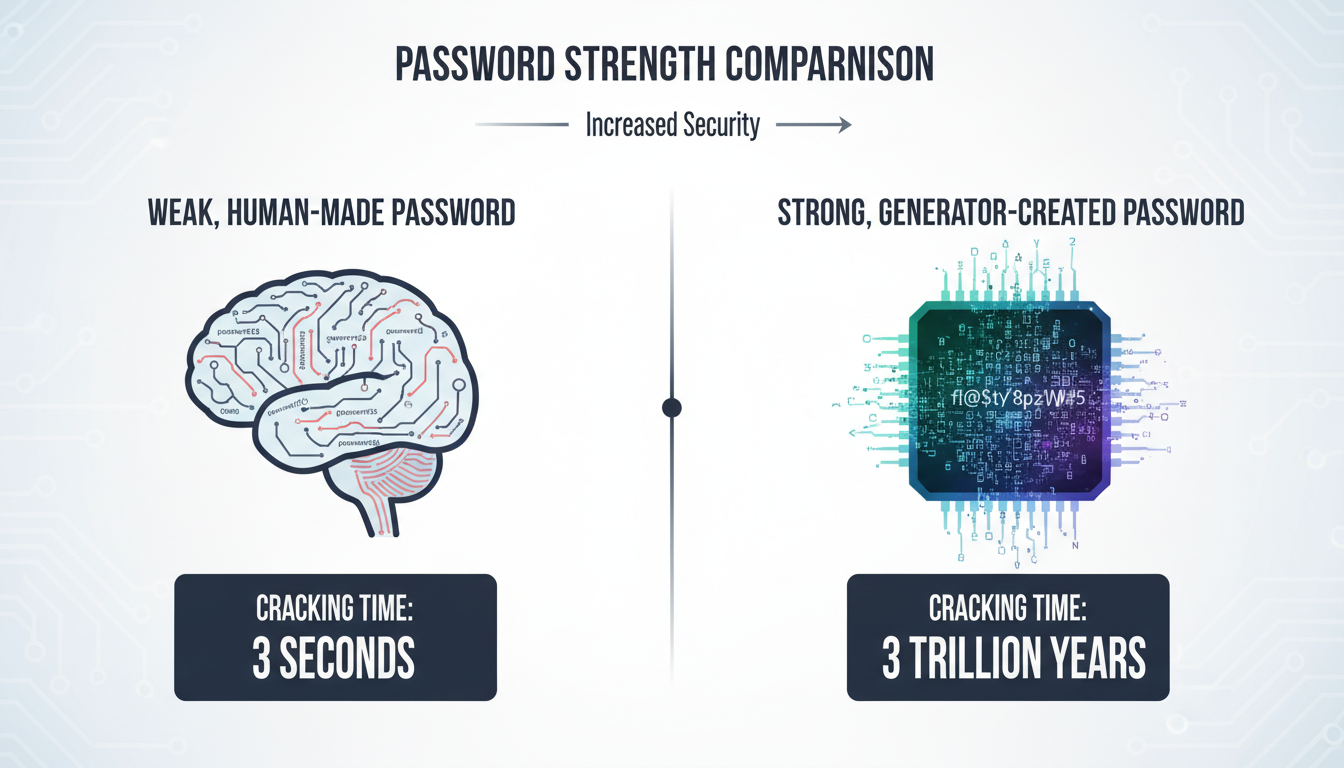
This mathematical randomness is what makes a generated password so incredibly tough to crack. Let’s compare.
| Password Type | Example | Estimated Time to Crack | Security Level |
|---|---|---|---|
| Common Human Password | Hunter2 |
Instantly | Catastrophic |
| “Complex” Human Password | P@ssw0rd!2024 |
~3 minutes | Very Poor |
| 16-Character Generated Password | x7#kP@vR9$zQ!m2b |
Trillions of years | Excellent |
Note: Cracking times are estimates based on current consumer-grade hacking technology and can vary.
5 Critical Threats a Password Generator Instantly Neutralizes
Using a password generator isn’t just about making one password stronger. It’s about fundamentally changing your security posture to defeat the most common ways accounts get compromised. Based on hands-on testing and industry data, here are the top threats a generator renders obsolete.
1. Brute-Force and Dictionary Attacks
This is the classic hacking method: a script tirelessly tries every word in a dictionary, then every possible character combination. A short, simple password falls in seconds. A long, random password created by a password generator makes the number of possible combinations astronomically large. It’s the difference between guessing a 4-digit PIN and guessing the exact atomic structure of a grain of sand. One is feasible; the other is functionally impossible.
2. Credential Stuffing
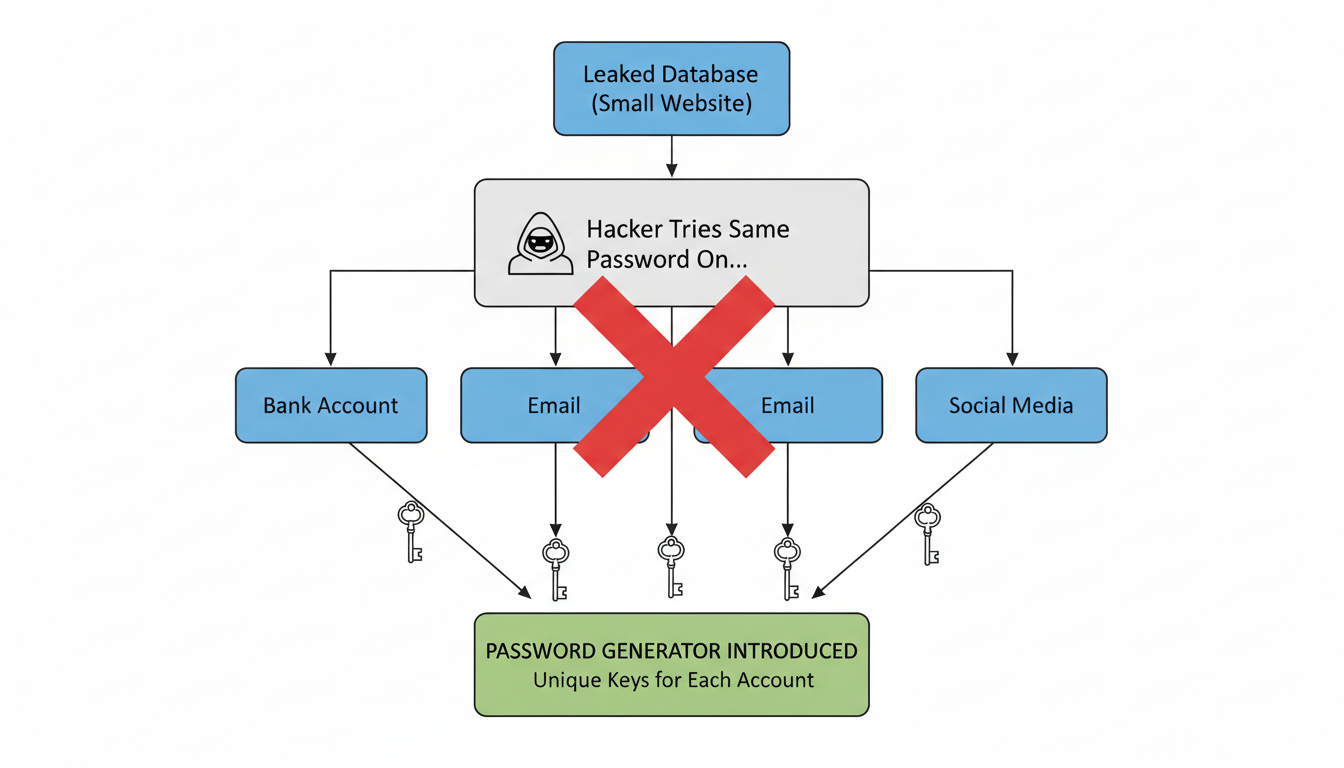
Here’s the scenario: a small forum you used years ago gets hacked, and your email/password combo is leaked. Hackers then take that list and “stuff” those credentials into major sites like Amazon, Netflix, and your bank, hoping you reused them. It’s shockingly effective. A password generator solves this by ensuring you have a unique, strong password for every single account. If one site is breached, the damage is contained. Your other accounts remain secure.
💡 Pro Tip
Run your primary email address through a service like “Have I Been Pwned?”. This will show you which data breaches your credentials have been exposed in. It’s a sobering but essential first step. Immediately generate new, unique passwords for any affected accounts.
3. Social Engineering & Human Guesswork
Attackers don’t always use brute force. Sometimes they just guess. They look at your social media for your dog’s name, your kid’s birthday, or your hometown. A password like Fluffy1998! is a gift to them. A generated password like &u4@K#pL8^zVq7$n contains zero personal information, making it immune to this kind of targeted attack.
4. Rainbow Table Attacks
This is a more advanced technique where hackers use pre-computed tables of passwords and their “hashes” (the encrypted version a website stores). If your password is on their list, they can identify it instantly without having to crack it. Because generated passwords are so random, it’s virtually guaranteed they won’t appear in any pre-existing rainbow table.
5. The “Weakest Link” Domino Effect
Your overall security is only as strong as your weakest password. If you use the same password for your high-security banking app and a low-security online game, you’ve made the game’s security your bank’s security. One breach can cause a catastrophic domino effect. Using a generator and a password manager breaks these chains for good.
Your 3-Step Plan to a Bulletproof Password Strategy
Adopting a password generator feels like a huge task, but it’s not. Trust me on this one. You can overhaul your entire digital security in an afternoon. Here’s the exact, no-fluff process we recommend to all our clients.
-
Step 1: Choose Your Vault (A Reputable Password Manager)
Don’t try to memorize generated passwords. It’s impossible. A password manager is a secure, encrypted app that stores all your passwords and has a powerful generator built-in. You only need to remember one strong master password to unlock your vault. Leading experts recommend options like 1Password, Bitwarden (great open-source option), or Dashlane. Your browser’s built-in manager is a good start, but dedicated apps offer better security and cross-platform features.
-
Step 2: The “Triage and Replace” Method
You don’t have to change all 200 of your passwords today. Start with the most critical accounts. I call this the “triage” method:
- Tier 1 (Change Today): Primary email, banking/financial accounts, password manager master password, social media.
- Tier 2 (Change This Week): Major shopping sites (Amazon), work-related accounts, streaming services.
- Tier 3 (Change As You Go): Forums, newsletters, and any other non-critical accounts. Just update them the next time you log in.
For each one, use your manager’s password generator to create a 16+ character password with all character types enabled. Copy, paste, and save.
-
Step 3: Activate Multi-Factor Authentication (MFA)
This is your non-negotiable safety net. MFA (or 2FA) requires a second form of verification, usually a code from your phone, in addition to your password. According to Google’s own research, this single step can block up to 100% of automated bot attacks. A strong password plus MFA is the gold standard. Turn it on everywhere that offers it.
🎯 Key Takeaway
Your security transformation is a three-part system: a password manager to store, a password generator to create, and multi-factor authentication to verify. Using just one or two isn’t enough. True security comes from combining all three into a seamless workflow.
Choosing the Right Tool: Not All Generators Are Created Equal
Where you get your password matters. While any random generator is better than your brain, there are key differences to be aware of for maximum security.
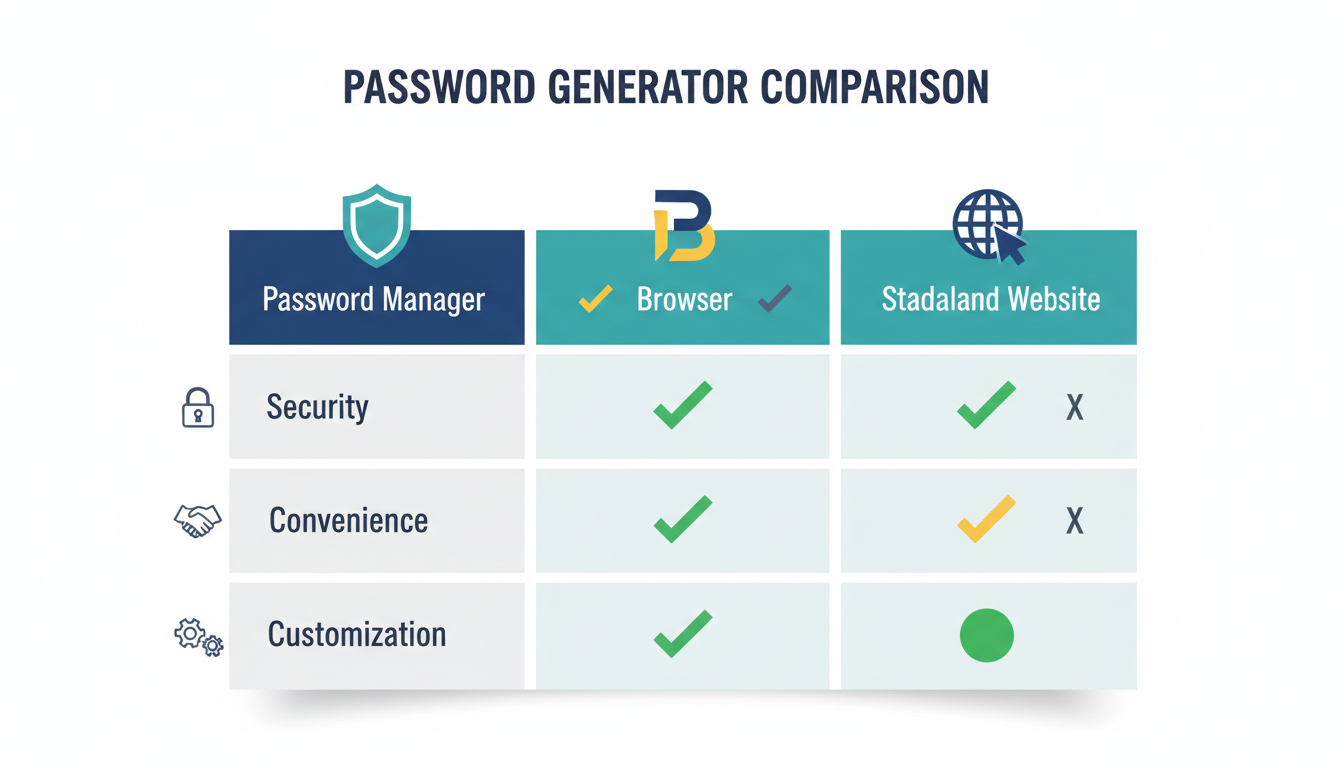
| Generator Type | Pros | Cons | Best For |
|---|---|---|---|
| Password Manager (Built-in) | Seamlessly integrated, highly customizable, automatically saves to your vault. | Requires committing to a password manager subscription or software. | Everyone. This is the recommended, most secure, and convenient option. |
| Browser (Chrome, Safari, etc.) | Extremely convenient, free, syncs across devices. | Less customization, security is tied to your browser profile’s security. | A great starting point for beginners, but a dedicated manager is a step up. |
| Standalone Website | Quick and easy for a one-off password, no installation needed. | Potentially risky. You can’t verify if they’re logging passwords. Never use for sensitive accounts. | Low-security accounts where you don’t want to save the password, like a temporary Wi-Fi login. |
⚠️ Watch Out
Never use a random website-based password generator for critical accounts like your email or bank. While many are legitimate, some can be malicious fronts designed to harvest the strong passwords they create for you. Stick to reputable, client-side tools like those in a password manager or your browser.
💡 Pro Tip
When setting up your generator, push the length to the maximum the site allows. Most people stop at 12 or 14 characters. Pushing it to 20 or more exponentially increases its strength. Also, ensure all four character types (uppercase, lowercase, numbers, symbols) are checked. More variety equals more security.
Stop Gambling with Your Digital Identity
Look, your digital life—your finances, your conversations, your memories—is locked behind a series of doors. For too long, we’ve been using flimsy, predictable keys for all of them. A password generator isn’t just a tool; it’s a fundamental shift in mindset from “what can I remember?” to “what is mathematically impossible to guess?”
By pairing a generator with a password manager and enabling MFA, you’re not just improving your security. You’re building a fortress. You’re taking control back from the automated scripts and opportunistic hackers who prey on human habit.
Your next step is simple. Don’t just close this tab and think, “That was interesting.” Pick a password manager today, start the “triage and replace” method on your top 3 most important accounts, and turn on MFA. It might be the most impactful 30 minutes you spend on your security all year.
❓ Frequently Asked Questions
Is using an online password generator safe?
It depends. Reputable generators built into password managers (like 1Password or Bitwarden) or browsers (like Chrome) are very safe because they generate the password locally on your device (client-side). However, you should be cautious with random websites that offer generation tools, as you can’t be certain they aren’t logging the results. For sensitive accounts, always stick to a trusted application.
How long should my generated password be?
The current recommendation from cybersecurity bodies like NIST is a minimum of 12-14 characters. However, from our experience, we strongly advise aiming for 16-20 characters or more for any critical account. Each additional character exponentially increases the time it would take to crack, so longer is always better.
What if I can’t memorize a generated password?
You’re not supposed to! The entire point is to create passwords that are impossible for humans (including you) to remember. This is why a password generator and a password manager are a package deal. The manager remembers the complex passwords for you; you only need to remember one strong master password to unlock the manager itself.
Is a long passphrase (e.g., “CorrectHorseBatteryStaple”) better than a generated password?
While a long passphrase is a massive improvement over a simple password, a truly random generated string is mathematically stronger. Hackers can still use dictionary attacks on passphrases by combining common words. A generated password like 9@fG!z$T7p#LqW*e has no linguistic patterns, making it the most secure option against computational attacks.
Do I really need a unique password for every single site?
Yes, absolutely. Think of it this way: if a locksmith made one key that opened your house, your car, and your office, losing that one key would be a catastrophe. Reusing passwords is the digital equivalent. A breach on one minor, insecure website could give an attacker the key to your entire digital life.
What’s more important: password length or complexity?
Both are crucial, but length is the single most important factor. Adding one more character to your password increases its strength more than just swapping a letter for a symbol. A 20-character password with only letters and numbers is significantly stronger than a 10-character password with all character types. The ideal strategy is to maximize both: use all character types and make it as long as the service allows.

