
In today’s fast-paced digital environment, document management is a critical skill for professionals, students, and businesses alike. One of the most common challenges users face is handling multiple disjointed documents scattered across different folders. The ability to merge PDF files into a single, cohesive document is not just a convenience; it is a necessity for maintaining an organized workflow. Whether you are compiling a monthly report, putting together a portfolio, or organizing legal contracts, knowing how to efficiently combine these files can save you hours of frustration.
When you merge PDF documents, you create a seamless reading experience for the recipient and ensure that no critical pages are lost in transmission. Despite the popularity of the Portable Document Format (PDF) for its consistency and security, editing and combining these files often requires specific tools. Fortunately, the rise of online utilities has made it easier than ever to merge PDF files without installing heavy software. In this extensive guide, we will explore the best strategies, safety measures, and step-by-step processes to combine your digital documents effectively.
Why You Should Merge PDF Files for Better Organization
Digital clutter is a real productivity killer. When you have dozens of separate files related to a single project, finding the right information becomes a tedious task. The decision to merge PDF files acts as a digital decluttering mechanism. By consolidating related documents, you reduce the number of files you need to track, rename, and share. This practice is widely adopted in various sectors, from education to corporate finance, to streamline operations.
Furthermore, sending a single attachment via email is far more professional than flooding a client’s inbox with ten separate attachments. When you merge PDF documents, you present a unified front. It ensures that the recipient reviews the information in the exact order you intended, rather than opening files randomly. This control over the narrative flow is crucial for proposals, applications, and presentations.
Streamlined Sharing
Sending one polished file is easier than attaching multiple documents. It prevents email attachment limits from being triggered and ensures the recipient gets the full picture instantly.
Enhanced Organization
Keep your digital workspace clean. Merging related invoices, receipts, or project notes into one file makes archiving and retrieval significantly faster.
Printing Efficiency
Instead of opening and printing files one by one, a merged document allows you to print the entire batch in a single command, saving time and reducing errors.
Step-by-Step Guide to Merge PDF Online
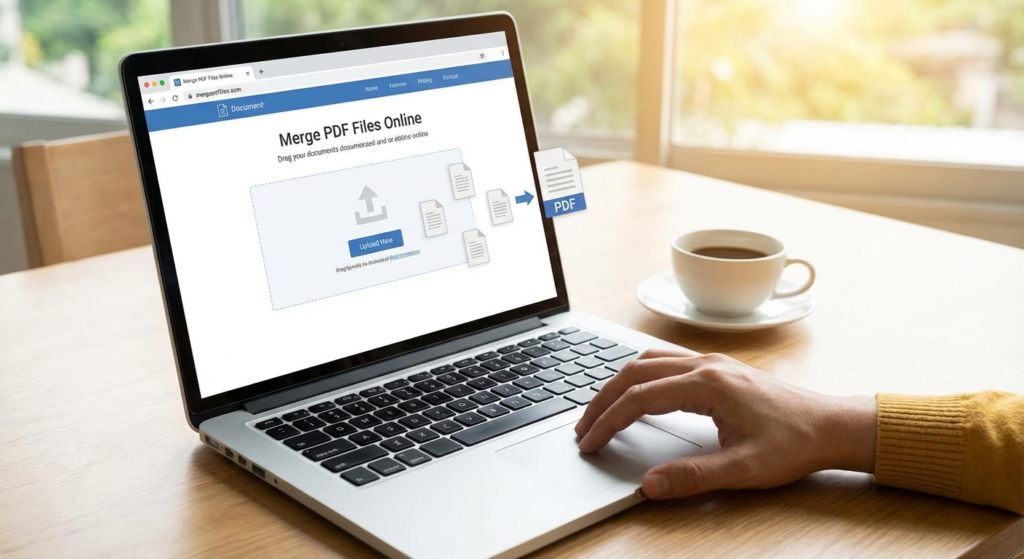
The process to merge PDF files online is designed to be user-friendly, catering to individuals with varying levels of technical expertise. Unlike complex desktop software that requires a steep learning curve, online tools are typically intuitive. Here is a general workflow that applies to most top-tier online PDF mergers.
- Select Your Files: Begin by locating the documents you wish to combine. Most tools allow you to upload from your local drive, Google Drive, or Dropbox.
- Upload to the Tool: Drag and drop your files into the designated area. Ensure you upload all the necessary parts you intend to merge PDF with.
- Arrange the Order: This is a crucial step. Once uploaded, you will typically see thumbnails of your documents. Drag these thumbnails to rearrange them into the correct sequence.
- Merge and Download: Click the “Merge” or “Combine” button. The server will process the files and present you with a download link for your newly created single document.
Preparing Your Documents Before You Merge PDF
Before you initiate the process to merge PDF files, a little preparation goes a long way. Ensure that none of the files are password-protected, as most online mergers cannot process encrypted files without the password. Additionally, check the file sizes. If you are combining high-resolution images or scanned documents, the final file might be too large for email. In such cases, you might need to compress the files before or after you merge PDF documents.
If your documents include images that need specific formatting, such as ID photos for an application form, it is wise to edit them beforehand. For instance, you might check a guide on how to resize images for passport photos to ensure consistency within your final merged PDF.
Top Criteria for Choosing a Tool to Merge PDF
Not all online tools are created equal. When searching for a solution to merge PDF files, you must evaluate the tool based on speed, privacy, and functionality. A slow tool can hamper your productivity, while a tool with poor privacy policies could put your sensitive data at risk. Since you are likely uploading contracts, financial statements, or personal identification, security should be your top priority.
Reliability is another factor. The best tools to merge PDF documents maintain the formatting of the original files. You do not want to combine files only to find that the fonts have changed, or the margins are misaligned. High-quality processing ensures that the integrity of your document remains 100% intact.
Data Security
Look for tools that use 256-bit SSL encryption and automatically delete your files from their servers after a short period (usually 1-2 hours).
User Interface
A clutter-free interface with drag-and-drop functionality makes the process to merge PDF files fast and frustration-free.
Cloud Integration
The ability to pull files directly from cloud storage like Google Drive or Dropbox is a massive time-saver for modern workflows.
Security Considerations When You Merge PDF
Security is often the biggest concern for users looking to merge PDF files online. Reputable websites use HTTPS protocols to ensure that data transfer between your computer and their server is encrypted. According to Adobe, the creators of the PDF standard, secure handling of documents is paramount in cloud-based operations. Always read the privacy policy of the tool you are using to ensure they do not claim ownership of your content or sell your data to third parties.
Troubleshooting Common Issues When You Merge PDF
While the technology is advanced, you may occasionally run into issues when trying to merge PDF documents. The most common error is related to file corruption. If one of the input files is damaged, the merger tool will likely fail. Open each file individually to verify they work before uploading. Another frequent issue is the file size limit. Free tools often have a cap (e.g., 50MB). If your combined files exceed this, you may need to split them into smaller batches or use a compression tool first.
Sometimes, users face issues with interactive forms. If you try to merge PDF files that contain fillable forms (XFA forms), the data might be lost or the formatting broken. It is often best to “flatten” these forms (print them to PDF) before merging them to ensure the data is locked in. For more technical tips and productivity hacks, you can explore various resources at ToolsRiver Blogs, which offer insights into managing digital workflows effectively.
The Future of PDF Management
As remote work continues to dominate the professional landscape, the demand for cloud-based document tools will only grow. The ability to merge PDF files is just the beginning. We are seeing the integration of AI to automatically organize pages, recognize content, and suggest merge orders. Staying updated with these tools ensures you remain efficient and competitive in a digital-first world.
According to Wikipedia, the PDF format has evolved significantly since its inception in 1993, becoming an open standard maintained by the ISO. This standardization ensures that when you merge PDF files today, they will likely be readable by software decades into the future, preserving your digital legacy.
Conclusion
Mastering the ability to merge PDF files online is a simple yet powerful skill that enhances productivity and professionalism. By understanding the importance of organization, selecting the right tools, and following security best practices, you can handle digital documentation with confidence. Whether you are a student submitting an assignment or a CEO presenting a yearly review, a well-merged PDF document reflects attention to detail and competence. Start decluttering your digital life today by combining your scattered files into unified, professional documents.
FAQs
Yes, as long as you use reputable websites that use SSL encryption and have a clear policy of deleting uploaded files from their servers after processing. Always check the privacy policy before uploading sensitive documents.
Most advanced online tools can handle PDFs with mixed page sizes (e.g., A4 and Letter) and orientations (Portrait and Landscape). The final document will retain the original dimensions of each page.
No, one of the main advantages of online tools is that they run entirely in your web browser. This means you can merge PDF files on any device, including tablets and smartphones, without installing software.
This depends on the specific tool you use. Free versions often have a limit on the number of files (e.g., 20 files) or total file size. Premium versions usually offer unlimited merging capabilities.
Yes, almost all PDF merge tools provide a preview interface where you can drag and drop file thumbnails to reorder them before clicking the final merge button.
Read Also:
- 10 Proven Ways a Pomodoro Timer Can Revolutionize Your Workflow
- 7 Secrets to Choosing the Best PDF to Word Converter in 2024
- Big Math Mistakes to Avoid in 2026
- Avoid Costly Mistakes: 2026 Conversion Guide
- Collage Hacks for Viral Visuals in 2026
- Your 2026 Secret to Faster Laps
- Keyword Density: Your 2026 SEO Edge
- Trapezoid Volume Calculator: The Pro’s Field Guide for 2026
- Tame JSON: Your 2026 Developer Guide
- Unlock Growth: Percent Change Secrets for 2026
- Fix Word Case Errors Fast in 2026
- Username Generator: Create a Unique Handle in Seconds – Visual Story
- 7 Crucial Differences Between Percent Increase vs Change: Mastering Percent Change – Visual Story

