
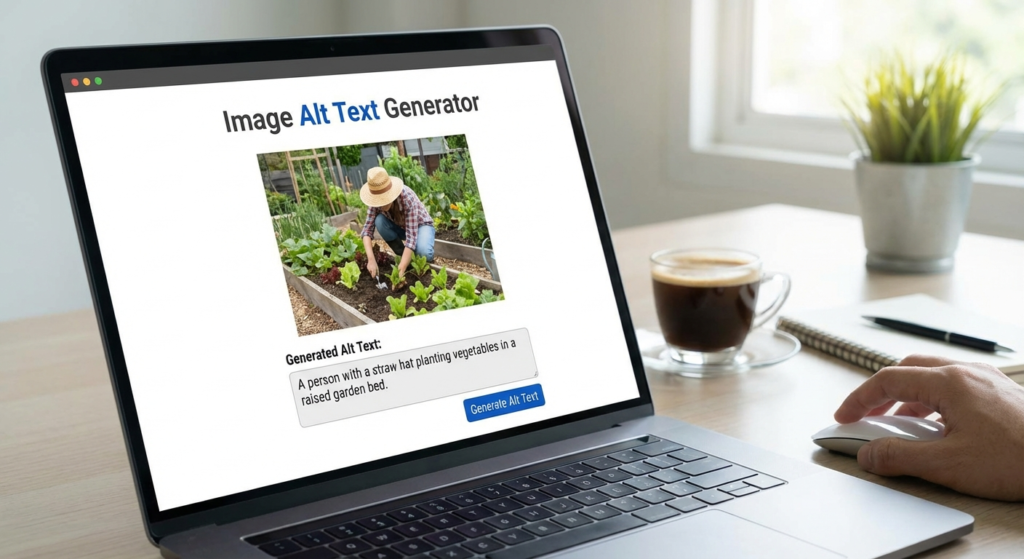
In the visually driven landscape of the modern internet, images are more than just decoration; they are vital assets for engagement and information retention. However, search engines like Google and screen readers for the visually impaired cannot "see" images in the way humans do. They rely on text descriptors to understand context. This is where the concept of alternative text (alt text) becomes crucial. With the sheer volume of visual content being uploaded daily, writing these descriptions manually can be tedious. Enter the Alt Text Generator.
An Alt Text Generator is a powerful tool designed to automate the process of creating descriptive, SEO-friendly tags for your images. By leveraging artificial intelligence and computer vision, an Alt Text Generator analyzes the visual data of a picture and converts it into accurate textual descriptions. This not only saves massive amounts of time for webmasters and content creators but also ensures that no image is left undefined, bridging the gap between visual content and search engine algorithms.
What is an Alt Text Generator and How Does It Work?
To fully appreciate the utility of this tool, one must understand the underlying technology. An Alt Text Generator utilizes advanced machine learning models, specifically Computer Vision API technologies. When you upload an image to the tool, the AI scans the pixels to identify objects, settings, facial expressions, colors, and text embedded within the image.
Once the visual elements are identified, the Alt Text Generator synthesizes this data into a coherent sentence structure. For example, if you upload a photo of a golden retriever playing in a park, the tool might generate: "A happy golden retriever dog running on green grass during the day." This level of descriptive accuracy is essential for both SEO and web accessibility standards (WCAG).
Object Detection
The AI identifies distinct objects within the frame, ensuring the primary subject is the focus of the description.
Contextual Analysis
Beyond simple objects, the generator analyzes the setting and action to provide a complete context for the image.
Text Recognition (OCR)
If the image contains text, advanced generators can read and include that text within the alt attribute.
Why You Need an Alt Text Generator for Image SEO
Search Engine Optimization (SEO) is a multifaceted discipline, and image optimization is often the most overlooked aspect. Using an Alt Text Generator can provide a significant competitive edge. Google Images is a massive search engine in its own right, and ranking there can drive substantial organic traffic to your site.
When you use an Alt Text Generator, you ensure that every image on your site has a keyword-rich (yet natural) description. Search engine crawlers use this text to index your images. Without it, your beautiful graphics are essentially invisible to Google. Furthermore, just as you might use a YouTube tag extractor for video SEO, using an image text generator helps categorize your visual content correctly in the search engine’s database.
Boosting Web Accessibility with Automated Tools
Beyond rankings, the ethical and legal imperative for using an Alt Text Generator lies in accessibility. For users relying on screen readers, alt text is the only way to experience visual content. A robust Alt Text Generator ensures that your website is inclusive, allowing visually impaired users to understand the context of your media. This improves your overall user experience (UX) metrics, which is a secondary ranking factor for Google.
Comparing Manual Writing vs. Using an Alt Text Generator
Many SEO professionals debate whether to write alt text manually or use automation. While manual writing allows for specific nuance, the Alt Text Generator offers scalability that humans cannot match.
Manual Writing
Pros: High contextual nuance, perfect brand voice alignment.
Cons: Extremely time-consuming, prone to human error or laziness (skipping images).
Alt Text Generator
Pros: Instant results, consistent formatting, scalable for thousands of images.
Cons: May require a quick human review for complex or abstract images.
As Tim Berners-Lee, the inventor of the World Wide Web, famously implied, the power of the web is in its universality. Tools that automate accessibility, like an Alt Text Generator, help maintain that universality without overburdening content creators.
How to Integrate an Alt Text Generator into Your Workflow
Successfully using an Alt Text Generator requires integration into your content management process. It is not just about generating text; it is about generating the right text. Before you even upload an image, you should ensure it is the correct size and format. You might use an image resizer to optimize load speeds, and then immediately run the file through an Alt Text Generator.
- Upload and Analyze: Input your batch of images into the generator.
- Review and Edit: While the AI is smart, it lacks your specific business context. If the AI generates "man in suit," you might tweak it to "CEO John Doe delivering a keynote speech."
- Keyword Integration: Ensure your primary keyword is present if relevant, but avoid keyword stuffing.
- Implementation: Copy the generated text into the ‘Alt Text’ field in WordPress or your CMS.
Best Practices for AI-Generated Alt Text
When utilizing an Alt Text Generator, adhere to industry standards to avoid penalties. Google’s Google Search Central documentation emphasizes that alt text should be descriptive and concise.
- Be Specific: Avoid generic terms like "image" or "picture." The generator usually handles this well, but ensure the output describes the content of the image.
- Keep it under 125 characters: Screen readers may cut off longer descriptions. A good Alt Text Generator is usually programmed to stay within this limit.
- Don’t Stuff Keywords: If your keyword is "blue widgets," do not force the generator to output "blue widgets widget blue best widget." Use natural language.
The Future of Image SEO and Alt Text Generator Technology
The technology behind the Alt Text Generator is rapidly evolving. We are moving toward a semantic web where AI understands not just the objects in an image, but the emotion and intent. Future iterations of the Alt Text Generator will likely integrate directly with your SEO strategy, suggesting alt text based on the surrounding article content rather than just the image alone.
According to data from W3C Web Accessibility Initiative, accessibility standards are becoming stricter globally. Using an automated Alt Text Generator helps businesses stay compliant with laws like the ADA (Americans with Disabilities Act) without hiring dedicated accessibility staff.
Conclusion
Incorporating an Alt Text Generator into your digital marketing toolkit is no longer a luxury; it is a necessity for efficiency and inclusivity. Whether you are managing a massive e-commerce store with thousands of product photos or a personal blog, these tools ensure your images are working for you, not against you. By improving accessibility for the visually impaired and providing search engines with the context they need to rank your content, an Alt Text Generator offers a high return on investment for minimal effort. Start automating your image SEO today and watch your visibility grow.
Frequently Asked Questions
The main purpose is to automatically create descriptive text for images, which helps screen readers describe images to visually impaired users and helps search engines understand and rank the images.
While highly accurate, it is best used as an assistant. Human review is recommended to add specific context, brand names, or nuance that the AI might miss.
Yes. By providing accurate descriptions, you help Google index your images correctly, which can improve visibility in Google Image Search and contribute to overall page SEO.
Generally, yes, provided the generated text accurately describes the image. Using these tools helps ensure you don’t have blank alt tags, which is a major compliance issue.
Ideally, alt text should be concise, typically under 125 characters, to ensure it is fully read by screen readers without becoming tedious for the user.

