15 Powerful Ways a To Do List App Can Revolutionize Your Daily Workflow

To-Do List App: Revolutionize Your Daily Workflow

Do you ever feel like you’re drowning in a sea of tasks, deadlines, and responsibilities? You’re not alone. In today’s hyper-connected world, the feeling of being overwhelmed is practically universal. We’re constantly juggling work projects, family commitments, personal goals, and a never-ending stream of notifications. But here’s the deal: you don’t have to feel this way. The solution? A well-structured, intelligently used **to-do list app**.

Feeling overwhelmed by tasks and deadlines? A to-do list app can help.

Forget those scattered sticky notes and tattered paper scraps. While they might have worked in a simpler time, they simply can’t keep up with the demands of modern life. A digital **to-do list app** isn’t just about remembering to pick up milk; it’s about architecting your entire day, week, and even your life. It’s about regaining control and focusing your energy on what truly matters.

I’ve spent over 20 years helping people optimize their productivity, and I can tell you firsthand that implementing a structured **to-do list app** is one of the most effective ways to clear mental clutter and boost your overall well-being. When you externalize your tasks – moving them from your brain to a reliable system – you dramatically reduce your cognitive load. In this comprehensive guide, I’ll dive deep into why you absolutely need a digital task manager, how to choose the right one for your unique needs, and the advanced strategies that will transform a simple checklist into a powerhouse of efficiency. Get ready to revolutionize your daily workflow.

💡 Pro Tip: Don’t fall into the trap of thinking a to-do list is *only* for work. Use it to manage personal goals, errands, and even your leisure activities. A well-rounded list brings balance and reduces stress across all areas of your life.

The Psychology Behind To-Do Lists: Why Your Brain Craves Order

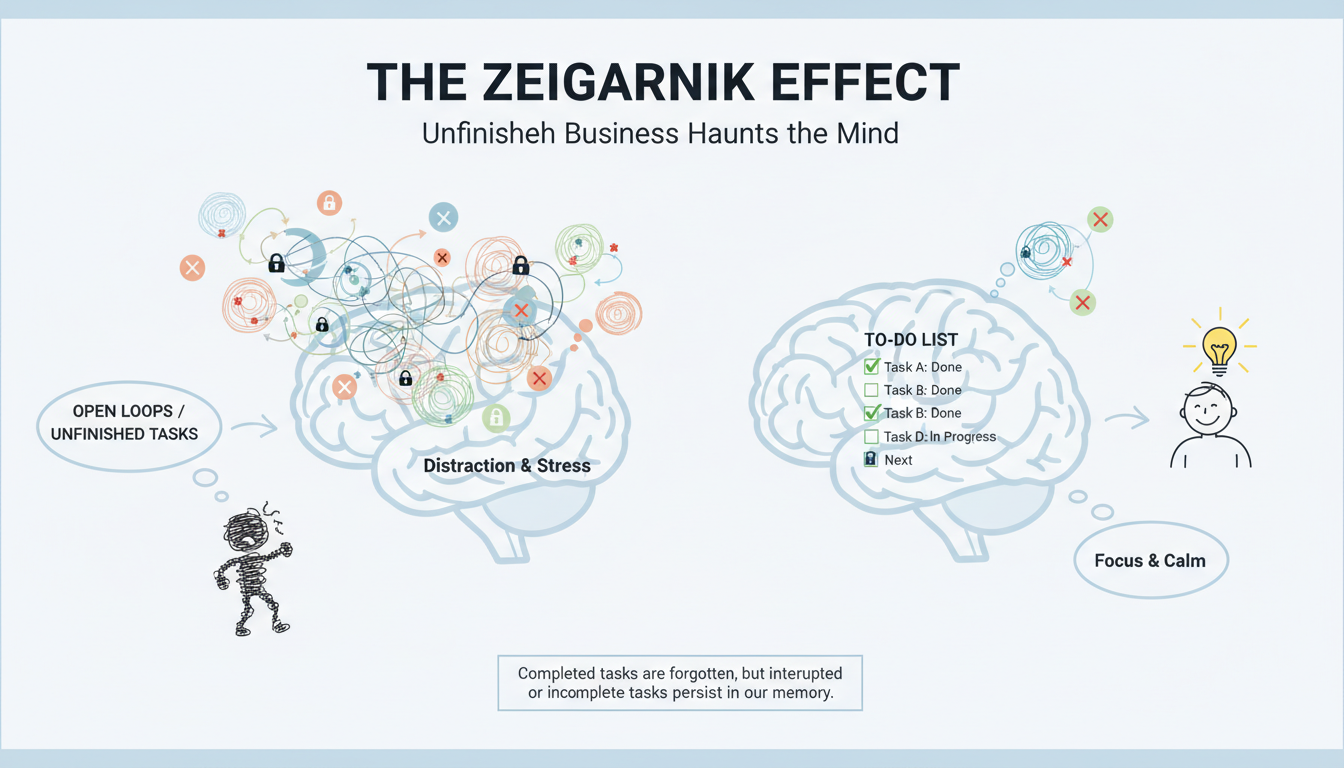
Before we jump into the nitty-gritty of features and apps, it’s crucial to understand the psychological reasons why a **to-do list** is so incredibly satisfying. It all comes down to how our brains are wired. There’s a well-documented phenomenon known as the Zeigarnik Effect, first identified by Bluma Zeigarnik in the 1920s. This effect demonstrates that people remember uncompleted or interrupted tasks much better than completed ones. Essentially, uncompleted tasks create a nagging feeling in your subconscious, leading to low-level stress and diminished focus on the present moment.

Think of it like a browser with a hundred tabs open. Each tab represents an uncompleted task, constantly draining your mental energy. By capturing these tasks in a trusted **to-do list app**, you’re signaling to your brain that the task has been acknowledged and accounted for. This allows your mind to release the anxiety associated with remembering, freeing up valuable mental bandwidth for creative problem-solving and deep, focused work. It’s like closing those unnecessary browser tabs and finally getting some peace of mind.

Cognitive Offloading

Your brain is designed for processing information, not storing endless lists. Writing tasks down frees up working memory for critical thinking and innovation. It’s like upgrading your computer’s RAM – suddenly, everything runs smoother and faster.

Dopamine Release

Checking off a task triggers a release of dopamine, the brain’s reward chemical, motivating you to tackle the next item on your list. It’s a small victory that fuels your momentum and keeps you going, even when you’re facing challenging projects.

Structure & Control

A well-organized **to-do list** provides a visual roadmap of your day, giving you a profound sense of control over your schedule rather than feeling like you’re constantly reacting to chaos. It transforms you from a passenger to the driver of your own life.

Essential Features of a Modern To-Do List App

Let’s be honest: not all digital tools are created equal. When choosing a **to-do list app**, you shouldn’t settle for a mere digital replica of a paper list. You need a tool that acts as a true personal assistant, anticipating your needs and proactively helping you stay on track. The market is absolutely flooded with options, but the most effective apps share specific characteristics that enhance your workflow rather than complicating it.

Here’s what I look for:

1. Intelligent Reminders and Notifications

A static list is easy to ignore, especially when you’re juggling multiple priorities. The best **to-do list apps** offer intelligent, context-aware reminders. I’m talking about location-based reminders that trigger when you’re near a specific location (imagine walking past the hardware store and your phone buzzing with your list of needed supplies) or time-based reminders that nudge you 30 minutes before a crucial meeting or project deadline. These aren’t just reminders; they’re proactive prompts designed to keep you focused and on schedule.

2. Categorization and Tagging

Your work life and personal life are distinct, yet they both need to be managed within a single system. Effective **to-do list apps** allow you to create projects, folders, or tags (e.g., #Urgent, #Home, #Work, #Personal). This granular level of organization enables you to filter your view and focus solely on what’s relevant to your current context. No more sifting through irrelevant tasks when you’re trying to focus on a specific project. I recommend using a consistent tagging system to maintain order.

3. Cross-Platform Synchronization

In today’s mobile-first world, seamless cross-platform synchronization is non-negotiable. You should be able to add a task on your laptop while working at your desk and then check it off on your phone while commuting on the train. Cloud synchronization ensures that your **to-do list** is always up-to-date, regardless of the device you’re using. This eliminates the frustration of dealing with outdated information and ensures that you’re always on the same page, no matter where you are.

4. Collaboration Features

Many tasks aren’t solo efforts. The ability to share lists, assign tasks, and track progress with colleagues, family members, or even contractors is a game-changer. Look for apps that offer seamless collaboration features, allowing you to work together effectively, regardless of location. According to a 2023 report by McKinsey, teams that utilize collaborative task management tools experience a 25% increase in overall productivity.

5. Recurring Tasks

Let’s face it: many of our tasks are repetitive. Paying bills, sending out weekly reports, or watering plants are all examples of recurring activities that need to be tracked. A good **to-do list app** allows you to easily set up recurring tasks, automating the process and ensuring that nothing falls through the cracks. This feature alone can save you hours of manual effort each month.

🎯 Key Takeaway: The right to-do list app should seamlessly integrate into your life, becoming an indispensable tool for managing your time, tasks, and priorities. Don’t be afraid to experiment with different apps until you find one that truly resonates with your workflow.

Advanced Strategies to Master Your To-Do List App

Here’s the truth: owning a high-end chef’s knife doesn’t automatically make you a gourmet chef; similarly, simply downloading a **to-do list app** won’t magically transform you into a productivity ninja. You need a proven methodology to truly unlock the power of these tools. I’ve seen countless users fail because they treat their **to-do list** as a dumping ground for every thought and idea that pops into their head, resulting in a list so long and overwhelming that it becomes paralyzing. To truly benefit from a **to-do list app**, you must apply effective prioritization techniques.

For those looking to explore a wider range of software to assist with this, checking out various productivity tools can help you find the perfect companion software for your task management style.

The Eisenhower Matrix

Divide your tasks into four distinct quadrants based on urgency and importance: Urgent/Important, Not Urgent/Important, Urgent/Not Important, and Not Urgent/Not Important. Focus the majority of your time and energy on the top two quadrants, ruthlessly eliminating or delegating tasks in the bottom two. This framework, popularized by President Dwight D. Eisenhower, is a powerful tool for prioritizing effectively.

The GTD Method

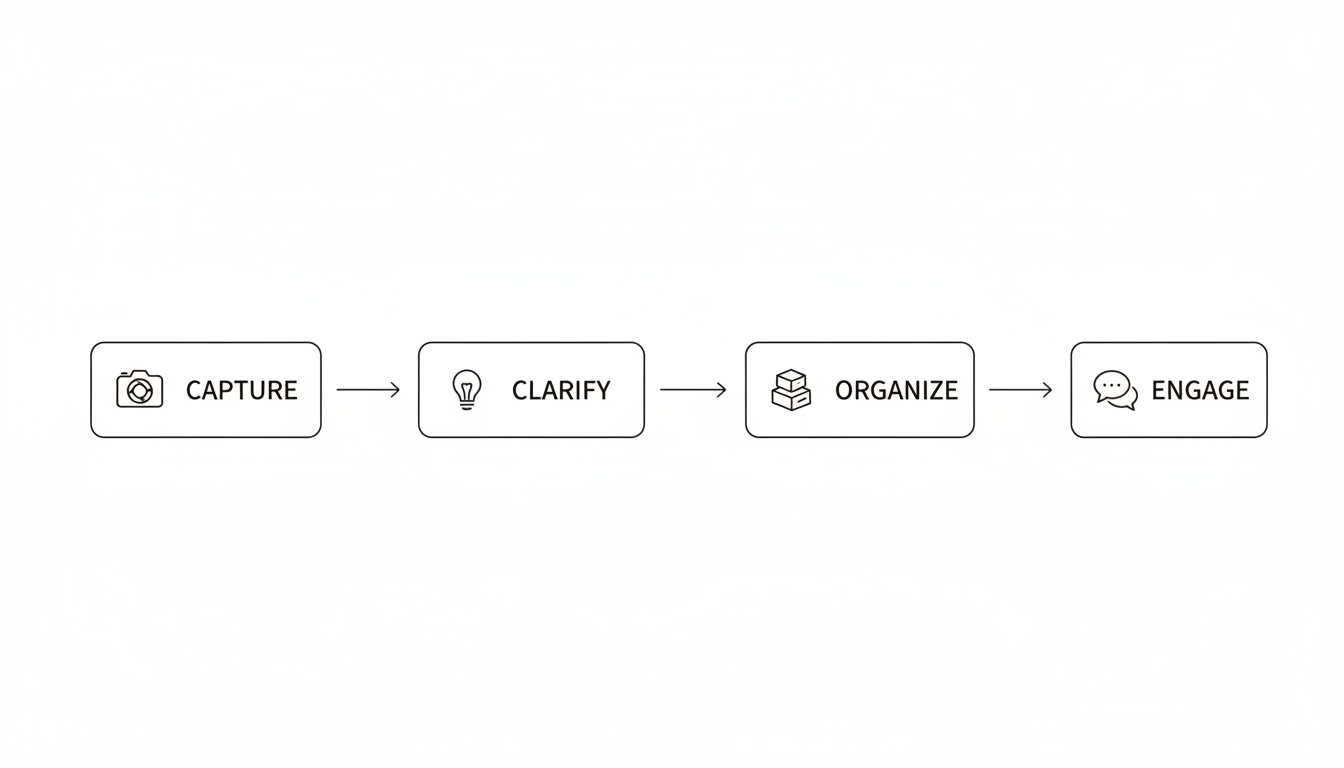
David Allen’s renowned “Getting Things Done” (GTD) methodology involves five key steps: Capture, Clarify, Organize, Reflect, and Engage. The core principle of GTD is to get everything out of your head and into a trusted system, freeing up mental space for focused work. It’s a holistic approach to productivity that goes beyond simple task management.

Time Blocking

Don’t just list your tasks; assign them a specific time slot in your calendar. A task without a designated time is simply a wish. Time blocking forces you to be realistic about how long tasks will take and helps you allocate your time effectively. It’s like creating a detailed itinerary for your day, ensuring that you make the most of every moment.

Prioritizing Tasks Within Your To-Do List

One common pitfall I see is “recency bias,” where you prioritize the last request you received rather than the most important one. Your **to-do list** should be meticulously ranked based on impact and deadlines. Most apps allow you to easily drag and drop tasks to reorder them. Make it a habit to arrange your list the night before, so you wake up knowing exactly what your “One Big Thing” (OBT) is for the day. This proactive approach sets the tone for a productive and focused day.

According to a Harvard Business Review article from 2012, efficient prioritization involves acknowledging that you simply cannot do everything. A shorter, highly prioritized list is often far more effective than a comprehensive inventory of every possible action. It’s about focusing on the vital few, not the trivial many.

⚠️ Watch Out: Beware of “task creep.” Don’t let your to-do list become a dumping ground for every fleeting thought. Be ruthless in prioritizing and eliminating tasks that don’t align with your core goals.

Digital vs. Analog: Why Digital To-Do List Apps Reign Supreme

While some purists still swear by the tactile sensation of pen on paper, digital **to-do list apps** offer dynamic capabilities that paper simply cannot match. A paper list is static; it cannot reorder itself based on deadlines, it cannot ping you when you’re forgetting something crucial, and it’s easily lost or misplaced. Let’s break down the key advantages of going digital:

  • Searchability: Instantly find a task you completed three months ago with a simple keyword search. No more flipping through endless pages of handwritten notes.
  • Collaboration: Seamlessly share a grocery list with your spouse or a project list with a colleague, enabling real-time collaboration and accountability.
  • Recurring Tasks: Set a task like “Pay Rent” to automatically appear on the first of every month, without having to rewrite it every single time.
  • Attachments: Attach relevant files, images, or voice notes directly to your tasks, providing all the necessary context in one convenient location.

Overcoming Common To-Do List Pitfalls

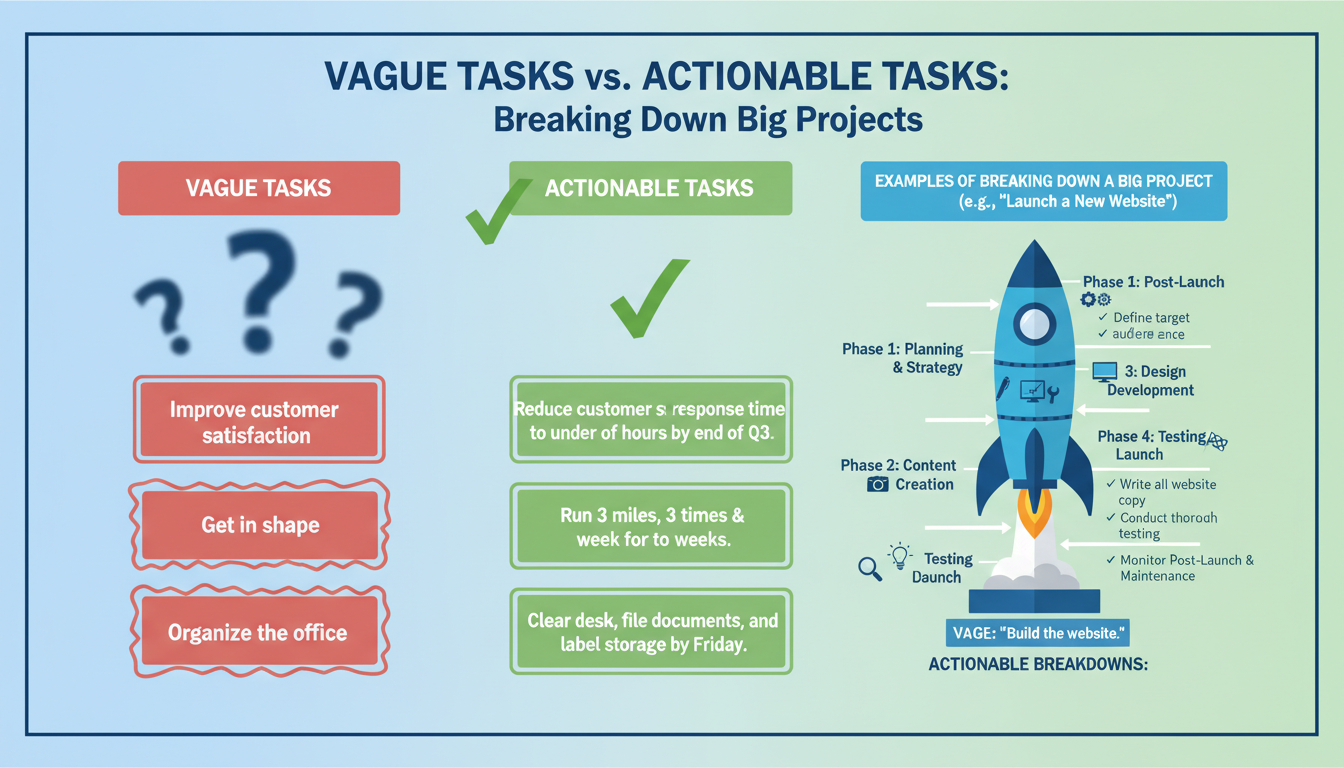
Even with the most sophisticated app, it’s easy to fall into bad habits that undermine your productivity. A **to-do list** that’s excessively long can trigger anxiety and procrastination. A list that’s too vague leads to confusion and inaction. For example, writing “Work on Project X” is intimidating and unhelpful. Instead, break it down into smaller, more actionable steps: “Draft introduction for Project X,” “Email graphic designer for mockups,” “Review competitor analysis,” etc. Small, achievable steps are the key to building momentum and overcoming inertia.

Another common issue is failing to regularly review your list. A **to-do list** is a living document that requires constant attention and refinement. You must review it daily and weekly to stay on track. This “weekly review” is a core component of many productivity systems, including GTD. It allows you to clean up stale tasks, reschedule what wasn’t completed, and realign your daily actions with your long-term goals. Think of it as a regular tune-up for your productivity engine.

Furthermore, be mindful of spending more time tweaking the app and organizing your lists than actually doing the work. This is often referred to as “productivity porn” – obsessing over the tools rather than focusing on the output. Pick a tool that resonates with you, stick to it, and prioritize execution over endless customization.

Integrating Your To-Do List App with Your Life

The ultimate goal of using a **to-do list app** is to create a seamless flow between your intentions and your actions. Whether you’re a student, a CEO, or a stay-at-home parent, the core principles remain the same: Capture, Organize, and Execute. By consistently applying these principles, you can transform your **to-do list app** from a simple task manager into a powerful engine for achieving your goals and living a more fulfilling life.

Remember that these tools are designed to support you, not control you. Whether you’re using complex project management software or a simple checklist app, the value comes from your consistency and commitment. As noted by Forbes, highly productive people often rely on systems that reduce decision fatigue, allowing them to focus their energy on high-value activities. Your **to-do list app** should be a key component of that system.

Conclusion: Reclaim Your Time and Take Control

Adopting a digital **to-do list app** is a transformative step toward reclaiming your time, reducing stress, and achieving greater mental clarity. It empowers you to move from a state of reactive chaos to proactive control, allowing you to focus on what truly matters. By leveraging essential features like intelligent reminders, recurring tasks, and categorization, and by applying proven strategies like the Eisenhower Matrix and the GTD method, you can ensure that you’re not just busy, but truly productive.

So, take action today. Download a **to-do list app**, input your top three tasks for tomorrow, and experience the immediate satisfaction of ticking them off. I guarantee that your future self will thank you for the structure, the reduced stress, and the accomplished goals. It’s time to take control of your time and start living a more intentional and fulfilling life. What are you waiting for?

Frequently Asked Questions

What is the best free to-do list app available?

There are several excellent free options available, including Microsoft To Do, Google Tasks, and Todoist (free version). The “best” option depends on your specific needs and preferences, such as the level of integration with your email or the simplicity of the checklist functionality. I recommend trying a few different options to see which one resonates with you the most.

How often should I update my to-do list?

Ideally, you should review and update your list at least twice a day: once in the morning to set your intentions and prioritize your tasks, and once in the evening to review your progress and plan for the next day. In addition to these daily reviews, I recommend conducting a deeper “weekly review” to organize long-term goals and ensure that your daily actions are aligned with your overall objectives.

Can a to-do list app help with anxiety?

Yes, absolutely. By externalizing your tasks and writing them down in a trusted system, you significantly reduce the cognitive load on your brain. This process, often called a “brain dump,” can dramatically lower anxiety levels caused by the fear of forgetting important tasks or missing deadlines. It’s like offloading a heavy burden from your mind and onto a reliable tool.

What is the difference between a to-do list app and a project management tool?

A **to-do list app** is generally designed for managing personal tasks or simple collaborative items, while project management tools (like Asana or Trello) are designed for complex workflows, large teams, intricate dependencies, and detailed timelines. However, many modern **to-do list apps** are blurring this line, offering features that bridge this gap effectively. Consider your specific needs and choose the tool that best fits your workflow.

How do I handle tasks that I keep rescheduling on my to-do list?

If you find yourself constantly rescheduling a particular task, it’s time to ask yourself why. Is the task truly important? If not, ruthlessly delete it from your list. If it is important, but you’re dreading it, try breaking it down into smaller, more manageable steps, or consider delegating it to someone else. Chronic rescheduling is usually a sign that the task is either ill-defined, not a true priority, or simply not something you want to do.

What are some strategies for staying motivated to use a to-do list app consistently?

Consistency is key to reaping the benefits of a to-do list app. To stay motivated, try gamifying the process by rewarding yourself for completing tasks. Set realistic goals, celebrate your accomplishments, and find an accountability partner to help you stay on track. Remember, even small steps forward are progress in the right direction.

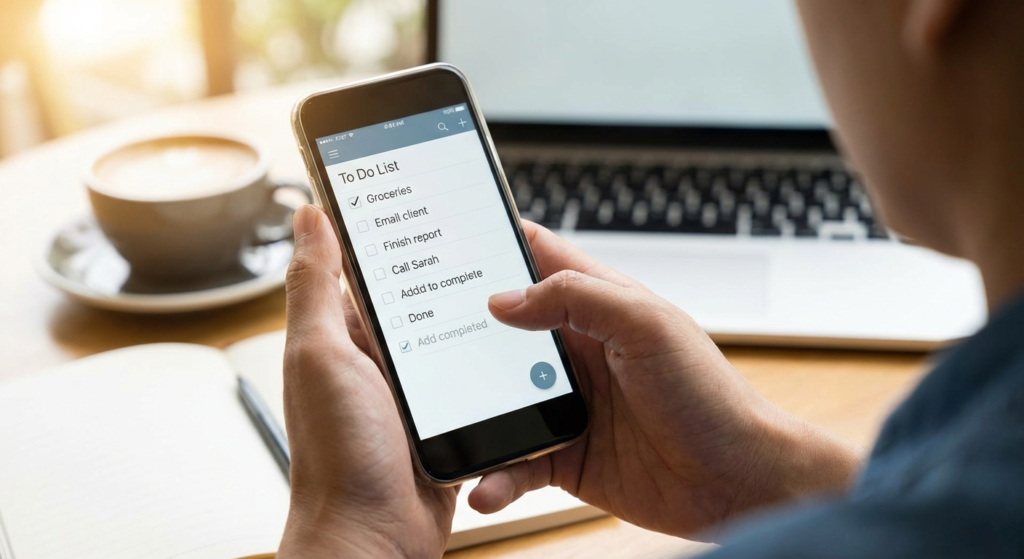
Example of a well-organized to-do list app interface on a smartphone.
Using a to-do list app to stay focused and productive at work.

Leave a Comment

Your email address will not be published. Required fields are marked *

Scroll to Top