

Here’s a scenario I’ve seen play out a hundred times in my career. You spend days crafting the perfect article. The research is deep, the writing is sharp, and the graphics are stunning. You hit publish. And then… silence.
You check your analytics. Impressions are low. Click-through rates (CTR) are abysmal. Why?
Often, the culprit is hiding in plain sight, right in the browser address bar. It’s your URL slug.
If your URL looks like example.com/p=123?&id=xyz or example.com/2026/05/12/ten-reasons-why-you-should-buy-our-product-today, you are actively sabotaging your SEO efforts. In 2026, where user experience (UX) is a primary ranking factor, a messy URL is a trust killer.
I’ve audited enterprise sites where simply cleaning up URL structures resulted in a 15-20% lift in organic traffic. It’s not magic; it’s communication. Your URL is the first thing Google sees and often the deciding factor for a user scanning the search results.
In this guide, we’re going to strip away the confusion. I’ll show you exactly how to craft the perfect SEO friendly URL slug, the tools that speed up the process, and the deadly mistakes you need to avoid at all costs.
📑 What You’ll Learn
What Exactly is a URL Slug?
Let’s keep this simple. The “slug” is the part of the URL that comes after your domain name (and any subfolders). It is the unique identifier for a specific page on your website.
For example, in the URL https://toolsriver.com/blog/seo-friendly-url-slug, the bolded part is the slug.
Think of your domain as your house address, and the slug as the specific room label. If you invite Google to your house but label the kitchen “Room-404-B-North-Wing,” Google’s crawler is going to get confused. If you label it “kitchen,” everyone knows exactly where they are.
Why Slugs Are a Ranking Factor in 2026
You might be thinking, “Does Google really care about a few words in the address bar?”
The short answer: Yes. Absolutely.
In our experience running SEO campaigns across competitive niches, we’ve found that URL structure serves two distinct masters: the algorithm and the human.
1. The Search Engine Perspective
Google’s bots are smart, but they are also busy. They crawl billions of pages. A clear, keyword-rich slug gives the crawler an immediate signal about the page’s content before it even reads the H1 tag. It helps Google categorize your content effectively.
2. The User Trust Factor
This is arguably more important. Picture yourself on a search result page. You see two links promising the same answer:
- Link A:
site.com/index.php?id=832910&cat=seo - Link B:
site.com/seo-url-guide
Which one do you click? Link A looks suspicious—maybe spammy, maybe broken. Link B looks authoritative and clear. That split-second decision improves your Click-Through Rate (CTR), and we know that high CTR signals to Google that your page is valuable.
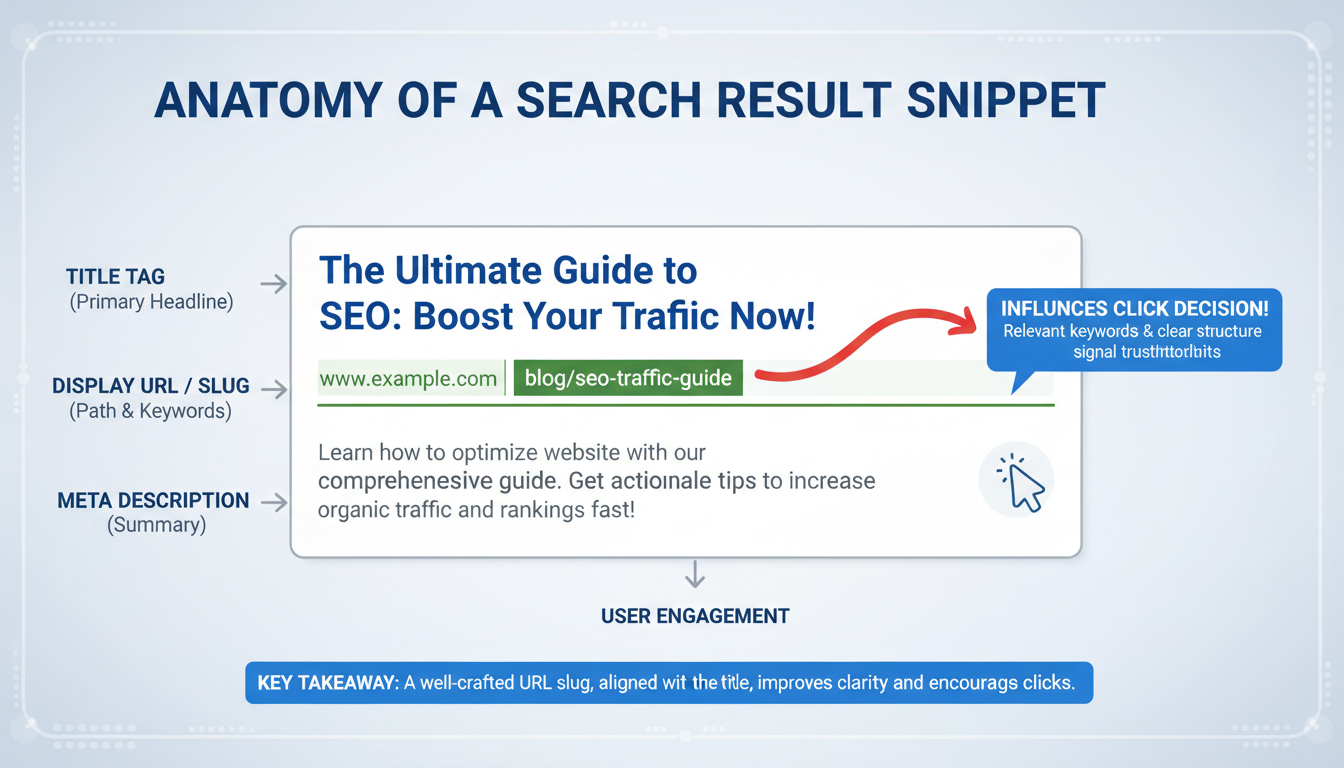
The Anatomy of a Perfect Slug
Creating an effective slug is an art form. It requires you to be ruthless with your editing. You need to distill your entire article down to 3-5 powerful words.
Here are the non-negotiable rules we follow for every client:
Rule #1: Use Hyphens, Not Underscores
This is a classic technical SEO debate that has been settled for years. Google treats hyphens (-) as space separators. It treats underscores (_) as joiners.
So, seo-friendly-url is read as “seo friendly url.”
However, seo_friendly_url is read as “seofriendlyurl.”
Always stick to hyphens. It’s the standard.
Rule #2: Keep It Lowercase
Servers can be picky. Windows servers are generally case-insensitive, but Linux/Unix servers (which run most of the web) are case-sensitive. This means /Blog-Post and /blog-post could be treated as two different pages, leading to duplicate content issues or 404 errors. Always force lowercase.
💡 Pro Tip: Kill the Stop Words
Stop words are filler words like “a,” “the,” “and,” “of,” or “in.” They take up valuable space and add zero SEO value.
Bad: /the-best-guide-to-seo-slugs
Good: /seo-slug-guide
Exceptions exist, of course. If the stop word is crucial for the meaning of the phrase (like “Game of Thrones”), keep it. Otherwise, delete it.
Comparison: Good vs. Bad URLs
Let’s look at some real-world examples to see how optimization changes the look and feel of a link.
| Article Title | ❌ Bad URL Slug | ✅ Optimized URL Slug | Why it Works |
|---|---|---|---|
| 10 Tips for Baking the Best Chocolate Cake in 2026 | /10-tips-for-baking-the-best-chocolate-cake-in-2026 |
/best-chocolate-cake-recipe |
Removes date (future-proofing), removes numbers, focuses on the core intent. |
| How to Fix Your iPhone Screen | /post?id=342&category=tech |
/fix-iphone-screen |
Readable, descriptive, and contains the primary keywords. |
| What is the Price of Bitcoin Today? | /what_is_the_price_of_bitcoin_today |
/bitcoin-price-today |
Uses hyphens instead of underscores; removes filler words. |
Step-by-Step: How to Optimize Your Slugs
Ready to fix your URLs? Whether you are using WordPress, Shopify, or a custom CMS, the logic remains the same. Here is the workflow I use when publishing new content.
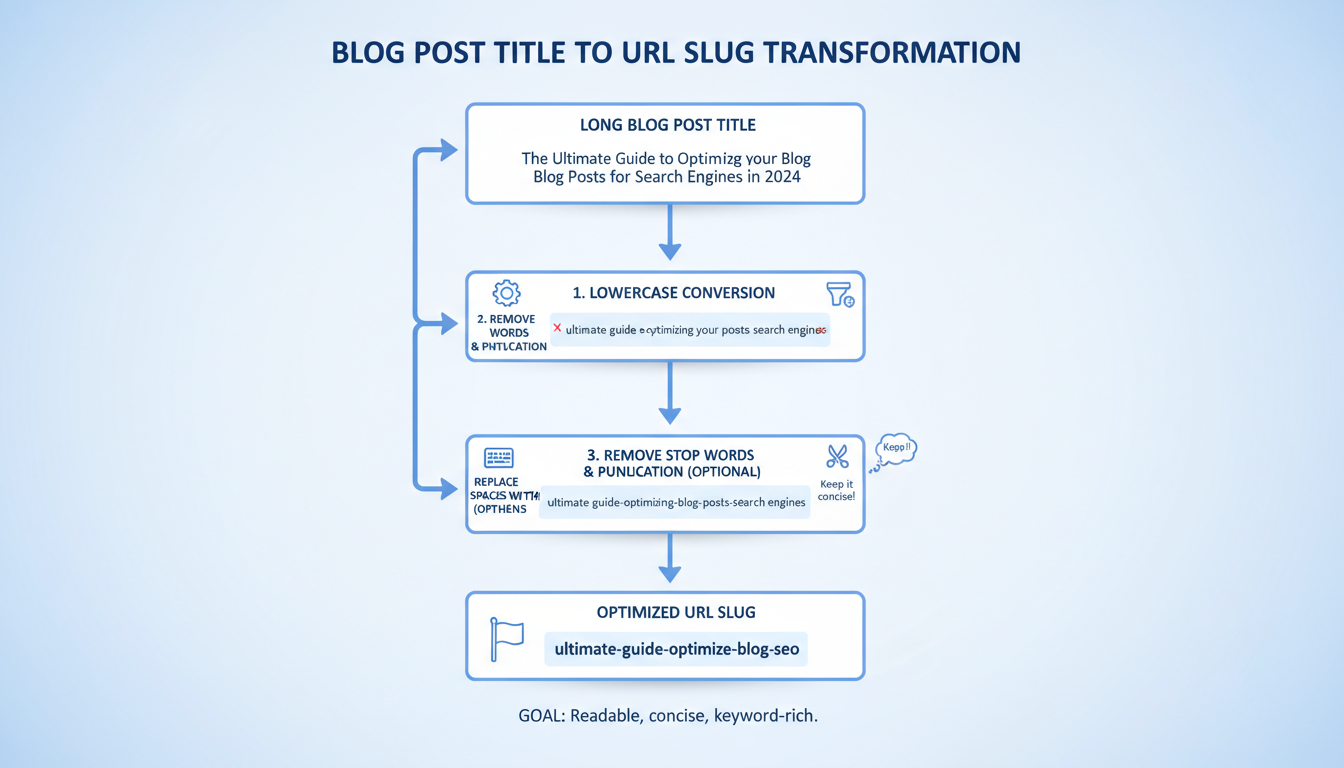
- Identify the Primary Keyword: Before you write the slug, you must know what the main keyword is. For this post, it’s “SEO friendly URL slug.”
- Draft the Title: Let’s say your title is “The Ultimate Guide to Creating SEO Friendly URL Slugs: Tips and Tools.”
- Strip the Fluff: Remove “The Ultimate Guide to Creating,” “Tips,” and “Tools.” You are left with the core topic.
- Format: Convert to lowercase and replace spaces with hyphens. Result:
seo-friendly-url-slugs. - Input into CMS: Paste this into the “URL Slug” or “Permalink” field in your editor settings.
⚠️ Watch Out: The Date Trap
Never include dates or years in your URL slug (e.g., /best-seo-tips-2026). Why? Because next year, when you update the content for 2027, your URL will still say 2026. This makes your search result look outdated in the SERPs. Keep URLs timeless (e.g., /best-seo-tips) so you can update the content endlessly without changing the link.
Tools and Automation
If you are managing a massive site or migrating content, doing this manually for thousands of pages is a nightmare. Human error is inevitable—you’ll miss a capital letter or leave in a space.
This is where an SEO friendly url slug generator becomes essential. These tools automate the hygiene factors we discussed.
A good generator will automatically:
- Convert all text to lowercase.
- Strip out special characters (like brackets, quotes, or emojis).
- Replace spaces with hyphens.
- Remove common stop words (in advanced tools).
For example, using a Text to slug Generator allows you to paste a raw title like “Why 50% of Startups Fail!” and instantly get a clean string like why-startups-fail. It ensures technical consistency across your entire domain.
Similarly, if you are building a tool-based site, context matters. If you have a page for a free mortgage calculator tool, your slug shouldn’t be /tool-id-29. It should be /mortgage-calculator. This semantic match helps Google understand that your page is a functional utility, not just a blog post.
Handling URL Changes (The Danger Zone)
This is the most critical part of this guide. Please read this carefully.
If you have an existing page that is already ranking and getting traffic, DO NOT change the URL slug unless absolutely necessary.
When you change a URL, you are effectively deleting the old page and creating a new one. Google loses all the history, backlinks, and authority associated with the old URL. Your rankings will tank overnight.
How to Change a Slug Safely
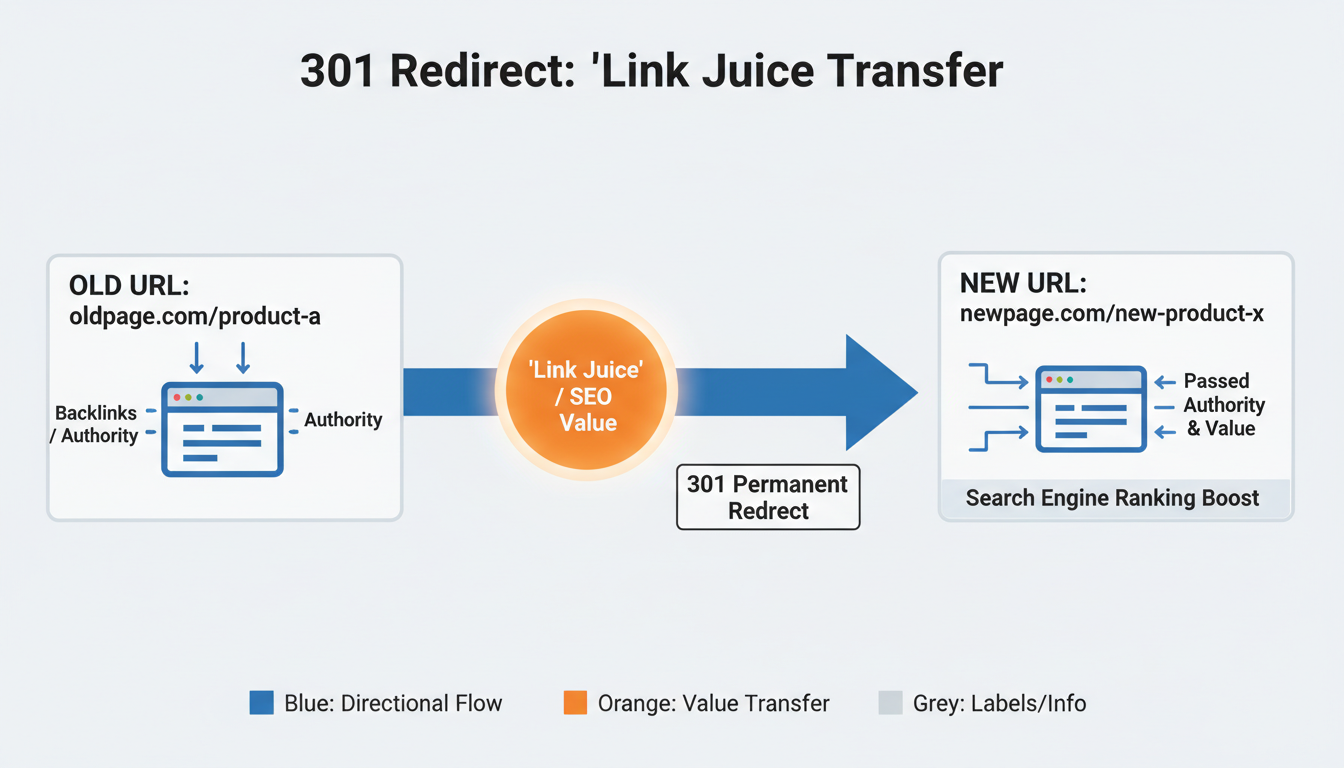
If you absolutely must change a slug (e.g., it’s misleading or broken), you must implement a 301 Redirect.
A 301 redirect tells Google: “Hey, the page that used to be at /old-url has permanently moved to /new-url. Please transfer all ranking credit to the new one.”
Without a 301 redirect, users clicking old links (from social media or other websites) will hit a “404 Page Not Found” error. That is a UX disaster.
🎯 Key Takeaway
Your URL slug is a powerful SEO signal. Keep it short, lowercase, hyphenated, and keyword-rich. Avoid dates and filler words. Most importantly, if you change an existing URL, always use a 301 redirect to preserve your rankings.
Conclusion
Optimizing your URL slugs is one of the highest-ROI activities in technical SEO. It takes seconds to do correctly but pays dividends for the lifespan of the page. It helps search engines crawl your site efficiently and gives users the confidence to click your link.
Don’t let your CMS dictate your URL structure. Take control. Use a reliable seo friendly url slug generator to handle the formatting, but use your brain to select the keywords. In the competitive landscape of 2026, these small details are what separate the pros from the amateurs.
❓ Frequently Asked Questions
How long should an SEO friendly URL slug be?
Aim for 3 to 5 words. Google’s John Mueller has stated that URL length isn’t a direct ranking factor, but shorter URLs are easier for users to parse and share. Try to keep it under 60 characters to ensure it doesn’t get truncated in search results.
Can I use emojis in my URL slug?
Technically, yes, but you shouldn’t. Emojis in URLs can cause encoding issues across different browsers and social media platforms. They often turn into long strings of random characters (like %F0%9F%98%80), which looks spammy and untrustworthy. Stick to standard alphanumeric characters.
Should I include categories in my URL structure?
It depends on your site architecture. For large e-commerce sites, categories (e.g., /mens/shoes/running) help with organization. For blogs, however, flat structures (e.g., /post-name) are often better because they keep the URL shorter and allow you to change a post’s category later without breaking the link.
Does changing a URL slug reset my social share counts?
Yes. Social media platforms track shares based on the specific URL. If you change /old-slug to /new-slug, your share counters (Facebook likes, LinkedIn shares, etc.) will reset to zero for that page, even if you use a 301 redirect.
For more on technical URL standards, you can reference Google’s Search Central documentation. To understand the broader context of site architecture, Moz’s guide on URLs is an excellent resource. For the history of Uniform Resource Locators, check out Wikipedia.

