
What if I told you that your website has a secret credit score? A score that Google uses every single day to decide whether you deserve to rank on page one… or get buried on page ten. This score isn’t about finances. It’s your backlink profile.
Most businesses ignore it. They treat it like a black box, hoping for the best. But here’s the thing: ignoring your inbound links is like never checking your bank statements. You’re flying blind, vulnerable to toxic spam, and missing golden opportunities your competitors are already exploiting.
This isn’t another generic list of tools. This is your complete 2026 playbook. You’re about to learn not just how to check inbound links, but how to read them, understand them, and turn them into your most powerful SEO weapon. We’ll go from free, must-use methods to the advanced analysis that separates the amateurs from the pros.
📑 What You’ll Learn
Why Backlink Audits Are Non-Negotiable in 2026
Before we touch a single tool, let’s get one thing straight. Regularly checking your inbound links isn’t just a tedious SEO task. It’s a critical business intelligence activity. Think of yourself as a digital detective. Your backlink profile is the case file, holding clues to your past performance and the blueprint for your future growth.
In our experience managing countless SEO campaigns, a proactive backlink audit is the single most effective way to prevent ranking disasters and uncover hidden growth levers. Here’s why it’s absolutely essential:
- Reputation Management: Not all links are created equal. A link from a trusted industry publication is a powerful vote of confidence. A link from a spammy, irrelevant site from another country? That’s a red flag. Regular checks help you protect your site’s reputation with Google.
- Competitive Espionage: Want to know your competitor’s exact link-building strategy? It’s all public information if you know where to look. By analyzing who links to them, you can reverse-engineer their success and find high-value link targets for yourself. It’s the closest thing to ethical spying in digital marketing.
- Campaign ROI Measurement: Are your content marketing and digital PR efforts actually working? Your backlink report is the report card. It provides direct, tangible feedback on whether your investment is generating the high-quality links that drive rankings.
- Disaster Prevention: A sudden influx of spammy links (a “negative SEO attack”) can tank your rankings. By monitoring your new links, you can spot these attacks early, disavow the harmful links, and protect your hard-earned traffic. Trust me on this one, I’ve seen this play out, and being proactive is infinitely better than being reactive.
- Link Reclamation: Links break. Pages get moved, sites get redesigned. A valuable link you earned last year might be pointing to a 404 error page today. This is called “link rot,” and it’s a silent killer of SEO value. Checking for lost links allows you to reach out and reclaim that precious authority.
The Backlink Checker’s Toolkit: Free vs. Premium
You’ve got options when it comes to tools, and they generally fall into two camps: the free, essential starting point and the paid, all-access powerhouse. Understanding the difference is key to building an effective workflow.
Google Search Console is your non-negotiable free tool. It’s data straight from the source. Premium tools like Ahrefs and Semrush are your deep-dive analytics platforms. They crawl the web independently, giving you a wider, more real-time view of the entire link landscape, including your competitors’.
| Feature | Google Search Console (Free) | Premium Tools (Ahrefs, Semrush, etc.) |
|---|---|---|
| Cost | ✅ 100% Free | ❌ Subscription-based ($99+/month) |
| Data Source | Directly from Google’s index | Proprietary web crawlers |
| Data Freshness | Can be delayed by days or weeks | ✅ Near real-time updates (daily/hourly) |
| Completeness | Shows a significant sample, but not all links | ✅ Aims to be the most comprehensive index available |
| Competitive Analysis | ❌ Only shows data for sites you own | ✅ The primary strength; analyze any competitor |
| Advanced Metrics | Basic link counts | ✅ Rich data: Domain Rating, link velocity, anchor text breakdown, toxicity scores, etc. |
🎯 Key Takeaway
Start with Google Search Console—it’s free, authoritative, and essential. When you’re ready to get serious about growth and competitive analysis, invest in a premium tool. Using both together gives you the most complete and actionable picture of your backlink profile.
Step-by-Step: Checking Links with Google Search Console (For Free)
Every website owner should have Google Search Console (GSC) set up. It’s your direct line of communication with Google. If you haven’t set it up, stop reading and do that now. It’s that important.
Here’s how to find your backlink data in just a few clicks.
- Log In and Select Your Property: Head to Google Search Console and choose the website you want to analyze from the property dropdown.
- Navigate to the ‘Links’ Report: On the left-hand sidebar, scroll all the way down. You’ll see a menu item simply labeled ‘Links’. Click it.
- Analyze the Dashboard: This screen is your high-level overview. You’ll see four key boxes:
- Top linking sites: Which websites link to you the most.
- Top linked pages: Your pages that have the most inbound links.
- Top linking text: The anchor text people are using to link to you.
- Top linking sites (Internal): How you’re linking to your own pages. For this exercise, we’re focused on the first three (External links).
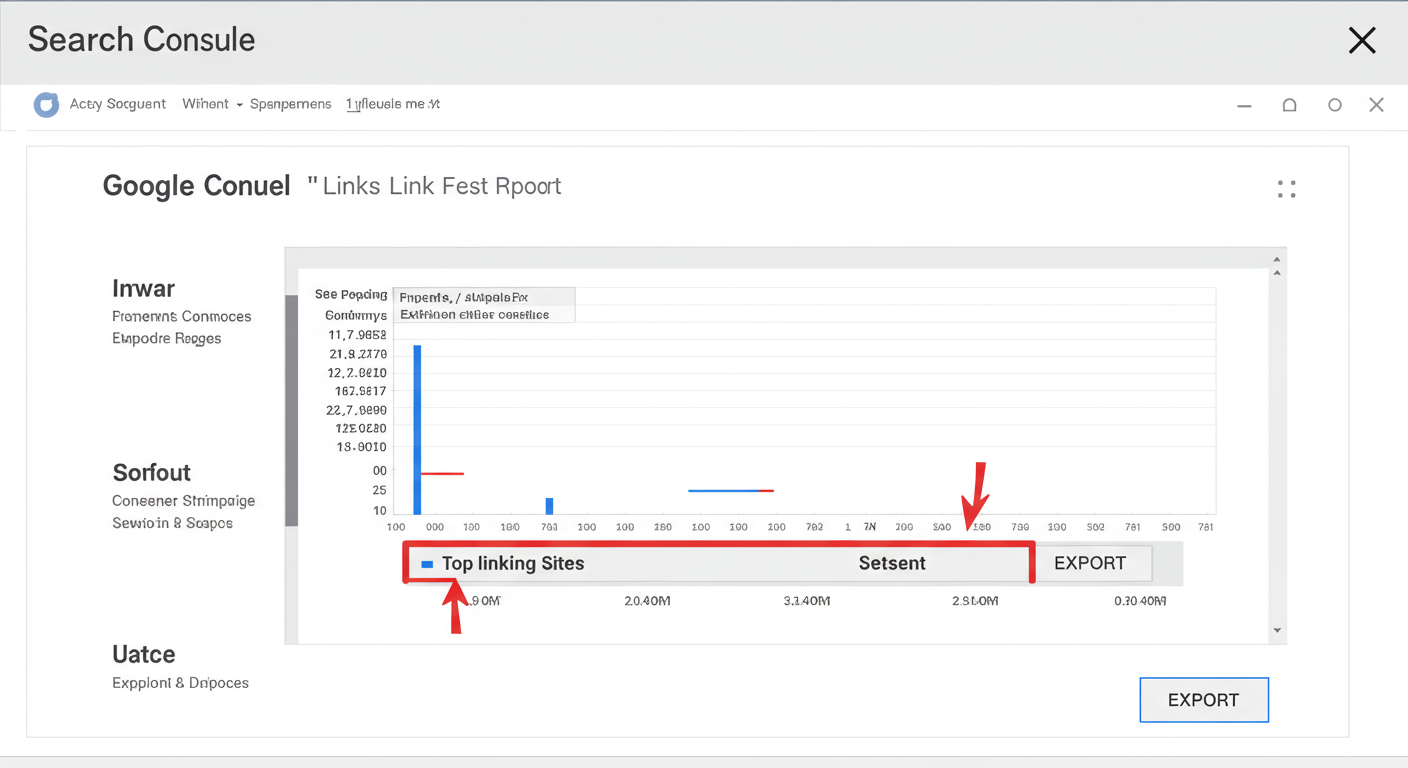
- Export Your Data: In the ‘Top linking sites’ box, click ‘MORE’. This takes you to the full report. In the top right corner, you’ll see an ‘EXPORT’ button. You can download the data as a Google Sheet, Excel file, or CSV.
💡 Pro Tip
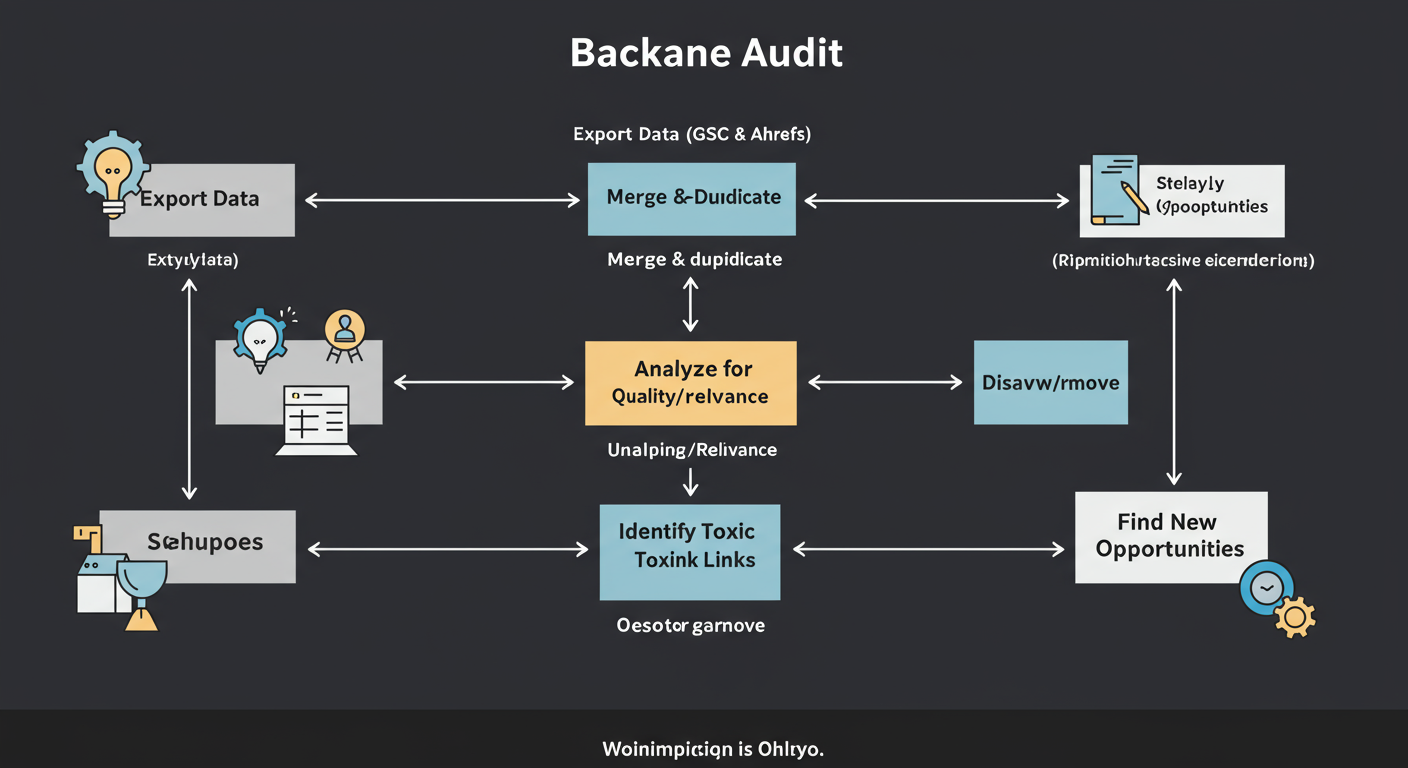
Don’t just look at the GSC report online. Export your ‘Top linking sites’ list into a spreadsheet. Add a new column called “Status” or “Notes.” As you review each site, mark it as ‘Good,’ ‘Spammy,’ or ‘Needs Review.’ This simple process is the first step toward a structured backlink audit.
Deep Dive Analysis with Premium SEO Tools
Ready to take the training wheels off? Premium tools like Ahrefs and Semrush are the industry standard for a reason. They provide a level of depth and competitive insight that GSC simply can’t match. After testing dozens of tools over the years, these are the features we find indispensable for serious backlink analysis.
Uncover Your Competitors’ Secrets
This is where the magic happens. Let’s say you sell high-end coffee beans. You know your top competitor is ranking #1 for “best single-origin coffee.”
Using a tool like Semrush’s Backlink Gap or Ahrefs’ Link Intersect, you can enter your domain and several competitor domains. The tool will then generate a list of all the websites that link to your competitors but not to you. This isn’t just a list of links; it’s a strategic roadmap. It’s a list of websites that are already interested in your topic and have proven they are willing to link to businesses like yours. Your job is to figure out why they linked to your competitor and create something even more valuable for them to link to.
⚠️ Watch Out
Don’t get obsessed with vanity metrics like Domain Authority (DA) or Domain Rating (DR). While they are useful directional guides for a site’s authority, they are third-party metrics. A link from a lower-DR site that is highly relevant to your audience can be far more valuable than a high-DR link from a completely unrelated site. Context is king.
Monitor Link Velocity (New & Lost Links)
A healthy backlink profile grows steadily over time. Sudden spikes or drops can be a sign of trouble. Premium tools have dedicated reports for ‘New’ and ‘Lost’ backlinks.
- The ‘New’ Report: Check this weekly. It shows you who has recently linked to you. It’s perfect for seeing the immediate results of a PR campaign and for finding new fans of your brand you can build relationships with.
- The ‘Lost’ Report: Check this monthly. When you lose a valuable link, you’re losing SEO equity. This report tells you exactly which links have disappeared. Often, it’s an accident—a site redesign broke the link. A quick, friendly email to the site owner can often get it reinstated. Easy win.
The Art of Analysis: Turning Raw Data into Actionable Insights
Okay, you’ve downloaded your list of 1,000 links. Now what? A list of URLs is just noise. The real skill is in interpreting the data. Based on hands-on testing of thousands of backlink profiles, here’s what leading experts focus on.
1. Anchor Text Distribution
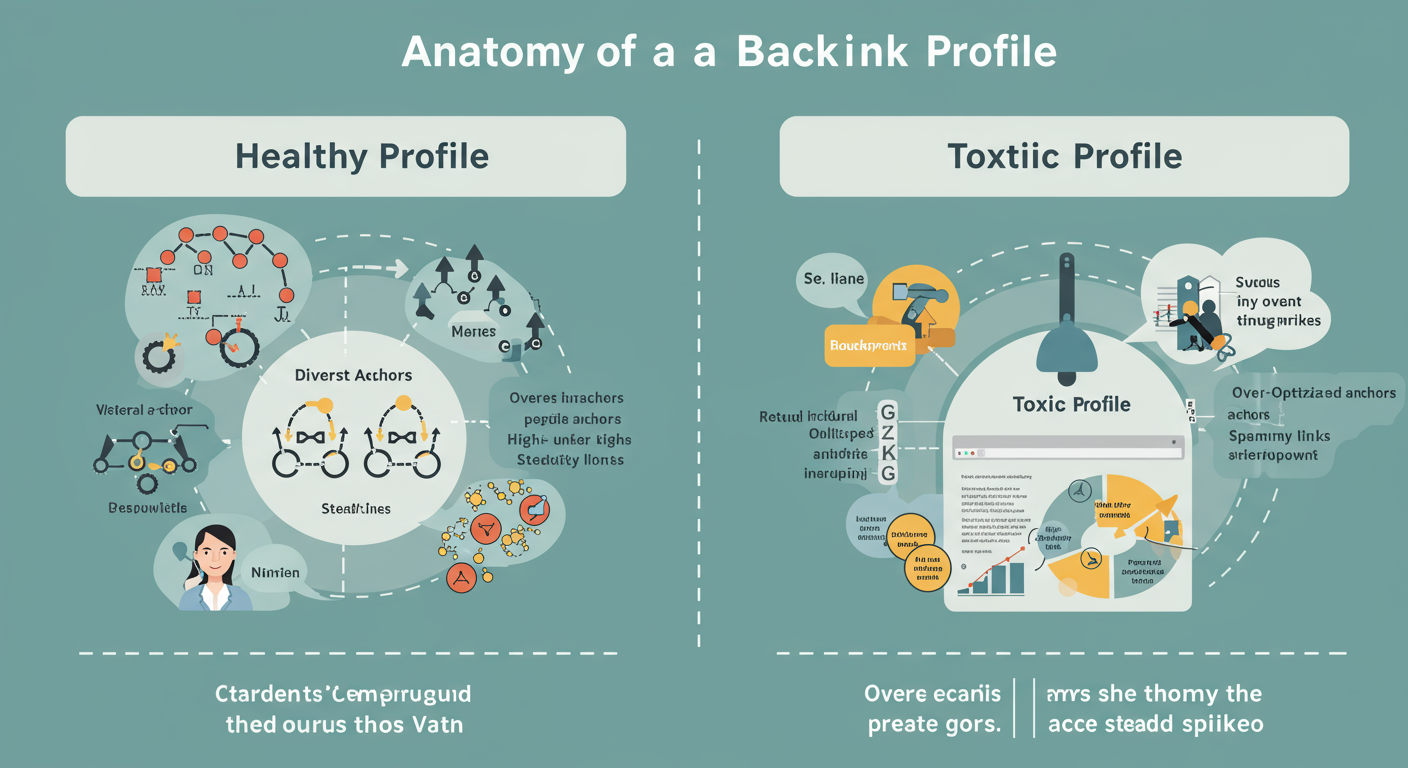
Anchor text is the clickable text in a hyperlink. A natural, healthy profile has a diverse mix. An unnatural one is a huge red flag for Google.
According to Google’s guidelines on link spam, links with “over-optimized anchor text” in articles or press releases distributed on other sites can be considered a violation.
Look at your anchor text cloud in Ahrefs or Semrush. If 80% of your links say “best running shoes,” you’re over-optimized and at risk. A healthy profile looks more like this:
- Branded Anchors (50%+): “Your Brand Name,” “yourbrand.com”
- Naked URLs (15%): “https://www.yourbrand.com/page”
- Generic Anchors (10%): “click here,” “read more,” “this website”
- Topic/Keyword Anchors (10-15%): “guide to running shoes,” “marathon training plan”
- Exact-Match Anchors (<5%): “best running shoes”
2. Link Quality and Relevance
This is where human judgment comes in. For every significant link, ask yourself two questions:
- Is this a website I’d be proud to be featured on? Does it look professional? Is the content well-written? Or is it a low-quality site full of ads and spun articles?
- Is the link contextually relevant? A link to your running shoe article from a fitness blog is a 10/10 for relevance. A link from a blog about cryptocurrency? That’s a 1/10, and it looks suspicious.
💡 Pro Tip
Create a “Dream 100” list of websites. These are the top-tier publications, blogs, and influencers in your niche. As you audit your backlinks, check if any of them are on your list. Then, when analyzing competitors, see how many of their links come from your Dream 100. This frames your link building as a targeted, strategic goal, not just a numbers game.
3. Identifying and Dealing with Toxic Links
During your audit, you will find bad links. It’s inevitable. These often come from spam sites, foreign-language directories, or sites built purely for linking out (known as Private Blog Networks or PBNs). Here’s a quick comparison of what to look for.
| Signal | ✅ Healthy Link | ❌ Toxic Link |
|---|---|---|
| Relevance | From a site in your industry/niche | From a completely unrelated site (e.g., casino, pharma) |
| Site Quality | Well-designed, unique content, real author | Poor design, spun/AI content, no author info |
| Placement | Editorially placed within relevant body content | In a footer, sidebar, or a long list of other links |
| Anchor Text | Branded or natural-sounding phrase | Over-optimized, exact-match keyword |
| Geography | From sites in your target country/language | From sites in irrelevant countries (.cn, .ru) |
⚠️ Watch Out
Be extremely careful with Google’s Disavow Tool. It’s a powerful instrument, but using it incorrectly can seriously harm your rankings. Disavowing a good link is far worse than leaving a single bad one. Only disavow links that are clearly and obviously spammy and part of a larger pattern. When in doubt, leave it alone or consult an expert. Industry research shows that Google’s algorithm is now very good at simply ignoring most bad links on its own.
❓ Frequently Asked Questions
How often should I check my inbound links?
A great rhythm is a quick 15-minute check in Google Search Console weekly and a deeper, one-hour dive with a premium tool monthly. If you’re in the middle of a major link-building campaign or in a hyper-competitive niche, you might want to do the deep dive every two weeks.
What’s the difference between a referring domain and a backlink?
It’s simple: a “referring domain” is the website the link comes from. “Backlinks” are the total number of links. For example, if Forbes.com links to your site in three different articles, you have 1 referring domain (Forbes.com) and 3 backlinks.
What should I do if I find bad inbound links?
First, don’t panic. Google is smart enough to ignore most random spam. If you see a clear pattern of manipulative, low-quality links, the first option is to contact the site and ask for removal. If that fails, you can use the Disavow Tool in Google Search Console to tell Google to ignore those links. Use it as a last resort.
Can I check inbound links for my competitors?
Absolutely! This is one of the main reasons to use a premium tool like Ahrefs or Semrush. You can’t use GSC for sites you don’t own, but with a paid tool, you can run a full backlink analysis on any competitor to see their best links and overall strategy.
Is it better to have more links or higher quality links?
Quality over quantity. Always. One single, editorially-given link from a top-tier, relevant site like The New York Times or a leading industry blog is worth more than 1,000 low-quality links from spammy directories. Focus your efforts on earning high-quality links, not just accumulating numbers.
Conclusion: Your First Step to Backlink Mastery
We’ve covered a lot of ground, moving from the ‘why’ to the ‘how’ of checking inbound links. You now know that your backlink profile is a living asset, one that requires regular attention to protect and grow your site’s authority. You’re armed with a process: use the free and essential data from Google Search Console for routine check-ups, and leverage the power of premium tools for deep competitive analysis and strategic planning.
Don’t let this be just another article you read. Take action. Your mission for today is simple: log in to Google Search Console, navigate to the ‘Links’ report, and export your ‘Top linking sites.’ Open that file. Just look at it. This simple act is your first step from being a passive website owner to becoming an active, strategic digital marketer. The health of your website depends on it.

