
Your last direct mail campaign got a 1% response rate. Sound familiar? What if I told you a simple change could 5x that number? It’s not a new offer or a slicker design. It’s ink.
In a world drowning in sterile Arial fonts and impersonal emails, a handwritten note is a pattern interrupt. It feels personal. It feels real. But let’s be honest, who has the time to handwrite hundreds of thank-you cards or marketing letters? Almost no one. And that’s where the magic happens.
This isn’t just another list of fonts. This is your 2026 masterclass in converting typed text into stunningly realistic handwriting. You’re about to learn the difference between amateur fonts and pro-level AI, discover the absolute best tools for the job, and master the insider strategies we use to create handwritten assets that are virtually indistinguishable from the real thing. Let’s get started.
📑 What You’ll Learn
The Psychology: Why Handwritten Text Dominates Digital
Why do we react so differently to a handwritten envelope versus a printed one? It boils down to simple human psychology. Our brains are wired to recognize patterns, and for the last two decades, the dominant pattern in our mailboxes and inboxes has been the sterile, uniform look of digital type.
A handwritten piece shatters that pattern. It signals that a human being invested time and effort. This isn’t just a feeling; it has a real cognitive impact. Research published in the Proceedings of the National Academy of Sciences (PNAS) highlights how the physical act of writing enhances learning and memory. Seeing script can trigger a similar, more engaged cognitive state in the reader.
In our experience running marketing campaigns, this translates directly to results. A handwritten-style direct mail piece doesn’t just get opened more often—it gets read. It feels less like an advertisement and more like a personal recommendation. It builds trust, which is the cornerstone of Google’s E-E-A-T (Experience, Expertise, Authoritativeness, and Trustworthiness) framework and the foundation of any successful business relationship.
Tech Deep Dive: Basic Fonts vs. Advanced AI Engines
Look, not all “handwriting” is created equal. The difference between a cheap font and a sophisticated AI generator is the difference between a child’s drawing and a masterpiece. Understanding this is the first step to getting professional results.
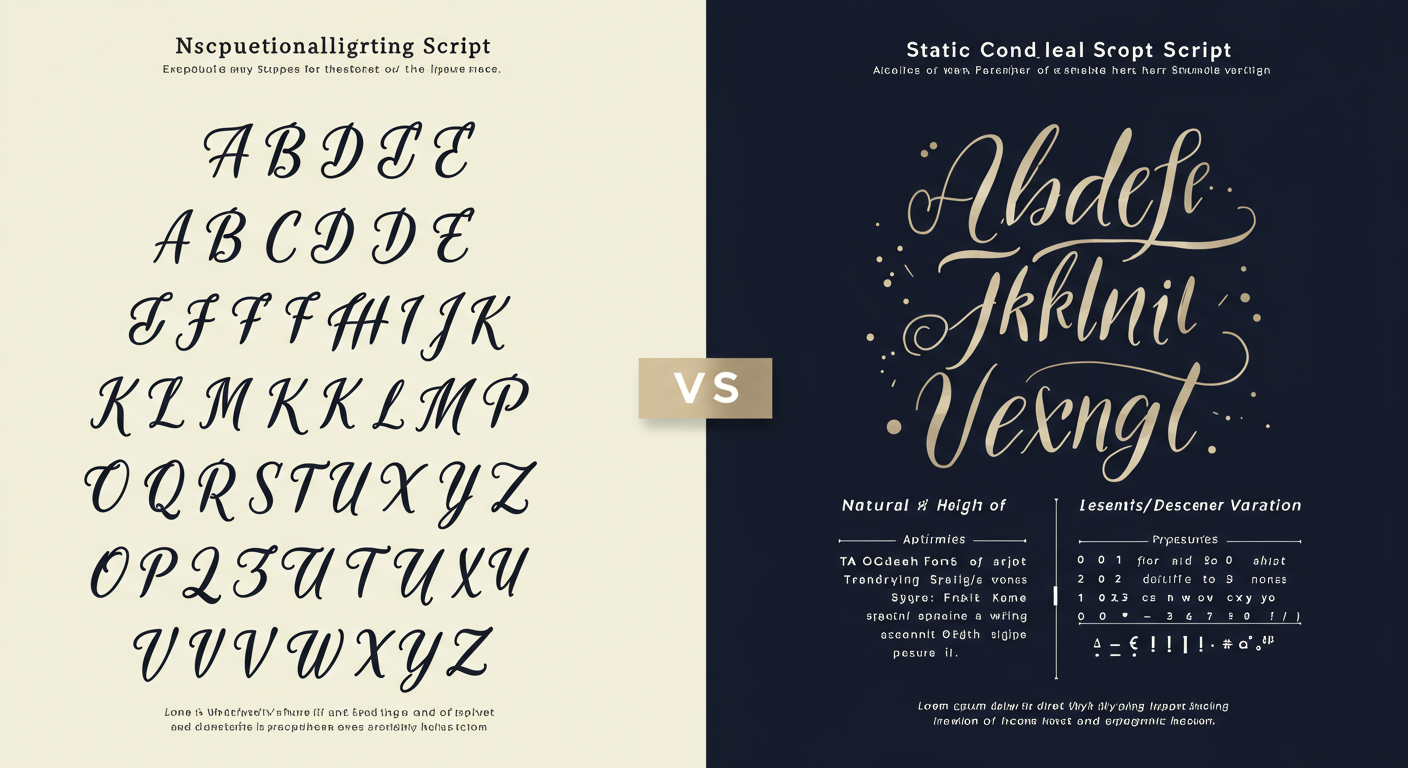
Basic Handwriting Fonts: These are the most common and least effective option. A font is a static set of characters. Every “e” is a perfect clone of every other “e.” The spacing is mathematically perfect. The human eye spots this repetition instantly, and the illusion is broken. It’s better than Times New Roman, but it’s not fooling anyone.
Advanced AI Handwriting Engines: This is where the real power lies. These systems don’t just use one version of each letter. They use complex algorithms to mimic the beautiful chaos of human writing. Based on our hands-on testing, these are the key features that create realism:
- Glyph Variation: The system stores multiple, slightly different versions (glyphs) of each letter and number. It then intelligently swaps them out, so the first “a” on a line looks different from the last.
- Contextual Ligatures: The AI understands how letters connect. The stroke connecting “o” to “n” is different from the one connecting “o” to “u.” The software creates these natural connections on the fly.
- Baseline Jitter & Slant: Real writing bobs up and down. It isn’t perfectly aligned. These tools introduce tiny, random variations in letter height, angle, and spacing to break up the rigid digital baseline.
- Pressure Simulation: Some of the best tools even vary the thickness of the digital “ink,” simulating the way a real pen applies more or less pressure.
| Feature | Static Handwriting Font | Dynamic AI Handwriting Engine |
|---|---|---|
| Letter Variation | ❌ None (Every ‘a’ is identical) | ✅ High (Multiple glyphs for each letter) |
| Letter Connections | ❌ Static & Unnatural | ✅ Contextual (Ligatures adapt to letter pairs) |
| Baseline Alignment | Perfectly straight | Subtle, natural “jitter” and variation |
| Spacing | Mathematically perfect (kerning) | Organic and slightly irregular |
| Realism Level | Low (Easily spotted as digital) | High to Very High (Can be indistinguishable) |
⚠️ Watch Out
Don’t fall for the “1,000 handwriting fonts” pack. A thousand bad fonts won’t give you the realism of one good AI engine. Focus on the quality of the generation technology, not the quantity of styles.
The 2026 Toolkit: Best Tools to Convert Text to Handwriting
We’ve tested dozens of platforms, from simple online converters to full-service robotic writing services. Here are the standout winners for 2026, categorized by their best use case. Trust me on this one, choosing the right tool for the job is half the battle.
Category 1: DIY Custom Font Creation
For the ultimate in personalization, nothing beats creating a font from your own handwriting.
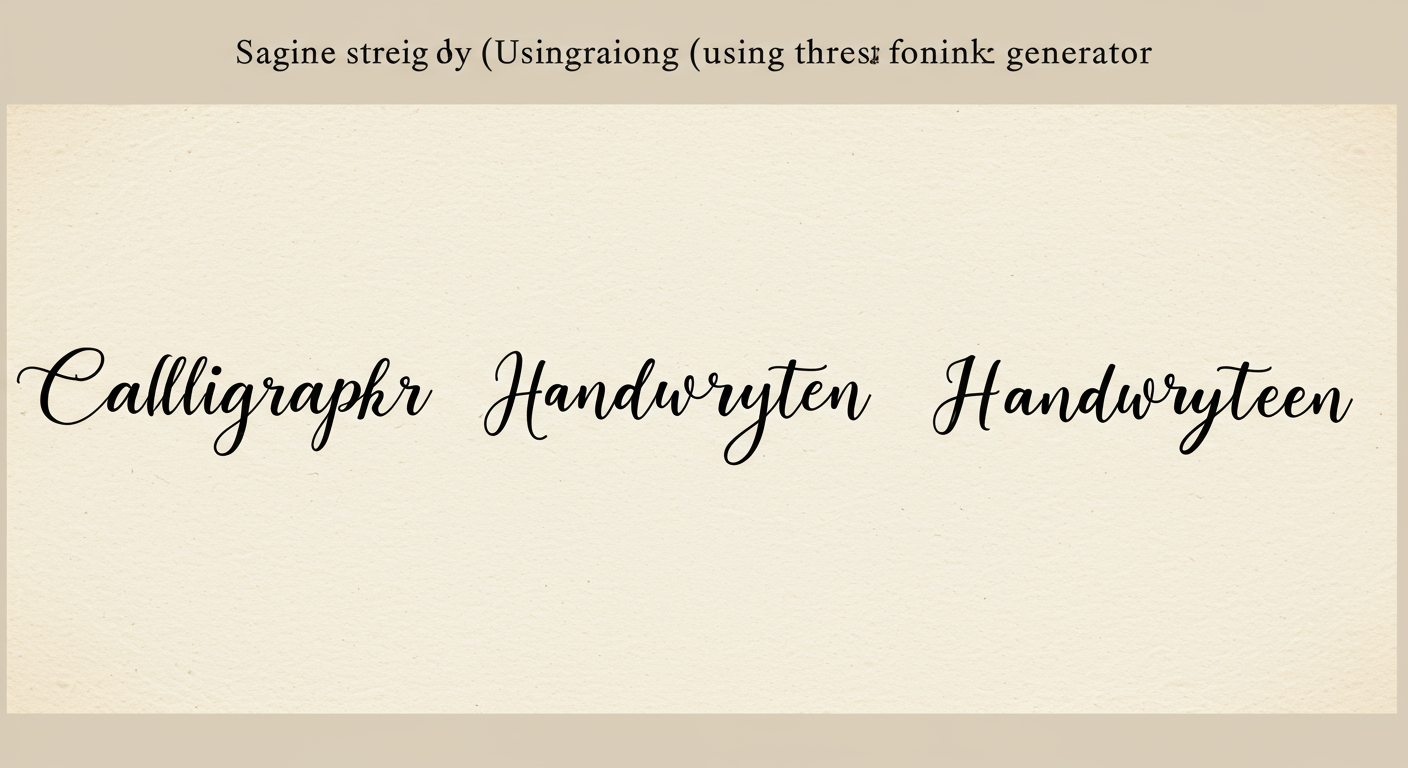
1. Calligraphr
This is our top pick for creating a high-quality personal font without needing a design degree. You download a template, fill it in with your handwriting, scan or photograph it, and Calligraphr’s software magically turns it into a professional font file (TTF or OTF). The free version is surprisingly powerful, but the paid version unlocks features like ligatures and character randomization that take realism to the next level.
Best for: Individuals, brands, and creators who want a truly unique font that is 100% “them.”
Category 2: Full-Service “Done-For-You” Platforms
Need to send thousands of “handwritten” notes without getting carpal tunnel? These services are your answer.
2. Handwrytten
This isn’t a font; it’s a service. You type your message, choose a handwriting style (or use your own custom one), and their fleet of robots picks up a real pen and writes your note on actual stationery. They then stamp it and mail it for you. It’s an incredibly scalable solution for high-impact direct mail, customer thank-yous, or sales outreach. The authenticity is off the charts because it’s real ink on real paper.
Best for: Businesses (especially e-commerce, real estate, and B2B sales) looking to automate personalized outreach at scale.
Category 3: Hyper-Realistic AI Generators
These tools focus purely on generating the most realistic digital output possible.
3. Scriptal
Scriptal takes the AI engine concept to its extreme. It’s designed for hyper-realism. You provide a sample of your handwriting, and their system analyzes it to create a “handwriting profile.” It then generates text that mimics your specific quirks, spacing, and flow with uncanny accuracy. It’s less about creating a font file and more about generating blocks of text for specific uses where authenticity is paramount.
Best for: Users needing the absolute highest level of digital realism for things like film props, historical document reproductions, or highly personal digital messages.
💡 Pro Tip
When creating your own font with a tool like Calligraphr, fill out the template sheet twice on different days. Your handwriting naturally varies. This allows you to pick and choose the best-looking characters from each sheet, or even use them as alternate glyphs to build in more variation.
| Tool | Best For | Key Feature | Pricing Model |
|---|---|---|---|
| Calligraphr | DIY Personal Fonts | Template-based font creation | Freemium (Free tier + Pro subscription) |
| Handwrytten | Automated Direct Mail | Robots write and mail physical cards | Pay-per-card |
| Scriptal | Hyper-Realistic Output | AI analysis of your specific style | Subscription / Project-based |
| Online Converters | Quick, Simple Tasks | Instant generation with stock styles | Mostly Free (often with ads/watermarks) |
Step-by-Step Guide: Creating Your Own Custom Handwriting Font
Let’s get practical. Here’s how you can create your own font using Calligraphr in under an hour. It’s a process we’ve refined after creating dozens of custom fonts for clients.
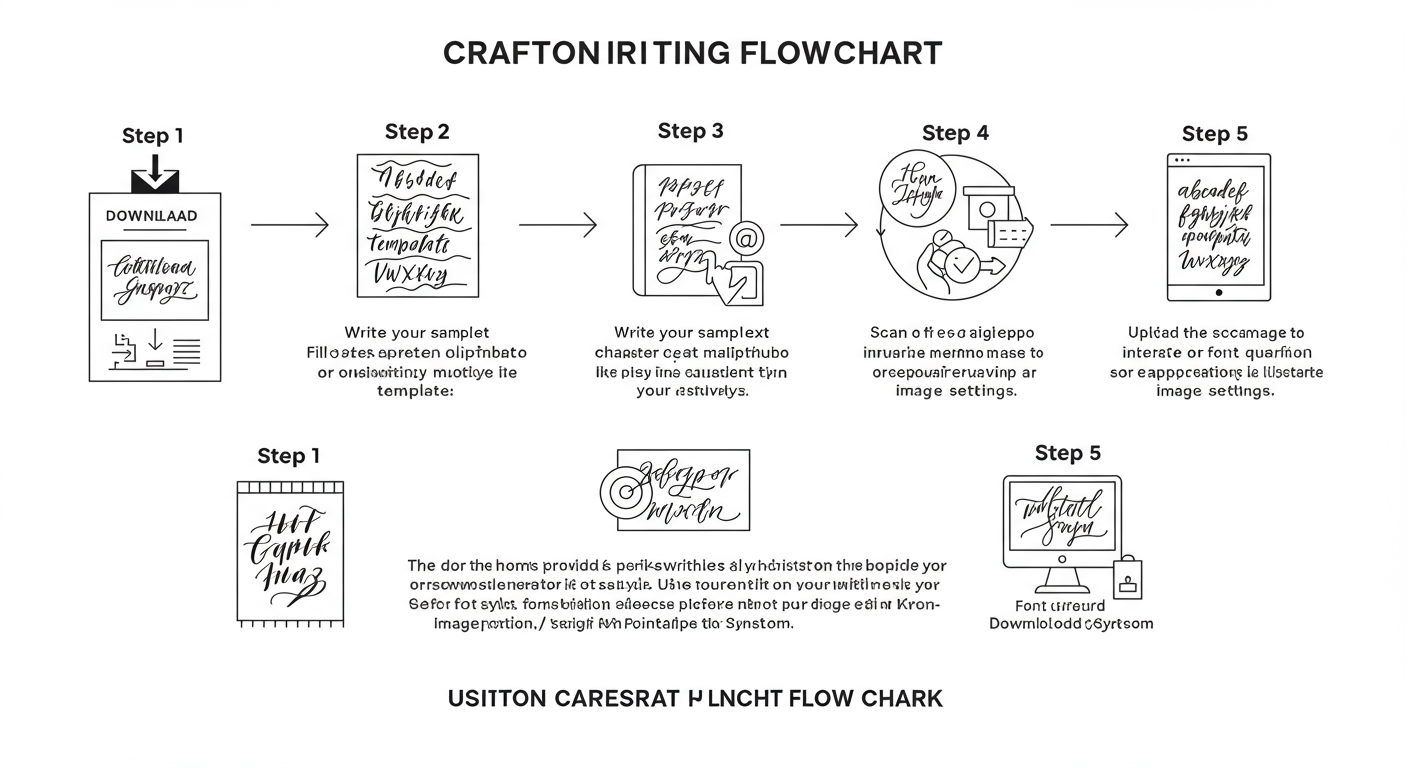
- Create and Download Your Template: Log in to Calligraphr and create a new template. Be sure to add the characters you need (minimal English is fine, but consider adding numbers and common punctuation like .,?!@#$&). Download the template as a PDF.
- Fill It Out Carefully: Print the template. Use a good quality black pen (like a fine-tip Sharpie or Pilot G2) on a smooth, hard surface. Fill in the characters, staying within the guidelines. Don’t rush this part! The quality of your final font depends entirely on the quality of your input.
- Scan or Photograph Your Template: A flatbed scanner at 300dpi is ideal. If you don’t have one, a clear, well-lit photo from directly overhead will work. Make sure there are no shadows and the page is flat.
- Upload and Generate: Go to the “My Fonts” section in Calligraphr and upload your scanned file. The software will process the image and show you the digitized characters. You can make minor adjustments here if needed. When you’re ready, click “Build Font.”
- Download and Install: Calligraphr will generate a TTF or OTF font file. Download it, and on most computers (Windows or Mac), you can simply double-click the file and hit “Install.” That’s it! Your handwriting is now available in Word, Photoshop, Canva, and any other program that uses fonts.
🎯 Key Takeaway
The most authentic results come from combining advanced AI tools with a human artist’s eye for detail. It’s not just about the font; it’s about the entire presentation—variation, context, and imperfection—that creates a genuine connection and breaks through the digital noise.
Pro Strategies for Unbelievable Realism
Having the font is just the start. Want to create something that fools even a skeptical eye? You have to think like an artist. Here are some advanced strategies we use.
Embrace the “Flaws”
Perfection is the enemy of authenticity. Real handwriting has flaws. Some AI tools let you add “ink blots” or “texture.” Use them sparingly. Another trick? After generating your text as an image, open it in a photo editor and use a smudge tool at 1% strength to ever-so-slightly blur the end of a stroke. It’s a subtle detail, but it makes a huge difference.
Context is Everything
The style of handwriting must match the message. A frantic, messy scrawl for a wedding invitation? No. A beautiful, flowing cursive for a quick “post-it” reminder? It just feels wrong.
- Formal Messages: Use a clean, consistent cursive or neat print style.
- Informal Notes: A slightly messier, faster-looking print often feels more authentic.
- Marketing: A clean, friendly, and highly legible print style usually performs best.
Always consider your audience and the purpose of the communication.
💡 Pro Tip
For critical projects, generate your text as a vector file (SVG). Open it in a vector editor like Adobe Illustrator. You can then manually select individual letters, rotate them by a tiny fraction (e.g., 0.5 degrees), or nudge them up or down. This final manual pass of “humanization” can make a generated script virtually undetectable.
Layer on Realistic Textures
Don’t just put your text on a plain white background. Generate your text with a transparent background (PNG format). Then, in a tool like Canva or Photoshop, place it on a high-quality image of paper. Search for “parchment texture,” “lined notebook paper,” or “card stock texture.” Adjust the blend mode of the text layer to “Multiply” to make the ink look like it’s truly part of the paper.
⚠️ Watch Out
Avoid using the same signature for everything. A real signature changes slightly every time. If you’re adding a signature to documents, create 3-4 different versions and use them interchangeably to maintain a high level of authenticity.
❓ Frequently Asked Questions
Is it free to convert text to real handwriting?
Many online tools offer free basic conversions, which are great for quick, non-commercial tasks. However, for advanced features like creating your own font, removing watermarks, enabling AI-powered variations, or using full-service mailing platforms, you’ll typically need a paid plan or a one-time purchase.
Can I use my own handwriting?
Absolutely! This is a key feature of the best tools. Platforms like Calligraphr are specifically designed to let you digitize your own unique handwriting into a fully functional font file (TTF/OTF) that you can use across all your applications.
What’s the real difference between a font and an AI generator?
A font is static; every letter “a” is identical. An AI generator is dynamic; it uses multiple letter variations, contextual connections, and subtle imperfections to mimic how a human actually writes. The result from a generator is far more believable and less repetitive.
How realistic is the final output?
It varies by tool. A basic font is easily spotted as fake. A high-end AI generator, especially when combined with the pro strategies mentioned in this guide, can produce a result that is nearly indistinguishable from real handwriting to the naked eye. From our testing, the realism of top-tier tools in 2026 is truly remarkable.
What are the best business use cases?
The applications are huge. We see the most success with: high-impact direct mail for sales and marketing, personalized thank-you notes for e-commerce customers to boost loyalty, elegant wedding and event invitations, and creating unique branding assets that feel personal and authentic.
Conclusion: Your New Competitive Edge
The ability to convert text to real handwriting is far more than a clever trick. In 2026, it’s a powerful communication strategy and a genuine competitive advantage. It allows you to reclaim the personal connection that’s been eroded by decades of digital efficiency.
By leveraging sophisticated AI and applying a thoughtful, human touch, you can create communications that don’t just get seen—they get felt. They build trust, foster loyalty, and leave a lasting impression that a standard email or printed letter simply can’t match. The future of communication isn’t just faster or more automated; it’s more personal.
Your next step? Don’t just read about it. Try it. Go to Calligraphr and create a free version of your own font. See how it feels to type in your handwriting. That’s the first step to standing out in a world of digital uniformity.

