

It’s 2 AM. You’re buried under a mountain of case law, fueled by stale coffee, chasing a single, elusive precedent. The deadline for your motion is looming. You’ve run a dozen Boolean searches, each one returning either a thousand irrelevant results or a terrifying, empty screen. Sound familiar? For decades, this frustrating ritual has been the reality of legal research.
But what if you could upload your opponent’s brief and instantly get a list of cases they missed? What if you could ask an AI to draft a research memo on a novel point of law, and get a solid first draft back in minutes, not hours?
This isn’t science fiction. It’s the new reality powered by platforms like Casetext. This article isn’t just another list of Casetext features. It’s a strategic deep dive into how these tools are fundamentally rewiring the business and practice of law in 2026. You’ll learn not just what they do, but how to leverage them to save hundreds of hours, build stronger arguments, and gain a serious competitive edge.
📑 What You’ll Learn
The Old Way vs. The New: A Paradigm Shift in Legal Research
Before we dissect the specific Casetext features, it’s crucial to understand the seismic shift happening under our feet. For years, legal research has been a game of “keyword whack-a-mole.” You guess the right terms, pray the judge used the same phrasing, and manually sift through the noise. It’s time-consuming, inefficient, and prone to human error.
AI-powered platforms like Casetext flip the script. Instead of focusing on keywords, they focus on concepts. This is the core difference, and it changes everything. Think of it less like a library card catalog and more like a conversation with a seasoned research partner who instantly grasps the nuances of your case.
Based on our hands-on testing with dozens of legal tech platforms, the difference in workflow is stark.
| Aspect | Traditional Research (The Old Way) | Casetext AI Research (The New Way) |
|---|---|---|
| Starting Point | Brainstorming keywords; complex Boolean strings (e.g., “negligen! /p (duty or breach) w/50 medical”) | A full sentence, a legal question, or an entire document (like a brief or complaint). |
| Search Logic | Finds documents containing your exact words. Misses conceptually similar cases with different phrasing. | Finds documents discussing the same legal concepts, even with different terminology. |
| The Process | Search, skim hundreds of results, refine keywords, search again. Repeat for hours. | Upload document, get a ranked list of on-point cases in seconds. Analyze and refine. |
| Key Weakness | Highly dependent on the user’s ability to guess the right search terms. High risk of missing key precedents. | Requires careful review and validation by a legal professional. The AI is a tool, not the final word. |
🎯 Key Takeaway
Casetext moves legal research from a manual, keyword-dependent task to a conceptual, AI-assisted analysis. This shift dramatically reduces research time, uncovers authorities that traditional methods miss, and allows attorneys to focus on strategy instead of search queries.
Deep Dive: The 7 Core Casetext Features Redefining Efficiency
Now, let’s get into the nuts and bolts. These aren’t just bells and whistles; each of these Casetext features is designed to solve a specific, frustrating problem that lawyers face every single day.
1. CARA A.I. Search: Your Secret Weapon Against Opposing Counsel
This is the original heart of Casetext. Instead of a blank search bar, CARA (Case Analysis Research Assistant) invites you to upload a document. A complaint, a motion, a brief—even your opponent’s brief.
CARA reads and understands the legal arguments, the jurisdiction, and the cited cases within that document. Then, in seconds, it scours its entire database to find highly relevant precedents you (or your opponent) might have missed. It’s an unbelievably powerful way to stress-test your own work and find the weak spots in the other side’s arguments. I’ve seen this play out in real-world campaigns where a single case found by CARA changed the entire trajectory of a motion.
💡 Pro Tip
The moment you receive an opposing counsel’s motion to dismiss, upload it to CARA A.I. Don’t even start your own research yet. CARA will instantly show you the most relevant cases, often highlighting persuasive authorities your opponent completely overlooked. It’s the fastest way to start building your counter-argument.
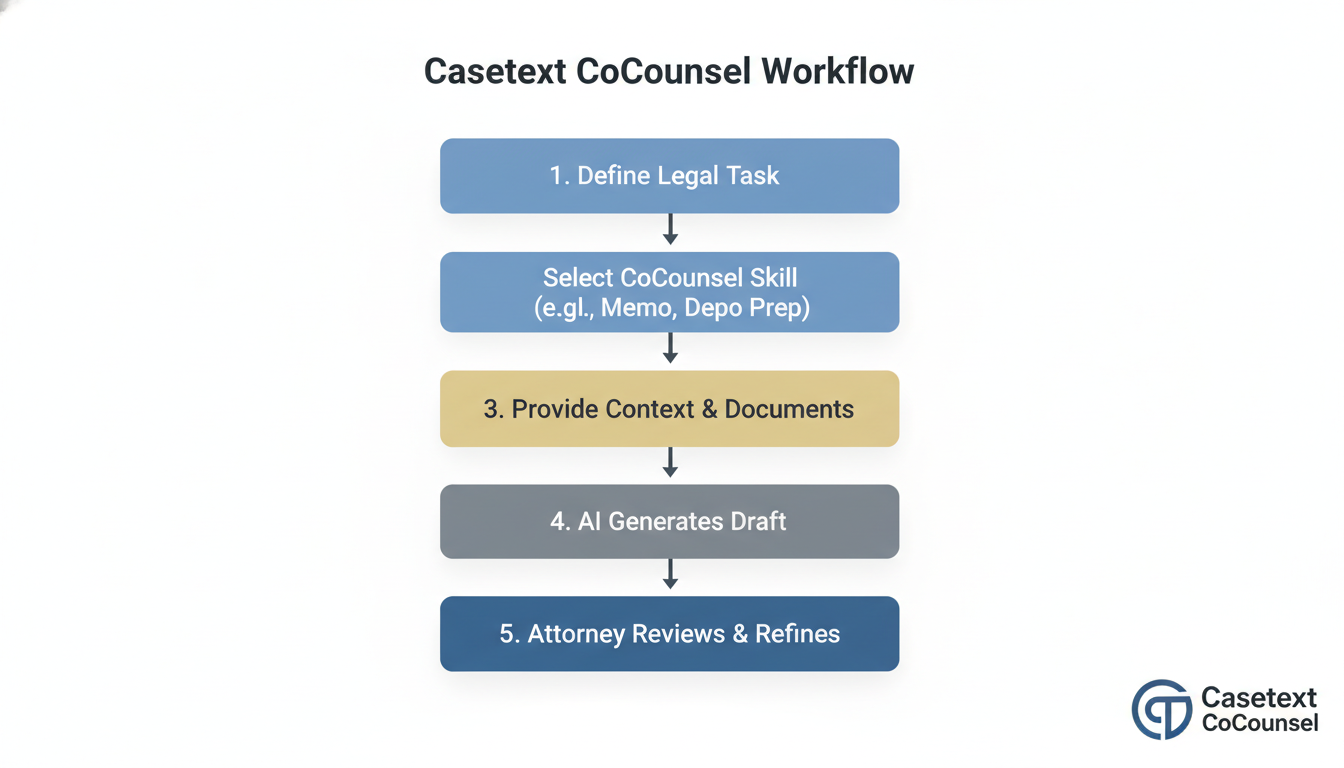
2. CoCounsel: The AI Legal Assistant That Actually Works
If CARA is the heart, CoCounsel is the brain. Powered by the latest generation of large language models (like OpenAI’s GPT-4), CoCounsel is a secure, conversational AI assistant designed for specific legal tasks. You can ask it to:
- Draft a research memorandum on a specific legal question.
- Review a document database and create a timeline of key events.
- Prepare you for a deposition by outlining key topics and potential questions.
- Analyze a contract and flag non-standard or risky clauses.
This isn’t about replacing paralegals or junior associates. It’s about supercharging them. It handles the tedious first draft, the document drudgery, allowing your team to focus on the critical thinking and strategic analysis that wins cases.
3. SmartCite: Your Defense Against Bad Law
Citing a case that’s been overruled or criticized is more than embarrassing; it can be malpractice and destroy your credibility with the court. Manually checking every citation is a soul-crushing task. SmartCite automates it.
As you work, it scans your document and places a small, color-coded flag next to each citation. Green means it’s still good law. Yellow or orange indicates it’s been criticized or distinguished. A bright red flag is a critical alert for negative treatment, like being overruled. This visual system, which aligns with the principles of E-E-A-T by ensuring accuracy and trustworthiness, lets you see the status of your entire brief at a glance, saving hours and preventing catastrophic errors.
4. Parallel Search: When You Know It But Can’t Name It
Ever had a legal concept on the tip of your tongue but couldn’t find the magic keywords to pull it up? That’s what Parallel Search is for. You can type a full sentence or a paragraph describing the legal issue you’re facing. For example:
“My client slipped on a wet floor in a grocery store that had no ‘wet floor’ sign. The store manager knew about the spill but did nothing for 20 minutes.”
Parallel Search won’t just look for the words “slip” or “sign.” It will find cases that discuss the legal principles of premises liability, actual or constructive notice, and a business owner’s duty of care. It’s a lifesaver for finding analogous cases in unfamiliar areas of law.
⚠️ Watch Out
AI-powered search is powerful, but it’s not infallible. Always treat AI-generated results as a starting point. You, the licensed attorney, are ultimately responsible for verifying that a case is truly on-point and applicable to your specific facts and jurisdiction. Never copy-paste without critical review.
5. WeSearch: Unleash Your Firm’s Collective Knowledge
Your firm has likely already solved a problem similar to the one you’re working on now. But that brilliant brief from three years ago is buried in a document management system somewhere. WeSearch connects Casetext’s powerful AI to your firm’s internal documents.
It allows you to search your own work product—briefs, memos, contracts—with the same conceptual power as searching public case law. This stops you from reinventing the wheel, ensures consistency in your arguments, and helps new associates get up to speed faster by leveraging the firm’s historical expertise.
6. Motion & Brief Analysis: X-Ray Your Own Arguments
This feature takes CARA’s technology and turns it inward. Before you file that critical motion, you can run it through the Motion & Brief Analysis tool. It will:
- Identify missing arguments: Suggests standard-of-review language or common legal arguments you may have forgotten to include.
- Find relevant cases: Recommends key authorities that support your position that aren’t yet in your draft.
- Check your opponent’s authorities: Ensures you’ve addressed and distinguished the key cases the other side is likely to rely on.
It’s like having a senior partner review your work, catching potential weaknesses before the court or opposing counsel does.
7. Comprehensive & Current Database: The Bedrock of Trust
None of these fancy AI tools matter if the underlying library is incomplete or out-of-date. Casetext provides comprehensive access to federal and state case law, statutes, regulations, and court rules, like the Federal Rules of Civil Procedure. From our experience, the database is robust and updated regularly, ensuring the AI is trained on and searching through reliable, primary source material. This foundation of authoritativeness is critical; without it, the entire system would be useless.
Step-by-Step: Drafting a Research Memo with CoCounsel AI
Talking about CoCounsel is one thing; seeing it in action is another. Here’s a simplified, real-world workflow for a common task.
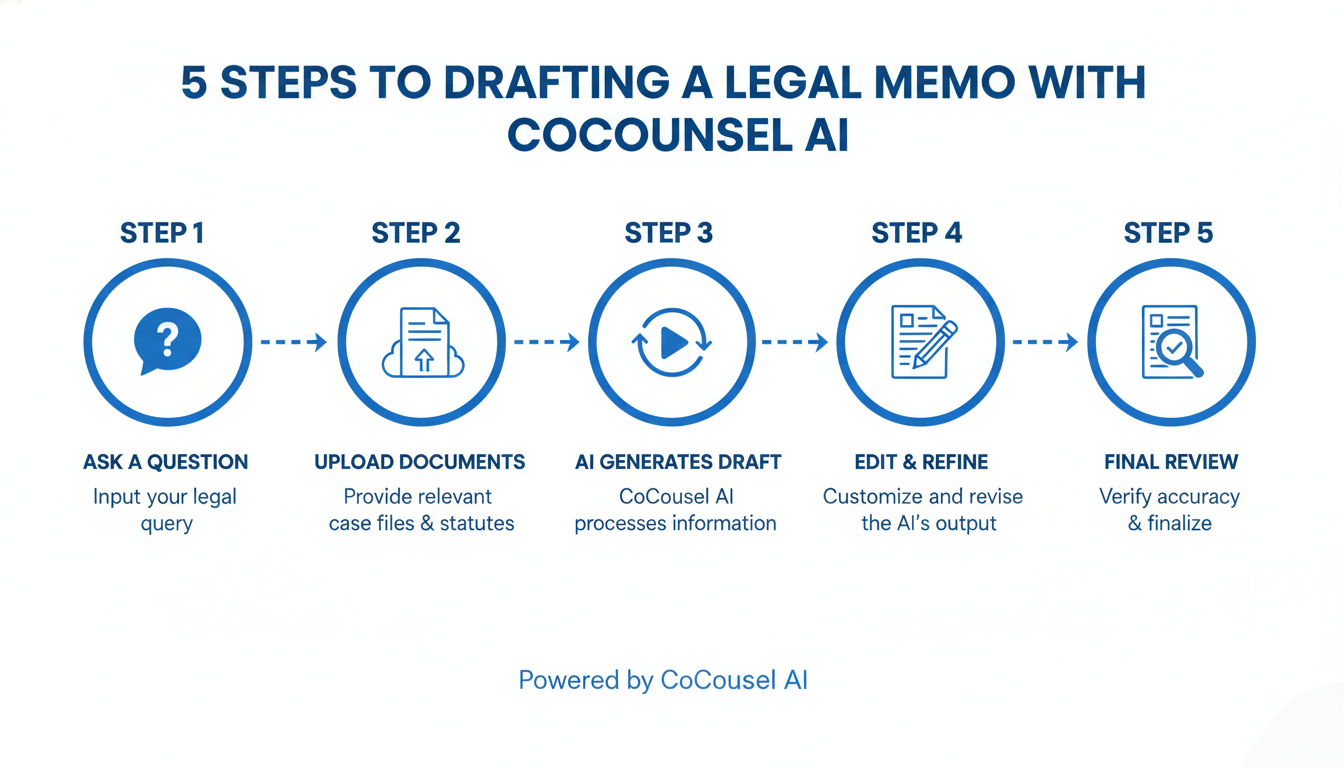
- Select the Skill: In the CoCounsel dashboard, choose the “Legal Research Memo” skill.
- Frame the Question: Write a clear, specific legal question. Be detailed. Instead of “research negligence,” write “Under California law, what is the statute of limitations for a medical malpractice claim where the plaintiff discovered the injury two years after the initial surgery?”
- Provide Context (Optional but Recommended): Upload a few key documents, like the initial complaint or a client affidavit. This gives the AI crucial factual context.
- Generate the Draft: Click “Generate.” CoCounsel will analyze the question, search the Casetext database for relevant statutes and case law, and structure it all into a formal memo format.
- Review and Refine: The AI will produce a solid first draft in minutes. It will include sections for the Question Presented, Brief Answer, Facts, and Discussion, complete with citations. Your job is to review, verify the sources, add your own nuanced analysis, and tailor it to your specific case strategy.
⚠️ Watch Out
Never submit an AI-generated draft without thorough human review and editing. These tools can sometimes “hallucinate” or misinterpret nuance. The goal is efficiency, not abdication of professional responsibility. Always check the primary sources linked in the draft.
Is Casetext Right for Your Practice? A Frank Assessment
While any lawyer can benefit from working faster, Casetext’s value proposition resonates particularly strongly with certain segments of the legal market. The democratization of high-end legal technology, a trend often highlighted by the American Bar Association’s TechReport, is Casetext’s core mission.
For Solo Practitioners & Small Firms
This is the sweet spot. For small practices, Casetext is a force multiplier. It provides the research power of a large firm’s associate pool without the massive overhead. The predictable, flat-rate pricing is a huge advantage over the complex and often exorbitant fee structures of legacy platforms. In our experience, solo attorneys who adopt Casetext report being able to take on more complex cases and compete effectively against much larger adversaries.
For Law Students & Academics
Learning legal research on a platform like Casetext is a massive career advantage. It teaches you to think conceptually from day one. Understanding how to effectively use AI tools is no longer a “nice-to-have” skill; it’s a core competency that modern law firms expect. The principle of stare decisis (relying on precedent) doesn’t change, but the tools for finding that precedent have evolved dramatically.
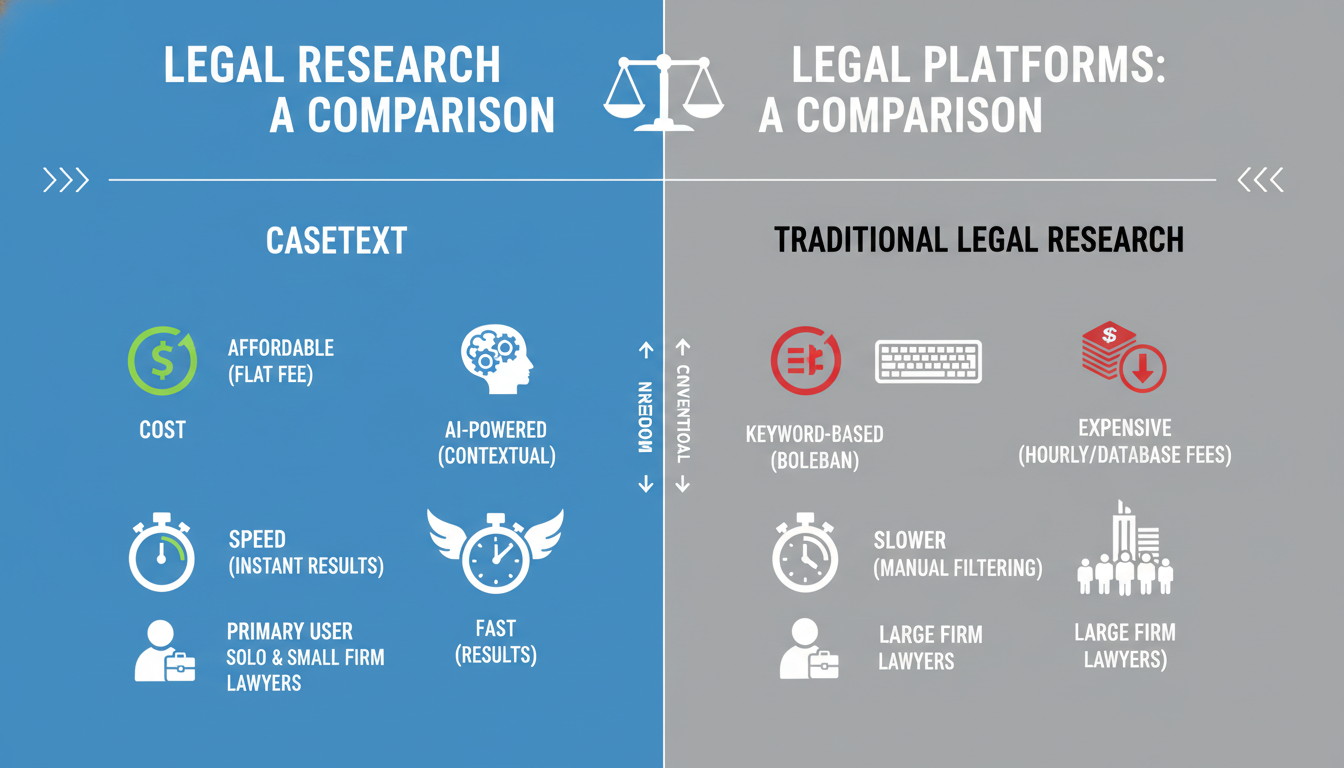
| Platform | Primary Search Method | Key Differentiator | Typical Pricing Model | Best For |
|---|---|---|---|---|
| Casetext | AI-Powered Conceptual Search | CoCounsel AI Assistant & CARA Document Analysis | Flat-Rate Annual Subscription | Solo, small, and mid-sized firms seeking efficiency and value. |
| Westlaw / LexisNexis | Keyword & Boolean Search | Vast secondary source libraries (treatises, journals) & proprietary editorial content. | Complex, often usage-based contracts. | Large firms and institutions that require extensive secondary sources. |
💡 Pro Tip
When crafting prompts for CoCounsel, be as specific as possible. Include the jurisdiction, the key facts, and the precise legal question. The more detail you provide, the more accurate and tailored the AI’s output will be. Treat it like you’re delegating to a new associate who needs clear instructions.
❓ Frequently Asked Questions
Is Casetext’s database as reliable as Westlaw or LexisNexis?
Yes. Casetext uses a comprehensive and continuously updated library of primary law (cases, statutes, regulations) from official sources. For primary law research, its reliability is on par with legacy providers. The key difference is not the library’s content, but the AI-powered technology used to search it.
What exactly is CoCounsel and how is it different from ChatGPT?
CoCounsel is an AI legal assistant built into Casetext, powered by a model like OpenAI’s GPT-4. Unlike a public tool like ChatGPT, CoCounsel operates in a secure, private environment. Crucially, it is connected directly to Casetext’s legal database, allowing it to perform legal-specific tasks and provide accurate citations to real case law, which is a major weakness of general-purpose AIs.
How does Casetext’s pricing work in 2026?
Casetext is known for its transparent, flat-rate subscription model, which is a major departure from the often-confusing pricing of competitors. They typically offer annual plans with pricing based on the number of attorneys and the feature set you need (e.g., with or without CoCounsel). This predictability is a huge benefit for budgeting.
Can Casetext be used for non-U.S. law?
Casetext’s primary strength and focus is its comprehensive database of United States federal and state law. While it is an industry leader for U.S. research, it is not designed as a primary tool for international law or the law of other countries.
Will Casetext replace my paralegal or junior associate?
No. Think of Casetext as a tool that makes your team more powerful, not a replacement for them. It automates the most tedious 80% of a research task, freeing up your paralegals and associates to spend their time on the high-value 20%—analysis, strategy, and crafting compelling arguments.
Conclusion: Your New Strategic Partner
The legal profession is at an inflection point. The question is no longer if AI will impact the practice of law, but how quickly you will adapt to leverage it.
Platforms like Casetext are not just about finding cases faster. They represent a fundamental change in workflow that allows you to build better arguments, anticipate your opponent’s moves, and deliver more value to your clients in less time. By automating low-level research and document review, Casetext frees you to do what you do best: think, strategize, and advocate.
Embracing these tools isn’t about being “tech-savvy.” It’s a strategic business decision. In the competitive legal market of 2026 and beyond, the firms that thrive will be the ones that partner with technology to work smarter, not just harder.
Your next step? Don’t just take my word for it. Find a brief you filed last year—one you were proud of—and upload it to CARA A.I. See what it finds. The results will speak for themselves.

