
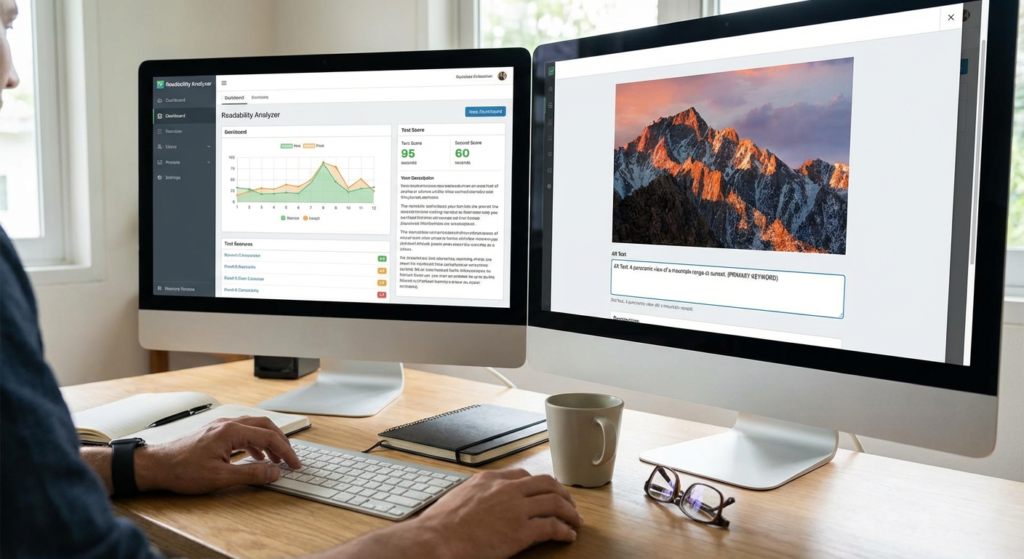
Picture this. You just spent twelve hours researching, drafting, and polishing a massive 3,000-word guide. You hit publish. You wait for the traffic to roll in. A week later, you check your analytics, and your heart sinks. Your bounce rate is sitting at a catastrophic 88%, and the average time on page is barely 14 seconds.
What went wrong? The information was accurate. The keyword strategy was flawless.
Here’s the harsh truth: your formatting scared them away. You presented your audience with a dense, impenetrable wall of text. In an era where human attention spans are locked in a death match with TikTok and Instagram Reels, the clarity of your writing is just as critical as the substance of your message. This is exactly where a readability tool transitions from a “nice-to-have” gadget into an absolute necessity for your content strategy.
Using a readability tool doesn’t mean dumbing down your brilliant ideas. It means removing the friction between your expertise and your reader’s brain. In this guide, I’m going to show you exactly how to use these analyzers to transform clunky drafts into magnetic, high-ranking content that keeps readers glued to the screen.
📑 What You’ll Learn
The Invisible Conversion Killer: Cognitive Load
Writing is an art. Communication is a science. A good readability tool bridges the gap between the two by measuring something psychologists call “cognitive load.”
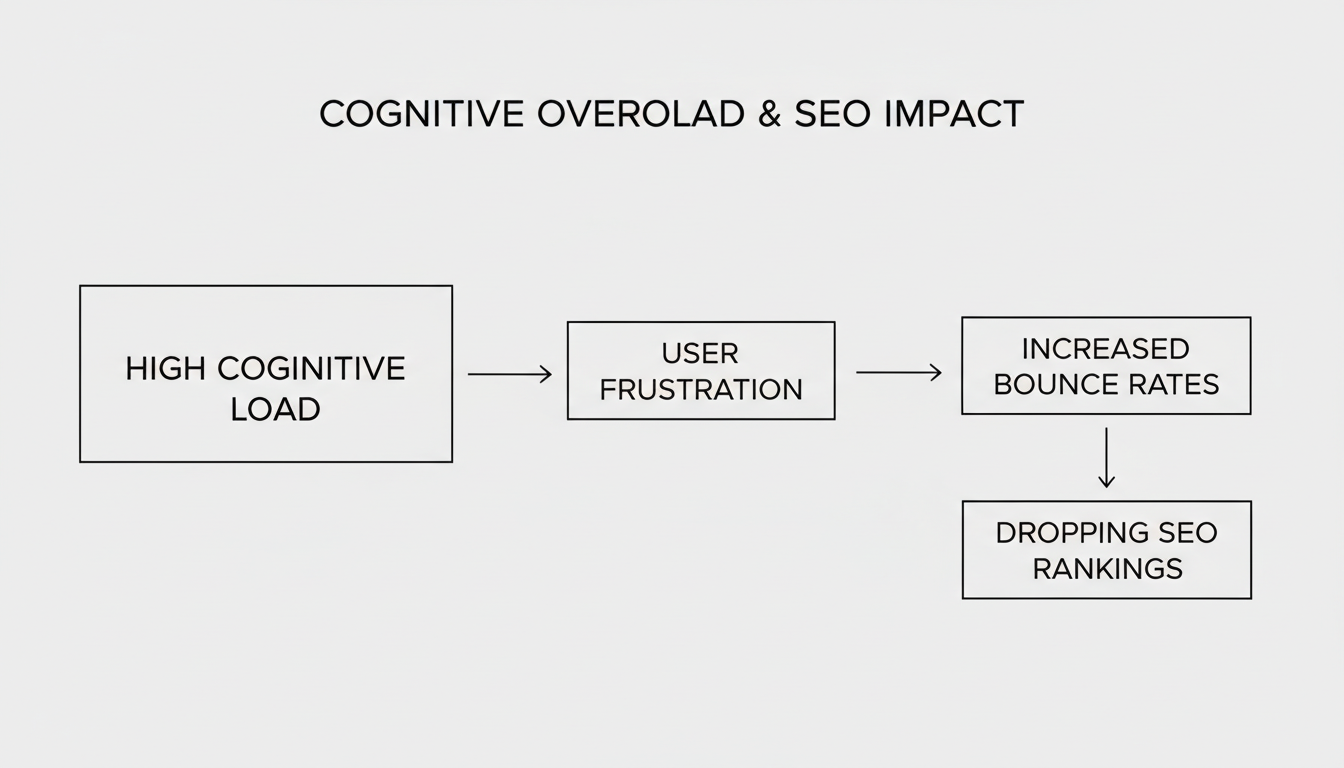
Think of cognitive load as the amount of mental RAM your reader needs to process your sentences. When a visitor has to struggle to decipher a convoluted, 45-word sentence packed with passive voice, their mental RAM maxes out. They get frustrated. They hit the back button.
In our experience auditing hundreds of underperforming enterprise blogs, high cognitive load is the number one culprit behind terrible engagement metrics. Search engines notice this behavior. If users consistently bounce back to the search results after clicking your link, Google assumes your page didn’t answer their query.
🎯 Key Takeaway
Your readers aren’t lazy; they are overwhelmed. A readability tool helps you lower the cognitive load of your writing, allowing your audience to absorb your actual message without fighting through your sentence structure.
Under the Hood: How a Readability Tool Actually Works
Before you can master the tool, you need to understand what it’s actually measuring. Most analyzers don’t actually “read” your text. Instead, they use mathematical algorithms to evaluate structural complexity.
They count syllables, measure sentence length, and flag passive voice. The most common metric you’ll encounter is the Flesch-Kincaid scale, but it’s not the only one out there. Based on hands-on testing across various content platforms, here is how the top scoring models compare:
| Readability Metric | What It Measures | Best Used For | Ideal Target Score |
|---|---|---|---|
| Flesch Reading Ease | Syllables per word and words per sentence. | General web content, blogs, consumer copy. | 60 – 70 (8th-9th grade level) |
| Gunning Fog Index | Percentage of “complex” words (3+ syllables). | Business writing, B2B articles, news. | 8 – 12 |
| Coleman-Liau Index | Characters per word instead of syllables. | Technical documentation, legal texts. | 8 – 10 |
Understanding these baselines is critical. If you’re writing a casual lifestyle blog, a Flesch score of 40 is a disaster. But if you’re writing a peer-reviewed medical journal? A 40 might be exactly where you need to be.
💡 Pro Tip
Don’t obsess over hitting a perfect score of 100. A score that high often results in choppy, robotic sentences that sound like a children’s book. Aim for the 60-70 sweet spot for standard web content to maintain a natural, conversational rhythm.
The SEO Connection: Why Google Demands Plain English
Let’s talk about search rankings. Google’s algorithms have evolved drastically over the last five years. They no longer just scan for exact-match keywords; they prioritize user experience (UX) and semantic understanding.
According to Google’s Helpful Content guidelines, content must be created for humans first. If a human finds your content exhausting to read, Google’s natural language processing (NLP) bots will likely flag it as poor quality. A readability tool forces you to align your writing with these algorithmic preferences.
There’s also the voice search factor. When someone asks Siri or Alexa a question, the device pulls from content that features short, punchy, direct answers. If your sentences are winding and complex, voice assistants will skip right over you in favor of a clearer competitor.
Furthermore, readability directly impacts your backlink profile. People link to resources they understand. If you’re breaking down complex financial topics—like explaining what is a good profit margin for ecommerce business—using a readability tool ensures that even industry beginners can grasp your concepts. That makes your piece highly shareable.
⚠️ Watch Out
Never sacrifice clarity for keyword density. Shoving your focus keyword into a sentence where it doesn’t naturally belong will instantly tank your readability score and trigger Google’s spam filters. Write for the reader first, optimize second.
7 Step-by-Step Strategies to Master Your Readability Tool
Getting a score is easy. Fixing the text is where the real work happens. Here is a proven, step-by-step workflow to use the feedback from your readability tool to polish your content.
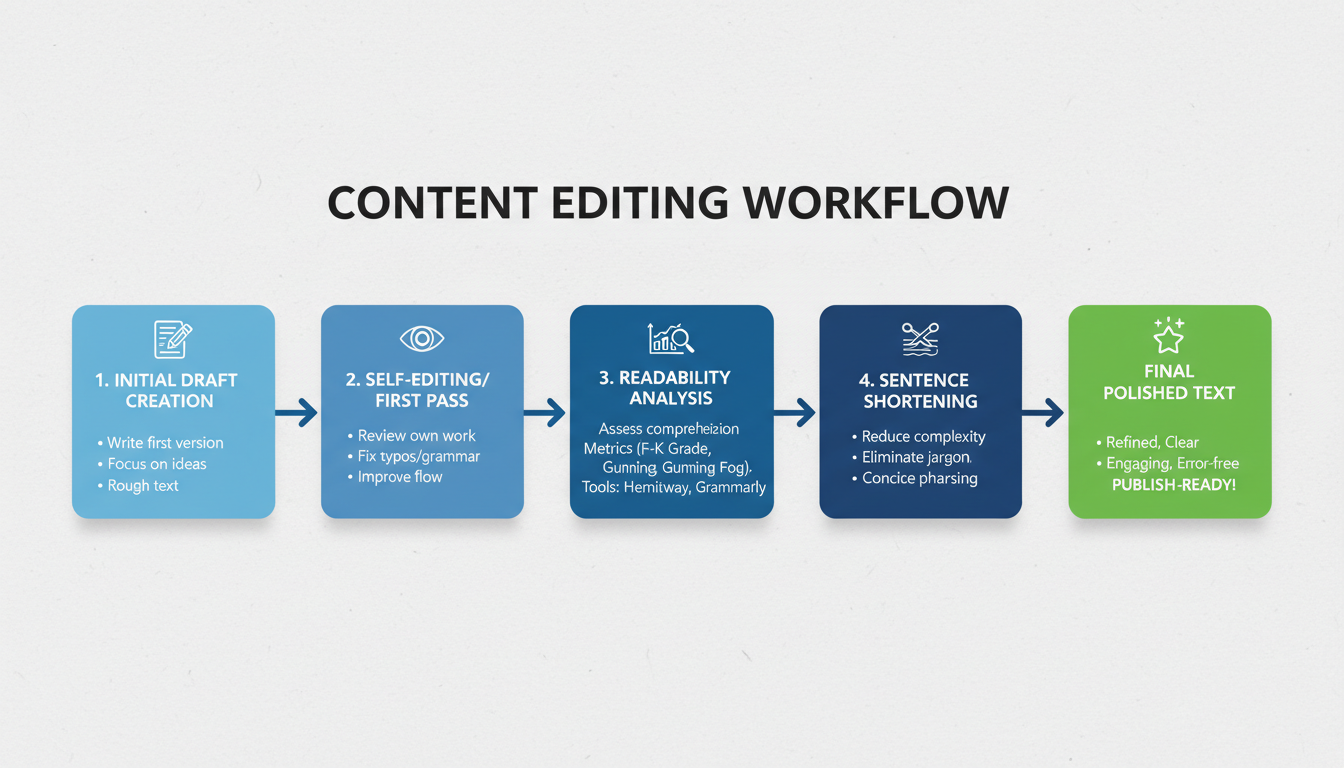
- Establish Your Audience Baseline: Before you change a single word, define who is reading. Are they beginners or experts? Set your target score accordingly.
- Hunt Down the Passive Voice: Passive voice makes writing sound weak and bureaucratic. Your tool will flag these. Change “The software was updated by our team” to “Our team updated the software.” It’s punchier. It’s active.
- Chop the “Frankenstein” Sentences: Look for sentences over 20 words. These are usually two distinct thoughts mashed together with an “and” or a “but.” Find the conjunction, add a period, and start a new sentence.
- Simplify Your Vocabulary: Why say “utilize” when “use” works perfectly? Why write “subsequently” when “later” does the job? Swap out bloated corporate speak for everyday language.
- Optimize Paragraph Density: Massive blocks of text intimidate readers. Use your tool to spot paragraphs longer than 3-4 sentences. Break them up. White space is your friend.
- Check Your Transition Words: Words like “however,” “therefore,” and “because” act as signposts for your reader’s brain. A premium readability tool will tell you if you’re using enough of them to guide the reader smoothly from one thought to the next.
- The Read-Aloud Test: Algorithms aren’t perfect. Once you’ve made your edits, read the text out loud. If you stumble over a phrase, or run out of breath, rewrite it. Human intuition beats AI every time.
Sometimes, you aren’t writing from scratch. You might be updating legacy content locked in old formats. If you have an old whitepaper you want to turn into a blog post, using a PDF to Word converter guide can help you extract the raw text so you can drop it into your analyzer.
The “My Audience is Too Smart” Myth
I hear this objection all the time from B2B clients: “My audience consists of software engineers and data scientists. I can’t write at an 8th-grade level.”
Look, I get it. You want to sound authoritative. But this is a massive misconception. Albert Einstein famously said, “If you can’t explain it simply, you don’t understand it well enough.”
Even highly educated professionals are busy, tired, and scanning your text on a 6-inch smartphone screen while waiting for their coffee. According to eye-tracking research by the Nielsen Norman Group, users don’t read web pages linearly; they scan for information. Complex language acts like a speed bump during this scanning process.
When dealing with technical jargon, the goal isn’t to delete the terminology. The goal is to simplify the surrounding sentence structure. Let the reader grapple with the complex concept, not your convoluted grammar.
| The “Smart” (Unreadable) Way | The Readable Alternative |
|---|---|
| We must leverage synergistic methodologies to optimize our overarching KPIs. | We need to work together to hit our goals. |
| The utilization of the new framework will subsequently result in a mitigation of latency issues. | Using the new framework will reduce lag. |
| It is imperative that all personnel ascertain the veracity of the data prior to implementation. | Please verify the data before you start. |
⚠️ Watch Out
Beware of over-simplifying to the point of inaccuracy. If a technical term is the industry standard, keep it. Don’t replace “search engine optimization” with “making Google like you” just to score a few extra points on a readability test.
💡 Pro Tip
If you must introduce a complex, multi-syllable industry term, follow it immediately with a short, punchy sentence. This creates a rhythmic balance that keeps the reader moving forward without feeling bogged down.
For a deeper dive into how web accessibility standards intersect with clear writing, the Web Accessibility Initiative (WAI) offers incredible, research-backed guidelines that every serious content creator should bookmark.
Frequently Asked Questions
What is considered a good score on a readability tool?
For general web content, a Flesch Reading Ease score between 60 and 70 is the gold standard. This translates to roughly an 8th or 9th-grade reading level, making it comfortable and accessible for the vast majority of internet users.
Does readability directly affect my Google rankings?
It affects rankings indirectly. While Google hasn’t explicitly stated that a specific readability score is a direct ranking factor, readable content drastically improves user experience signals—like time-on-page and bounce rate. Google heavily relies on these UX signals to determine where your page should rank.
Can I use a readability tool for academic or legal writing?
Absolutely. While academic and legal writing naturally requires more complex terminology, a readability tool helps ensure your core arguments are structured logically. It will catch run-on sentences and excessive passive voice, which plague academic writing.
Are the free readability tools accurate enough?
Free tools are generally very accurate for basic mathematical metrics like sentence length and syllable count. However, premium tools often provide much deeper, actionable insights regarding tone, inclusivity, and stylistic improvements.
How often should I be checking my content’s readability?
Make it a non-negotiable part of your standard operating procedure. You should run every single piece of content through an analyzer during the final editing stage, right before you hit publish.
Conclusion: Stop Guessing, Start Measuring
In today’s hyper-competitive digital space, attention is your most valuable currency. A readability tool is one of the highest-ROI investments you can make to capture and keep that attention. By forcing you to craft content that is clear, concise, and accessible, these tools don’t just improve the user experience—they signal undeniable quality to search engines.
Remember, the ultimate goal isn’t to write for an algorithm. The goal is to use the algorithm to write better for humans.
Here is your homework: Go to your analytics dashboard right now. Find the three blog posts with the highest bounce rates. Run them through a readability analyzer, apply the 7 strategies we just covered, and republish them. Watch what happens to your engagement metrics over the next 30 days. Trust me on this one—the results will speak for themselves.

