
Here’s a brutal truth about digital marketing: Attention is the new oil, and most websites are running on empty.
You spend hours crafting the perfect blog post or landing page, only to watch your analytics show a bounce rate that makes your stomach turn. Users skim. They scroll. They leave. In fact, the average human attention span has dropped to eight seconds—less than that of a goldfish. So, how do you stop the scroll?
You don’t just talk to them. You let them talk back.
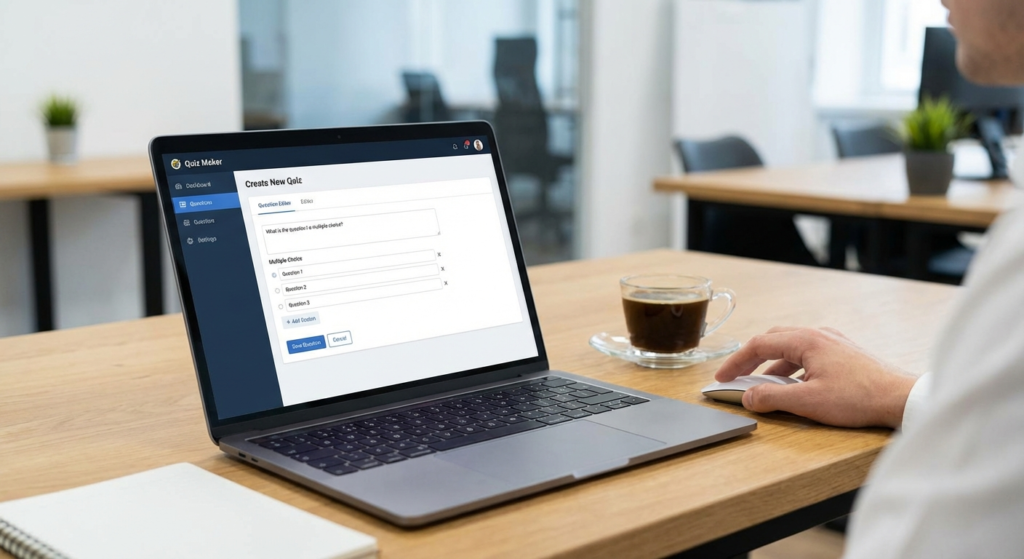
Enter the quiz maker. This isn’t just about finding out which “Game of Thrones” character you are (though, let’s be honest, we all want to be Jon Snow). In my experience running content campaigns for high-growth startups, a well-engineered quiz is the single most effective tool for transforming passive traffic into qualified, high-intent leads.
We’re talking about a strategy that can boost lead capture rates from the industry standard of 2% to upwards of 40%. In this guide, I’m going to show you exactly how to build a quiz funnel that dominates search rankings and keeps readers glued to your page.
📑 What You’ll Learn
The Psychology: Why We Can’t Resist a Quiz
Why do we love quizzes? It’s not just boredom. It’s biology.
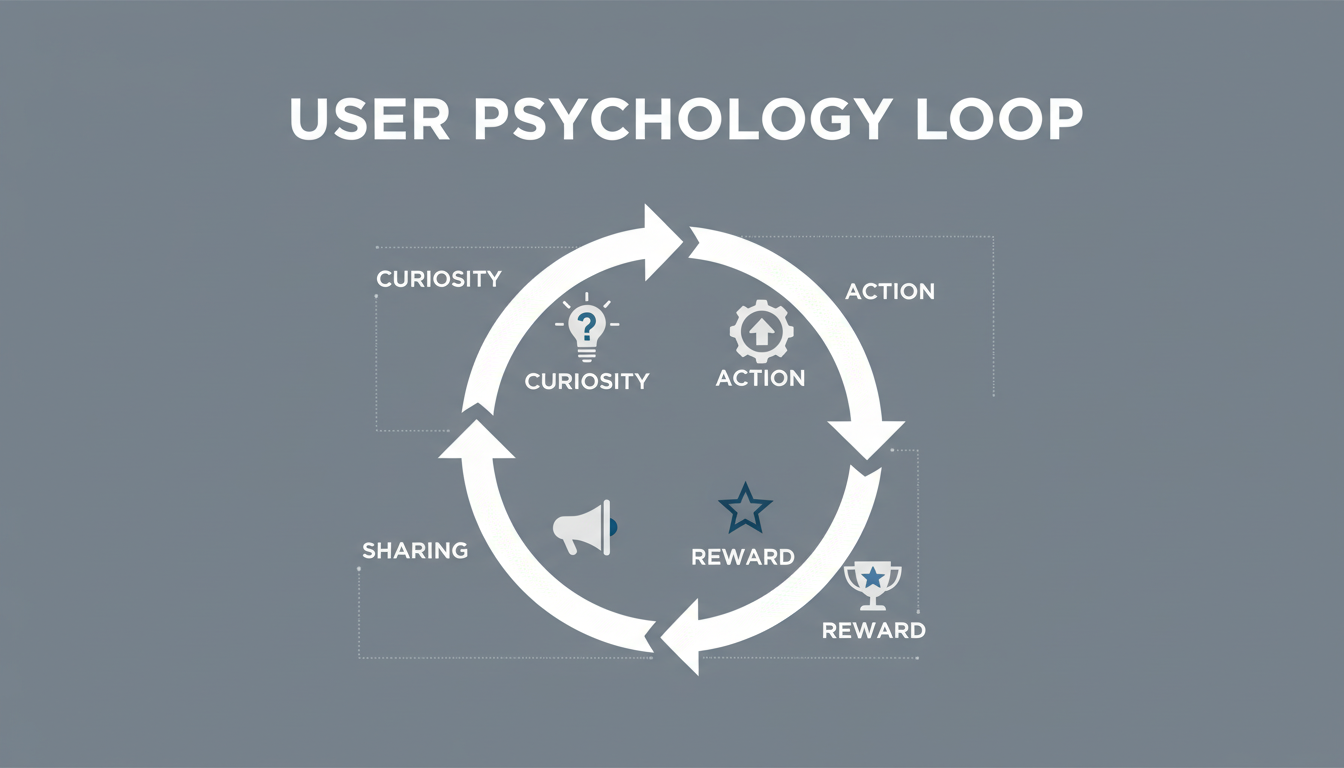
Psychologists call it the “self-serving bias.” We have an innate desire to categorize ourselves and seek validation. When a quiz maker presents us with a question about our preferences, challenges, or personality, it triggers a dopamine loop. We need to know the answer. We need to know where we fit in.
From an SEO perspective, this is gold. Google measures “dwell time”—how long a user stays on your page. When a user engages with a 10-question quiz, they aren’t just bouncing; they are interacting, clicking, and reading. This signals to search engines that your content is valuable, pushing your rankings higher.
🎯 Key Takeaway
Quizzes transform passive readers into active participants. By leveraging the psychological need for self-discovery, you can increase time-on-site (SEO) and capture data that users would never give up on a standard form.
7 Proven Strategies to Explode Engagement
Merely slapping a quiz on your homepage isn’t enough. You need a strategy. After testing dozens of formats across different industries, I’ve narrowed it down to the three most effective archetypes that drive real business results.
1. The “Product Recommender” (The Virtual Salesperson)
If you run an e-commerce site, this is non-negotiable. A “Product Match” quiz acts as a 24/7 personal shopper. Instead of forcing users to browse 500 SKUs, you ask them 5 questions about their needs and present the exact product that solves their problem.
Example: A skincare brand asks, “How does your skin feel by 2 PM?” If the user selects “Oily,” the quiz recommends a matte finish moisturizer. Conversion rates on these pages often double because the recommendation feels personalized, not salesy.
2. The “Knowledge Assessment” (The Ego Bait)
Perfect for B2B and educational brands. Challenge your audience. “How much do you actually know about SEO?” People love to prove they are experts. The hook here is the score—if they get a high score, they share it (viral reach). If they get a low score, you offer your course or service as the solution.
3. The “Diagnosis” (The Problem Solver)
This is powerful for service businesses. “What’s your management style?” or “Why isn’t your website converting?” You diagnose their pain point through the quiz and offer a prescription (your service) at the end.
| Quiz Type | Best Used For | Primary Goal | Avg. Conversion Rate |
|---|---|---|---|
| Product Matcher | E-commerce / Retail | Direct Sales | High (15-30%) |
| Knowledge Test | Coaches / B2B | Brand Awareness / Viral | Medium (10-20%) |
| Diagnosis / Audit | Agencies / Consultants | Lead Qualification | Very High (30-50%) |
💡 Pro Tip
Don’t call it a “Quiz” if you’re in B2B. Call it an “Assessment,” “Audit,” or “Calculator.” Executives don’t take quizzes; they take assessments to benchmark their performance.
How to Choose the Right Quiz Maker
Not all tools are created equal. I’ve seen businesses lose thousands of leads because their quiz maker crashed on mobile or didn’t integrate with their CRM. When evaluating a platform, ignore the flashy templates for a second and look at the engine under the hood.
Here is the checklist I use when consulting for clients:
- Conditional Logic (Branching): This is critical. If a user says they are a “Beginner,” don’t ask them “Advanced” questions next. The quiz must adapt in real-time.
- Native Integrations: Does it talk to Mailchimp, HubSpot, or Zapier? If you have to manually export leads, you’ve already lost.
- Pixel Tracking: Can you fire a Facebook Pixel or Google Analytics event when someone completes the quiz? You need this for retargeting.
- Visual Customization: It needs to look like your brand, not a generic form.
Visuals matter. A wall of text is a conversion killer. You need crisp imagery. If you are uploading custom graphics, ensure they are optimized. I often use an image cropper to ensure my visuals fit perfectly within the quiz container without slowing down load times. Speed is a ranking factor, after all.
Step-by-Step: Building Your First High-Converting Quiz
Ready to build? Let’s walk through the workflow. This isn’t just about typing questions; it’s about crafting a narrative.
Step 1: The Hook (The Title)
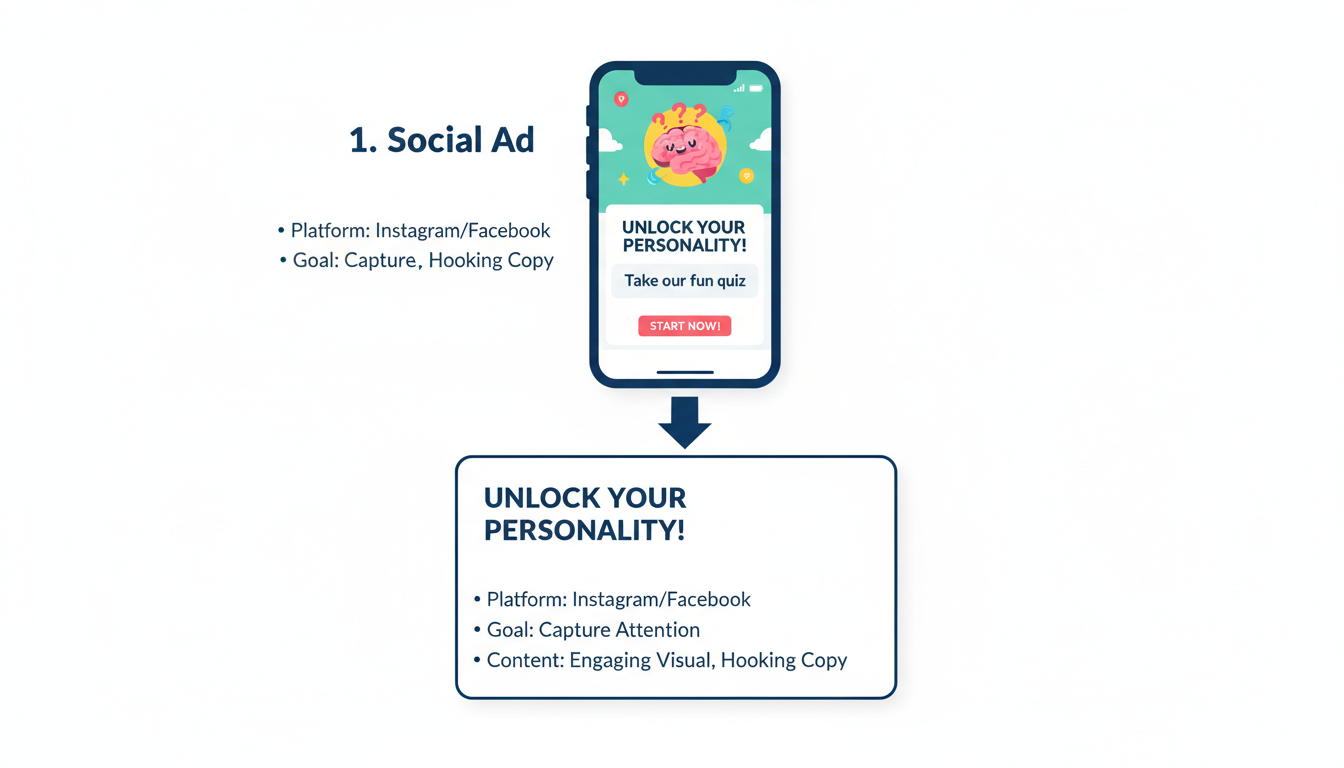
Your title is 80% of the battle. “Marketing Quiz” is boring. “What’s Your Marketing Superpower?” is engaging. Use power words like “Discover,” “Reveal,” and “Secret.”
Step 2: The Questions (The Engagement)
Keep it between 7 and 10 questions. Less than 5 feels trivial; more than 15 feels like work.
Crucial: Use conversational language. Write like you speak. Instead of “Select your age bracket,” try “How young are you at heart?”
Step 3: The Lead Capture (The Gate)
This is the moment of truth. You ask for the email before showing the results. This is called “gating.” Because the user has already invested 2 minutes answering questions, the “sunk cost fallacy” kicks in—they are highly likely to give you their email to see the payoff.
⚠️ Watch Out
Do not ask for too much info on the lead capture form. Name and Email are enough. Adding a “Phone Number” field can drop your conversion rate by 50% instantly unless you have a very strong reason for it.
Step 4: The Results (The Payoff)
The results page should be positive, insightful, and shareable. Don’t just say “You are Type A.” Explain why that’s awesome, what their strengths are, and then—and only then—pitch your product as the tool to help them maximize those strengths.
Data Mastery: Turning Answers into Revenue
Here is where the pros separate themselves from the amateurs. A quiz maker is essentially a data mining tool. Every answer a user gives you is a data point you can use for segmentation.
Imagine a user takes a fitness quiz and tells you their goal is “Weight Loss” and their struggle is “No Time.”
The Amateur Approach: Sends them a generic “Welcome to our Newsletter” email.
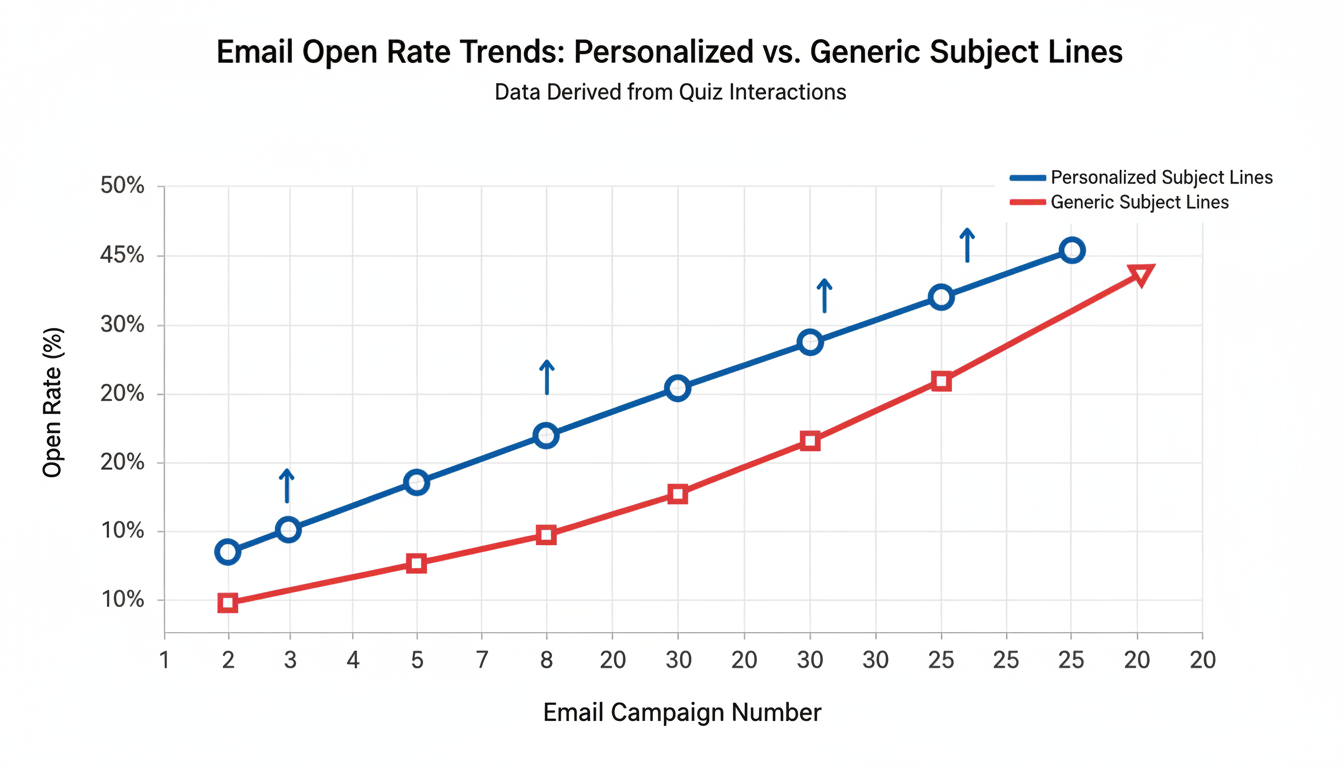
The Pro Approach: Automatically tags them in the CRM as [Goal: Weight Loss] and [Pain: Time]. Triggers an automated email sequence with the subject line: “How to lose weight when you have zero time.”
See the difference? The second email gets opened. The first gets deleted.
Sometimes, managing this data can get technical. If your quiz tool exports data in complex formats, you might need to clean it up before importing it into your database. It is often helpful to know how to convert JSON file to CSV/Excel to effectively analyze your quiz responses and integrate them into your CRM without a headache.
| Metric | What It Means | Benchmark Goal |
|---|---|---|
| Start Rate | % of visitors who click “Start Quiz” | 30% – 50% |
| Completion Rate | % of starters who finish all questions | 80% + |
| Lead Rate | % of finishers who enter email | 40% – 60% |
⚠️ Watch Out
Avoid “Vanity Metrics.” Getting 10,000 people to take your quiz means nothing if they aren’t your target audience. Focus on lead quality over quantity. A quiz about “Which Pizza Topping Are You?” might go viral, but it won’t sell your B2B software.
Conclusion
The digital landscape is noisy. To stand out, you have to stop shouting at your customers and start listening to them. A quiz maker allows you to do exactly that at scale.
By implementing the strategies we’ve discussed—choosing the right hook, asking engaging questions, and ruthlessly segmenting your follow-up emails—you turn your content marketing into a two-way conversation. You build trust. You build authority. And most importantly, you build a list of leads who actually want to hear from you.
Your next step? Don’t overthink it. Draft three simple questions that would help your customers make a buying decision. That’s the start of your first quiz. Go build it.
❓ Frequently Asked Questions
Does using a quiz maker actually improve SEO?
Yes, significantly. Quizzes increase “dwell time” (the time a user spends on your page), which is a major ranking factor for Google. They also reduce bounce rates and encourage social sharing, which generates natural backlinks to your site.
How many questions should a marketing quiz have?
The sweet spot is usually between 7 and 10 questions. This is long enough to gather meaningful data and make the user feel invested, but short enough to prevent drop-off from fatigue. Anything under 2 minutes to complete is ideal.
What is the best way to promote my quiz?
Treat your quiz like a lead magnet. Run Facebook/Instagram ads directly to it (quizzes often have cheaper cost-per-click than ebook downloads). You should also place it as a popup on your high-traffic blog posts or in your website’s navigation bar.
Do I need coding skills to use a quiz maker?
Not anymore. Modern tools are entirely drag-and-drop. If you can build a PowerPoint slide, you can build a high-converting quiz. The complex logic is handled in the background by the software.
Can I use quizzes for B2B marketing?
Absolutely. In fact, they often work better in B2B because business buyers are looking for data and benchmarks. Use “Assessments” or “Maturity Models” (e.g., “Rate Your Cybersecurity Readiness”) to engage professional audiences.

