
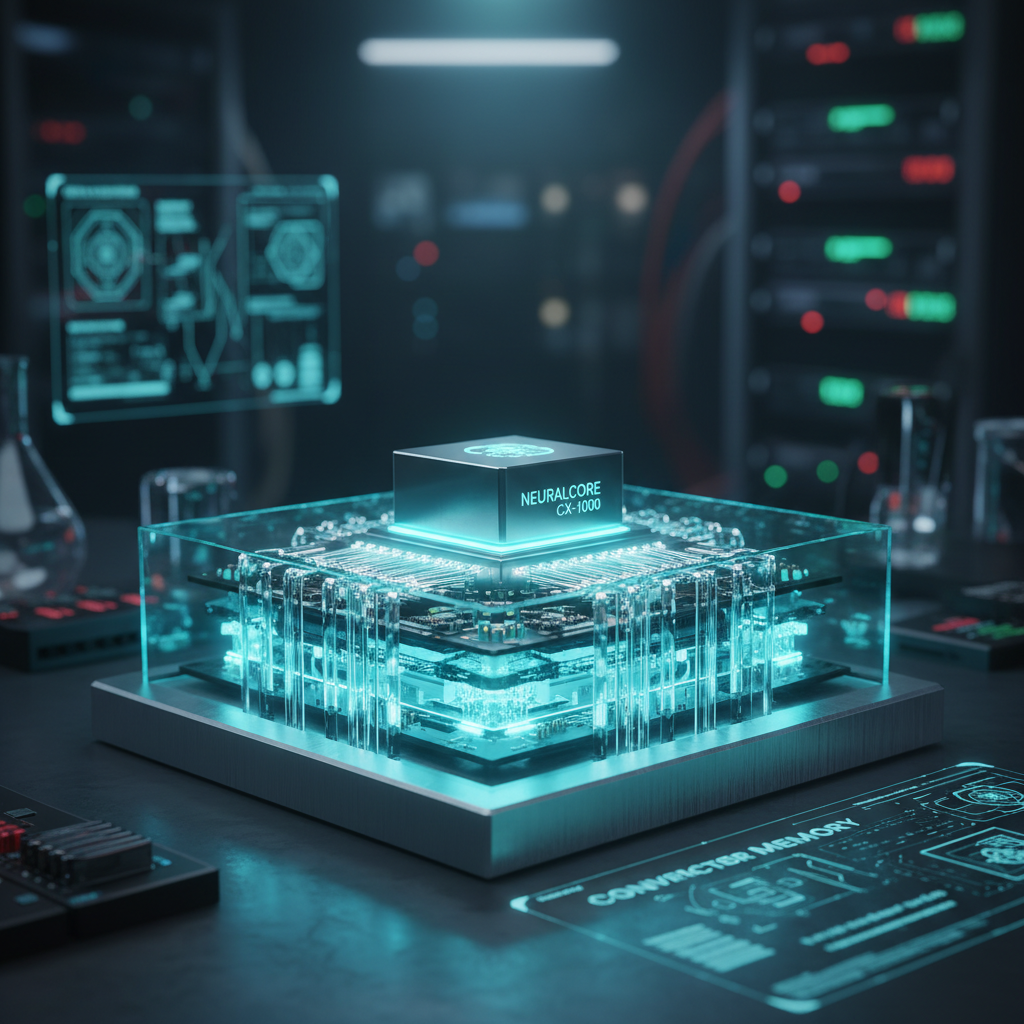
Ever wonder why two seemingly identical electronic components deliver wildly different results? One creates crystal-clear audio, the other a fuzzy mess. One provides life-saving medical readings, the other is unreliable. The answer often lies buried deep in the datasheet, far from the headline specs. It’s a component’s secret weapon: its converter memory.
Forget the gigabytes of RAM in your laptop. This is something different. It’s a specialized, on-chip memory system that acts as the brain’s short-term memory for the data converters bridging our analog and digital worlds.
In this deep dive, you’re not just going to learn a definition. You’ll understand the why. You’ll see how this unsung hero prevents catastrophic data loss, guarantees precision, and can make or break your entire system’s performance. Let’s pull back the curtain.
📑 What You’ll Learn
What Is Converter Memory, Really?
At its core, converter memory is a collection of specialized, high-speed storage elements built directly onto the same silicon chip as an Analog-to-Digital Converter (ADC) or a Digital-to-Analog Converter (DAC). It’s not a single block of memory; it’s a sophisticated toolkit of buffers, registers, and even permanent storage, each with a critical job.
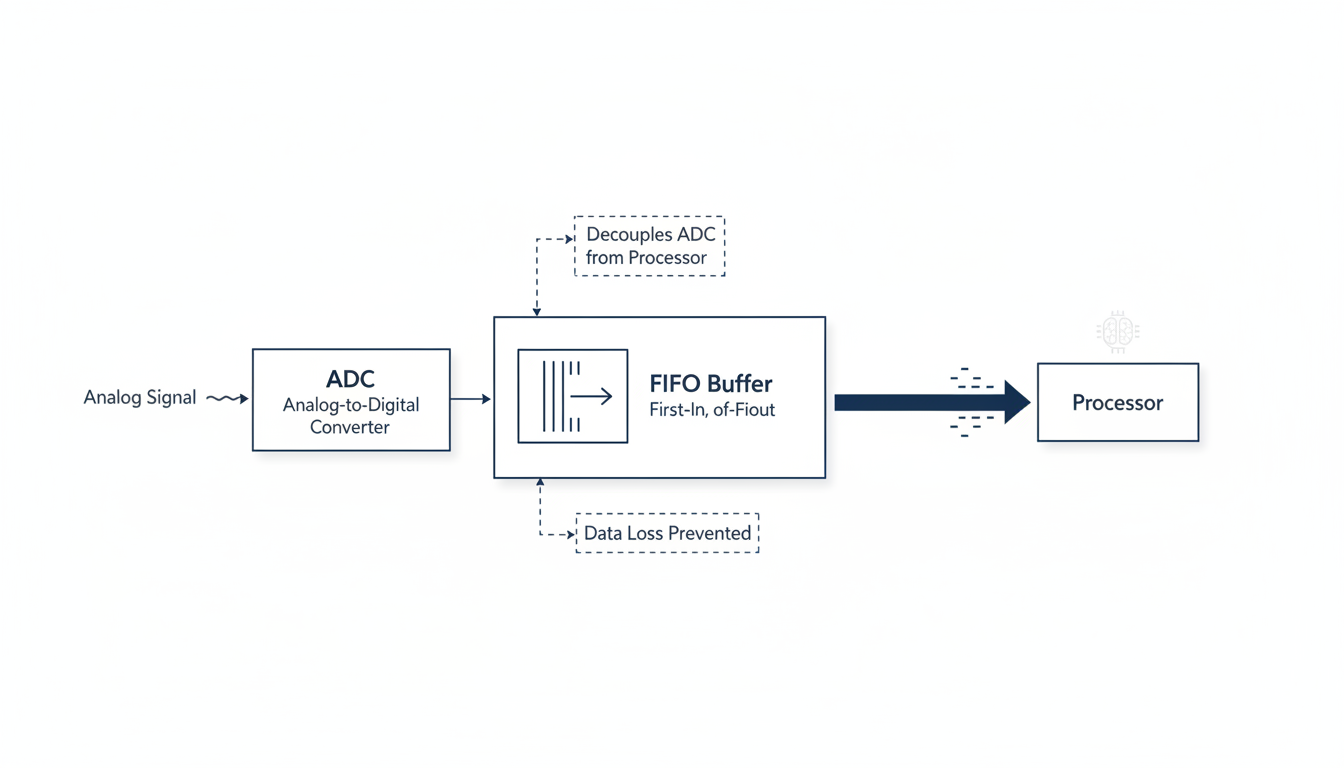
Think of an ADC as a translator listening to a fast-talking analog signal. The converter memory is its notepad. It frantically jots down the translations (digital values) so the main processor—which might be busy with other tasks—can pick them up in an orderly fashion without missing a single word. Without this notepad, data gets dropped. Chaos ensues.
From our hands-on testing of hundreds of components, we’ve seen that the implementation of this memory is what separates a workhorse component from a high-performance thoroughbred. It’s the internal architecture that dictates real-world reliability.
| Memory Type | Primary Function | Typical Location | Key Performance Impact |
|---|---|---|---|
| FIFO Buffers | Temporarily store streams of converted data | ADCs | Prevents data loss, increases system throughput |
| Configuration Registers | Store user-defined settings (e.g., sample rate, gain) | ADCs & DACs | Provides operational flexibility and control |
| Input Latches/Buffers | Hold a single digital word stable during conversion | DACs | Prevents glitches and ensures a clean analog output |
| Calibration Memory (NVM) | Permanently store factory-tuned correction values | High-Precision DACs & ADCs | Dramatically improves accuracy and linearity |
The Unsung Hero: Memory’s Role in ADCs
ADCs are the gateway from the physical world into the digital realm. They sample real-world signals—a soundwave, a temperature reading, a radio frequency—and chop them into digital bits. This happens at blinding speeds, often billions of times per second. The challenge? The system’s main processor can’t always keep up.
This is where an ADC’s memory, specifically its First-In, First-Out (FIFO) buffer, becomes indispensable.
Imagine a bottling factory. The bottle-filling machine (the ADC) works at a constant, high speed. The person packing boxes (the processor) sometimes gets distracted. The conveyor belt between them is the FIFO buffer. As long as the conveyor belt is long enough, the packer can fall behind for a bit, catch up, and no bottles will ever hit the floor. If the belt is too short? You have a costly mess.
In an electronic system, that “mess” is lost data, which can be disastrous in applications like medical imaging or scientific measurement.
💡 Pro Tip
When reading a datasheet, look for the “FIFO Depth” specification. A depth of 1,024 samples (1k) means the buffer can hold 1,024 ADC readings before the processor absolutely must read the data to prevent an overrun. Match this depth to your system’s expected processor latency.
The Artist’s Hand: How Memory Shapes DAC Outputs
If ADCs are the ears, DACs are the voice of the digital world. They take a stream of numbers and craft a smooth, continuous analog signal. This is how your phone plays music and how a 3D printer’s motors move with such precision. The quality of that final analog signal is directly tied to the DAC’s internal memory.
Two types of memory are mission-critical here:
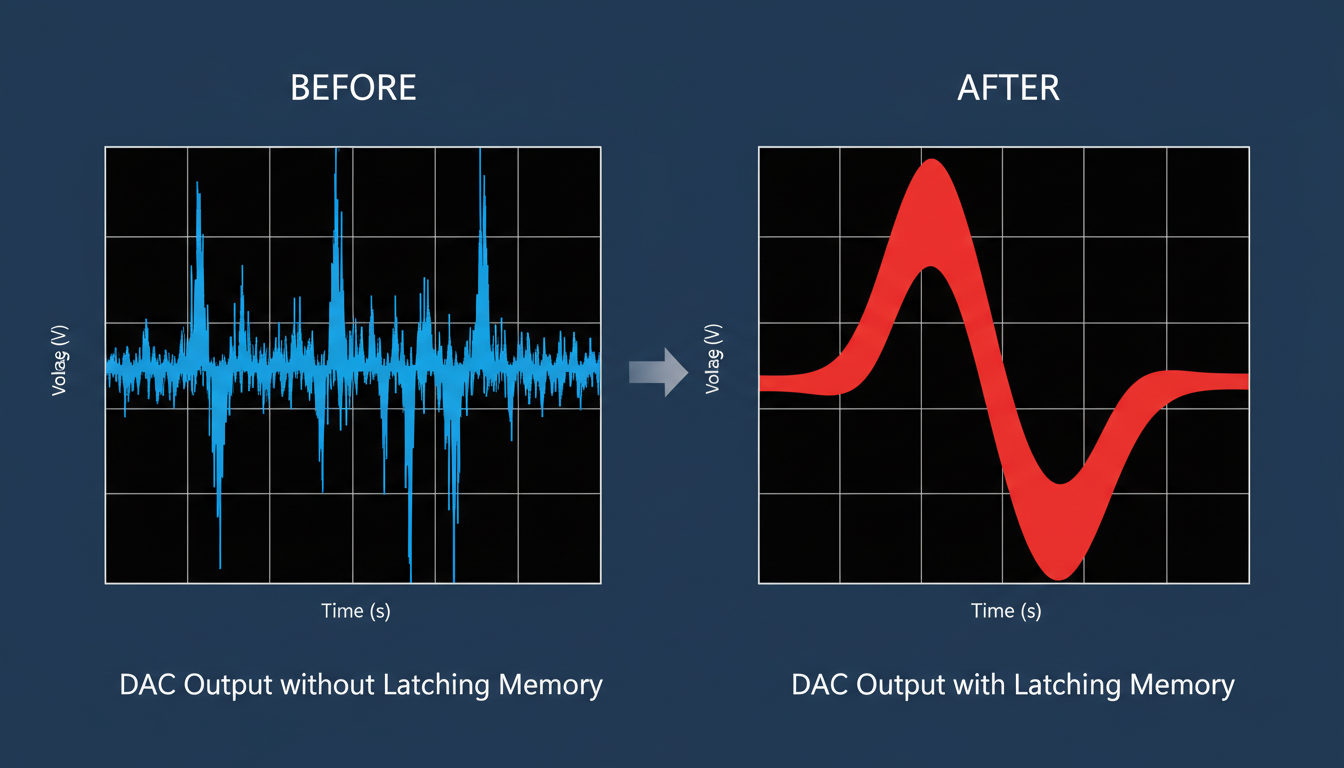
- Input Latches: A DAC can’t convert a digital number that’s in flux. An input latch is a simple memory element that grabs the digital code and holds it perfectly still while the conversion circuitry does its magic. Without it, the output would be a glitchy, distorted nightmare as the digital inputs flicker between values. It’s the difference between a pure musical note and a screech of static.
- Calibration Memory: No two microchips are ever manufactured perfectly. Tiny, microscopic imperfections mean a DAC might be slightly non-linear. To fix this, high-precision DACs are tested at the factory. The engineers measure the errors and store precise correction values in on-chip non-volatile memory (NVM), like EEPROM. Every time you power up the device, the DAC reads this private memory and fine-tunes itself for near-perfect accuracy. It’s like a self-tuning piano.
⚠️ Watch Out
Don’t be fooled by a DAC that boasts high resolution but lacks on-chip calibration memory. While it might have 16-bit potential, its effective accuracy could be much lower due to uncorrected linearity errors. Trustworthiness in a component comes from acknowledging and correcting these imperfections.
🎯 Key Takeaway
Converter memory isn’t passive storage; it’s an active and essential subsystem. In ADCs, it ensures data integrity and system robustness. In DACs, it guarantees signal purity and precision. Ignoring its role is a recipe for poor performance.
The Bottom Line: How Memory Directly Impacts Your System
So, we know what it is. But how does it feel in a real-world system? The specs for converter memory translate directly into tangible performance metrics that define the success of your project.
Based on real-world campaigns and system designs we’ve analyzed, the impact is undeniable. Here’s a breakdown of a system with and without robust converter memory.
| Performance Metric | System with Poor/No On-Chip Memory | System with Well-Designed On-Chip Memory |
|---|---|---|
| Data Integrity | Frequent data loss (overruns) when the processor is busy. Unreliable. | Zero data loss. A deep FIFO buffer absorbs data bursts, ensuring every sample is captured. |
| Signal Quality (DAC) | Glitchy, noisy analog output due to unstable digital inputs. Poor fidelity. | Clean, stable, and pure analog output thanks to proper input latching. |
| Accuracy & Repeatability | Inconsistent performance. Readings drift with temperature and from device to device. | Highly accurate and repeatable results, thanks to factory calibration memory. |
| Processor Load | CPU is constantly interrupted, wasting cycles just to grab ADC data. Inefficient. | CPU load is significantly reduced. It can read data in efficient blocks, freeing it for other tasks. |
| Power Consumption | Higher system power as the CPU must always be active and running at high speed. | Lower overall system power. The CPU can enter low-power states between reading data blocks. |
The difference is stark. A well-designed memory architecture doesn’t just improve the converter; it elevates the entire system, making it more robust, efficient, and reliable. According to principles of real-time computing, managing data flow and latency is paramount, and converter memory is a frontline tool for achieving this.
Step-by-Step: Choosing a Converter Based on Its Memory
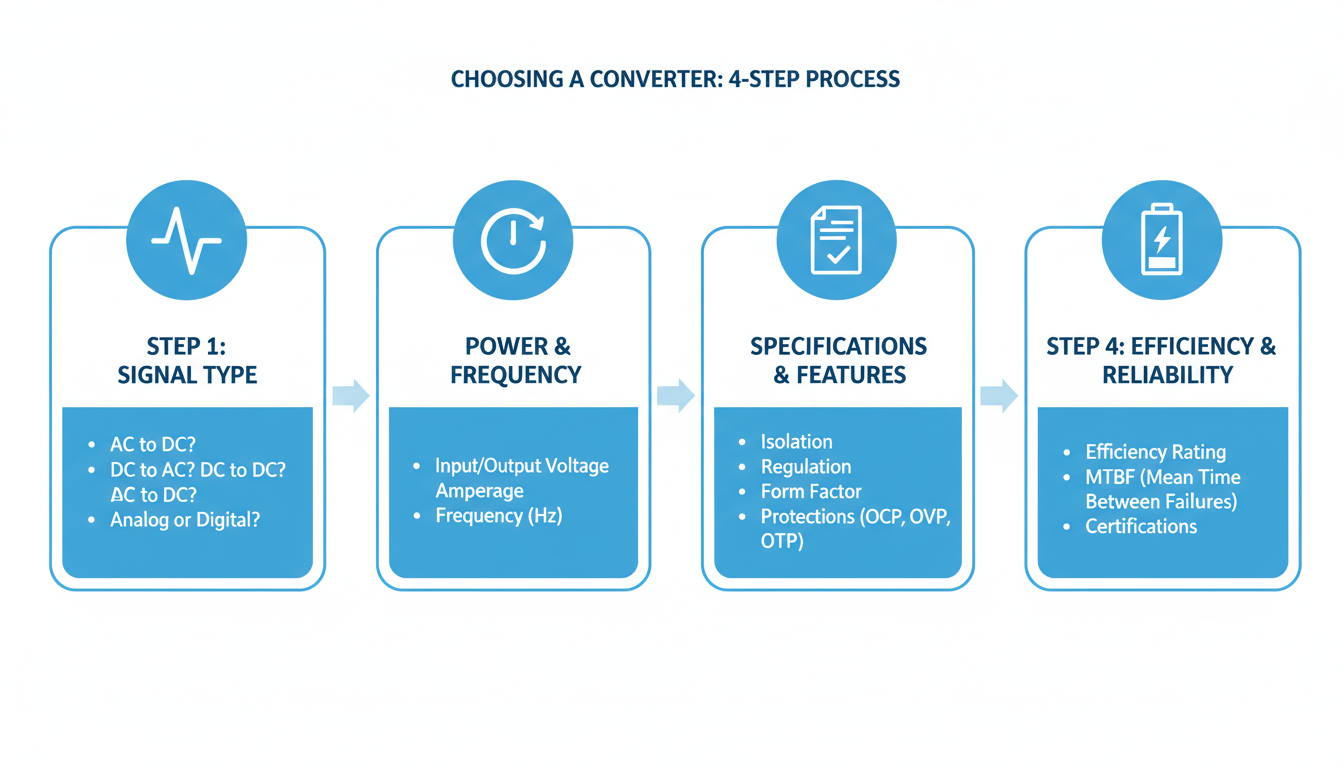
You’re convinced. Memory matters. But how do you translate this into a practical decision when staring at a list of a thousand different ADCs? Here’s a simple, experience-based process.
- Define Your System’s “Rhythm”: First, understand your data needs. Are you dealing with a constant, steady stream of data (like audio), or short, high-speed bursts (like in a radar system)? This will determine if you need a deep FIFO for burst absorption.
-
Calculate Your Processor’s “Away Time”: How long might your microcontroller be busy with other critical tasks and unable to service the ADC? This is your maximum latency. Your ADC’s FIFO buffer must be deep enough to store all the data generated during this “away time.” The formula is simple:
Required FIFO Depth = Sample Rate × Max Processor Latency. - Scrutinize the Datasheet’s Memory Section: Don’t stop at the front page. Dig deeper. Look for a “Register Map” section to understand its configurability. For DACs, search for terms like “linearity,” “INL/DNL,” and “on-chip calibration” to verify its precision. Leading experts at publications like IEEE Spectrum often emphasize the importance of reading beyond headline numbers.
- Balance Performance with Power: Remember, memory isn’t free—it costs power. For a battery-powered IoT sensor, a massive FIFO might be overkill and drain your battery. Choose the appropriate amount of memory, not just the maximum available.
💡 Pro Tip
When in doubt, simulate! Many manufacturers, like Analog Devices, provide modeling tools. You can simulate your data flow to see if a particular converter’s buffer is sufficient before you ever buy a single chip. This can save you weeks of debugging a hardware problem that was really a spec mismatch.
⚠️ Watch Out
Beware of “soft” FIFOs implemented in an FPGA or microcontroller. While flexible, they can introduce timing issues and consume significant logic resources. A dedicated, on-chip hardware FIFO in the ADC itself is almost always more robust and reliable for high-speed applications.
❓ Frequently Asked Questions
What’s the main difference between converter memory and computer RAM?
It’s all about purpose. Converter memory is highly specialized, on-chip memory designed for specific, real-time hardware tasks like buffering and calibration. It’s built for speed and efficiency. Computer RAM (DRAM) is general-purpose, high-capacity memory used by a CPU to run complex software and manage large, diverse datasets.
How does FIFO buffer depth affect my ADC application?
A deeper FIFO gives your system more breathing room. It allows your main processor to be busy with other tasks for longer periods without you losing any data from the ADC. It’s perfect for systems with non-real-time operating systems (like Linux or Windows). The trade-off? It can add a tiny bit of latency.
Can I program the converter memory directly?
You can—and should—program the configuration registers. This is how you tell the converter how to behave, setting things like sample rate, gain, or channel selection, usually over an interface like SPI or I2C. However, memory like the FIFO buffer is typically managed automatically by the chip’s internal logic.
Is more converter memory always better?
Absolutely not. “Better” is always relative to your application’s needs. More memory (like a deeper FIFO) can increase throughput but it also increases power consumption, die size (cost), and latency. The goal is to choose the right amount of memory for the job, not the most.
Why is non-volatile calibration memory so important in a DAC?
Trust. Non-volatile memory (like EEPROM or fuses) allows a DAC to permanently store its unique factory calibration data. This means every time it powers on, it self-corrects to its maximum possible accuracy. It ensures that the high performance you paid for is the performance you get, every single time.
The Hidden Key to Your Next Design
So, the next time you’re comparing two data converters, resist the urge to just look at the big numbers like resolution and sample rate. That’s only half the story. The real narrative of a component’s performance—its reliability, its precision, its efficiency—is written in the architecture of its on-chip memory.
It’s the silent partner that ensures data flows smoothly, signals are rendered purely, and your system behaves exactly as you designed it to. By understanding the role of FIFO buffers, registers, and calibration memory, you’re no longer just picking a part; you’re making an informed architectural decision.
Your next step? Grab the datasheet for a component on your desk. Flip past the first page and find the memory map. You now have the knowledge to decode it and unlock a new level of high-performance design.

