
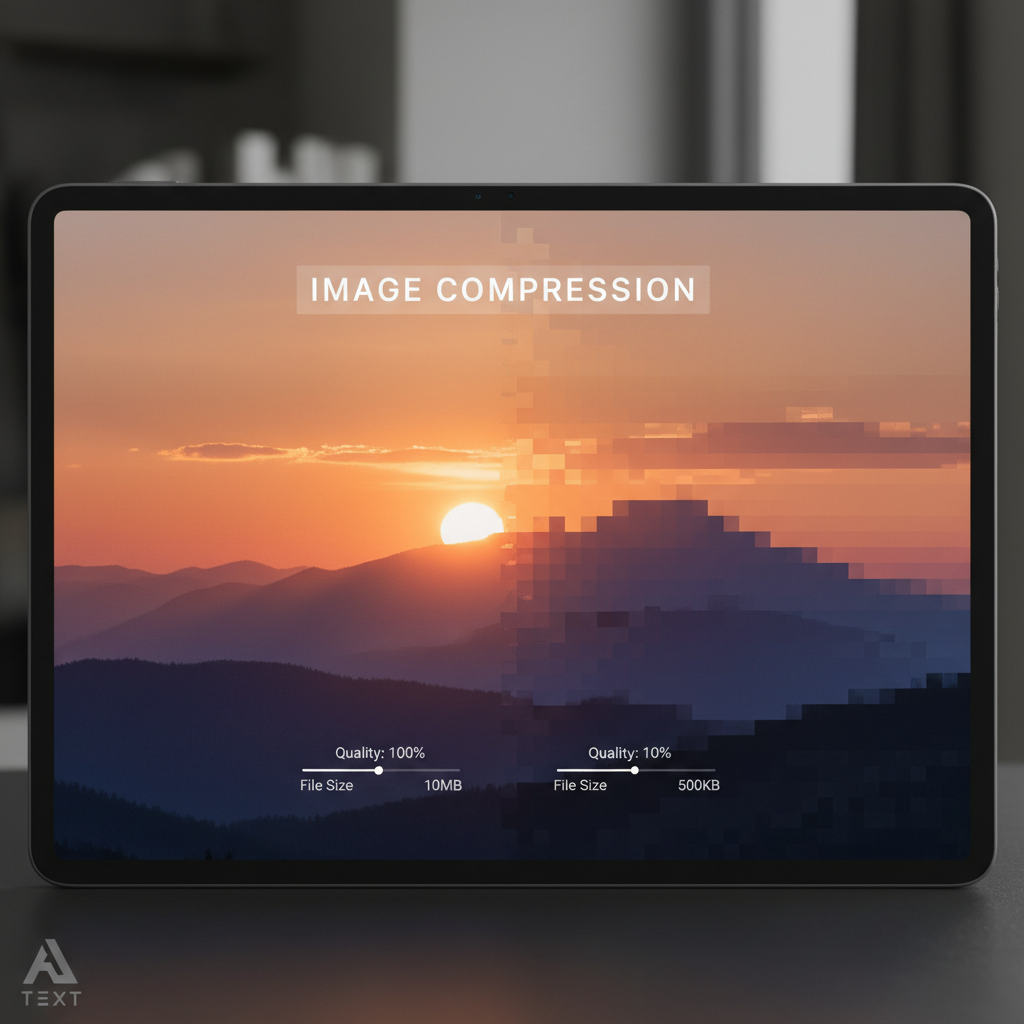
The Crucial Need for Targeted Image Compression
In the digital landscape, speed is currency. Website loading times directly impact user experience (UX), conversion rates, and, critically, search engine optimization (SEO). While high-resolution images are vital for conveying quality and professionalism, large file sizes can dramatically slow down your site, especially on mobile devices. The challenge often boils down to achieving a specific, ultra-low file size target, such as 50 kilobytes (KB).
If you frequently manage image assets for web deployment, marketing, or email, you know the frustration of having a beautiful JPEG that weighs in at 500KB or more. The goal then becomes clear: we need to find reliable, high-quality methods to compress jpeg to 50kb online efficiently and without noticeable visual degradation. This comprehensive guide will walk you through the essential techniques and tools necessary to hit that demanding 50KB sweet spot.
Why You Need to Compress JPEG to 50KB Online for Optimal Performance
While standard compression tools might get you close, achieving a precise target like 50KB requires precision and understanding of the underlying technology. Why is this specific file size so important? It often serves as a benchmark for high-volume thumbnail galleries, featured images in fast-loading blogs, or essential icons where every byte counts.
SEO Advantage
Google and other search engines heavily prioritize fast-loading pages. Small images contribute significantly to Core Web Vitals, especially Largest Contentful Paint (LCP). Images below 100KB are generally preferred, but hitting 50KB offers a significant competitive edge.
Improved User Experience (UX)
Users abandon slow websites quickly. Faster loading times mean higher engagement, lower bounce rates, and better overall interaction. A lightweight site feels snappy and professional.
Bandwidth Savings
If your website serves millions of images monthly, reducing each file by hundreds of kilobytes translates into massive savings on hosting and content delivery network (CDN) costs. This is crucial for high-traffic sites.
Mobile Optimization
A significant portion of web traffic comes from mobile devices, often using slower connections. Images optimized down to 50KB load almost instantly, providing a seamless experience regardless of network speed.
Understanding the Science of JPEG Compression
Before attempting to compress jpeg to 50kb online, it is vital to understand what happens during compression. JPEG (Joint Photographic Experts Group) uses a "lossy" compression technique. This means that some image data is permanently discarded to achieve smaller file sizes.
The Role of Quality Factor (QF)
When you compress a JPEG, the tool applies a Quality Factor, typically measured on a scale of 0 to 100. A QF of 100 means minimal compression and maximum file size, while a QF of 0 means maximum compression and minimum quality. To hit a target as low as 50KB, you are likely operating in the 50-70 QF range, depending on the image dimensions and complexity.
“Optimization is not just about making the image smaller; it’s about finding the perfect balance where the human eye cannot perceive the loss of data, but the file size shrinks dramatically.”
Step-by-Step Guide: How to Compress JPEG to 50KB Online Using Dedicated Tools
While software like Adobe Photoshop offers control, online dedicated image compressors are often faster, more accessible, and specifically engineered to target precise file size outputs. These tools leverage sophisticated algorithms to optimize discrete cosine transformation (DCT) and Huffman coding, the core components of JPEG compression.
Step 1: Choose Your Tool
Select a reputable online image compressor. Many tools offer a "target file size" feature, which is essential for hitting 50KB precisely. We recommend using a professional Image Compressor designed for granular control.
Step 2: Pre-Resize the Image
Do not try to compress a 4000×3000 pixel image down to 50KB. Compression works best when the image is already sized appropriately for its final use (e.g., 800×600 pixels for a blog post). Resizing before compression is the single most effective way to save file size.
Step 3: Upload and Set Target
Upload your pre-sized JPEG file. Crucially, look for the option that allows you to input the desired output size (50KB). If this feature isn’t available, use the quality slider and perform iterative testing.
Step 4: Iterative Quality Adjustment
If you are adjusting the quality slider manually, start at 75%. Check the output size. If it’s too large, drop the quality by 5 points (70%, 65%) until the file size registers at or below 50KB. Always preview the image to check for artifacts.
Advanced Techniques to Achieve the 50KB Target
Resizing and Cropping: The Foundation of Small Files
It is impossible to overstate the importance of physical dimensions. A high-quality 1920×1080 image will always be larger than a high-quality 600×400 image. Before you try to compress jpeg to 50kb online, ensure the image dimensions match the maximum space it will occupy on the webpage.
For example, if the image is only displayed at 400 pixels wide on your site, resizing it to 400 pixels wide before applying compression means the algorithm has far fewer pixels to process, making the 50KB target achievable at a higher quality setting.
Optimizing Color Space and Metadata
Many digital cameras and phones save images with extensive metadata (EXIF data) and use large color profiles (like Adobe RGB). While important for professional editing, this data is useless for web display and adds unnecessary bulk. A good online compressor will strip this metadata automatically, providing immediate file size reduction.
Using the sRGB color profile, which is standard for web browsers, ensures consistency and helps keep the file size minimal. Tools that allow batch processing and metadata stripping are invaluable assets for content creators. If you are creating a lot of content, mastering tools that help with efficiency, like those that aid in visualization (e.g., how to make a bar graph online), can dramatically speed up your workflow alongside image optimization.
Comparing Tools: Manual vs. Automated Methods to Compress JPEG to 50KB Online
The choice between professional desktop software and dedicated online utilities depends entirely on your workflow and volume. For achieving highly specific goals like 50KB, automated online tools often provide superior results due to their specialization in iterative compression.
Manual Method: Desktop Software (e.g., Photoshop)
- Pros: Absolute control over every pixel, layer, and color profile.
- Cons: Time-consuming, requires specialized knowledge, requires paid software license. Achieving an exact 50KB requires multiple "Save for Web" iterations.
- Best For: Single, high-value hero images where maximum quality control is paramount.
Automated Method: Online Tools (Targeted Compressors)
- Pros: Extremely fast, often free or inexpensive, handles batch processing, and many feature a "target size" input.
- Cons: Less control over advanced color space details; reliant on internet connection.
- Best For: High volume web images, achieving precise size targets like 50KB quickly, and optimizing entire websites.
When selecting an online tool to compress jpeg to 50kb online, prioritize those that use advanced quantization techniques. These algorithms intelligently decide which color clusters to merge, minimizing visual artifacts even at aggressive compression levels. For more information on established web standards for image delivery, consulting resources from organizations focused on web technology is helpful. The World Wide Web Consortium (W3C) provides valuable guidelines on graphics standards and best practices.
Maintaining Quality Post-Compression: Avoiding Artifacts
Aggressive compression, especially when aiming for a target as small as 50KB, can introduce noticeable visual flaws, known as compression artifacts. These often manifest as "blockiness" or "mosquito noise," particularly around edges and areas of high contrast.
Tips for Minimizing Artifacts:
- Start with a High-Quality Source: Compressing an already low-quality or heavily edited image will amplify flaws. Always begin with the cleanest source file available.
- Avoid Re-compressing: Never compress a JPEG that has already been compressed multiple times. Each successive compression introduces further data loss.
- Blur Backgrounds: Images with smooth transitions (like slightly blurred backgrounds) compress better than images with sharp, complex textures (like fine grass or intricate patterns).
- Use Progressive JPEGs: Some online tools allow saving as Progressive JPEGs, which load in passes (from blurry to sharp). This improves perceived load time, even if the file size remains the same.
Future-Proofing Your Images: Beyond JPEG and the 50KB Goal
While mastering how to compress jpeg to 50kb online is crucial today, the future of web imaging lies in next-generation formats. Formats like WebP and AVIF offer significantly better compression efficiency than traditional JPEGs, meaning you can achieve the 50KB target with even higher visual quality.
WebP (Google)
Often provides 25-35% smaller files than JPEGs at equivalent quality settings. It supports both lossy and lossless compression. Most modern browsers support WebP, making it a viable alternative for optimization.
AVIF (AOMedia Video 1 Image Format)
A newer format based on the AV1 video codec. It offers superior compression compared to WebP, particularly at very low file sizes. Browser support is growing rapidly, and it is considered the future standard for web images.
Serving Strategy
Implement a "conditional loading" strategy using the HTML <picture> element or server-side detection. This allows you to serve the smallest, most efficient format (like AVIF or WebP) to compatible browsers, while gracefully falling back to the 50KB JPEG for older ones.
Implementing these modern formats is highly recommended by web performance experts. For detailed specifications and implementation guides on these standards, refer to technical documentation, such as Google Developers guides on WebP.
Conclusion
Achieving a specific, challenging file size like 50KB requires a combination of smart initial resizing and utilizing specialized online tools designed for targeted compression. Remember that optimization is a multi-step process: start by setting the correct dimensions, strip unnecessary metadata, and then use an effective online compressor to iteratively or directly hit your 50KB goal. By prioritizing speed and precision in your image workflow, you ensure a better experience for your users and a superior ranking position for your website.
FAQs
It depends heavily on the original image dimensions and complexity. If the original image is very high resolution (e.g., 4000×3000 pixels), achieving 50KB without significant loss is nearly impossible. However, if you first resize the image to a web-appropriate size (e.g., 800×600 pixels), then targeted compression to 50KB is highly feasible with minimal perceived quality degradation.
Images with large areas of solid color or smooth gradients compress much better than photographs with intricate details, high frequency textures (like grass or hair), or sharp noise. Simpler images allow the compression algorithm to discard more data without creating visible artifacts.
While many free tools are available, premium or advanced free tools often provide the necessary "target file size" feature, which is crucial for precision optimization down to 50KB. Free tools usually rely only on a percentage quality slider, requiring tedious trial and error. For consistent, high-volume needs, a paid service might save significant time.
Yes, absolutely. WebP is a modern format specifically designed for superior web compression. In many cases, converting a JPEG to WebP will result in a file size that is 25% to 35% smaller than the original JPEG at the same quality setting. This makes hitting an aggressive target like 50KB much easier while preserving visual fidelity.
For most standard blog posts or hero sections, a maximum width between 1200 pixels and 1600 pixels is sufficient. For smaller elements like thumbnails or gallery items, keep the resolution below 800 pixels. The smaller the initial resolution, the higher the quality you can retain when compressing down to 50KB.
Read Also:
- The Ultimate Guide to Crafting SEO Friendly URL Slugs: Choosing the Right Generator
- SSL Verification Explained: Your Guide to Using a Reliable Check If Website Is Safe Tool
- The Ultimate Guide to Easily Make Bar Graph Online Free: Choosing the Best Creator Tools
- The Ultimate Guide to Using an SEO Friendly URL Slug Generator for Ranking Success
- Mastering the Math: How to Accurately Calculate Age in Years, Months, and Days

