
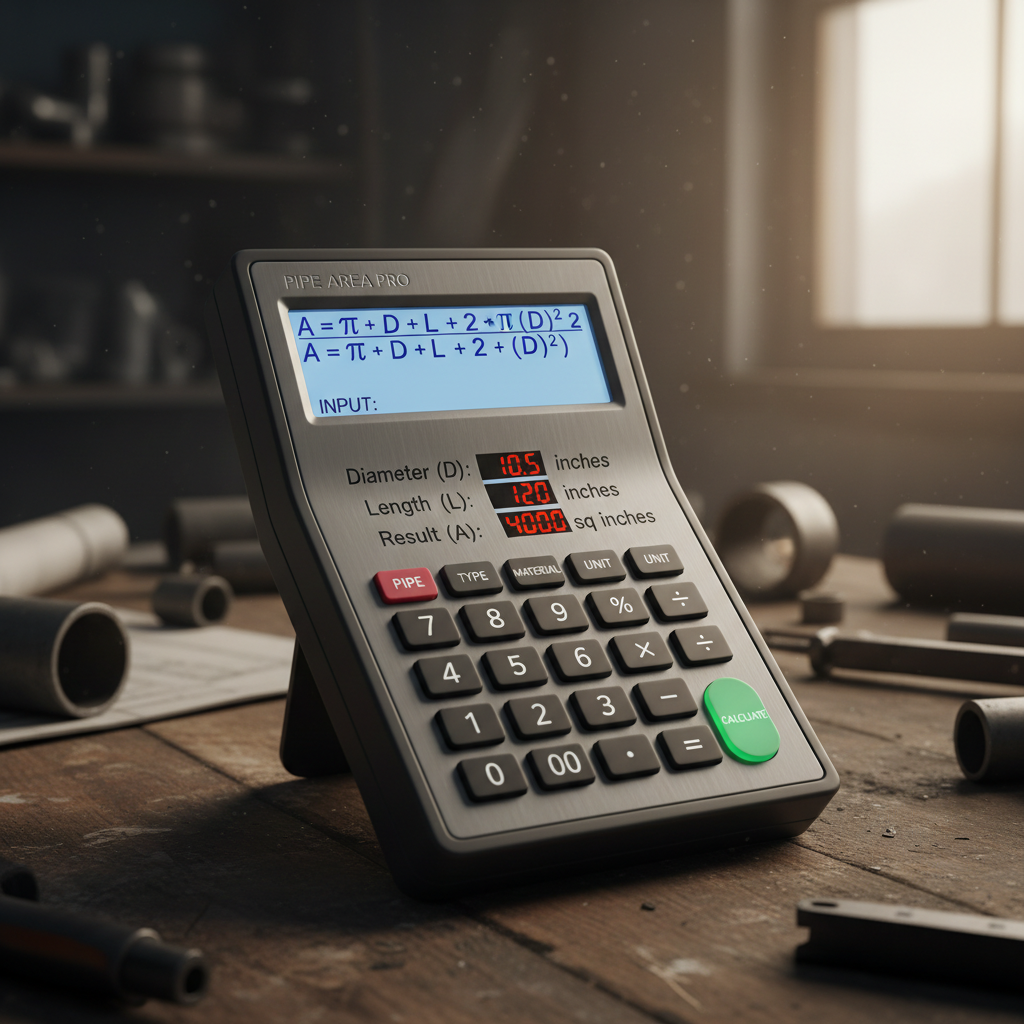
A single miscalculation cost a client an extra $12,000. Twelve. Thousand. Dollars. Why? They underestimated the paint needed for a few hundred feet of industrial piping. They based their order on a “gut feeling” instead of a precise calculation, leading to a second rush order with exorbitant shipping fees and project delays.
It sounds dramatic, but I’ve seen this play out time and again. Whether you’re quoting a paint job, insulating an HVAC system, or designing a complex fluid network, guessing is a recipe for disaster. The surface area of a pipe is one of those seemingly small details that has massive financial and operational consequences.
Forget the error-prone manual math and the costly “best guesses.” This guide is your definitive resource for mastering pipe surface area calculation in 2026. You’re about to learn not just how to use a surface area of a pipe calculator, but why each number matters, from the outside coating to the fluid flowing within.
📑 What You’ll Learn
- Why Nailing This Calculation is Non-Negotiable
- Breaking It Down: The Three Faces of Pipe Surface Area
- The Simple Math Behind the Magic
- How to Use a Pipe Surface Area Calculator: A 4-Step Process
- Real-World Applications: Where Precision Pays Off
- Beyond the Basics: When a Simple Calculator Isn’t Enough
- Frequently Asked Questions
Why Nailing This Calculation is Non-Negotiable
Look, in any project, precision separates the pros from the amateurs. Relying on a dedicated calculator isn’t about cutting corners; it’s about enforcing accuracy. Manual calculations are slow and riddled with potential for human error—a misplaced decimal can derail a budget in seconds. An online tool provides instant, reliable data.
Here’s a quick look at why this simple calculation is so critical across different fields:
- Material Costing: This is the big one. Accurately estimate the exact amount of paint, epoxy coating, or insulation needed. No more over-purchasing or, even worse, running out mid-project.
- HVAC & Engineering: In thermodynamics, surface area is a core variable. Precise calculations are essential for modeling heat transfer, ensuring heating and cooling systems perform efficiently and meet design specifications.
- Fluid Dynamics: The internal surface area directly impacts friction loss and pressure drop in a piping system. Getting this right is fundamental to proper pump sizing and ensuring the system operates as intended.
- Project Bidding & Planning: When you’re creating a bid, accurate material takeoffs are your best friend. They ensure your proposal is competitive yet profitable, building trust with clients from day one.
Let’s be clear: getting this number right saves time, money, and a whole lot of headaches.
🎯 Key Takeaway
Using a surface area of a pipe calculator isn’t just a convenience—it’s a critical project management tool. It eliminates costly estimation errors for materials like paint and insulation and provides the foundational data needed for complex engineering tasks like heat transfer and fluid dynamics analysis.
Breaking It Down: The Three Faces of Pipe Surface Area
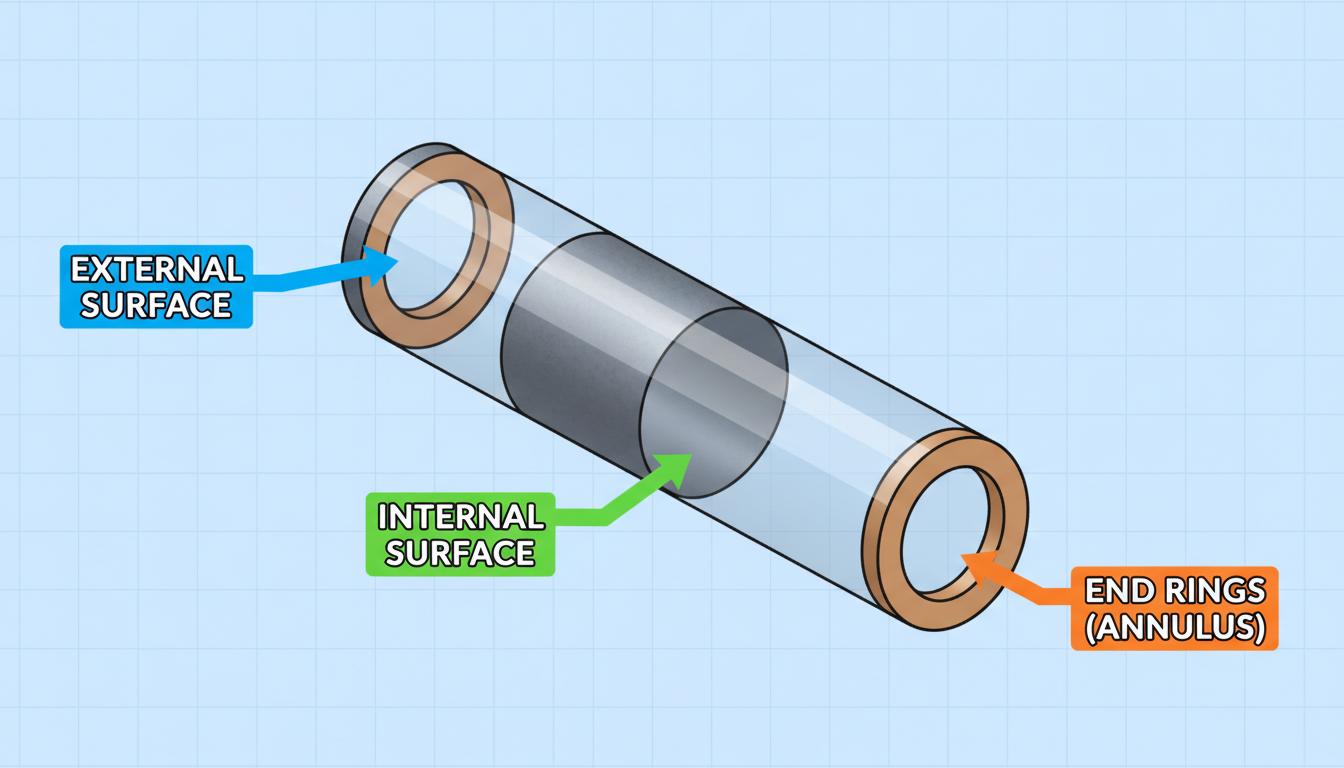
Before you can calculate anything, you need to know what you’re measuring. A pipe isn’t just one surface; it’s a hollow cylinder with three distinct areas. A good calculator will break these down for you, because different jobs require different numbers.
Imagine you can unroll the pipe and lay its surfaces flat. Here’s what you’d have:
| Surface Area Type | What It Is | Primary Application |
|---|---|---|
| External (Outer) Surface Area | The area of the outside of the pipe. It’s the part you can see and touch. | Painting, coating, insulation wrapping, calculating heat loss to the environment. |
| Internal (Inner) Surface Area | The area of the inside wall that touches the fluid or gas. | Calculating fluid friction, pressure drop, internal lining requirements, heat transfer from the fluid. |
| End Area (Annulus) | The area of the two flat, ring-shaped ends of the pipe material itself. | Calculating the total material volume/weight, stress analysis on the pipe ends. |
Most of the time, you’ll be focused on the external or internal surface area. But for total material calculations, you need all three.
The Simple Math Behind the Magic
You don’t need to be a mathematician to use a calculator, but understanding the “why” behind the numbers builds confidence. The formulas are all based on the geometry of a cylinder.
The main formula calculates the lateral surface area (the “label” of the can, so to speak):
Area = π × D × L
- π (Pi) is the constant ~3.14159.
- D is the diameter of the pipe.
- L is the length of the pipe.
It’s that simple. To get the external surface area, you use the outer diameter (OD). For the internal surface area, you use the inner diameter (ID). A calculator does this instantly for both.
The area of the two ends (the annulus) is a bit different. It finds the area of the big circle (using the outer diameter) and subtracts the area of the small inner circle (the hole). The formula for both ends combined is:
Total End Area = 2 × π × (r_outer² - r_inner²)
A surface area of a pipe calculator just runs these simple formulas in the blink of an eye, saving you the trouble and eliminating any chance of a calculation slip-up.
💡 Pro Tip
Always measure the Outer Diameter (OD) and Wall Thickness. It’s far more accurate than trying to measure the Inner Diameter (ID) directly, especially on smaller pipes. The calculator can easily find the ID for you using the formula: ID = OD – (2 × Wall Thickness).
How to Use a Pipe Surface Area Calculator: A 4-Step Process
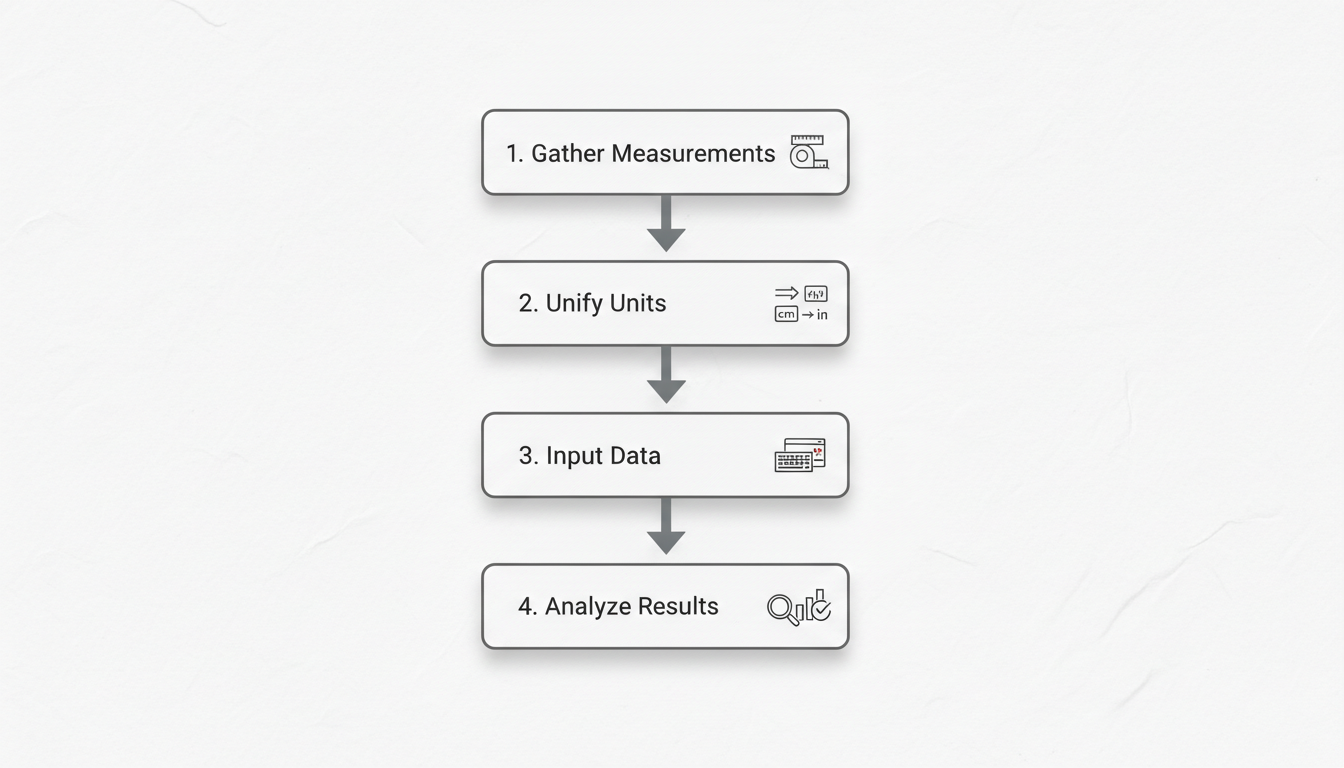
Using an online tool is incredibly easy. Based on our experience testing dozens of them, the process is always the same. Here’s how to get a perfect result every time.
-
Step 1: Gather Your Measurements
You need three pieces of information. For maximum accuracy, use digital calipers, not a tape measure.- Outer Diameter (OD): The distance across the widest part of the pipe, from one outer edge to the other.
- Wall Thickness: The thickness of the pipe material itself.
- Length (L): The total length of the straight pipe section you’re working with.
-
Step 2: Unify Your Units (This is CRITICAL)
This is the #1 place people make mistakes. If your diameter is in inches, your length must also be in inches. If one is in feet and the other in inches, you MUST convert one of them first. Decide on a single unit—inches, millimeters, feet, etc.—and stick to it. -
Step 3: Input Your Values
Carefully enter your numbers into the calculator’s fields. Most tools will ask for OD and either Wall Thickness or ID. Double-check that you haven’t made a typo. A ‘6’ instead of a ‘5’ can make a huge difference. -
Step 4: Calculate and Analyze the Results
Hit the “Calculate” button. The tool will instantly output the external, internal, and end surface areas, along with the total. Now, identify which of these numbers you actually need for your specific task. Painting the outside? You only need the external area.
⚠️ Watch Out
Unit mismatch is the silent killer of accurate calculations. If a calculator gives you a number that seems wildly off, the first thing to check is your units. A common error is mixing feet and inches. For example, a 10-foot pipe is 120 inches. Using ’10’ instead of ‘120’ will throw your result off by a factor of 12.
Real-World Applications: Where Precision Pays Off
Let’s move from theory to practice. Where does this calculation actually save you money and improve your work? From real-world campaigns and projects, we’ve seen its impact firsthand.
Scenario 1: Insulating a Commercial Hot Water System
An HVAC technician needs to insulate 150 feet of 4-inch nominal diameter (4.5-inch actual OD) copper pipe to reduce energy loss. According to guidelines from the U.S. Department of Energy, proper insulation is a major factor in energy conservation.
- The Goal: Calculate the total external surface area to order the correct amount of fiberglass insulation wrap.
- The Calculation:
- Outer Diameter = 4.5 inches
- Length = 150 feet = 1,800 inches
- Using the formula (π × 4.5 in × 1,800 in), the external surface area is ~25,447 square inches, or about 177 square feet.
- The Result: The technician can now confidently order 180 sq. ft. of insulation, knowing they have enough to cover the job with minimal waste. No guesswork, no return trips to the supplier.
Scenario 2: Calculating Friction Loss in a Pumping System
A mechanical engineer is designing a system to pump a viscous fluid. The pipe has an inner diameter of 100mm and is 50 meters long. The internal surface area is a key variable in the Darcy-Weisbach equation, which calculates friction loss.
- The Goal: Determine the internal surface area to help calculate pressure drop and select an appropriately sized pump.
- The Calculation:
- Inner Diameter = 100 mm = 0.1 meters
- Length = 50 meters
- The internal surface area is (π × 0.1 m × 50 m) = 15.7 square meters.
- The Result: With this precise area, the engineer can accurately model the system’s performance. An incorrect area could lead to specifying an underpowered pump (causing flow issues) or an overpowered one (wasting electricity for the life of the system). For more on fluid mechanics, the principles outlined in resources like Wikipedia’s fluid dynamics overview are foundational.
💡 Pro Tip
When calculating paint or coating needs, always add a contingency factor. After you get the precise surface area from the calculator, add 10-15% to your material order. This covers potential waste, spills, and the slightly higher usage on rougher surfaces. The calculator gives you the perfect baseline; experience tells you to add a buffer.
Beyond the Basics: When a Simple Calculator Isn’t Enough
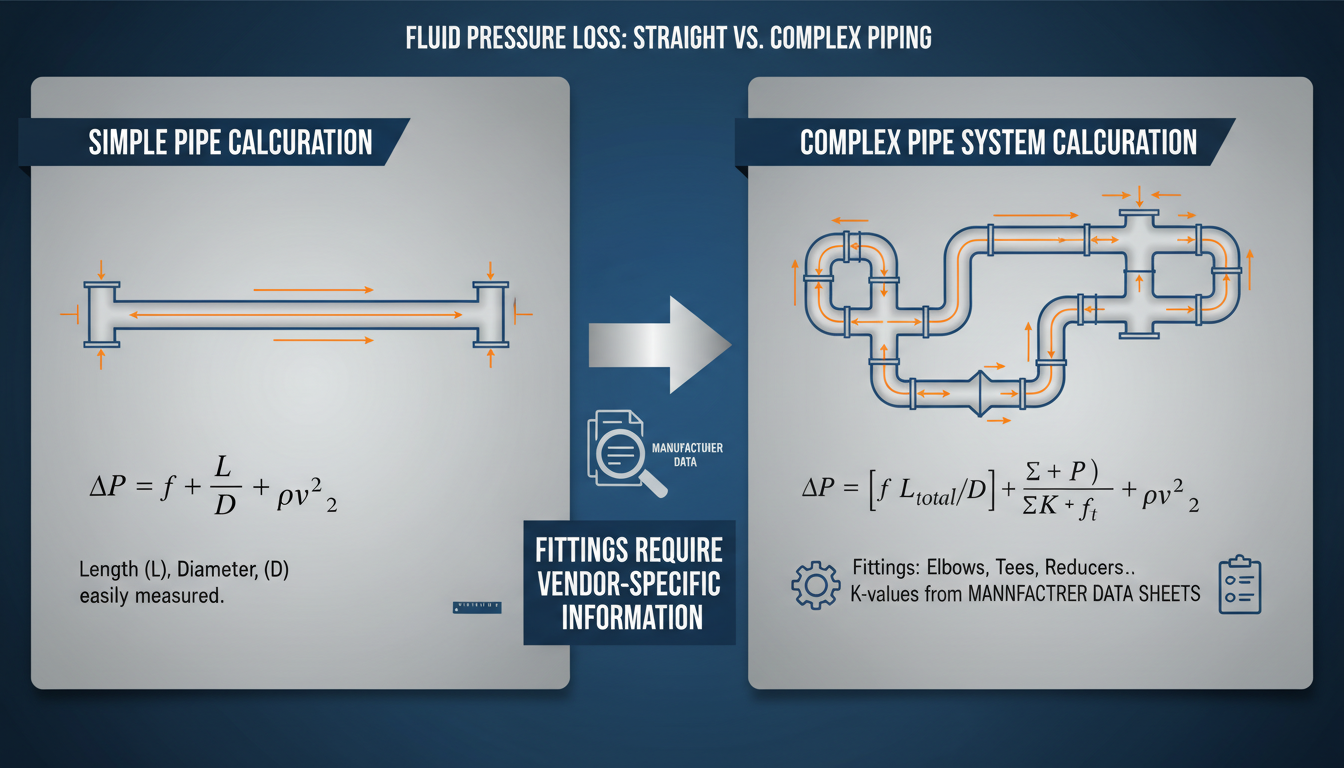
A standard calculator is perfect for straight pipe sections. But what about more complex systems? It’s important to know the limitations.
| Scenario | The Challenge | The Professional Solution |
|---|---|---|
| Pipe Bends & Elbows | The surface area of a bend (a torus segment) is not the same as a straight pipe of the same centerline length. The outer curve is longer than the inner curve. | Use manufacturer’s technical data sheets for the specific fittings. For custom bends, specialized engineering software (CAD or pipe design software) is required. |
| Fittings (Tees, Valves, Flanges) | These components have complex, irregular shapes that a simple cylindrical formula can’t account for. | Again, always refer to the manufacturer’s specifications. They provide wetted surface areas and external surface areas for their products. |
| High-Precision Fluid Dynamics | Standard calculations assume a perfectly smooth internal surface. In reality, material roughness (e.g., cast iron vs. PVC) affects friction. | Engineers use a “friction factor” based on the pipe material’s relative roughness, a concept detailed in resources like The Engineering ToolBox. This is an advanced step beyond a simple area calculation. |
⚠️ Watch Out
Don’t try to “estimate” the area of fittings by treating them as simple shapes. The error margin is huge. For any professional job, the total surface area of a system is the sum of all straight pipe sections PLUS the specified areas of all fittings. Ignoring fittings can lead to a 5-20% underestimation of materials.
Calculate with Confidence, Execute with Precision
The days of scribbling on a notepad and hoping for the best are over. A surface area of a pipe calculator is a simple, powerful tool that bridges the gap between a rough guess and professional certainty.
You now understand the critical difference between external, internal, and end areas. You have a bulletproof, four-step process for getting accurate results every single time. And most importantly, you see how this one calculation impacts everything from your budget to your system’s performance.
So, the next time you’re planning a project, don’t estimate. Calculate. Measure carefully, unify your units, and let the right tool give you the precise data you need to succeed. Your budget (and your clients) will thank you.
❓ Frequently Asked Questions
What’s the difference between lateral and total surface area of a pipe?
The lateral surface area refers only to the curved “body” of the pipe (both inside and outside surfaces). The total surface area includes that lateral area PLUS the area of the two flat, ring-shaped ends. For tasks like painting the outside, you only need the external lateral area.
How do I calculate the surface area of a pipe bend or elbow?
You don’t use a standard calculator for this. The geometry of a bend is much more complex. The correct method is to consult the technical specification sheet from the fitting’s manufacturer, which will list its exact surface area.
Do I need the inside surface area when calculating paint requirements?
Almost never. Unless you are applying a special internal lining, you only need the external surface area for painting or external insulation jobs. The internal area is primarily for engineering calculations related to the fluid flowing inside the pipe.
What are the most common units for a pipe surface area calculator?
In the metric system, it’s usually millimeters (mm) or meters (m). In the imperial system, it’s inches (in) or feet (ft). The most important rule isn’t which one you use, but that you use the same one for all your inputs (diameter, thickness, and length) to avoid errors.
Can I use this for other hollow cylinders like ducts or tubes?
Absolutely. The math is identical for any hollow cylinder. Whether it’s a round HVAC duct, a structural tube, or a cardboard core, you can use the same calculator by inputting its outer diameter, wall thickness (or inner diameter), and length.

