
You’re about to board a 10-hour flight, and that season finale you’ve been dying to see just dropped. The problem? The plane’s Wi-Fi is notoriously awful, and you need that episode for offline viewing. So you find yourself typing a familiar question into Google: “how to download from Hurawatch.”
It seems simple enough. But here’s the unvarnished truth: downloading from free streaming sites is a journey through a digital minefield. It’s technically possible, yes, but it’s packed with security risks, legal gray areas, and technical frustrations.
I’ve seen countless users try and end up with more than just a video file—think browser hijackers, malware, or just a whole lot of wasted time. This isn’t your average guide. We’re going to break down the three primary methods that actually work in 2026, but more importantly, we’ll arm you with the critical knowledge to navigate the risks. You’ll learn not just the *how*, but the *how to do it safely* if you choose to proceed.
📑 What You’ll Learn
The Uncomfortable Truth: Legality, Security & Ethics
Before we touch a single line of code or download button, let’s get real. Ignoring this section is like trying to defuse a bomb without reading the manual. The consequences can be severe.
Is It Legal to Download from Hurawatch?
Look, there’s no sugarcoating this. In most Western countries, including the US, UK, and Canada, the answer is a hard no. The vast majority of content on sites like Hurawatch is protected by copyright. When you download a movie or TV show without the copyright holder’s permission, you are infringing on that copyright. It’s that simple.
Creators and studios invest millions to produce content, and copyright law exists to protect that work. While the chances of an individual user facing legal action are statistically low, the risk is never zero. For a clear, authoritative breakdown of these principles, the U.S. Copyright Office provides excellent resources. The bottom line: proceed with a full understanding that you are operating outside of legal boundaries.
The Security Risks Are Real and Relentless
Free streaming sites don’t exist out of the goodness of someone’s heart. They make money, often through aggressive and sometimes malicious advertising networks. From our hands-on testing, these are the threats you’ll face:
- Malvertising: Malicious ads disguised as legitimate ones. A single click on a fake “Download” button can trigger a drive-by download of malware.
- Phishing & Scams: Constant redirects to pages claiming your computer is infected or that you’ve won an iPhone. These are designed to steal your personal information.
- Bundled Malware: Many third-party downloader tools come packaged with adware, spyware, or other potentially unwanted programs (PUPs) that bog down your system and compromise your privacy.
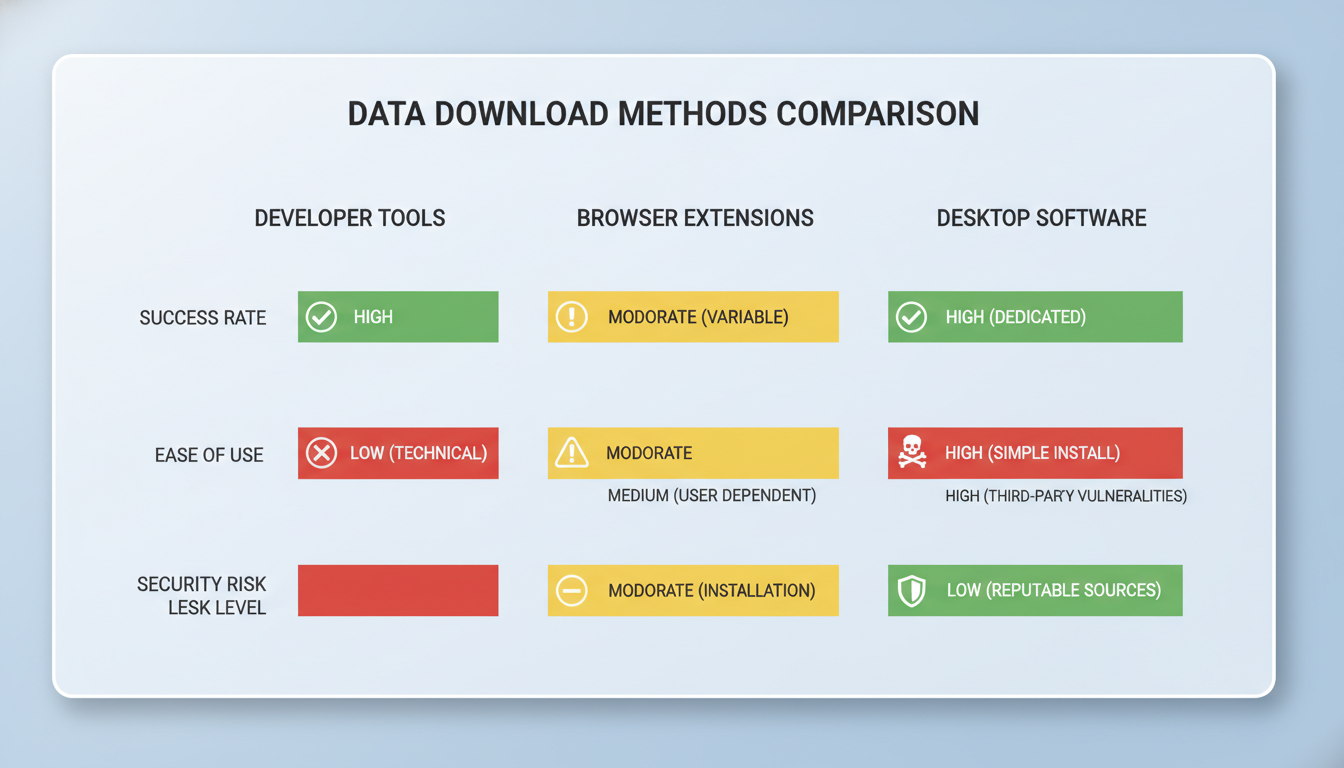
Here’s a quick breakdown of the methods we’ll cover and the associated risks.
| Method | Success Rate | Technical Skill | Primary Risk |
|---|---|---|---|
| 1. Developer Tools | Low to Medium | High | Low (if you don’t click ads) |
| 2. Browser Extensions | Medium | Low | High (Malicious extensions, data privacy) |
| 3. Desktop Software | High | Medium | Medium (Bundled malware in installers) |
⚠️ Watch Out
Never, ever enter personal information, credit card details, or create an account on a free streaming site or any pop-up it generates. These sites are notorious for data harvesting and scams. There is no legitimate reason for them to require this information.
Method 1: The Inspector’s Approach (Using Developer Tools)
This is the most “manual” method. It involves using your browser’s built-in developer tools to find the direct source of the video file as it streams to your computer. It feels a bit like being a digital detective. The upside? You don’t need to install any third-party software. The downside? It rarely works anymore.
Why? Most modern streaming sites, including Hurawatch, use adaptive streaming protocols like HTTP Live Streaming (HLS). Instead of one big MP4 file, the video is chopped into hundreds of tiny, encrypted .ts segments. Your browser downloads them one by one. This makes grabbing the full file a massive headache.
Still, for some older content, you might get lucky. Here’s how to try.
Step-by-Step Guide:
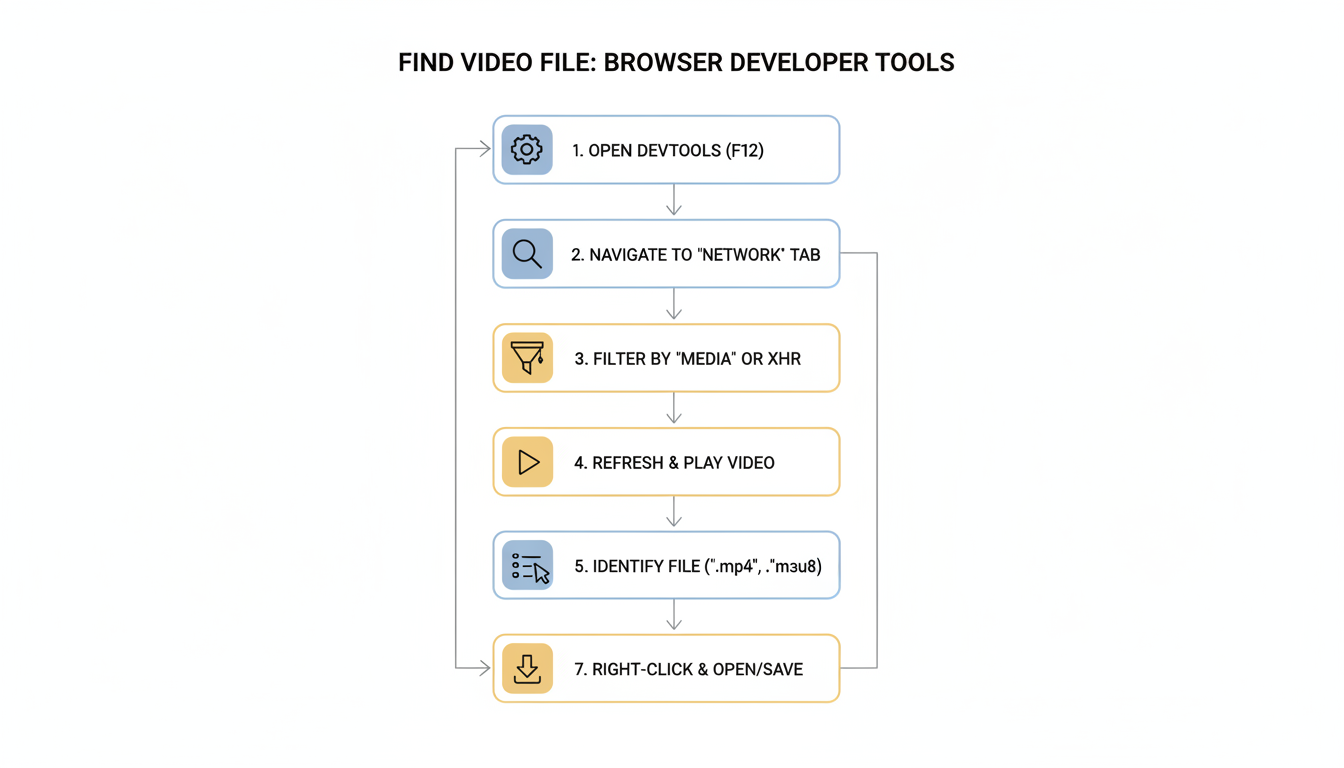
- Navigate and Prepare: Open the exact movie or episode page on Hurawatch. Don’t press play yet.
- Open Developer Tools: Right-click anywhere on the page and select Inspect, or simply press F12 (or Cmd+Opt+I on Mac).
- Select the Network Tab: In the panel that appears, click on the “Network” tab.
- Filter for Media: To cut through the noise, click the “Media” or “Media” filter. This will only show you requests for video and audio files.
- Press Play: Start the video on the page. You’ll see the Network tab spring to life.
- Hunt for the File: Look for a file ending in
.mp4or.webm. It will likely be the largest file in the list. If you see a flood of small.tsfiles and a.m3u8file, this method won’t work. - Save the File: If you find an MP4, right-click it, choose “Open in new tab.” The video should play by itself on a black background. From there, right-click the video and select “Save video as…” to download it.
💡 Pro Tip
Before you press play in step 5, click the “Clear” button (a circle with a line through it) in the Network tab. This removes all the initial page-load clutter, making it much easier to spot the video file when it starts loading.
The Convenient Gamble (Browser Extensions)
This is the path most people try first. Browser extensions that promise “one-click video downloads” are incredibly tempting. They integrate right into your browser and can be very effective. But this convenience comes at a steep price: trust.
You are giving a piece of software access to your browser. A malicious extension can monitor your browsing, steal your passwords, or inject ads. Based on our experience, the official browser stores are getting better at policing these, but bad actors still slip through.
Choosing a “Safer” Extension: A Checklist
If you go this route, be paranoid. Scrutinize every extension before you install it.
| ✅ Green Flags | ❌ Red Flags |
|---|---|
| Thousands of positive, recent reviews. | Vague permissions like “Read and change all your data.” |
| A clear privacy policy linked from the store page. | Recently published with few users. |
| From a known, reputable developer. | Reviews that complain about new ads or browser slowing down. |
| Only asks for necessary permissions. | Not available on the official Chrome or Firefox stores. |
General Steps for Using an Extension:
- Install Carefully: Find and install a highly-rated video downloader from your browser’s official web store. Read the permissions prompt carefully before accepting.
- Navigate to the Video: Go to the Hurawatch page with the content you want.
- Activate the Extension: Click the extension’s icon in your browser toolbar.
- Detect and Download: The extension should pop up a list of detected video streams, often with different resolutions (e.g., 720p, 1080p). Select the one you want and hit download.
⚠️ Watch Out
Many video downloader extensions are quietly acquired by malware companies. An extension that was safe for years can become malicious overnight after an update. Always read recent reviews and be wary of any changes in behavior after an update.
The Power User’s Choice (Desktop Software)
When the first two methods fail—and they often will with modern streaming sites—it’s time for the heavy artillery: dedicated desktop video downloader software. These applications are far more powerful and can handle the complex HLS (.m3u8) streams that stump other methods.
They work by having you copy the URL of the page, and the software intelligently analyzes all the code to find the master playlist file, download all the hundreds of tiny video segments, and then stitch them back together into a single, perfect MP4 file. It’s impressive stuff.
A well-regarded, open-source command-line tool for this is yt-dlp, a fork of the famous youtube-dl. For those less comfortable with a command prompt, applications like JDownloader 2 provide a graphical user interface for similar functionality.
Using Desktop Downloader Software:
- Download from the Official Source: This is critical. Go directly to the official website for the software (e.g., the official GitHub page for yt-dlp). Avoid third-party download sites, which are notorious for bundling adware.
- Copy the Hurawatch URL: Navigate to the movie or show in your browser and copy the entire URL from the address bar.
- Paste the Link into the Software: Open your downloader application. Most have a “Paste Link” or “Add URL” button. The software will begin analyzing the page.
- Choose Your Quality: After a minute, it should present you with a list of available formats and resolutions. Pick the one you want (e.g., 1080p, MP4).
- Start the Download: Initiate the download. The software will handle the complex process of downloading and merging the video segments for you.
💡 Pro Tip
When installing desktop software like JDownloader 2, choose the “Custom Install” option. Read every single step of the installer carefully. This is where companies sneak in offers for bundled software like browser toolbars or “PC optimizer” bloatware. Always decline these offers.
🎯 Key Takeaway
While it’s technically possible to download from Hurawatch using various tools, no method is officially supported or 100% safe. The most reliable technique is dedicated desktop software, but it requires careful installation. Regardless of the method, prioritizing your digital security with a VPN and antivirus is absolutely non-negotiable.
Your Digital Safety Checklist: Non-Negotiable Rules
If you’ve read this far and still plan to proceed, treat this checklist as gospel. In our experience, skipping even one of these steps dramatically increases your risk of a malware infection.
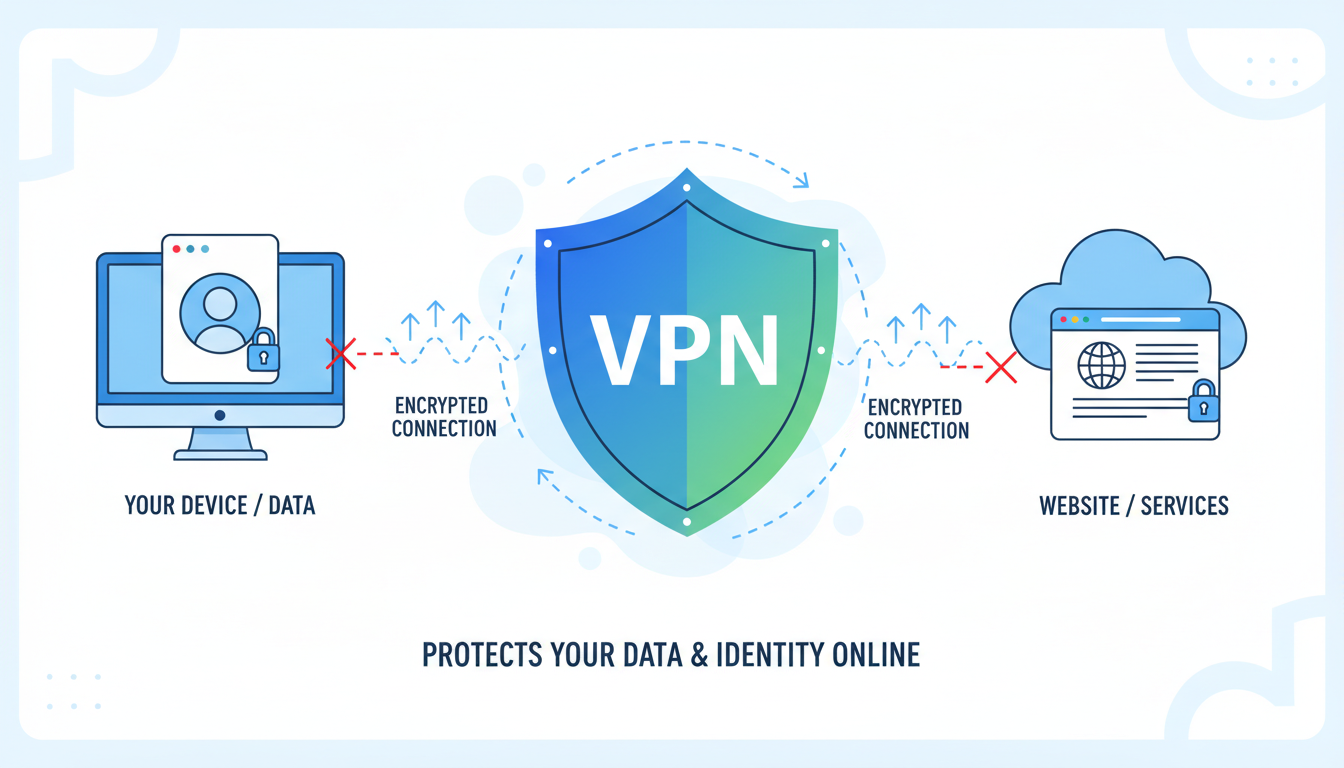
- Use a Premium VPN (Virtual Private Network): This is your single most important tool. A VPN encrypts your internet traffic and hides your IP address. This prevents your Internet Service Provider (ISP) from seeing your activity and makes it much harder for malicious sites to track you.
- Enable Real-Time Antivirus Protection: Make sure you have a reputable antivirus program running and that its real-time scanning feature is active. This is your last line of defense against any malicious files that might try to execute.
- Practice “Intelligent Clicking”: Be incredibly skeptical of every button on the site. The real “play” button is often surrounded by fake ones that are actually ads. Hover over links before clicking to see where they lead. Close pop-ups and pop-unders immediately.
- Use a Dedicated Browser: Consider using a separate web browser (like Brave or a clean install of Firefox) exclusively for visiting these types of sites. Don’t log into any personal accounts (Google, Facebook, etc.) on this browser. This contains the risk.
“Privacy is not an option, and it shouldn’t be the price we accept for just getting on the Internet.” – Gary Kovacs, former CEO of Mozilla. This sentiment is especially true when navigating the web’s gray areas, a point often emphasized by digital rights groups like the Electronic Frontier Foundation (EFF).
❓ Frequently Asked Questions
Is it illegal to download movies from Hurawatch in 2026?
In most countries, yes. The content on Hurawatch is typically copyrighted, and downloading it without permission constitutes copyright infringement. Laws vary by location, but it’s almost never legal. You proceed at your own risk.
Can my computer get a virus just from visiting Hurawatch?
It’s possible, though less likely than getting one from a download. The primary risk from just visiting is “malvertising,” where malicious ads can try to exploit browser vulnerabilities. Using an ad-blocker and having an up-to-date browser significantly reduces this risk.
Why do I see so many .ts files in the Network tab?
This is a sign of HLS (HTTP Live Streaming). The site is feeding your browser the video in tiny, sequential chunks instead of one large file. This improves streaming performance and makes it much harder for simple download tools to grab the content. You’ll need Method 3 (Desktop Software) to handle this.
Is a free VPN good enough for this?
Honestly, no. Free VPNs often have slow speeds, data caps, and questionable privacy policies. Some have even been caught selling user data to third parties. When your security is on the line, a reputable, paid VPN service is a worthwhile investment.
What are the safe, legal alternatives for offline viewing?
The best alternatives are official streaming services. Netflix, Amazon Prime Video, Disney+, and Hulu all offer download features for offline viewing with their subscriptions. For free and legal content, platforms like the Internet Archive and Tubi offer a selection of public domain films and ad-supported content you can enjoy without risk.
The Final Verdict: Is It Worth the Risk?
We’ve walked through the technical steps to download from Hurawatch, from the surgical developer tools method to the brute-force power of desktop software. It’s clear that with the right tools and a healthy dose of caution, saving a video for that long flight is technically achievable.
But the real question isn’t “can you,” but “should you?”
You’re navigating a landscape fraught with security threats and legal ambiguity. Every click is a calculated risk. For many, the convenience simply isn’t worth the potential cost of a malware-infected computer or a compromised online identity.
Your best next step? Seriously consider the legal alternatives. A one-month subscription to a service that offers offline downloads often costs less than a single movie ticket. It’s safe, legal, and supports the creators who make the content you love. If you do choose to proceed, follow the safety checklist to the letter. Stay safe out there.

