
Here’s the brutal truth: If you don’t know exactly where you rank, you’re flying blind. In the high-stakes world of SEO, visibility isn’t just a metric—it’s your lifeline. I’ve seen businesses lose 40% of their revenue overnight because they didn’t notice a ranking drop until it was too late. That’s a nightmare scenario you can avoid.
But here’s the thing—Googling yourself doesn’t work. Your personal search history, location, and device skew the results, giving you a false sense of security. To truly understand your standing in the digital ecosystem of 2026, you need the Best SERP Checker available. These tools aren’t just about vanity numbers; they are the radar systems that detect threats and identify opportunities before your competitors do.
In this guide, we’re cutting through the marketing noise. I’m going to walk you through the tools that actually work, the features you can’t live without, and the exact strategy I use to track thousands of keywords for enterprise clients.
📑 What You’ll Learn
Why Manual Searching is Killing Your SEO
SEO is a marathon, sure. But imagine running a marathon where the course changes every few miles. That’s Google. With thousands of algorithm updates annually, a site ranking #1 on Tuesday could be #12 by Friday.
Finding the Best SERP Checker is like upgrading from a paper map to a high-precision military GPS. It tells you exactly where you stand, where you’re heading, and if obstacles (competitors) are blocking your path.
In my experience, the biggest value of these tools isn’t just seeing that you rank #1. It’s spotting the “cannibalization” issues where two of your own pages are fighting for the same spot, effectively killing each other’s chances. Or realizing that while you rank #3, the top two spots are now occupied by AI Overviews and a “People Also Ask” box, meaning your click-through rate is effectively zero.
🎯 Key Takeaway
Don’t obsess over a single keyword’s position. The real power of a SERP checker lies in spotting trends, identifying volatility, and understanding which SERP features (like snippets or maps) are stealing your traffic.
Top Contenders for the Best SERP Checker in 2026
The market is flooded with software claiming to be the “ultimate solution.” After testing dozens of them on real campaigns, here are the ones that actually deliver accurate, actionable data.
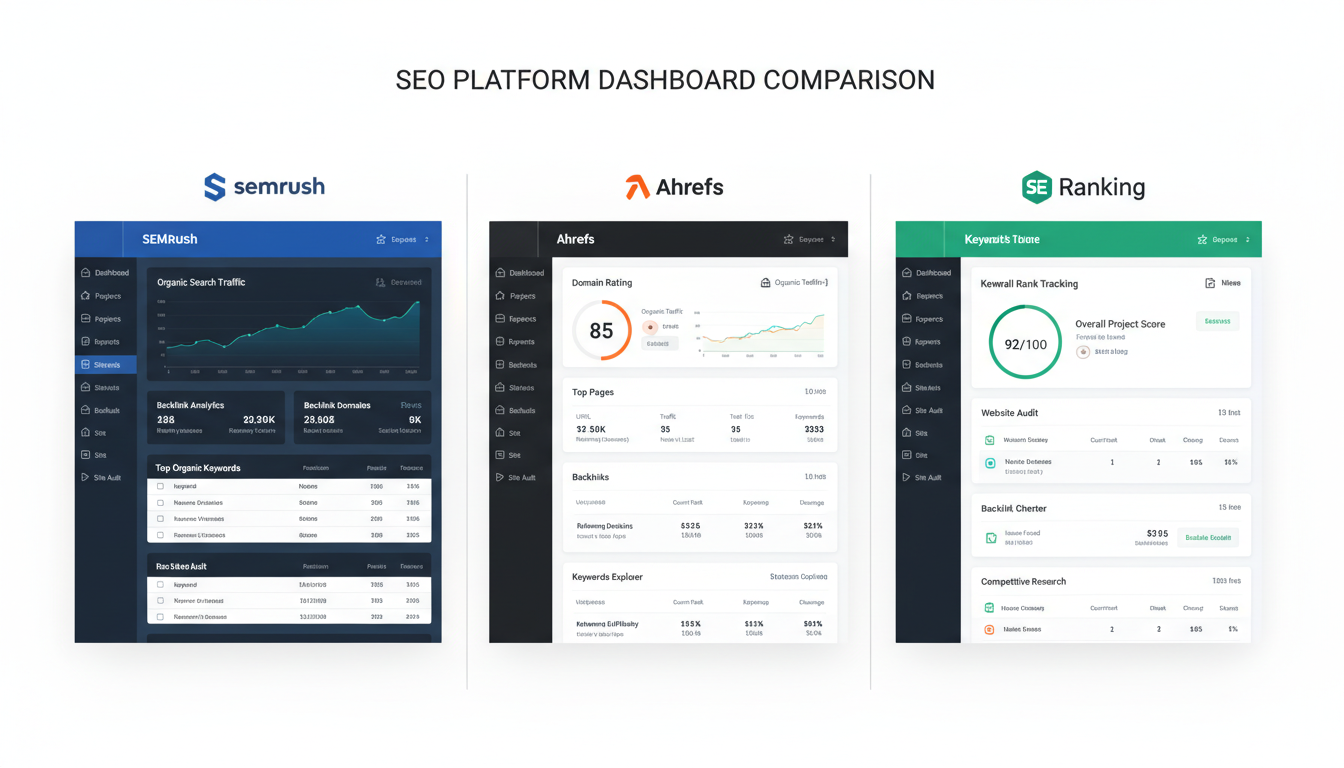
1. SEMrush: The All-Rounder
SEMrush is often the first name thrown around, and for good reason. It’s not just a rank tracker; it’s a full-blown marketing ecosystem. Their “Sensor” tool is brilliant for predicting algorithm volatility. If you see the sensor spike, you know the fluctuations aren’t your fault—it’s Google shifting the goalposts.
2. Ahrefs: The Data Titan
If you love data, Ahrefs is your playground. Their Rank Tracker integrates seamlessly with their backlink data. This is crucial because it helps you correlate why you moved. Did you gain a link? Did you lose one? Ahrefs connects those dots better than anyone.
3. SE Ranking: The Best Value
For agencies or freelancers who want 90% of the power of the big guys at 40% of the cost, SE Ranking is my go-to recommendation. It offers 100% accurate keyword tracking and allows you to check rankings in Google, Bing, Yahoo, and YouTube. Plus, their white-label reporting is fantastic for keeping clients happy.
4. Mangools (SERPWatcher): The User-Friendly Choice
Mangools focuses on design. If spreadsheets give you a headache, you’ll love their interface. They use a “Dominance Index” to give you a single metric for your organic traffic share. It’s perfect for quick checks and reporting to non-technical stakeholders.
Head-to-Head Comparison
Let’s break down the numbers. Here is how the top tools stack up against each other in 2026.
| Tool Name | Best For | Starting Price (Est.) | Update Frequency | Unique Feature |
|---|---|---|---|---|
| SEMrush | Enterprise & Marketing Teams | $129/mo | Daily | Volatility Sensor |
| Ahrefs | Technical SEOs | $99/mo | Varies by plan | Backlink Correlation |
| SE Ranking | Agencies & SMBs | $55/mo | Daily/3-Days | White Label Reports |
| Mangools | Beginners & Bloggers | $29/mo | Daily | Dominance Index |
| AccuRanker | Large E-commerce | $116/mo | On-Demand | Instant Refresh |
Key Features to Look for in the Best SERP Checker Tools
Not all tracking tools are created equal. When I’m auditing a new tool for my agency, I ignore the flashy sales copy and look for these four non-negotiable features.
1. Geo-Specific Tracking
Rankings are local. A user in New York sees different results than a user in London. The Best SERP Checker must allow you to track down to the zip code or city level. This is non-negotiable for local businesses like plumbers or law firms.
2. Mobile vs. Desktop Data
We live in a mobile-first world. Google predominantly uses the mobile version of your content for indexing. If your tool only tracks desktop rankings, you’re looking at data from 2015. You need to see the split.
⚠️ Watch Out
Avoid tools that “simulate” mobile rankings based on desktop data. You need a tool that actually crawls the mobile SERP, as the layout and ranking order can be completely different.
3. SERP Feature Detection
Does your keyword trigger a Featured Snippet? A Video Carousel? A Local Pack? High-quality tracking software identifies these features. If you rank #1 organic but there are 4 ads and a map pack above you, you’re effectively invisible.
Step-by-Step: Setting Up Your First Tracking Campaign
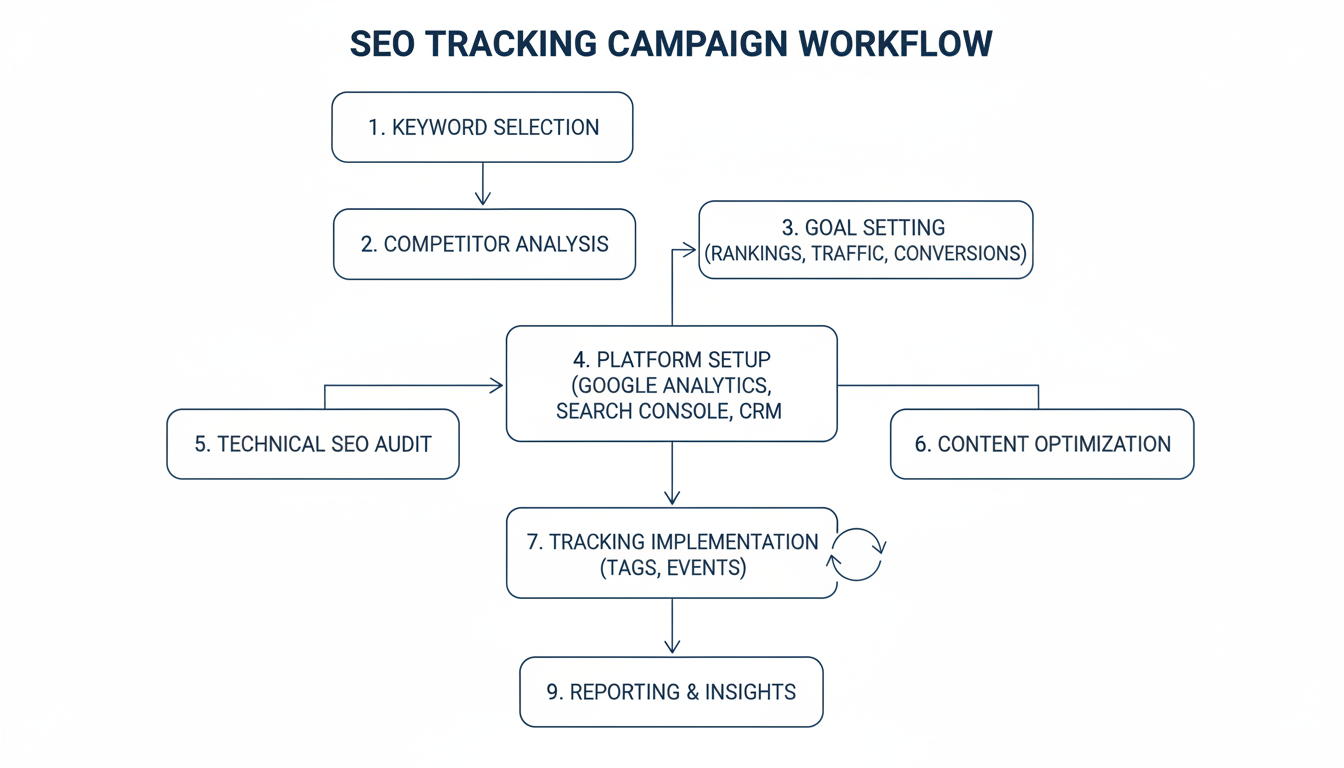
Buying the tool is the easy part. Setting it up correctly is where most people fail. Follow this workflow to ensure your data is clean and actionable.
- Clean Your Keyword List: Don’t just dump 5,000 keywords in. Group them by intent (e.g., “informational,” “transactional”).
- Set Your Location: Be specific. If you only sell in the US, don’t track global volume. It dilutes your data.
- Add Competitors: Add your top 3-5 direct competitors. You want to see their movements as clearly as your own.
- Tag Your Keywords: Use tags like “Blog,” “Product Pages,” or “High Priority.” This allows you to filter data later.
- Set Up Alerts: Configure the tool to email you only if a keyword drops by more than 3 positions. This saves you from “dashboard fatigue.”
Advanced Strategy: Using Data to Outrank Competitors
Having the data is one thing; using it is another. Once you have selected the Best SERP Checker, you need to integrate it into your weekly workflow.
Targeting “Low-Hanging Fruit”
Filter your report for keywords ranking in positions 11-20 (Page 2). These are your quick wins. By optimizing these pages—improving content quality, adding internal links, or speeding up the page—you can often push them to Page 1 with minimal effort. It’s the highest ROI activity in SEO.
Analyzing Search Intent
Search intent is the “why” behind a query. According to Google’s helpful content guidelines, satisfying this intent is paramount. Use your tool to look at the SERP history. If the top 10 results are all long-form guides and you’re trying to rank a product page, you have an intent mismatch. No amount of backlinks will fix that.
💡 Pro Tip
Look for keywords where you rank in the top 5 but don’t have the Featured Snippet. Reformat your content with clear definitions (using <h2> tags) or tables to try and “steal” that position zero.
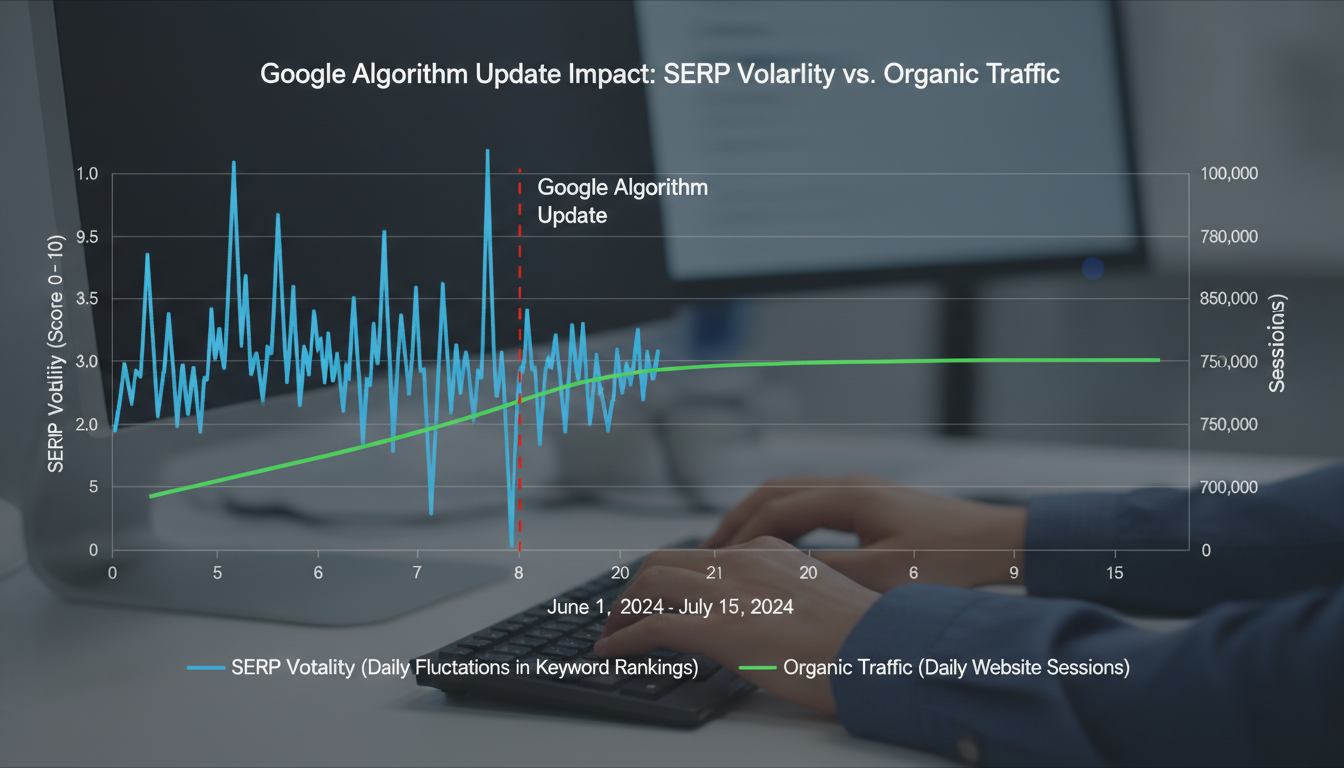
Monitoring Volatility
When a Google core update hits, panic usually ensues. A good SERP checker will display a “volatility score.” If the whole industry is shaking, sit tight. If only you are dropping while the industry is stable, you have a problem to fix.
Free vs. Paid: What’s the ROI?
Can you get by with a free tool? Maybe, if you run a hobby blog. But for a business, free tools are expensive in terms of time and missed opportunities. They often lack historical data, which is critical for spotting trends.
Paid tools offer API access, white-label reporting, and daily updates. Think of it this way: If a tool costs $100 a month but helps you secure a ranking that generates $5,000 in sales, the math is simple. It’s an investment, not a cost.
| Feature | Free Tools (GSC, etc.) | Paid Tools |
|---|---|---|
| Update Frequency | Delayed (2-3 days) | Daily or Real-Time |
| Competitor Data | None | Full Visibility |
| Location Accuracy | Broad (Country) | Precise (Zip Code) |
| Historical Data | Limited (16 months) | Unlimited (Years) |
Conclusion
Securing the top spot on Google is a complex puzzle, but the Best SERP Checker gives you the picture on the box. Whether you are a seasoned SEO veteran or a business owner taking control of your digital presence, accurate ranking data is the foundation of your strategy.
By utilizing these tools, you move from guessing to knowing. You can track your progress, spy on competitors, adapt to local markets, and respond to algorithm updates with agility. Remember, the goal isn’t just to check rankings; it’s to improve them. Choose a tool that fits your workflow, offers accurate data, and provides the insights you need to grow.
Ready to dominate the SERPs? Pick one of the tools above, set up your project today, and stop leaving your revenue to chance.
❓ Frequently Asked Questions
What is the most accurate SERP checker?
While accuracy fluctuates, tools like SEMrush and Ahrefs are widely considered the most accurate because they use massive, proprietary databases and frequent crawling schedules to provide real-time data that mirrors actual user experiences.
How often should I check my SERP rankings?
For active campaigns, daily tracking is ideal to spot immediate trends and react to volatility. However, for smaller sites or static niches, a weekly check-in is usually sufficient to monitor general health without getting obsessed with minor fluctuations.
Does checking my own rankings affect SEO?
Yes, it can. Manually searching for your own keywords frequently and not clicking on your site can lower your CTR (Click-Through Rate), sending negative signals to Google. It is much safer and more accurate to use a dedicated SERP checker tool.
What is the difference between mobile and desktop SERPs?
Google uses a mobile-first index. SERPs often differ between devices due to screen size, load speed, and local intent. A site might rank #1 on desktop but #5 on mobile if it isn’t perfectly optimized for smaller screens.
Can I use Google Search Console as a SERP checker?
Google Search Console is a fantastic free resource, but it shows “average position” rather than exact real-time ranking. It’s great for trends but lacks the competitor analysis and precise location tracking of paid tools.

