
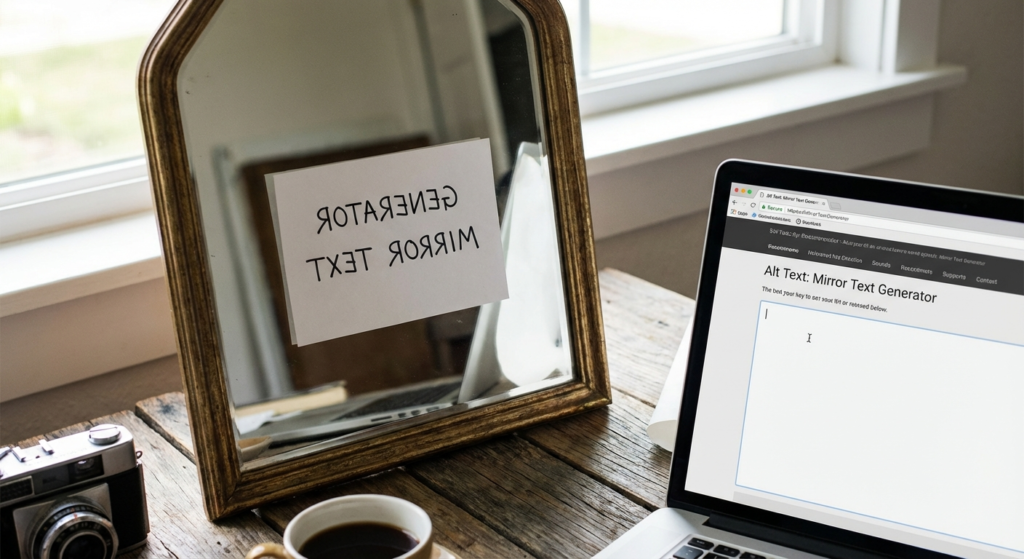
Stop. Look at the text below.
If you can read this, you just paused.
That split-second pause? That’s the holy grail of digital marketing in 2026. We call it a “pattern interrupt.” In a world where the average human attention span has dropped below eight seconds, standard Arial font just doesn’t cut it anymore. You need something that forces the brain to do a double-take.
Enter the mirror text generator.
It’s not just a glitchy aesthetic for gamers or hackers anymore. It’s a legitimate branding strategy used by top-tier influencers and marketers to hack “dwell time”—the amount of time a user lingers on your post. Whether you’re trying to spice up an Instagram bio, create a cryptic Twitter thread, or stand out in a Discord server, mirrored text is your secret weapon.
But here’s the thing: most people use it wrong. They overuse it, they break accessibility rules, or they use it in places that actually hurt their reach. In this guide, we’re going to strip away the confusion. You’ll learn exactly how this tech works, the psychological triggers it pulls, and how to use it without wrecking your SEO.
📑 What You’ll Learn
The Science: How Unicode “Magic” Works
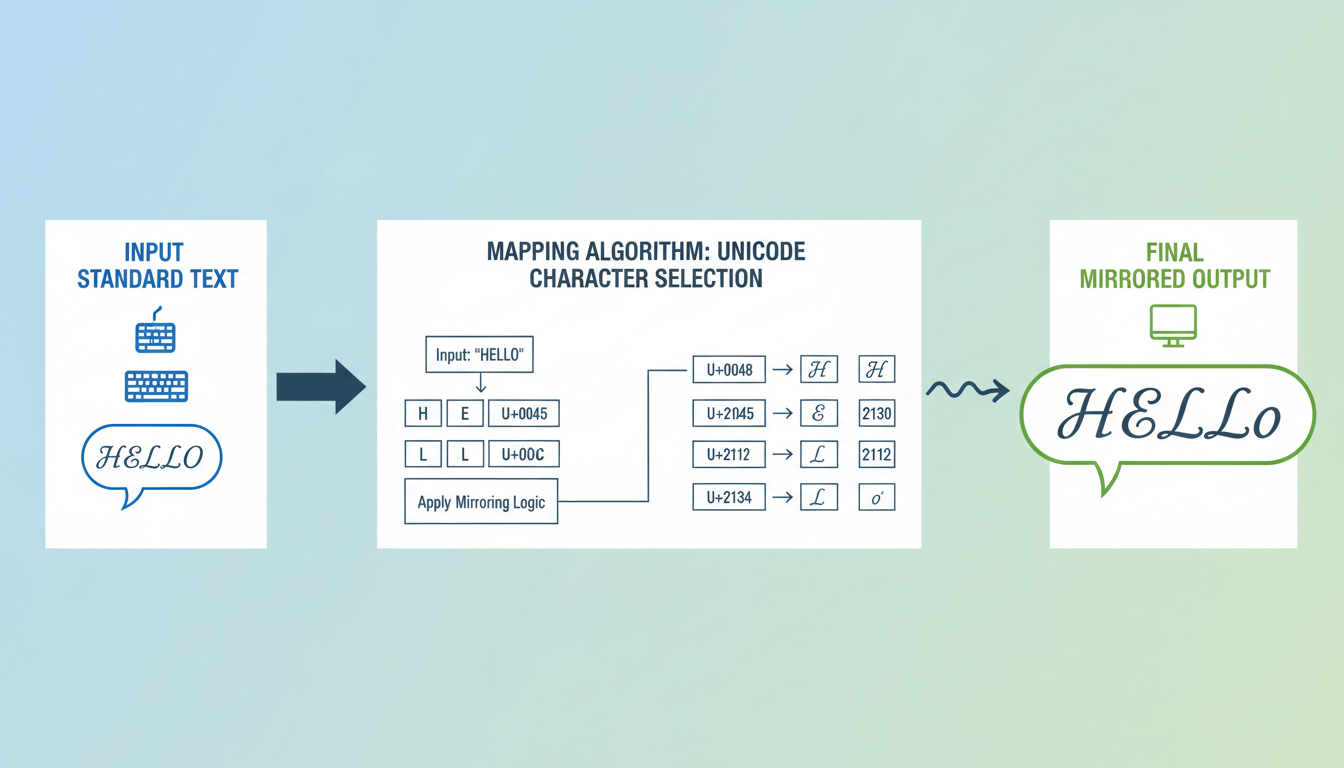
Let’s get technical for a second, but I promise to keep it simple. When you type into a standard text box, you’re usually using ASCII characters—the basic alphabet your computer learned back in the 1960s.
However, modern platforms support Unicode. Think of Unicode as the “universal language” of computers. It contains over 149,000 characters covering every language, emoji, and mathematical symbol known to man. A mirror text generator doesn’t actually “flip” an image of your text. Instead, it hunts through that massive library of 149,000 characters to find symbols that look like backward versions of your letters.
For instance, there is no “backward b” key on your keyboard. But in the International Phonetic Alphabet, there is a symbol (d) that looks exactly like it. The generator swaps your keystrokes for these lookalikes in milliseconds.
💡 Pro Tip
Because mirrored text is technically “text” and not an image, you can paste it almost anywhere—email subject lines, Wi-Fi names, and even file folders on your desktop.
Comparison: Mirror vs. Reverse vs. Flip
Not all distorted text is created equal. I’ve seen countless marketers mix these up, leading to confusing campaigns. Let’s clarify the terminology so you know exactly what effect you’re deploying.
| Effect Name | Visual Appearance | Best Use Case | Readability Score |
|---|---|---|---|
| Reverse Text | .txet sdrawkcab ekil skooL | Codes, riddles, escape room games. | Medium |
| Mirror Text | Looks like a reflection. | Artistic bios, “glitch” aesthetic posts. | Low (High Intrigue) |
| Upside Down (Flip) | ɯooʞs ɥıʞǝ ʇɥıs | Memes, expressing frustration, humor. | Medium |
| Zalgo / Glitch | L͡o͝ö́k͠s͞ c͘h͝a͝o͟t͝i͠c͝ | Horror themes, edgy branding, chaos. | Very Low |
7 Creative Strategies for 2026
We are well past the point of just doing this “for fun.” In 2026, engagement is currency. Here is how you can cash in using a mirror text generator.
1. The “Pattern Interrupt” Bio
Your Instagram or TikTok bio is prime real estate. Most people scan it in 0.5 seconds. By flipping just one word—like your job title or a key adjective—you force the brain to switch from “scan mode” to “read mode.”
Example: Digital Creator | Visual Artist | NYC
2. The “Hidden” Spoiler
Got a hot take on the latest Netflix series or a solution to a riddle? Post it in reverse text. This adds a layer of gamification. Your followers have to mentally decode it, which skyrockets your engagement metrics because they are spending 10x longer on your post than a normal one.
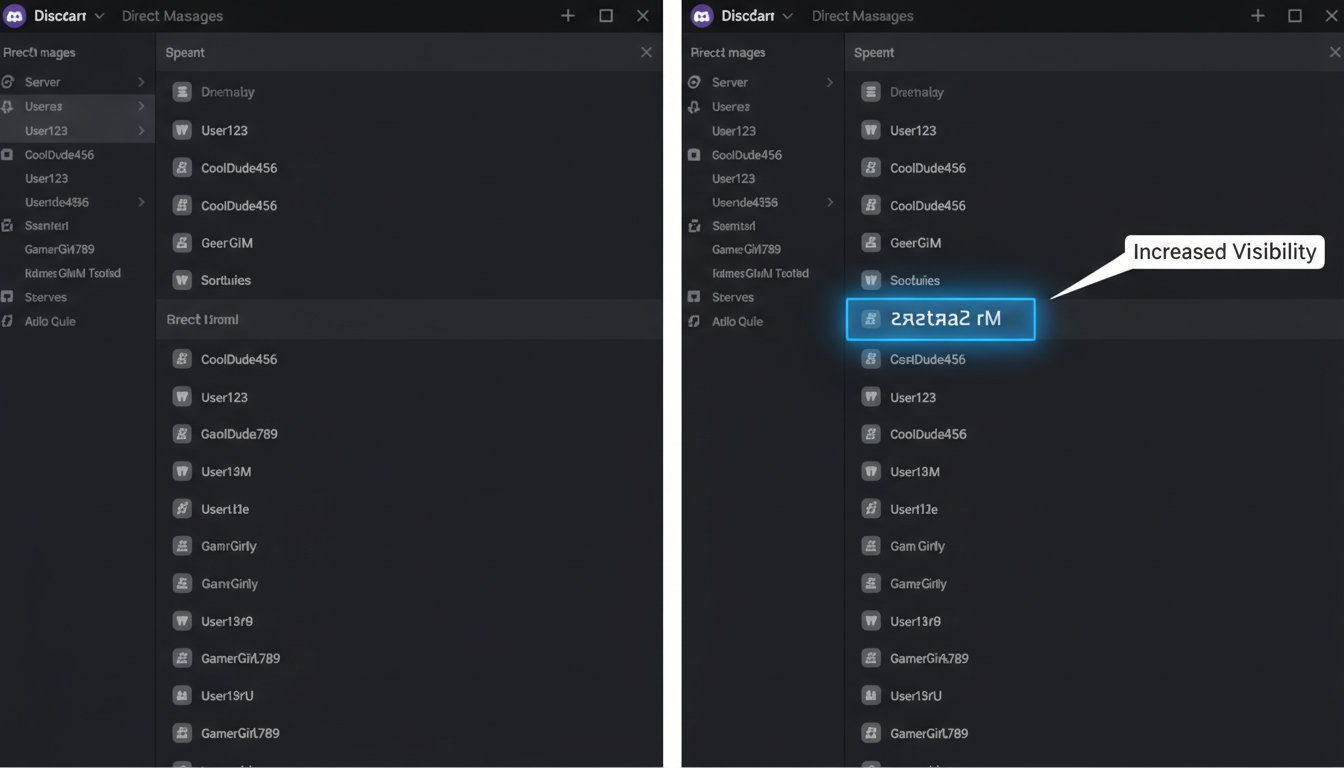
3. Discord Server Dominance
In a sea of thousands of users, a standard username blends into the background noise. A mirrored username stands out in the chat log immediately. It signals that you are tech-savvy and part of internet culture. It’s a subtle flex, but it works.
4. The “Glitch” Aesthetic for Brands
Cyberpunk and Vaporwave aesthetics aren’t going anywhere. If your brand leans into technology, streetwear, or modern art, using mirrored text in your captions reinforces that visual identity without needing expensive graphic design work.
5. Email Subject Lines (With Caution)
Imagine opening your inbox and seeing 50 normal emails and one that looks backward. You will look at it. However, use this sparingly. If you do it every week, it becomes annoying. Do it once for a major announcement, and watch your open rates tick up.
⚠️ Watch Out
Some aggressive spam filters might flag emails with excessive Unicode characters. Always A/B test your subject lines with a small segment of your list first.
6. Creative Data Obfuscation
Developers and data analysts sometimes use text transformation to visually hide data without actually encrypting it. It’s not secure, but it prevents casual shoulder-surfing. It’s similar to how you might format code for readability, but in reverse—formatting it for obscurity.
7. The “Mirror Selfie” Caption
This is meta, but effective. If you post a photo taken in a mirror, caption it with mirrored text. It’s a clever nod to the format of the photo and usually garners comments like “How did you do that?”—which, again, boosts your algorithmic ranking.
Step-by-Step: Generating Your Text
Ready to try it? You don’t need to be a coder. Here is the workflow I use for my campaigns:
- Draft Your Message: Type your phrase into a standard notes app first. Keep it short—under 10 words is the sweet spot.
- Choose Your Tool: Open your preferred mirror text generator.
- Select the Mode: Decide if you want “Reverse” (readable but backward) or “Mirror” (requires a mirror to read).
- Copy the Result: Hit the copy button. Crucial: Make sure you don’t miss any invisible characters at the start or end.
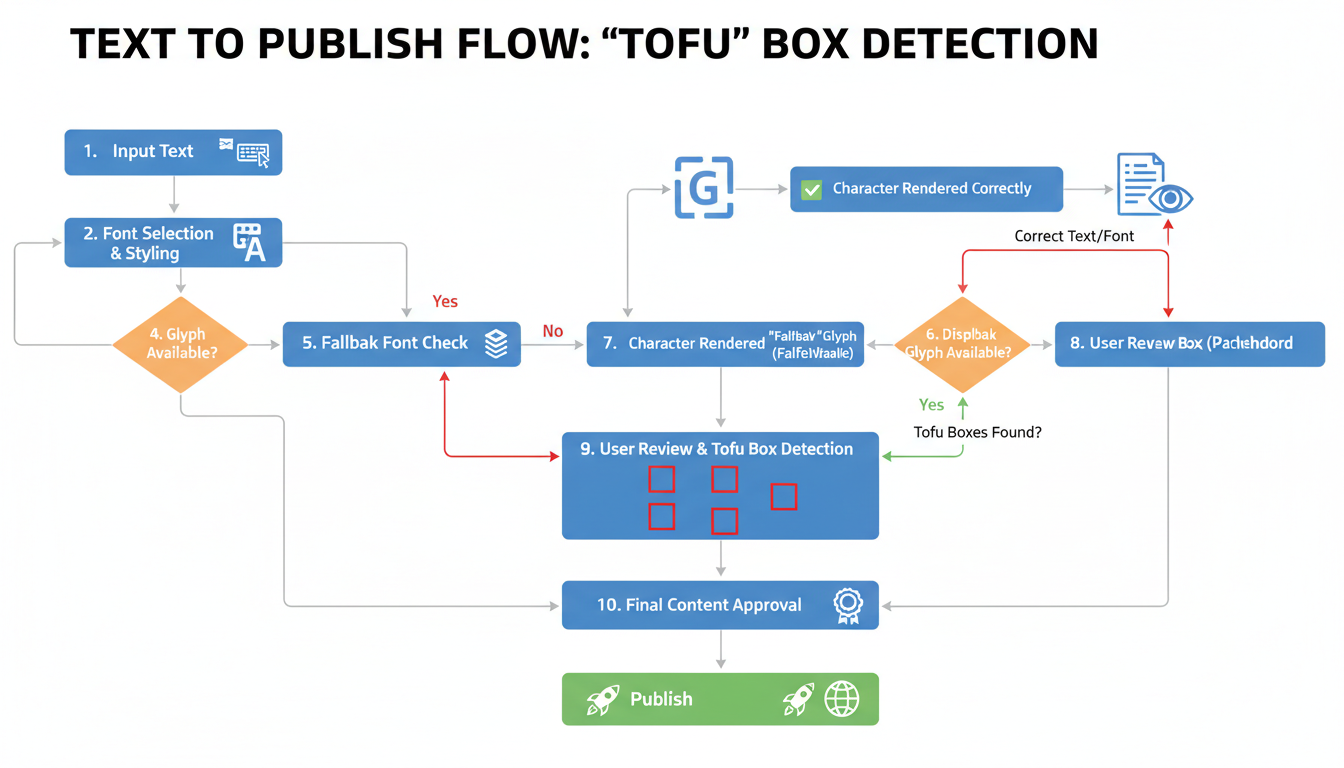
- The “Tofu” Test: Paste the text into a private message to yourself or a draft post. If you see empty rectangular boxes (we call this “tofu”), the platform doesn’t support those specific characters.
- Publish: Once verified, push it live.
The Accessibility Trap (Read This!)
This is the most important section of this article. Please read it carefully.
While mirrored text looks cool visually, it is a nightmare for accessibility. Screen readers—software used by blind or visually impaired people to navigate the web—do not read mirrored text as words. They read the Unicode description of every single character.
So, instead of reading “HELLO,” the screen reader might say: “Mathematical Sans-Serif Bold Capital H, Mathematical Sans-Serif Bold Capital E…”
It is an awful user experience. According to the Web Accessibility Initiative (WAI), ensuring content is understandable is a core principle of web design.
🎯 Key Takeaway
Never use mirrored text for essential information like dates, prices, or instructions. Use it strictly for decorative headlines, usernames, or artistic flair. Always provide a plain-text version if the content is important.
Conclusion
The digital environment of 2026 is noisy. Everyone is shouting, so sometimes the best way to be heard is to whisper—or in this case, to write backward. A mirror text generator is a powerful tool in your creative arsenal, allowing you to stop the scroll and spark curiosity.
But like any powerful tool, it requires discipline. Use it to accent your brand, not to obscure your message. Test it on different devices, respect accessibility guidelines, and have fun with it. Now, go flip the script (literally) on your next post.
❓ Frequently Asked Questions
Will using mirror text hurt my SEO?
It can. Google bots are smart, but they primarily index standard text. If you write your entire blog post or main keywords in mirrored text, Google might not recognize them, hurting your rankings. Keep your primary keywords in standard font and use mirrored text for visual elements only.
Is it safe to use mirrored text for passwords?
No. Absolutely not. Mirrored text is not encryption; it’s just a font substitution. Any hacker or bot can decode it instantly. Stick to standard security practices for sensitive data.
Why do I see boxes instead of letters sometimes?
Those boxes are called “.notdef” (not defined) glyphs, often nicknamed “tofu.” It happens when the device or browser you are using doesn’t have the specific font file installed to display that Unicode character. It’s common on older Android phones or outdated Windows systems.
Can I use this on all social platforms?
mostly, yes. Twitter (X), Instagram, Facebook, and TikTok handle Unicode well. However, some specific fields—like the “Name” field on certain banking apps or official forms—will reject these characters as invalid input.
Where can I learn more about how computers read text?
For a deep dive into how characters are encoded, the Unicode Consortium’s Wikipedia entry is a great starting point. Additionally, Moz’s Guide to SEO offers excellent advice on why readability matters for search rankings.
Read Also:
- Mastering Your Money: How to Use a Budget Planner Effectively
- 10 Proven Strategies to Master SEO Texte for Higher Google Rankings
- Blogs
- Master Mental Math in 2026
- Tons to Square Yards Calculator (2026 Project Guide)
- Tame JSON: Your 2026 Developer Guide
- Readability Tool: Skyrocket Content SEO & Engagement – Visual Story
- Torque Conversion Mastery 2026: The Pro’s Guide to N·m & ft-lb
- Unlock PDFs in 2026: Your Ultimate Guide

