
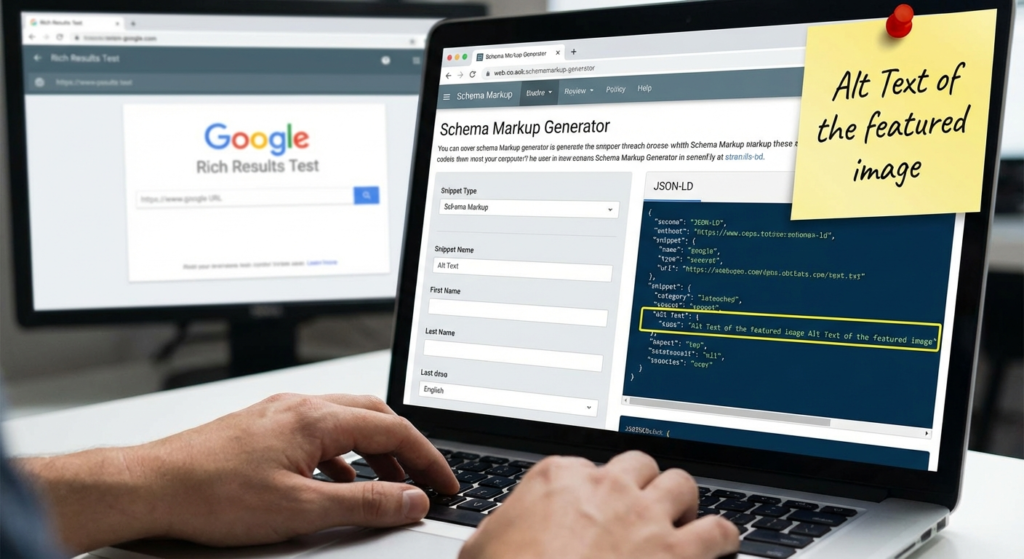
In the ever-evolving landscape of Search Engine Optimization (SEO), standing out in search results is no longer just about keywords and backlinks. It is about communication—specifically, how well your website communicates with search engines. This is where the concept of structured data comes into play, and more importantly, where a reliable schema generator becomes an indispensable tool for webmasters and digital marketers alike.
Imagine speaking a language that Google, Bing, and Yahoo understand perfectly, allowing them to instantly categorize your content and display it attractively to users. That is what schema markup does. However, writing this code manually can be tedious and error-prone. A schema generator bridges the gap between complex coding requirements and user-friendly implementation, ensuring your site qualifies for those coveted rich snippets without requiring a degree in computer science.
Just as you might use a Title Case Converter to ensure your headlines look professional, using a dedicated tool for your backend code ensures technical perfection. In this comprehensive guide, we will explore how to effectively use a schema generator, the different types of markup available, and why this tool is a game-changer for your organic visibility.
Why Every SEO Strategy Needs a Schema Generator
Structured data is code that you put on your website to help the search engines return more informative results for users. The vocabulary used is standardized by Schema.org. While the concept is powerful, the execution is technical. This is why a schema generator is vital.
A schema generator is a software tool or online interface that allows you to input data about your page—such as the headline, author, publish date, or product price—and automatically outputs the correct code (usually in JSON-LD format) to be pasted into your website’s HTML. Without a schema generator, you are left handwriting complex brackets and commas, where a single syntax error can render the entire code useless.
The Impact on Rich Results
The primary goal of using a schema generator is to achieve “Rich Results.” These are the enhanced search listings that include star ratings, images, FAQs, and pricing information directly on the search results page (SERP). Rich results have been proven to increase Click-Through Rates (CTR) significantly. By using a tool to generate accurate code, you signal to Google that your content is eligible for these visual enhancements.
Top Features to Look for in a Schema Generator
Not all tools are created equal. When selecting a schema generator, you need to ensure it supports the latest standards and offers flexibility. A robust tool minimizes the friction between content creation and technical deployment.
JSON-LD Support
Google explicitly prefers JSON-LD (JavaScript Object Notation for Linked Data) over other formats like Microdata or RDFa. Ensure your generator outputs clean JSON-LD code that can be placed in the <head> of your site.
Wide Schema Variety
Your site isn’t one-dimensional. A good generator should support various types: Local Business, Article, Product, Event, Recipe, and FAQPage schemas to cover all your content bases.
Validation Integration
The best tools often link directly to the Google Rich Results Test, allowing you to validate the code immediately after generation to ensure there are no critical errors.
Step-by-Step: How to Use a Schema Generator Effectively
Using a schema generator is generally a straightforward process, but following a structured workflow ensures you get the maximum benefit with minimal errors. Here is how to approach it:
- Identify the Page Type: Determine what the main entity of your page is. Is it a blog post? A product page? A contact page for a local business? Choosing the correct category is step one.
- Input Your Data: Fill in the fields provided by the schema generator. Be as granular as possible. If it asks for an image URL, logo, or social profile links, provide them. The more information you give the search engine, the better.
- Generate the Code: Click the button to create your snippet. The tool will assemble the data into a script.
- Validate: Before adding it to your site, run the code through a validation tool. This acts as a safety net.
- Implement: Copy the script and paste it into the HTML of your page, typically within the <head> section or using a plugin if you are on WordPress.
Generating Local Business Markup with a Schema Generator
For local SEO, utilizing a schema generator to create LocalBusiness markup is non-negotiable. This specific markup helps Google understand your operating hours, address, phone number, and exact location coordinates. When users search for “services near me,” this structured data powers the Knowledge Graph and Google Maps results.
When using a schema generator for this purpose, ensure you match the Name, Address, and Phone Number (NAP) exactly as it appears on your Google Business Profile. Consistency is key to building trust with search algorithms.
Common Mistakes When Using a Schema Generator
Even with automation, human error can creep in. Here are common pitfalls to avoid when leveraging a schema generator for your website.
- Marking Up Invisible Content: Google’s guidelines state that the structured data must represent content that is visible to the user on the page. Do not use a schema generator to add fake reviews or hidden text just to game the system.
- Using the Wrong Type: Don’t mark up a blog post as a “Product” unless you are actually selling something on that page. Misleading schema can lead to manual penalties.
- Forgetting to Update: If your business hours change or you update a product price, you must update the schema. Static code generated months ago may become inaccurate.
Advanced Strategies: Combining Schemas
Sophisticated SEOs know that a page can have multiple entities. For example, a product page might have `Product` schema, `BreadcrumbList` schema, and `FAQPage` schema simultaneously. A high-quality schema generator allows you to create these blocks individually. You can then stack them in your header.
However, be careful not to create conflicting signals. If you are writing a review about a game, you might want to link out to related tools. For instance, if you are reviewing a Bingo Card Game, your schema should reflect that the page is a Review or an Article about a Game, not the game itself (unless you are the developer). Context is everything.
Validating Code from Your Schema Generator
Never blindly trust a tool. Once you have used your schema generator, you must verify the output. You should use authoritative resources for this validation.
The standard for checking your work is the Google Rich Results Test. This tool tells you exactly which rich snippets your page is eligible for and highlights any syntax errors. Additionally, for a deeper understanding of the vocabulary, always reference Schema.org, the collaborative community activity with a mission to create, maintain, and promote schemas for structured data on the Internet.
The Future of Search and Structured Data
As Artificial Intelligence and Voice Search continue to grow, the reliance on structured data will only increase. Voice assistants like Siri and Alexa rely heavily on structured context to answer questions directly. By using a schema generator today, you are future-proofing your content for the semantic web of tomorrow.
Whether you are running a simple blog or a complex e-commerce site, the efficiency provided by a schema generator allows you to scale your SEO efforts. It removes the technical barrier to entry, allowing you to focus on creating great content while the tool handles the communication with the bots.
In conclusion, the strategic use of a schema generator is a fundamental aspect of modern technical SEO. It saves time, reduces coding errors, and opens the door to rich results that drive traffic. By understanding how to implement and validate this markup, you position your website as an authoritative, easily understood entity in the vast ocean of the internet.
Frequently Asked Questions
Google recommends JSON-LD (JavaScript Object Notation for Linked Data). It is the easiest to implement using a schema generator as it does not require wrapping HTML tags around your content, unlike Microdata.
No tool can guarantee rich snippets. A schema generator ensures your code is technically correct and eligible, but Google ultimately decides whether to show rich results based on domain authority, query relevance, and quality guidelines.
Strictly speaking, John Mueller of Google has stated that structured data is not a direct ranking factor. However, it helps search engines understand your content better, and rich results significantly improve CTR, which can indirectly boost SEO performance.
No. The primary purpose of a schema generator is to allow non-coders to create complex JSON-LD scripts by simply filling out a form with information like URLs, headlines, and descriptions.
You should update your schema whenever the core information on the page changes. For example, if product pricing changes, or if you update the publish date of an article, you should regenerate the code to reflect the new data.

