
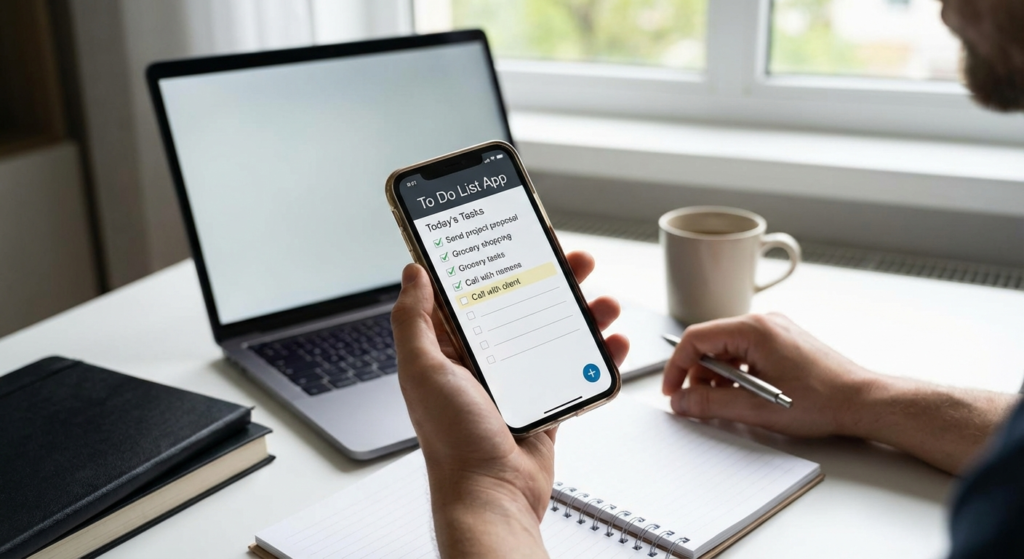
In the fast-paced digital age, keeping track of our responsibilities can feel like trying to hold water in a sieve. Whether you are a busy professional, a student juggling assignments, or a parent managing a household, the mental load can be overwhelming. This is where the humble, yet powerful, to do list comes into play. It is not merely a collection of tasks; when utilized correctly, a digital to do list acts as an extension of your brain, freeing up cognitive space for creativity and problem-solving.
Many people start a list but abandon it within a week, claiming it adds to their stress rather than alleviating it. However, the problem often isn’t the concept of the list itself, but the methodology used. By leveraging the advanced features of a modern to do list app, you can transform chaos into order. In this comprehensive guide, we will explore how to optimize your task management workflow to ensure you are not just busy, but truly productive.
Why a Digital To Do List is Essential in 2024
Gone are the days when a sticky note on the monitor was sufficient for task management. As our lives become more integrated with technology, our organizational tools must keep pace. A digital to do list offers advantages that pen and paper simply cannot match. The ability to set recurring reminders, categorize tasks by project, and sync data across devices ensures that your tasks are always accessible, whether you are at your desk or on the go.
Furthermore, digital apps allow for dynamic prioritization. Unlike a static paper list, a digital to do list lets you drag and drop tasks as priorities shift throughout the day. This flexibility is crucial in a modern work environment where agility is key to success. By centralizing your obligations in one app, you reduce the anxiety associated with “forgetting something important,” allowing you to focus deeply on the task at hand.
Accessibility
Your tasks travel with you. Access your list from your smartphone, tablet, or laptop, ensuring you never miss a beat regardless of your location.
Collaboration
Modern apps allow you to share lists with colleagues or family members, assigning tasks and tracking progress in real-time.
Automation
Set recurring tasks for daily habits or weekly reports so you never have to waste mental energy remembering routine obligations.
The Psychology Behind a Successful To Do List
Understanding why we struggle to complete tasks is the first step toward fixing the problem. Psychologically, uncompleted tasks create mental tension—a phenomenon known as the Zeigarnik effect. Your brain remains in a state of low-level anxiety until the loop is closed. A well-structured to do list provides a sense of closure even before the task is done, simply by externalizing it. By writing it down, you are telling your brain, “I have captured this; it is safe to stop worrying about it for now.”
However, a list that is too long can have the opposite effect, leading to decision paralysis. This is why curating your to do list is as important as creating it. The goal is to create a roadmap for the day that feels achievable, providing a dopamine hit with every checked box that motivates you to continue.
Overcoming the “To Do List” Overwhelm
One common pitfall is treating a to do list as a wish list. If you add 30 items to your list for a single day, you are setting yourself up for failure. Instead, use your app to create a “Master List” for everything and a separate “Daily List” for what must happen today. This separation protects your peace of mind and keeps your daily focus sharp.
How to Structure Your To Do List for Success
Creating an effective list requires a strategy. Merely dumping tasks into an app results in a cluttered mess. To truly master your to do list, you need to categorize and prioritize. Most apps offer tagging or folder systems—use them. Separate your work tasks from personal errands. Within work, separate deep focus tasks from administrative shallow work.
Just as financial discipline requires understanding how small contributions grow over time, productivity requires consistency. You can think of your daily task completion like building wealth; small, consistent actions compound into massive results. For a deeper understanding of this compounding effect in other areas of life, you might look at a guide on compound interest, which shares a similar principle: consistency wins over intensity.
Implementing the Eisenhower Matrix in Your To Do List
The Eisenhower Matrix is a method of prioritizing tasks by urgency and importance. Your to do list app likely allows you to flag high-priority items. Use this feature to categorize tasks into four quadrants:
- Do First: Urgent and important tasks (e.g., a project deadline today).
- Schedule: Important but not urgent (e.g., strategic planning or exercise).
- Delegate: Urgent but not important (e.g., certain emails or scheduling meetings).
- Delete: Neither urgent nor important (e.g., doom-scrolling social media).
Advanced Features to Look for in a To Do List App
Not all apps are created equal. When selecting the right tool, look for features that support your specific workflow. A robust to do list should offer natural language processing, meaning you can type “Meeting at 5pm tomorrow” and the app automatically sets the date and time. It should also integrate with your calendar, ensuring that your tasks and your time block schedule are in harmony.
Smart Reminders
Look for location-based reminders that ping you to “buy milk” when you are near the grocery store, blending context with your tasks.
Subtasks
The ability to break a massive project into bite-sized subtasks is crucial for overcoming procrastination on big goals.
Focus Mode
Some apps offer a “focus mode” that hides everything except the one task you are currently working on to eliminate distractions.
Common Mistakes When Managing a To Do List
Even with the best apps, user error can derail productivity. A frequent mistake is being vague. Writing “Work on Project X” on your to do list is a recipe for procrastination because the entry point is unclear. Instead, write “Draft the introduction for Project X report.” Specificity drives action. Another error is failing to review the list. A to do list that isn’t reviewed morning and night becomes a graveyard of good intentions.
Additionally, avoid the trap of “productive procrastination,” where you spend more time organizing your list than actually doing the work. If you find yourself color-coding your tags for the third time this week, it’s time to stop organizing and start executing. Sometimes, you need to convert your planning energy into kinetic action. Speaking of conversion, just as you might use a power convertor to change energy forms, you must mentally convert your “planning mode” into “doing mode” to see results.
Integrating Time Blocking with Your To Do List
A list tells you what to do; a calendar tells you when to do it. The most effective productivity system combines your to do list with time blocking. Look at your list, estimate how long each task will take, and physically slot them into your calendar. This reality check often reveals that you have planned 12 hours of work for an 8-hour day, allowing you to adjust expectations before the day begins.
According to Harvard Business Review, time blocking can significantly increase productivity by reducing the cognitive load of deciding what to do next. By marrying your list to your calendar, you create a commitment device that makes it harder to back out of your responsibilities.
Conclusion
Mastering the use of a to do list app is not about finding the perfect software, but about cultivating the right habits. It is about externalizing your mental load, prioritizing ruthlessly, and executing with focus. Whether you are using a simple checklist or a complex project management tool, the principles remain the same: capture, clarify, and complete.
By implementing the strategies outlined above—leveraging digital features, understanding the psychology of completion, and integrating time blocking—you can transform your to do list from a source of guilt into a powerful engine for success. Start small, be specific, and watch your productivity soar.
FAQs
Start with a “Brain Dump.” Write down every single task, big or small, that is currently on your mind. Once everything is out of your head and into the app, you can categorize and prioritize. This immediately lowers anxiety levels.
A good rule of thumb is the “1-3-5 rule”: 1 big task, 3 medium tasks, and 5 small tasks. This ensures you make progress on major projects while clearing out smaller administrative duties, keeping the list manageable.
It is generally better to keep them in the same app but use different categories or tags (e.g., “Work” vs. “Personal”). This gives you a holistic view of your day without letting personal errands distract you during deep work sessions.
You are likely writing tasks that are too vague or too large. Break them down into the smallest actionable step. Instead of “Clean house,” write “Vacuum the living room.” Small steps reduce the friction to start.
While paper offers tactile satisfaction, a digital app is superior for long-term organization, searchability, reminders, and recurring tasks. However, some people find a hybrid approach effective: maintaining a master list digitally and writing a short daily list on paper.

