
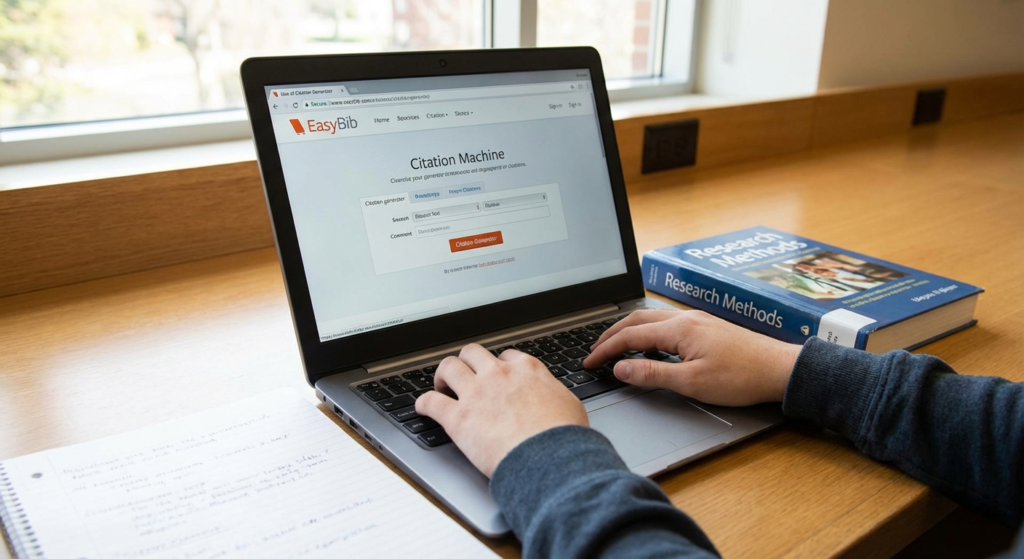
Staring down a mountain of research papers? Let’s be real, academic writing is tough. It’s not just about the ideas; it’s about dotting every ‘i’ and crossing every ‘t’—especially when it comes to citations. That’s where a citation generator comes in as a lifesaver. Whether you’re knee-deep in a doctoral dissertation or just trying to ace that high school essay, the ability to automatically format sources? It’s a game-changer. It saves you hours, and seriously cuts down on accidental plagiarism.

Think of it: no more squinting at style guides! In this guide, we’ll break down how these tools work, why every researcher should be using one, and how to get the most out of them while staying squeaky-clean, ethically speaking. In the same way that a YouTube Title Generator boosts video views, a solid citation tool supercharges your academic cred.
What is a Citation Generator?
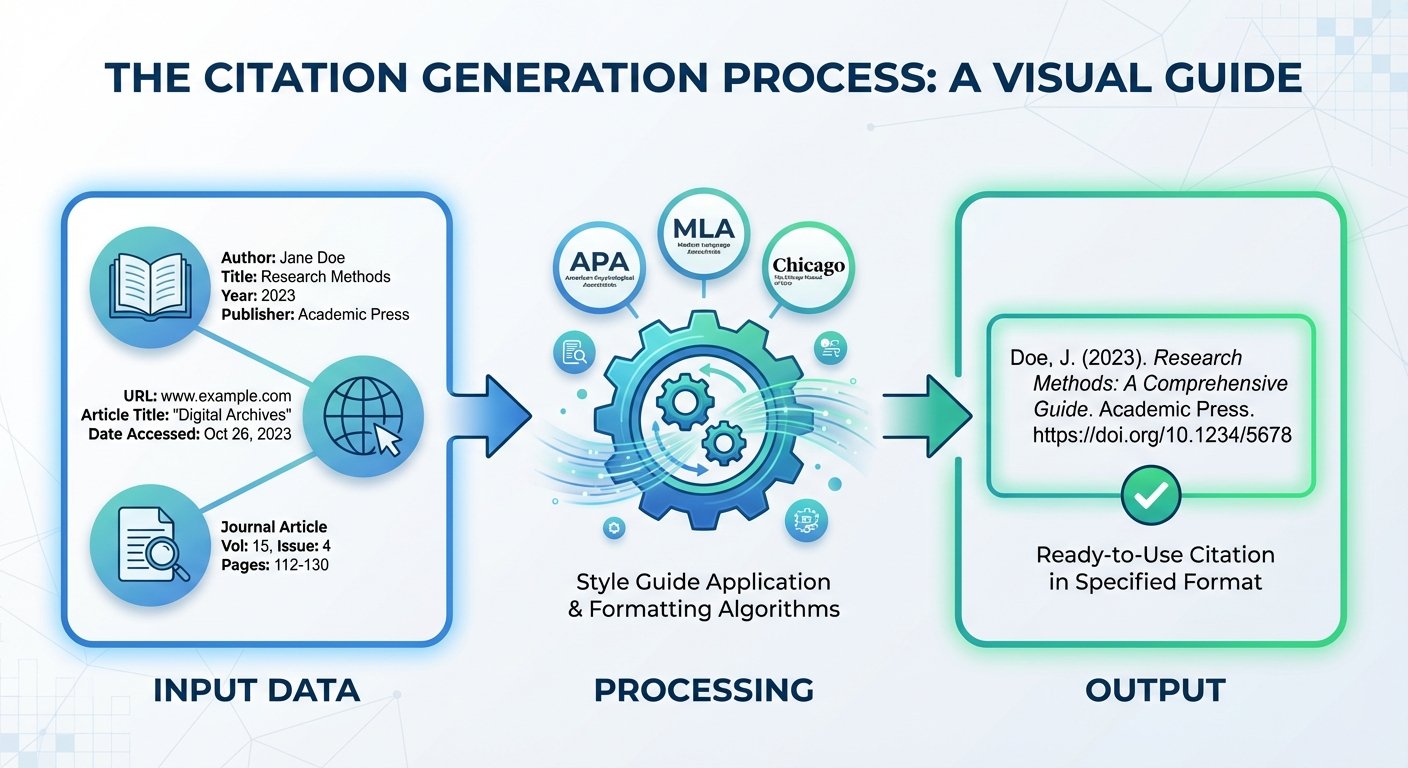
Okay, so what *is* a citation generator? It’s basically a digital wizard that takes all that messy bibliographic info – you know, book titles, author names, dates, URLs – and spits it out in a specific citation style like APA, MLA, or Chicago. Think of it as a translator, turning raw data into a structured format that follows all those nitpicky academic rules.
Today’s research pulls from *everything*, right? Textbooks, podcasts, tweets… Keeping track of every single formatting rule for each source type? Forget about it! A citation generator automates the comma placement, the italics – everything needs to be exactly where it should be.
Input Data
You feed the tool the source details: ISBN, URL, DOI, you name it.
Processing
The generator applies the rules of your chosen style guide (APA 7th, MLA 9th, etc.).
Output
Boom! A perfectly formatted citation, ready to copy-paste into your bibliography.
Why You Need a Citation Generator for Research
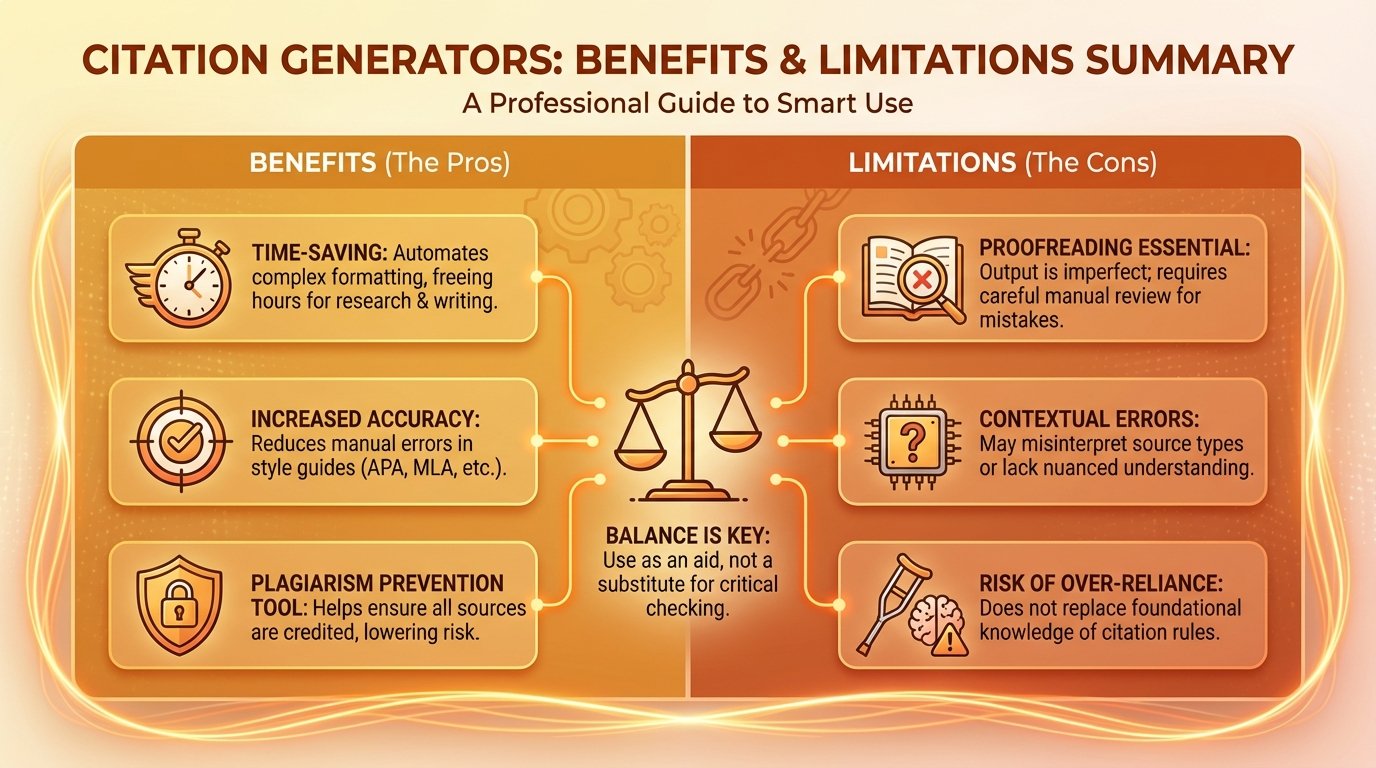
Sure, a citation generator saves time. But the real benefits? They go way beyond just speed. These tools seriously boost the credibility of your work. A flawless reference list tells your professor or reviewer that you care about the details and respect intellectual property.
Plus, it frees up your brain! Instead of stressing over whether the year goes in parentheses or if the volume number is italicized, you can actually focus on what you’re *saying*. It’s like how a Data Storage Convertor organizes digital space, but for your research process.
Ensuring Accuracy and Consistency
Inconsistency is a major risk when you’re doing citations manually. Maybe you abbreviate a journal title in one place but write it out somewhere else. A citation generator uses the same logic every time, guaranteeing that everything looks uniform. This consistency is a must for getting published or earning those top grades.
How to Use a Citation Generator Effectively
These tools are powerful, but they need good info to work right. A citation generator? It’s only as good as what you put into it. Here’s how to make sure you get the best results:
- Double-Check Source Details: Before you hit “generate,” make sure the author, date, and title all match the actual source.
- Pick the Right Edition: Style guides change! Make sure your citation generator is using the latest version (MLA 9, APA 7, whatever’s current).
- Watch the Capitalization: Some generators pull data in ALL CAPS or lowercase. You might need to tweak the capitalization yourself.
Common Styles Supported by a Citation Generator
Different fields use different citation styles. A good citation generator will support tons of them. Knowing which one to use is key for your field.
APA Style
Psychology and Social Sciences love it. It focuses on the author and date, which is great for showing how current your research is.
MLA Style
Literature and Humanities standard. It emphasizes the author and page numbers for easy source finding.
Chicago Style
History and Fine Arts use it. It uses footnotes or endnotes for detailed commentary on sources.
Using a Citation Generator for APA Style
APA is super common. When using a citation generator for APA, pay attention to the “sentence case” rule for titles. Only the first word and proper nouns get capitalized. Sometimes, the tool misses this if the source data is formatted wrong.
For the real deal on APA, check out the APA Style Blog. It’s packed with info that’ll help you fine-tune what the generator spits out.
The Role of Citation Generators in Avoiding Plagiarism
Plagiarism often happens by accident – bad record-keeping, confusion about giving credit. A citation generator helps you track where your info came from. It helps you build the habit of citing as you go, instead of scrambling at the last minute. It’s a key tool in ensuring academic integrity.
Remember, the generator creates the entry, but *you* have to put the in-text citation in the right spot. Think of it this way: the generator gives you the parts; you build the machine. For more on ethical writing, Purdue OWL is your friend.
Limitations: When to Double-Check Your Citation Generator
Look, no software is perfect. A citation generator uses algorithms and databases, and sometimes they mess up. You *have* to treat the output as a draft that needs checking.
Why a Citation Generator Can’t Replace Proofreading
Machines don’t get context. A generator might think a proper noun is a common noun or not recognize a corporate author. And weird sources like government reports? They often need manual work. Always compare what your citation generator gives you to the official style guide before you turn in your work.
Conclusion
These days, a citation generator isn’t just nice to have; it’s essential for getting stuff done in academia. It automates the technical stuff, so you can focus on what really matters: your ideas and arguments. Use it to make your workflow smoother, keep everything consistent, and stay ethical. Just remember to give it a final once-over to make sure it’s perfect. It’s a key tool for students and researchers alike.
Frequently Asked Questions
Nope! It’s a formatting tool, like a spell-checker. Just make sure your citations are right and you’re giving credit where it’s due.
Most can handle books, websites, journals, and videos. But unusual sources might need manual formatting.
It depends on your field or what your instructor wants. APA is usually for sciences, MLA for humanities, and Chicago for history. Always check your assignment guidelines.
They try, but they’re not perfect. Always proofread!
Free ones are often great for basic needs. Paid versions might have extra features, but the core formatting is usually the same.
Ready to streamline your research? Give a citation generator a try and reclaim your time! And don’t forget to explore other helpful tools on ToolsRiver.com!

