
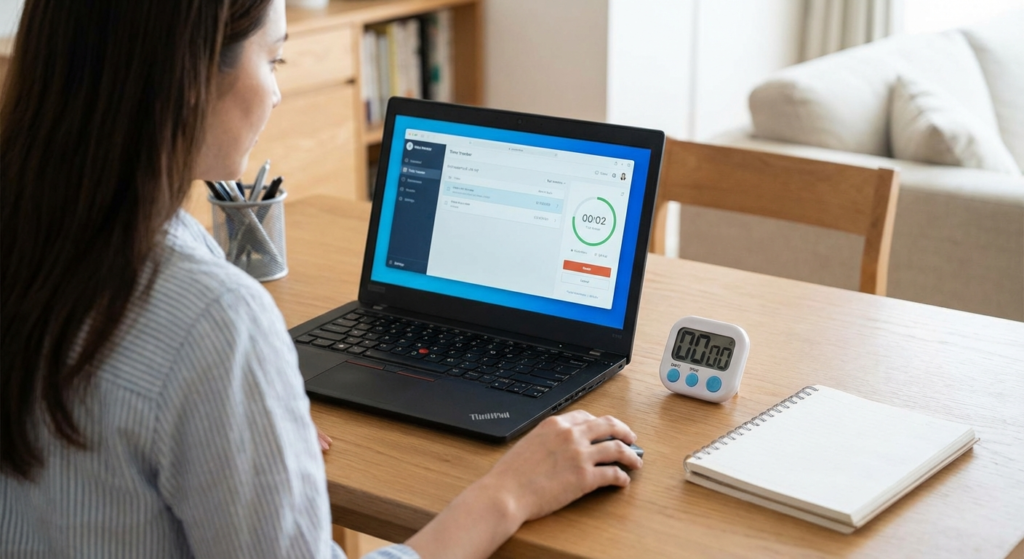
Here’s a scary thought: the average knowledge worker loses over two hours every single day to distractions they don’t even remember. That’s ten hours a week. Over a year? That’s 500 hours of lost revenue, lost creativity, or just lost sleep.
If you’re reading this in 2026, you know the drill. The remote work revolution isn’t new anymore—it’s the standard. But with that freedom comes a massive challenge: accountability. Not just to your boss or your clients, but to yourself.
This is where the effective use of time tracker software shifts from being a “nice-to-have” to a survival tool. But let’s be real for a second. Most people use these tools wrong. They treat them like digital punch cards, clocking in and out without ever looking at the data. That’s a waste.
In this guide, I’m going to show you how to flip the script. We aren’t just going to talk about logging hours; we’re going to talk about energy management, profitability analysis, and how to use these tools to actually work less while earning more. I’ve spent the last decade managing remote teams and testing virtually every platform on the market. Here is what actually works.
📑 What You’ll Learn
The Mechanics: More Than Just a Stopwatch
At its simplest level, a time tracker is software that records the duration of tasks. But if you’re still thinking of it as a stopwatch, you’re stuck in 2015. Modern tools in 2026 are sophisticated productivity engines.
They generally fall into two camps: Active (Manual) and Passive (Automatic). Understanding the difference is critical because choosing the wrong one for your personality type is the #1 reason people quit tracking after a week.
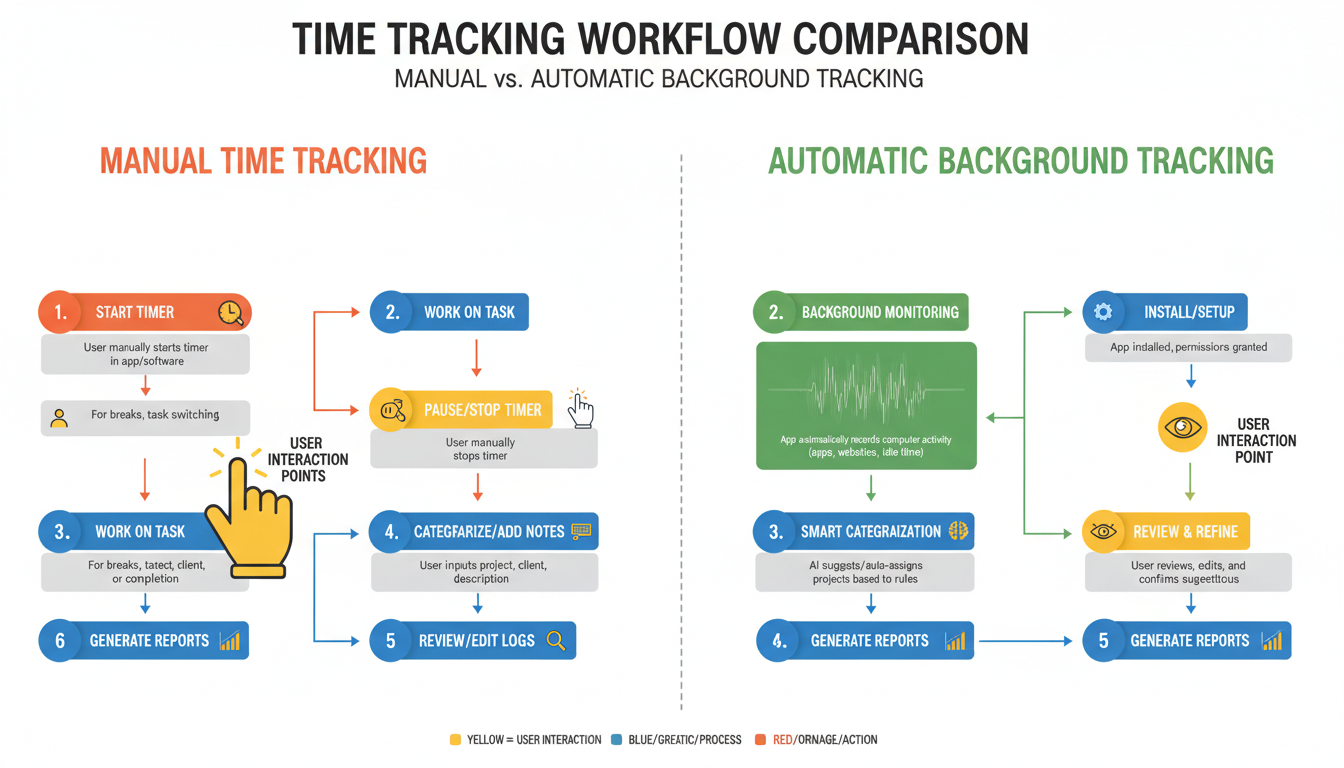
| Feature | Manual Tracking (Active) | Automatic Tracking (Passive) |
|---|---|---|
| How it works | User pushes “Start/Stop” for specific tasks. | Software runs in background, logging app/URL usage. |
| Best for | Freelancers billing hourly; Deep Work sessions. | Agencies needing granular data; forgetful users. |
| Pros | Creates psychological “commitment” to the task. | Zero effort required; captures every minute. |
| Cons | Easy to forget to switch timers. | Can feel invasive; requires categorization later. |
💡 Pro Tip
Don’t try to track 100% of your day immediately. Start by tracking only your “Deep Work” blocks. This builds the habit without the fatigue of logging every bathroom break or coffee refill.
The Business Case: Profitability vs. Guesswork
Why do top-tier agencies obsess over the use of time tracker systems? It’s not to micromanage. It’s because without data, your pricing is a hallucination.
I once worked with a digital agency that thought their “Web Design Package” was their cash cow. After implementing rigorous time tracking, we discovered they were actually losing $500 on every project because of scope creep in the revision phase. The data didn’t lie.
The Data-Driven Trinity
When you use tracking software correctly, you unlock three specific insights:
- Resource Allocation: You can see who is drowning and who is twiddling their thumbs before burnout happens.
- True Hourly Rate: For fixed-price projects, dividing the fee by actual hours worked reveals your real wage. It’s often lower than you think.
- Process Bottlenecks: If a task estimated for 2 hours consistently takes 6, you have a process problem, not a people problem.
🎯 Key Takeaway
Time tracking isn’t about policing behavior; it’s about protecting profitability. Use the data to identify “time leaks”—unbilled tasks that silently drain your margins—and plug them immediately.
The Freelancer’s Edge: Billing with Confidence
For freelancers, the line between “work” and “life” is blurry. You check an email at dinner. You draft a proposal on Sunday morning. Without a tracker, these moments vanish into the ether, unbilled.
Strategic use of time tracker apps provides a shield against the dreaded “Why did this take so long?” email from clients. When you can provide a granular report showing exactly 3.5 hours on “Research” and 2 hours on “Wireframing,” the client sees the effort behind the magic.
According to the Hawthorne Effect, simply observing a behavior changes it. When you turn that timer on, your brain switches into “Professional Mode.” You stop tab-switching to social media because the clock is ticking. It’s a psychological hack that induces flow state.
Step-by-Step: Rolling Out Tracking Without Mutiny
If you are a manager, listen up. Announcing “we are installing tracking software” is the fastest way to destroy company culture if handled poorly. Here is the playbook for doing it right in 2026.
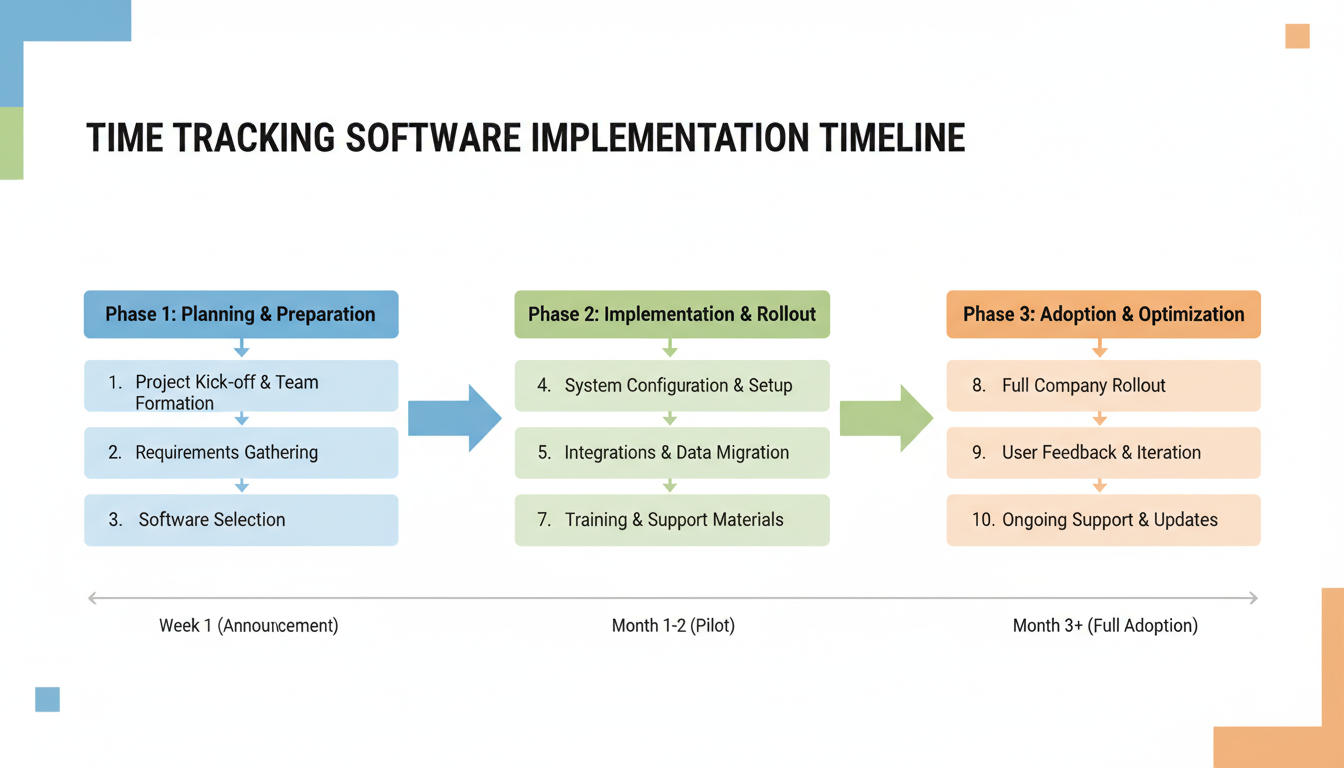
Phase 1: The “Why” (Week 1)
Do not mention “productivity” or “monitoring.” Frame the conversation around capacity planning. Explain that you want to prevent burnout by ensuring nobody is overloaded. If the team sees the tool as a shield against overwork, they will embrace it.
Phase 2: The Soft Launch (Week 2)
Pick a pilot group. Let them test the software. Ask them to break it. Their feedback will help you configure the tags and categories so they actually make sense to the people doing the work.
Phase 3: The Review (Week 4)
Review the data, but—and this is crucial—do not punish anyone based on the first month’s data. Use it to adjust project estimates. Show the team that the data resulted in better deadlines, not fired employees.
⚠️ Watch Out
Avoid the “100% Utilization” trap. No one works 8 hours straight. Industry standards suggest that 6 hours of focused work per day is the maximum sustainable limit. If you expect 8 billable hours daily, you are engineering burnout.
Comparison: Choosing the Right Tool
The market is flooded. To make the effective use of time tracker software a reality, you need a tool that fits your workflow, not the other way around. Here is how the top categories stack up.
| Category | Ideal User | Key Features to Look For |
|---|---|---|
| Project-Based | Agencies, Dev Teams | Jira/Asana integration, budget alerts, retainer management. |
| Freelance/Solo | Consultants, Writers | Invoicing generation, expense tracking, simple UI. |
| Employee Monitoring | High-Security Firms | Screenshots, keystroke logging (Use with extreme caution). |
For creative work, look for tools that integrate with your existing stack. If you use Trello, the tracker should live inside Trello cards. Friction is the enemy of data accuracy.
The Psychology of Tracking (and Myths)
There is a lot of fear surrounding these tools. Let’s bust the biggest myths preventing the widespread use of time tracker solutions.
Myth: It Kills Creativity
Reality: Constraints breed creativity. By time-boxing your creative sessions (e.g., “I will brainstorm for exactly 45 minutes”), you force your brain to focus. It prevents the paralysis of unlimited time.
Myth: It’s Big Brother
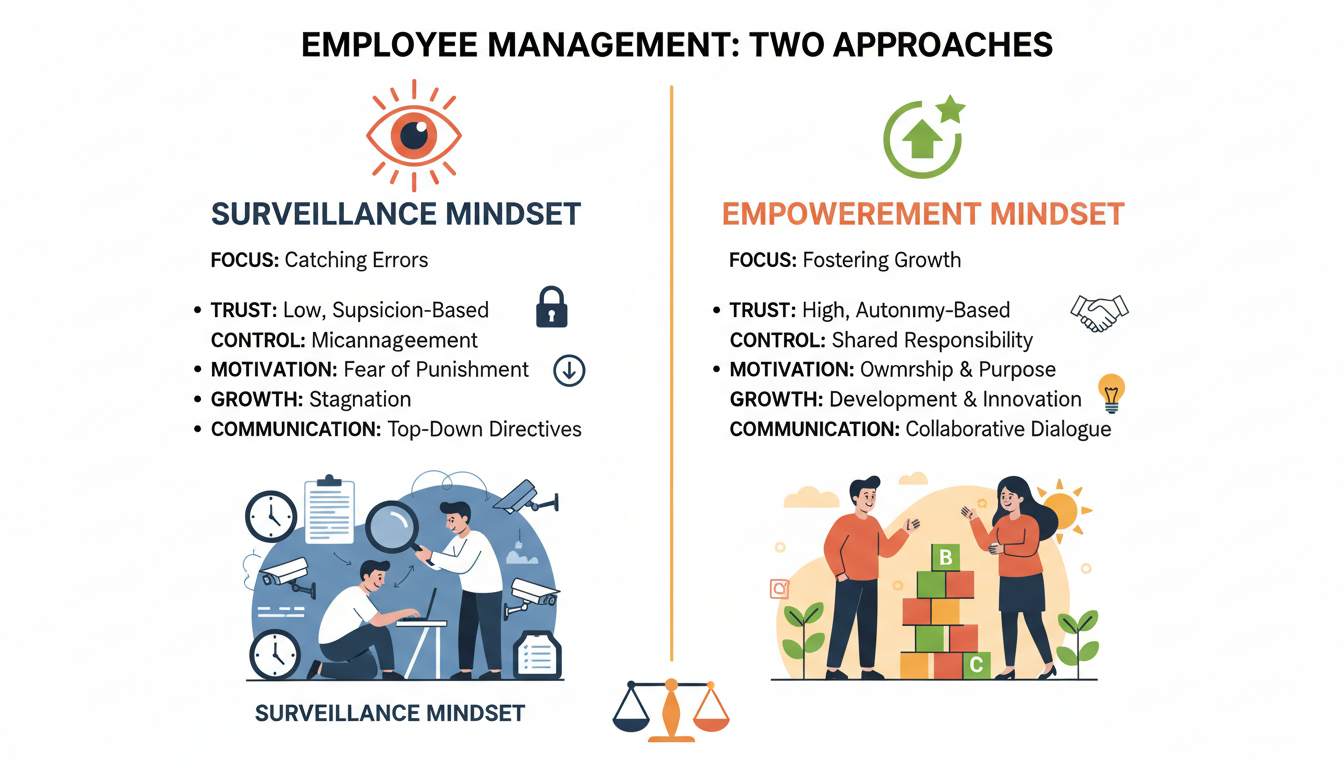
Reality: It can be, but it shouldn’t be. Ethical time tracking focuses on the work, not the worker. As noted by Harvard Business Review, metrics should be used to learn and improve, not merely to control. The best managers use this data to say, “You’re working too much, take Friday off.”
Conclusion
The strategic use of time tracker software is the difference between running a business and just having a busy hobby. In 2026, where attention is the scarcest currency, these tools give you a ledger for your time just like accounting software gives you a ledger for your money.
Start small. Pick a tool, track your time for one week, and look at the data without judgment. You will likely find that you are spending way more time on email and way less time on deep work than you thought. That realization? That’s the first step toward reclaiming your schedule.
Don’t let another 500 hours vanish this year. Take control of your clock.
❓ Frequently Asked Questions
Is it legal to require employees to use time tracker software?
Generally, yes. In most jurisdictions (including the US and UK), employers can track activity on company-owned equipment during working hours. However, transparency is key. Always consult local labor laws and inform employees via a written policy before implementation.
How do I handle “non-billable” time?
Track it! You must track internal meetings, admin, and training. If you don’t, you skew your data. You need to know that a project took 20 hours of coding plus 5 hours of meetings to understand the true cost.
What if I forget to turn the timer off?
This happens to everyone. Look for software with “idle detection.” These tools sense when you stop moving the mouse and will ask, “Were you working this whole time?” allowing you to edit the entry easily.
Can time tracking work for creative teams?
Absolutely. While creatives often resist structure, tracking helps quantify the “thinking time” required for great ideas. It validates that research and ideation are billable work, ensuring creatives get paid for the process, not just the final deliverable.
What is the best time tracking integration?
The best integration is the one you use most. For developers, GitHub or Jira integrations are vital. For general business, a Slack or Microsoft Teams integration that allows you to start timers via chat commands can be a game-changer.

