
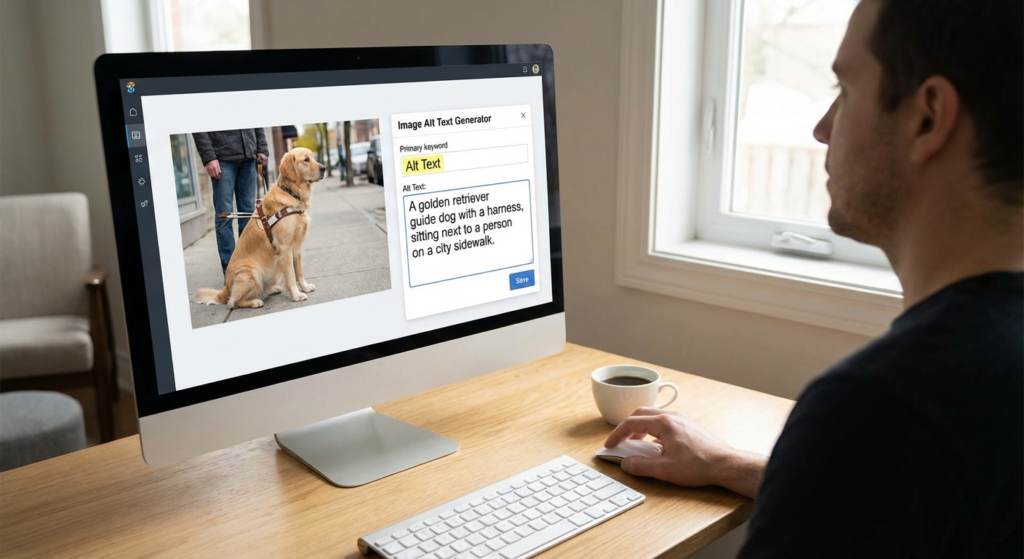
Images drive the modern web. They capture attention and boost engagement. But search engines see code, not colors. While users enjoy a vibrant sunset, Google’s crawlers see a file name. This is where an alt text generator transforms your image SEO strategy.
For creators and SEO specialists, writing unique tags for thousands of images is exhausting. Skipping this step leads to missed rankings and poor accessibility. By using a sophisticated alt text generator, you bridge the gap between visuals and search engine understanding. This ensures your media builds site authority rather than slowing it down.
What is an Alt Text Generator and How Does It Work?
An alt text generator is an AI-powered tool. It uses computer vision to analyze images and create accurate text descriptions. This technology has evolved. It no longer just recognizes objects; it understands context, actions, and emotions.
When you upload an image, the AI scans pixel data. It identifies objects, colors, and text. Then, it creates a coherent sentence. Instead of a generic name like “IMG_001.jpg,” the tool might generate “A golden retriever catching a frisbee in a sunny field.” This level of detail helps search engines index your images for relevant queries.
Just as a Bar Chart Generator turns data into visuals, an alt text tool does the opposite. It translates visual data into text for machines and screen readers. This helps both SEO and users with visual impairments.
Why You Need an Alt Text Generator for SEO Success
The digital market is competitive. Small optimizations lead to big traffic gains. Adding an alt text generator to your workflow offers three major benefits.
Enhanced Accessibility
The internet must be inclusive. Alt text allows screen readers to describe images to visually impaired users. This complies with WCAG guidelines and expands your reach.
Google Image Search Rankings
Google Images is a massive search engine. Accurate descriptions help your images rank for specific keywords. This drives direct traffic to your site.
Improved Semantic Relevance
Search engines use alt text to understand page context. Relevant descriptions reinforce your topic and boost your overall page authority.
Using an alt text generator ensures consistency. Humans get tired and write short, vague tags like “product photo.” AI maintains high standards for every image, ensuring your SEO strategy stays strong.
Best Practices When Using an Alt Text Generator
Automation is powerful but needs a human touch. Do not just copy and paste. To get the best results from your alt text generator, follow these rules.
Review and Refine AI Output
AI is smart but lacks nuance. A tool might see a “man in a suit,” but the context might be “Elon Musk at a tech conference.” Always treat AI output as a draft. Refine it to match your article’s theme. For example, if you are discussing business growth, ensure your image descriptions reflect that, just as you would use a Free Ecommerce Profit Margin Calculator to refine your financial data.
Keep it Concise and Descriptive
Be descriptive but brief. Most screen readers stop reading after 125 characters. A quality alt text generator usually stays within this limit. Put the most important keywords at the start. Avoid phrases like “Image of” or “Picture of.” Screen readers already announce those details.
Include Keywords Naturally
Include target keywords only if they fit. Keyword stuffing is a negative signal. If your post is about “coffee brewing,” and the image shows a French Press, use “Barista using a French Press coffee maker” instead of a string of random coffee words.
For more technical details, check Google’s image best practices. This guide explains how descriptive text improves indexing.
Common Mistakes to Avoid with Automated Tools
Even the best alt text generator can make mistakes. One error is using AI for complex charts. AI identifies the chart but may miss the specific data points. In these cases, describe the conclusion, such as “Chart showing 20% sales growth in Q4.”
Another mistake is tagging decorative images. If an image is just for design, like a border or divider, use an empty attribute (alt=””). An alt text generator might try to describe a border as “abstract blue lines,” which confuses screen reader users.
Integrating an Alt Text Generator into Your Workflow
To scale your content, integrate these tools into your publishing process. The workflow is simple:
- Upload: Batch upload images to your CMS.
- Generate: Use the alt text generator for initial descriptions.
- Contextualize: Scan the text to ensure it matches your intent.
- Optimize: Add specific brand names or local SEO keywords.
- Publish: Save the metadata and go live.
This process saves hours. It lets you focus on writing while the technical SEO for your images is handled automatically.
E-Commerce Speed
For stores with thousands of products, automation is the only way to scale image SEO effectively.
Audit Readiness
Automated tools help you quickly fix missing alt tags on older blog posts and pages.
The Future of Image SEO
Visual search is growing. The role of the alt text generator will become even more vital. Tools are getting smarter at understanding brand logos and sentiment. According to the W3C Web Accessibility Initiative, accessibility is key to high-quality web development. AI tools are the best way to achieve this at scale.
Adopting these tools today future-proofs your site. It ensures your content stays discoverable and competitive in an automated world.
Conclusion
An alt text generator is a strategic necessity for modern SEO. It helps you maintain high standards without losing productivity. By reviewing AI output and following a consistent workflow, you can improve rankings and user experience simultaneously. Don’t let your images go invisible to search engines—start optimizing them today for better reach and accessibility.
FAQs
No. It is actually beneficial. It ensures every image has a description, which helps search engines. Just make sure to review the text for accuracy and context.
AI can identify that an image is an infographic, but it may struggle with deep data. It is best to manually summarize the key takeaway of a chart for the best accessibility.
Aim for under 125 characters. This prevents screen readers from cutting off the description and keeps your metadata clean.
No. Decorative images should have an empty alt attribute (alt=””). This tells screen readers to skip them, providing a better experience for users.
Yes, but only if they describe the image naturally. Avoid keyword stuffing, as search engines may penalize your site for it.

