
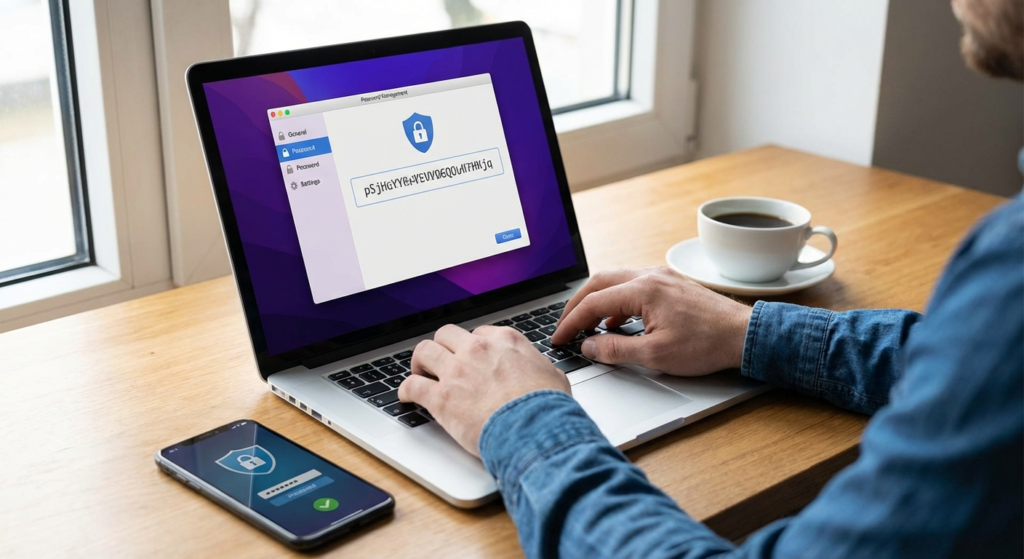
In an era where digital lives are increasingly complex, the security of your online accounts hinges on one critical element: your login credentials. Despite constant warnings from cybersecurity experts, millions of users still rely on simple, easily guessable combinations like “123456” or “password.” This is where the password generator becomes an indispensable tool in your digital arsenal. By automating the creation of complex, random strings of characters, a password generator eliminates the human tendency to create predictable patterns, thereby significantly elevating your defense against hacking attempts.
Whether you are managing personal banking, social media, or sensitive work emails, understanding the utility of a password generator is no longer optional—it is a necessity. This comprehensive guide will explore exactly how these tools work, why manual password creation is obsolete, and how you can integrate a password generator into your daily routine to stay one step ahead of cybercriminals.
What Is a Password Generator and How Does It Work?
A password generator is a software tool or algorithm designed to create random passwords based on specific criteria set by the user. Unlike humans, who rely on memory aids, birthdays, or pet names, a password generator utilizes mathematical entropy to ensure that the resulting character string has no discernible pattern.
When you use a password generator, you typically have options to customize the output. You can specify the length of the password (e.g., 16 or 20 characters) and choose to include uppercase letters, lowercase letters, numbers, and special symbols. The tool then churns out a unique combination that is statistically improbable to guess.
For example, while a human might choose “BlueSky2025!”, a password generator would produce something like “X7#m9$vL2@qZ!p4”. The latter is exponentially harder for brute-force algorithms to crack because it lacks semantic meaning and predictability.
The Risks of Manual Password Creation
Before diving deeper into the solution, it is vital to understand the problem. The human brain is wired to seek patterns. When we are asked to create a “strong” password, we often use predictable substitutions, such as replacing ‘a’ with ‘@’ or ‘e’ with ‘3’. Hackers are well aware of these tricks. They use sophisticated software capable of testing billions of combinations per second, specifically targeting these common human patterns.
Furthermore, humans have a psychological attachment to numbers that have meaning to them. While tools like a lucky mobile number calculator are entertaining and useful for personalizing your phone number choice based on numerology, applying that same logic to password creation is dangerous. Relying on “lucky” dates or numbers makes your credentials vulnerable to social engineering attacks where hackers glean personal information from your social media profiles.
5 Key Benefits of Using a Password Generator
Switching to an automated system offers immediate security upgrades. Below are the core advantages of utilizing a robust password generator.
True Randomness
A password generator removes human bias. It creates strings of characters with high entropy, meaning there is no logical connection between characters, making prediction impossible.
Customizable Complexity
Different sites have different requirements. Generators allow you to instantly adjust parameters—like excluding ambiguous characters (e.g., ‘O’ vs ‘0’)—to meet specific site rules.
Time Efficiency
Stop staring at the screen wondering what password to use. A generator provides a secure option in milliseconds, streamlining your sign-up processes.
Prevention of Reuse
Password reuse is a major security sin. Generators make it easy to create a unique password for every single account, mitigating the risk of credential stuffing attacks.
Why Strong Passwords Defeat Brute Force Attacks
A brute force attack is a method where a hacker uses software to try every possible password combination until the correct one is found. The time it takes to crack a password depends entirely on its length and complexity—two factors perfectly handled by a password generator.
The Mathematics of Security
Consider a password that is only 8 characters long and uses only lowercase letters. It can be cracked almost instantly. However, if you use a password generator to create a 16-character password containing a mix of uppercase, lowercase, numbers, and symbols, the number of possible combinations rises into the septillions. Even with massive computing power, cracking such a password would take centuries. This is why agencies like CISA (Cybersecurity and Infrastructure Security Agency) recommend long, complex passwords as a primary defense.
Integrating a Password Generator with a Password Manager
One common objection to using a password generator is memory. “How am I supposed to remember ‘X7#m9$vL2@qZ!p4’?” The answer is simple: you aren’t. A password generator works best when paired with a password manager.
A password manager acts as an encrypted vault. You only need to remember one strong master password to unlock the vault. Inside, the manager stores the complex, generated passwords for all your accounts. Most modern password managers even have a built-in password generator, creating a seamless workflow where the software generates, saves, and autofills your credentials.
Just as webmasters rely on specialized tools like an SEO friendly URL slug generator to automate and optimize technical aspects of a website, you should rely on security automation tools to handle the technical complexity of your credentials. Trying to do it manually is inefficient and prone to error.
How to Choose the Right Password Generator
Not all generators are created equal. When selecting a password generator, consider the following features to ensure you are getting the best security possible.
Client-Side Generation
Ensure the generator runs locally in your browser. This means the password is created on your device and never sent over the internet to a server.
Open Source Code
Open-source generators allow security experts to audit the code, ensuring there are no backdoors or weaknesses in the randomization algorithm.
Customization Options
A good password generator allows you to toggle symbols, numbers, and length. Some sites break if you use certain symbols, so flexibility is key.
Best Practices for Using a Password Generator
To maximize the effectiveness of your password generator, follow these strategic best practices:
- Go Long: Always generate passwords that are at least 12-16 characters long. Length is the most significant factor in password strength.
- Mix It Up: Ensure every generated password includes a full mix of character types unless the website specifically forbids it.
- Refresh Regularly: While you don’t need to change passwords monthly (a practice now deemed unnecessary by NIST guidelines unless a breach occurs), you should immediately generate a new password if a service you use reports a data leak.
- Unique Every Time: Never use the same generated password for two different accounts. If one site is compromised, the others remain safe.
Does a Password Generator Guarantee Safety?
While a password generator provides the strongest possible lock for your digital door, it is not a magic shield. You must still be vigilant against phishing attacks. A hacker doesn’t need to crack your password if you accidentally type it into a fake login page they sent you via email. Therefore, combine your password generator with Two-Factor Authentication (2FA) for a robust security posture.
Conclusion
In the digital landscape of 2025, relying on your own memory to create passwords is a gamble with poor odds. The sophistication of modern cyber threats demands a level of complexity that only a machine can provide. By utilizing a password generator, you remove the guesswork, eliminate patterns, and drastically increase the effort required for a hacker to breach your accounts.
Remember, security is not about being unhackable; it is about making yourself a harder target than the next person. A password generator is the easiest, most effective step you can take today to secure your digital identity. Stop using “Password123” and start generating credentials that actually protect you.
Frequently Asked Questions (FAQs)
Yes, reputable password generators are safe. It is best to use one that generates the password locally on your device (client-side) rather than sending it to a server. Most password managers include built-in, secure generators.
It is statistically highly improbable. A properly generated password with sufficient length (12+ characters) and complexity has so many possible combinations that brute-forcing it would take current computers hundreds of years.
You are not meant to remember them. You should use a password manager to store these complex passwords. You only need to remember the one master password for the manager itself.
Security experts generally recommend a minimum of 12 characters, though 16 or more is preferred for high-value accounts like banking or email.
Many are reliable, but you should stick to well-known providers or those integrated into trusted security software. Avoid obscure websites that might log the passwords they generate.

