
In today's digital landscape, security is paramount. Every time you enter sensitive information—whether it's logging into your bank, making an online purchase, or simply reading a reliable blog—you are entrusting your data to a website. But how do you know if that trust is well-placed? The answer often lies in SSL Verification.
SSL (Secure Sockets Layer), or its modern successor TLS (Transport Layer Security), is the backbone of secure internet communication. It ensures that the data transferred between your browser and the website server remains encrypted and private. For users seeking immediate assurance, utilizing a specialized check if website is safe tool has become an essential habit for maintaining digital hygiene.
This comprehensive guide will walk you through the intricacies of SSL verification, explain why it's non-negotiable for online safety, and detail how automated tools make the process of verifying website security instantaneous and reliable.
The Foundation of Trust: Understanding SSL Verification
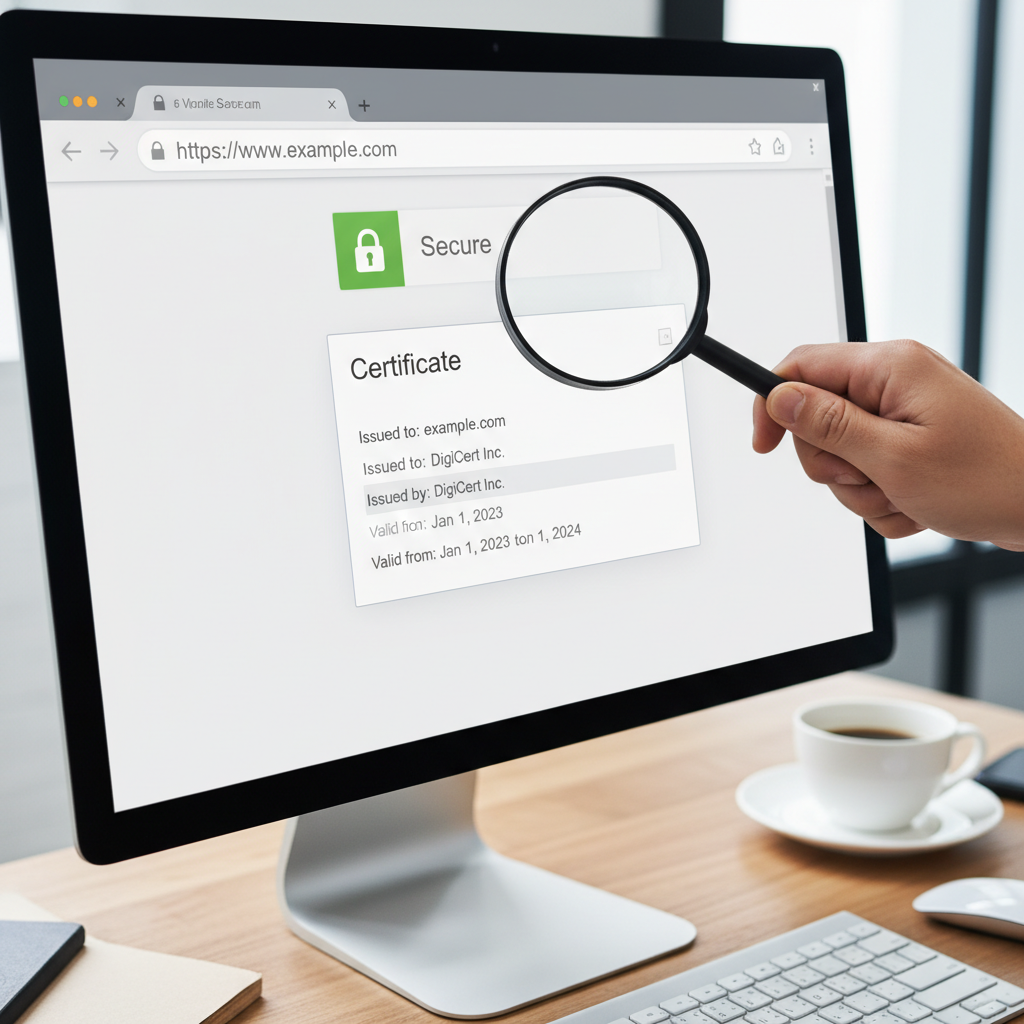
SSL verification is the process by which a browser confirms that a website's digital certificate is legitimate, active, and properly linked to the domain it claims to represent. When you see the 'HTTPS' prefix and the small padlock icon in your address bar, you are witnessing successful SSL verification in action.
The primary goal of SSL is twofold: encryption and authentication. Encryption scrambles the data so only the intended recipient can read it, preventing eavesdropping. Authentication confirms the identity of the server, ensuring you are connecting to the intended website, and not a malicious imposter.
What Happens During the SSL Handshake?
The moment you try to connect to an HTTPS site, a complex, rapid process known as the SSL/TLS handshake occurs. This is where verification takes place:
- Client Hello: Your browser sends a 'hello' message, listing the cryptographic algorithms it supports.
- Server Hello: The server responds, selecting the optimal algorithm and sending its SSL certificate.
- Verification: Your browser checks the certificate's validity, expiration date, and whether it was issued by a trusted Certificate Authority (CA).
- Key Exchange: If verified, the browser and server exchange session keys to start the encrypted communication.
If any part of this verification fails—for instance, if the certificate has expired or the CA is untrusted—your browser will display a prominent security warning, signaling that the website is potentially unsafe.
Why You Need a Reliable Check If Website Is Safe Tool
While modern browsers perform basic SSL checks automatically, they don't always provide granular details about the certificate chain, potential vulnerabilities, or performance issues. This is where a dedicated check if website is safe tool offers significant advantages. These tools go beyond the basic padlock check, diving deep into the technical specifications of the certificate.
For website owners, these tools are vital for proactive maintenance. For users, they offer peace of mind, especially when dealing with new or unfamiliar domains. Using a tool like an SSL Certificate Checker allows you to instantly diagnose common problems that might compromise security.
Enhanced Security Analysis
A specialized tool reveals details like the cipher suite strength, key size, and certificate chain completeness, identifying weak configurations that hackers might exploit.
Preventing Phishing and Spoofing
Verification tools confirm the domain ownership (especially for Organization Validated or Extended Validation certificates), helping you differentiate between a legitimate site and a sophisticated phishing attempt.
Compliance and SEO Benefits
A properly configured SSL is a ranking factor for search engines. Verification ensures you meet current security standards, boosting both user trust and SEO performance.
Step-by-Step Guide: How to Use a Check If Website Is Safe Tool
Using an automated SSL verification tool is straightforward and provides immediate results. These tools typically analyze the site against industry best practices and common CA requirements. Here is the general process:
- Access the Tool: Navigate to a reputable SSL Certificate Checker (like the one mentioned above).
- Input the Domain: Enter the full domain name (e.g., example.com) you wish to check.
- Initiate Scan: Click the "Check" or "Verify" button.
- Analyze Results: The tool will return a detailed report covering the certificate issuer, expiration date, key strength, and intermediate certificate status.
- Look for Warnings: Pay close attention to any red flags, such as mixed content warnings, insecure cipher suites, or impending expiration dates.
Manual Browser Checks vs. Automated Tools
While checking the address bar padlock is the fastest way to confirm basic SSL presence, automated tools provide the depth required for true security assessment. Manual checks often overlook critical details like certificate chain issues or poor configurations that still result in a green padlock but leave the site vulnerable.
As security experts often state, "The green padlock is necessary, but not always sufficient, for complete trust."
Decoding the Certificate: What Verification Reveals
Not all SSL certificates are created equal. The level of verification performed by the Certificate Authority (CA) determines the amount of trust users can place in the domain ownership. A comprehensive check if website is safe tool will clearly identify the type of certificate in use.
Domain Validation (DV)
This is the most basic certificate. The CA only verifies that the applicant controls the domain name. It provides strong encryption but minimal organizational identity assurance.
Organization Validation (OV)
This requires the CA to verify the organization's identity and physical presence. This offers higher assurance, typically used by corporate websites and institutions.
Extended Validation (EV)
The highest level of assurance. EV certificates require rigorous verification of the business identity, legal status, and operational existence. These are typically used by major banks and e-commerce platforms.
When using a check if website is safe tool, seeing an EV certificate confirms that the organization behind the website has undergone the highest scrutiny, providing maximum confidence in its legitimacy.
Common SSL Verification Failures and How to Fix Them
Even secure websites can encounter temporary verification issues. Understanding these common problems is crucial for both users encountering warnings and administrators maintaining their sites.
- Expired Certificates: The certificate has passed its validity date. This is a critical failure and must be renewed immediately.
- Untrusted Certificate Authority: The issuer of the certificate is not recognized by the browser's list of trusted CAs. This is rare but indicates a potentially questionable source.
- Name Mismatch: The domain name on the certificate does not match the URL in the address bar (e.g., the certificate is issued for
blog.site.combut the user is accessingsite.com). - Mixed Content Warnings: The main page loads securely over HTTPS, but some elements (like images, scripts, or stylesheets) are loaded insecurely over HTTP. This weakens the overall security.
- Incomplete Chain: Intermediate certificates (which link the domain certificate back to the root CA) are missing. The browser cannot fully verify the path to the trusted root.
Addressing these issues often requires careful server configuration. Tools that analyze your site's meta tags and overall structure can sometimes help identify underlying configuration problems contributing to mixed content.
Beyond SSL: Comprehensive Safety Checks for Web Security
While SSL verification is foundational, determining if a website is truly safe involves looking at other security layers. A good check if website is safe tool often incorporates broader checks, including reputation monitoring and malware scanning.
Red Flags That Go Beyond the Padlock
1. Domain Reputation and Phishing Indicators
Phishing sites are increasingly sophisticated, sometimes even obtaining valid DV certificates. Always check the domain name carefully for subtle misspellings (typosquatting). If a site asks for unusually sensitive information immediately or presents an offer that is too good to be true, proceed with caution. The U.S. Cybersecurity and Infrastructure Security Agency (CISA) consistently advises users to hover over links to check the true destination URL before clicking, a key habit in preventing phishing attacks. (Source: CISA)
2. Privacy Policy and Contact Information
Legitimate businesses maintain clear, accessible privacy policies detailing how they handle user data. The absence of a physical address, phone number, or detailed contact information is a significant warning sign.
3. Malware and Blacklisting Checks
Some tools check if the domain has been flagged by security vendors (like Google Safe Browsing) for distributing malware or malicious software. A site may have a valid SSL certificate but still host harmful content. Always ensure the site is not on any known blacklist.
Maintaining Digital Hygiene: Regular Verification Practices
For site administrators, regular SSL verification is not a one-time task; it is an ongoing requirement. Certificates typically last between 90 days and one year, meaning renewal and re-verification must be scheduled meticulously. Failure to renew results in immediate security warnings for all visitors, severely damaging trust and accessibility.
Leveraging verification tools integrated into monitoring services allows site owners to receive alerts weeks before expiration, ensuring seamless security continuity. Furthermore, constantly reviewing server configurations using a comprehensive check if website is safe tool ensures that security protocols remain hardened against emerging threats, such as new vulnerabilities in older TLS versions or weak cipher suites.
This commitment to security is what separates professional, trustworthy websites from risky, amateur operations. By prioritizing robust SSL verification and broader security checks, both consumers and businesses contribute to a safer, more reliable internet ecosystem.
Ultimately, verifying the safety of a website starts with the padlock, but it must extend into the depth of the digital certificate and the overall reputation of the domain. Utilizing reliable technology to perform these checks empowers you to navigate the web confidently and securely.
***
FAQs
SSL (Secure Sockets Layer) is the older, deprecated protocol. TLS (Transport Layer Security) is the modern, more secure successor. However, the term 'SSL certificate' is still commonly used generically to refer to TLS certificates.
Yes. An SSL certificate only guarantees secure, encrypted communication and authenticated server identity. It does not guarantee the intent or content of the site. Phishing sites sometimes use valid, basic Domain Validation (DV) certificates to appear legitimate. Always look for other trust indicators like comprehensive contact information and a detailed privacy policy, and use a reliable check if website is safe tool.
Website administrators should use automated verification tools frequently, ideally monthly, to check for common issues like mixed content or insecure cipher suites. Crucially, set up alerts to monitor the expiration date, which typically occurs every 90 days to one year, ensuring timely renewal.
The intermediate certificate chain links your server's certificate back to the trusted Root Certificate Authority (CA) certificate. If this chain is broken or incomplete, browsers cannot fully verify the certificate's authenticity, leading to security warnings, even if the primary certificate is valid. Proper configuration of this chain is essential for successful SSL verification.
Each major browser and operating system maintains its own repository of trusted Root CAs. If a certificate is issued by an organization not on this list, the browser will flag it as untrusted. These lists are regularly updated to remove CAs that have failed security audits. You can usually view these lists within your browser's security or certificate settings. (Source: Mozilla Root Store Policy)
Read Also:
- Achieving a Good Profit Margin for Ecommerce Business: Strategies for Maximum Profitability
- The Ultimate Guide to Crafting SEO Friendly URL Slugs: Choosing the Right Generator
- The Ultimate Guide on How to Calculate SRM CGPA from SGPA: Steps, Formulas, and Examples
- The Ultimate Guide to Tracking the USD to INR Currency Converter Live Rate
- Mastering the Math: How to Accurately Calculate Age in Years, Months, and Days
- 10 Ways a URL Shortener Transforms Your Digital Strategy
- How to Make a Time Stamp in YouTube: The Ultimate 2026 Guide
- Stop Wasting Money on Pipe in 2026
- Your Ultimate Username Guide for 2026
- 50x70cm to Inches: The Ultimate 2026 Framing & Conversion Guide
- Flip Your Text, Hack Attention in 2026
- 12 Smart Strategies for the Use of Username Generator Tools in 2024 – Visual Story

